Motioneye: Chrome issue but not Safari or Firefox
Love the idea, I'll love it more when I can get a build for my RPI 4, and I can sus out the issue below.
motionEye Version | 0.40
Motion Version | 4.2.2
OS Version | motionEyeOS 20190427
Chrome Version 76.0.3809.132 on MacOS10.14
Chrome on Android also
MotionEyeOs IP address: 192.168.0.44
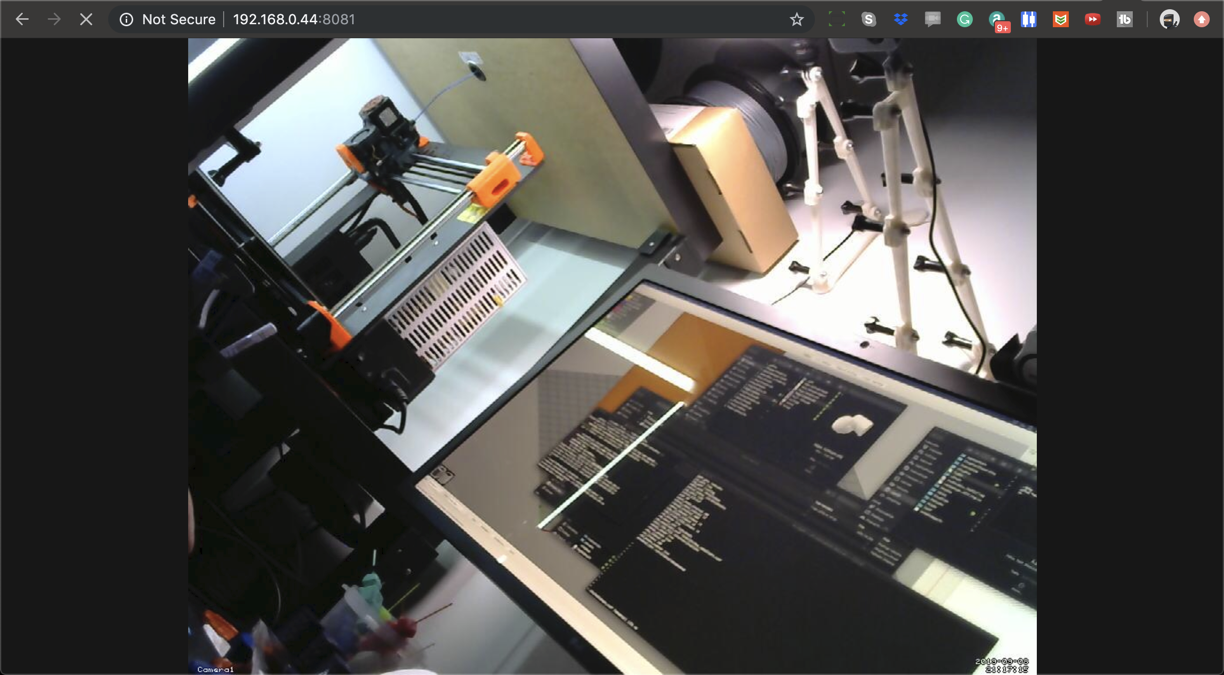
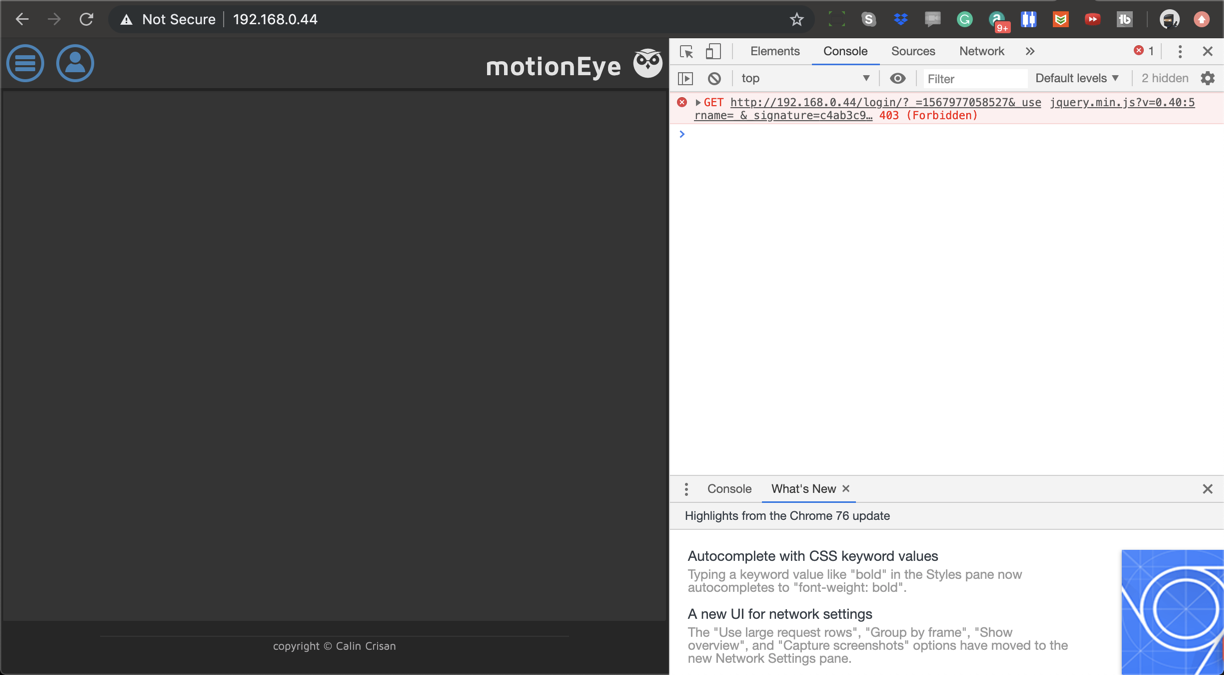
When I go to http://192.168.0.44 and log in as either admin or user I get the spinny gif, and then a blank box but no video. There are no errors in the javascript console (after the initial log in one) When I go to http://192.168.0.44:8081 I get the video feed without a problem and there are no errors in any of the logs on the RPI.
When I connect via safari on my Mac or Firefox on Android, everything seems fine.
I have restarted Chrome, I have restarted my phone and Mac. This really needs to work on my phone so I can monitor things remotely. I have resized the feed frame size and rate, as well as the streaming options.
What am I missing?
Thanks
 nigeljohnson73
All 8 comments
Google Chrome recently updated and broke the technique MotionEye uses for webpage image streaming. You can read #1401 to know more. Tl;dr: you can use another browser that didn't make the same change (e.g. Safari as you already noticed, or some other Webkit browser that didn't yet implement this same change), update MotionEye to the latest release, or use the about://flags fix that's described in #1401 .
 zagrim
on 9 Sep 2019
zagrim
on 9 Sep 2019
Cool, the chrome"//flags fix worked as a temporary fix. Thanks :) Happy to close this in preference to #1401
nigeljohnson73
on 9 Sep 2019
I am the developer of the motionEye Android application available on play store. I got many feedbacks saying the motionEye app, as well as chrome, have stopped showing the stream. And, I couldn't find a fix to be introduced in the android app as I am using Chrome client for WebView. This needs to be fixed as the workaround suggested by @zagrim cannot be done by everyone.
 JairajJangle
on 13 Sep 2019
JairajJangle
on 13 Sep 2019
@JairajJangle this is already fixed in latest Motioneye release. Have you checked if maybe the "Chrome client for WebView" thing would allow you to set your own Chrome flags?
 CRImier
on 13 Sep 2019
CRImier
on 13 Sep 2019
@CRImier nope, after updating, I'm still unable to view the stream keeping default chrome flags. The loading never finishes. Unfortunately in Android, setting flags for webview cannot be done, I won't bore this thread with Android things. I also tried opening my motionEye cam URL with Chrome browser, still won't load.
JairajJangle
on 14 Sep 2019
I'm having the same issue: no image in Chrome on Mac from motionEyeOS running on Raspberry Pi 3B, Firefox on Mac works fine.
But video in Chrome on Mac from motionEye running in Docker on Ubuntu 18 works fine.
 lukdz
on 16 Sep 2019
lukdz
on 16 Sep 2019
Any updates on this issue?
JairajJangle
on 31 Oct 2019
Hi, I have just found out today, 10-04-20, that my motioneye viewing on raspian stretch was not working on two cameras I use it on, when I tried to view the stream on Firefox. Thinking something had changed I updated raspian and updated motioneye to latest version. It made no difference. I then decided to use my phone. It worked ok on both cameras. One uses a webcam and other uses the raspberrypi camera. So I then realised it was probably firefox. I then used a laptop I hadn't used for a while and firefox worked ok. It was version 74.01. I let it update to version 75 and tried again. It then did not see the stream from motion eye. So latest firefox has broken the viewing capablity from moitoneye. I noticed a workaround for chrome and tried similar with firefox. That is: about:config and change the lazy-image flag to false. Guess what... it worked. So for now this workaround works.
 glyderman8
on 10 Apr 2020
glyderman8
on 10 Apr 2020
Related issues
 vtrack
·
6Comments
vtrack
·
6Comments
 sambul13
·
6Comments
sambul13
·
6Comments
 jeff-h
·
5Comments
jeff-h
·
5Comments
 anon-tigress
·
3Comments
anon-tigress
·
3Comments
 chrivosie
·
5Comments
chrivosie
·
5Comments
Most helpful comment
I am the developer of the motionEye Android application available on play store. I got many feedbacks saying the motionEye app, as well as chrome, have stopped showing the stream. And, I couldn't find a fix to be introduced in the android app as I am using Chrome client for WebView. This needs to be fixed as the workaround suggested by @zagrim cannot be done by everyone.