Motioneye: Video stream not visible in main UI
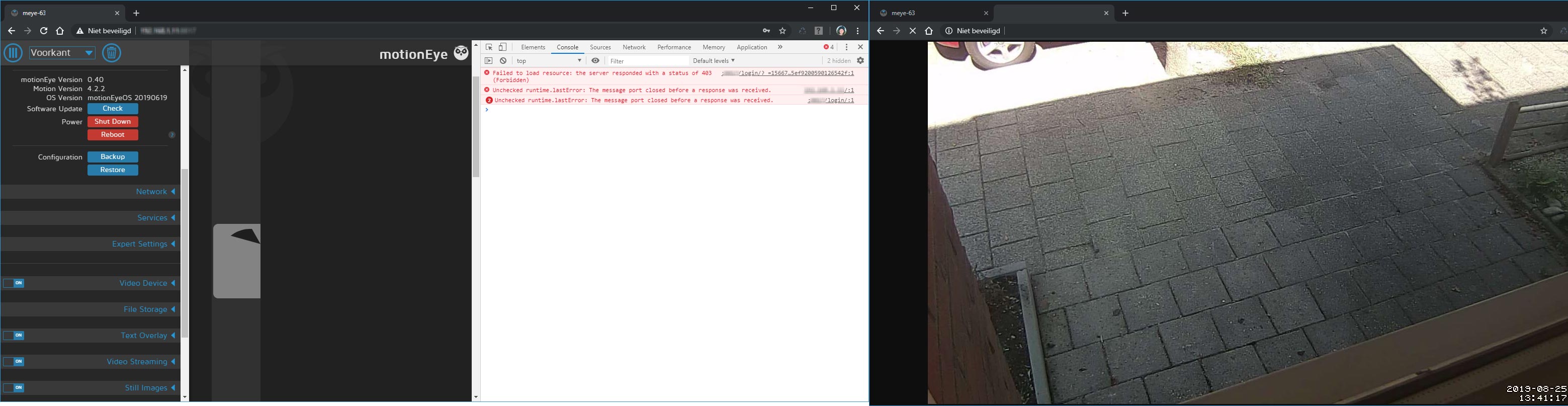
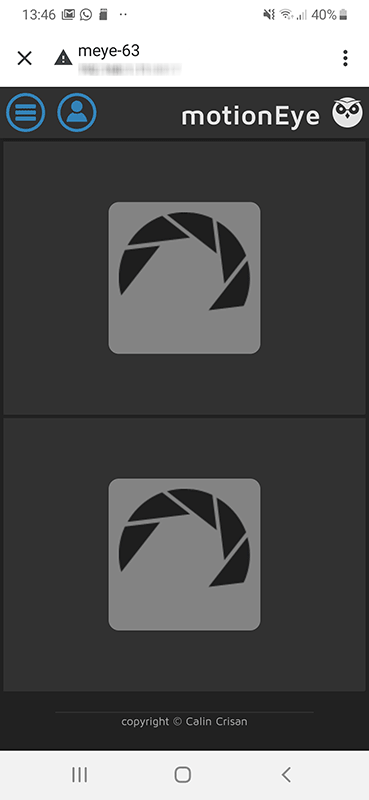
For some reason I'm unable to see my video streams in the main UI of motionEye..
When I grab the stream and open it for example in VLC it works fine. Also when I grab the streaming URL from MotionEye and paste into my browser and I fill in my credentials the stream works fine.
The console mentions the following message: Unchecked runtime.lastError: The message port closed before a response was received. What am I doing wrong? I already reinstalled motionEyeOS. I tested it with version 20190427 and version 20190619. In the past it worked fine. So I have no idea what have been changed..
The issue seems to be a bit simular to ticket: 1142. Altough I reinstalled everything and configured the cameras from scratch so there shouldn't be any blocking old configurations.
motionEye version: 0.40
motion version: 4.2.2
OS version: motionEyeOS 20190619
camera Hardware: Raspberry Pi 3+
 rvdeijk
All 4 comments
After reading some other issues it seems to be related to Chrome 76. When I disable this setting in chrome: chrome://flags/#enable-lazy-image-loading everything works fine.
When will there be a new release, I don't like to use nightly's.
rvdeijk
on 25 Aug 2019
0.41rc1 seemed working ok on chrome:
sudo pip uninstall motioneye
sudo pip install motioneye==0.41rc1
 bob-lee
on 26 Aug 2019
bob-lee
on 26 Aug 2019
After reading some other issues it seems to be related to Chrome 76. When I disable this setting in chrome: chrome://flags/#enable-lazy-image-loading everything works fine.
When will there be a new release, I don't like to use nightly's.
@rvdeijk Thanks for sharing. That fix worked for me as well 👍
 virtuallight
on 3 Sep 2019
virtuallight
on 3 Sep 2019
After reading some other issues it seems to be related to Chrome 76. When I disable this setting in chrome: chrome://flags/#enable-lazy-image-loading everything works fine.
Just perfect. Thanks a lot !!
 pentiumduck
on 18 Feb 2020
pentiumduck
on 18 Feb 2020
Related issues
 yanoschik
·
6Comments
yanoschik
·
6Comments
 apla2016
·
5Comments
apla2016
·
5Comments
 regolo76
·
5Comments
regolo76
·
5Comments
 toshibochan
·
5Comments
toshibochan
·
5Comments
 mbrivio
·
4Comments
mbrivio
·
4Comments
Most helpful comment
After reading some other issues it seems to be related to Chrome 76. When I disable this setting in chrome: chrome://flags/#enable-lazy-image-loading everything works fine.
When will there be a new release, I don't like to use nightly's.