Motioneye: Timelapse movie could not be created
Hello
after I was not satisfied with Raspberry 3B+ and Odroid hc1 as a camera server in terms of performance, I switched to a laptop for testing.
hp probook 450 with i7, 8gb ram and 750GB SSD.
Operating system is Ubuntu desktop 18.04.1 installed. I had already tried it with Ubuntu Server before.
The problem:
- I can not record h264.omx videos
and - do not create a timelapse video.
https://picload.org/view/dcragawi/_20181008_163821.jpg.html
With the finished images for Raspberry and Odroid, the below mentioned problems never occurred.
I have installed following the instructions from the Wiki:
https://github.com/ccrisan/motioneye/wiki/Install-On-Ubuntu
motionEye Version 0.39.3
Motion Version 4.0
OS Version Ubuntu 18.04
What did I do wrong?
journalctl -u motioneye returns the following entry:
`ERROR: ffmpeg process failed
The Log-File (test.txt) is only by recording h264.omx movies.
test.txt
`
 Klausoleum
All 10 comments
To try to solve the problem I tested ffmpeg and codecs with the terminal
MotioneyeOS uses the following command on my Odroid hc1 to create a timelapse:
ffmpeg -framerate 3 -f image2pipe -vcodec mjpeg -i - -vcodec h264 -format h264 -b:v 9999999 -qscale:v 0.1 -f avi /data/output/.1539145877.avi
To be able to use the code in the terminal I modified it:
cat *.jpg | sudo ffmpeg -framerate 3 -f image2pipe -vcodec mjpeg -i - -vcodec h264 -format h264 -b:v 9999999 -qscale:v 0.1 -f avi test2.avi
and also tested with other codec
cat *.jpg | sudo ffmpeg -framerate 3 -f image2pipe -vcodec mjpeg -i - -vcodec mpeg4 -b:v 9999999 -qscale:v 0.1 -f avi my_timelapse.avi
Result:
Ffmpeg works in the terminal with the tested codecs and on both Ubuntu installations (Lenovo and HP)
--> Why does ffmpeg work in the terminal, but not in webinterface? <--
By the way, created a small benchmark:
1702 Images, 400 - 500kB per Image, 3fps Timelapse
Odroid HC1 Samsung Exynos5422 Cortex-A15 2Ghz and Cortex-A7 Octa core CPUs, 2GB RAM
301MB, 00:09:40 (hh:mm:ss)
(file size, creation period)
Lenovo P52s i7-8550 1,8GHz, 16GB RAM 64Bit
h264: 709MB 00:02:44
mpeg4: 289MB 00:00:33
HP ProBook 450 G1 i7-4702 2,20GHz, 8GB RAM 64bit
h264: 709MB 00:02:22
mpeg4: 289MB 00:00:39
Klausoleum
on 11 Oct 2018
I updated motion from version 4.0 to 4.1.1
wget https://github.com/Motion-Project/motion/releases/download/release-4.1.1/bionic_motion_4.1.1-1_amd64.deb
dpkg -i bionic_motion_4.1.1-1_amd64.deb
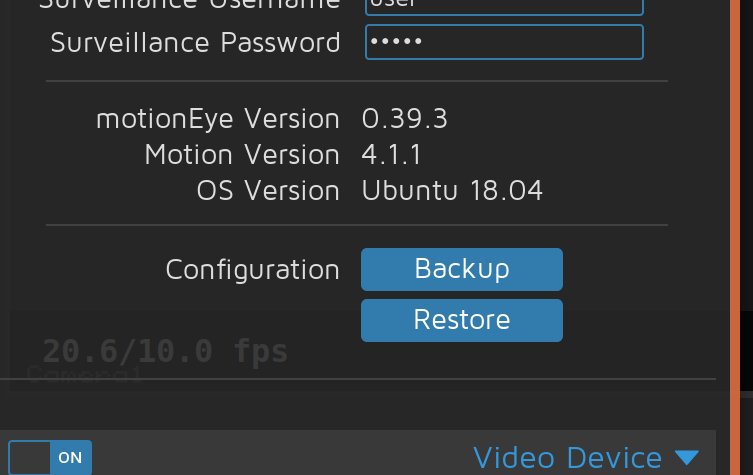
on motioneyeOS ffmpeg version 3.3.5 is installed
on ubuntu runs version 3.4.4
Only from the web interface with all imaginable browsers I can not create timelpase movies.
Via terminal timelapse movies can be created.
What else can I do? Why does timelapse work in terminal but not in webinterface?
Klausoleum
on 19 Oct 2018
I don't know if this may be related. I'm on Raspbian Stretch. And since the update to motioneye 0.39 timelapse creation stopped working. The workaround for me is in the file:
/usr/local/lib/python2.7/dist-packages/motioneye/mediafiles.py
When I change the following two lines everything works again:
'mp4:h264_omx': 'h264',
'mkv:h264_omx': 'h264',
Before it looked like:
'mp4:h264_omx': 'h264_omx',
'mkv:h264_omx': 'h264_omx',
 efelon
on 15 Apr 2019
efelon
on 15 Apr 2019
It is also possible to set the Movie Format to H.264 instead of H.264_omx in the Movies Section of the camera settings
 tobimai
on 3 Jan 2020
tobimai
on 3 Jan 2020
Thank you for this hint @tobimai . It works.
Since I have the "Movies" section disabled for my use, I didn't came across this setting. After changing the Movie Format and setting "Movies" to off, I can create Timelapses again.
efelon
on 6 Jan 2020
thx to thread-starter!
the gui option is limited to create a timelapse over more than one day.
i ended up with doing it with the help of the thread-starter on the cmd-line of the images root dir "/var/lib/motioneye/" like:
cat ./*/*.jpg | sudo ffmpeg -framerate 10 -f image2pipe -vcodec mjpeg -i - -vcodec h264 -format h264 -b:v 9999999 -qscale:v 0.1 -f avi test6.avi
 ozett
on 10 Feb 2020
ozett
on 10 Feb 2020
cat ./*/*.jpg | sudo ffmpeg -framerate 10 -f image2pipe -vcodec mjpeg -i - -vcodec h264 -format h264 -b:v 9999999 -qscale:v 0.1 -f avi test6.avi
Glob (*) does not provide or preserve order.
I use the below to sequentialize the images from multiple folders first.
i=1; for d in $(ls --color=none .); do echo $d; for f in $(ls --color=none ./$d); do echo $f; name="00000${i}"; cp ./$d/$f ./${name:(-5)}.jpg; i=$(( $i + 1)); done; done
 PaulCmpbll
on 19 Mar 2021
PaulCmpbll
on 19 Mar 2021
This is/was >2.5 years old using an ancient version of motion & motioneye.
 starbasessd
on 19 Mar 2021
starbasessd
on 19 Mar 2021
This is/was >2.5 years old using an ancient version of motion & motioneye.
i installed fresh version today and timelapse-button only creates a sequence for one day, not spanning over multiple days.
or do i miss something?
ozett
on 29 Apr 2021
If you installed a fresh version today, how would you have had multiple days snapshots to create the timelapse?
Please open a new issue, with at least the Base OS you are using, which install instructions you are using, which version of motion & motionEye were installed, what path is being used for File Storage, and what File Name is being used for Still Images
starbasessd
on 29 Apr 2021
Related issues
 anon-tigress
·
3Comments
anon-tigress
·
3Comments
 apla2016
·
5Comments
apla2016
·
5Comments
 walterdevos
·
5Comments
walterdevos
·
5Comments
 ghubjules
·
4Comments
ghubjules
·
4Comments
 sambul13
·
6Comments
sambul13
·
6Comments
Most helpful comment
It is also possible to set the Movie Format to H.264 instead of H.264_omx in the Movies Section of the camera settings