Motioneye: Web interface missing settings?
I did install motionEye in Debian on my Hyper-V server by this instruction:
https://github.com/ccrisan/motioneyeos/issues/333
On a Pi3 i have set motionEyeOS to Fast Network Camera.
I added the Pi as Network Camera with http://10.1.255.16:8081/
But i don't have all the settings i have on the Pi if it is not set to Fast Network Camera.
I can only turn on/off Video Streaming (does not expand).
No "Text Overlay", no options like "Interval Snapshots" or options in Movies.
Only the option for Preserve time in both.
I don't see something to disable Motion Detection (something i don't need)?
Also i wonder on a full Linux install i can't do picture capturing or video recording if i add a camera as Simple MJPEG Camera?
Here
https://www.bountysource.com/issues/32149973-rpi-3-motioneye-slow-preview-recording-fps
i did read that 9 cams work with a Odroid XU4 but i have now just one cam on a i3 and have just 4 fps?
 MrGlasspoole
All 12 comments
That's because you added your camera as a Simple MJPEG Camera. Add it as a normal Network Camera and you'll get your options back.
 ccrisan
on 11 Mar 2017
ccrisan
on 11 Mar 2017
I wrote:
I added the Pi as Network Camera with http://10.1.255.16:8081/
MrGlasspoole
on 11 Mar 2017
So what is the option that you're missing now?
ccrisan
on 11 Mar 2017
As i wrote:
No "Text Overlay", no options like "Interval Snapshots" or options in Movies.
I can't expand Video Streaming.
This is all i have:

MrGlasspoole
on 11 Mar 2017
Hmm you did not enable Advanced Settings, did you?
ccrisan
on 11 Mar 2017
I can't believe i did miss this setting :-(
Thank you!
This brings up some questions now.
Is it better to directly use the Pi's streaming URL (if i don't care for overlay's)
or the one from the server - from a performance point of view?
Then i have now 3 places i can set the frame rate.
I guess the frame rate on the Pi must be equal or higher then the rates on the server?
EDIT
Ok, accessing the stream from the serves has no lag where the one from the Pi has?
If i don't add the Pi to the server and use Fast Network Camera and access the stream then there is no lag?
Wow, i think there are many things to look at and to configure to get it right.
MrGlasspoole
on 11 Mar 2017
You have too many questions here to be answered in a single issue (which wasn't opened for any of them in the first place). Anyways, I'll give it a go:
The FNC mode makes your PI behave just like any other regular network camera - nothing motionEye-specific. Use the provided UI on your PI to tweak the frame rate, resolution and settings so that you're happy with your netcam as it is. You can use your browser to directly test the mjpeg stream.
Now, when you add it to your motionEye server, you'll have to tweak framerates again. Depending on how you want to use it, you may want a lower framerate on the server side, or you may go just as high as you set your FNC. Keep in mind though that the server does some processing and that you may not reach the target framerate.
ccrisan
on 11 Mar 2017
Sorry, i don't have much experience writing on GitHub :-(
What do you mean by "which wasn't opened for any of them in the first place"?
MrGlasspoole
on 12 Mar 2017
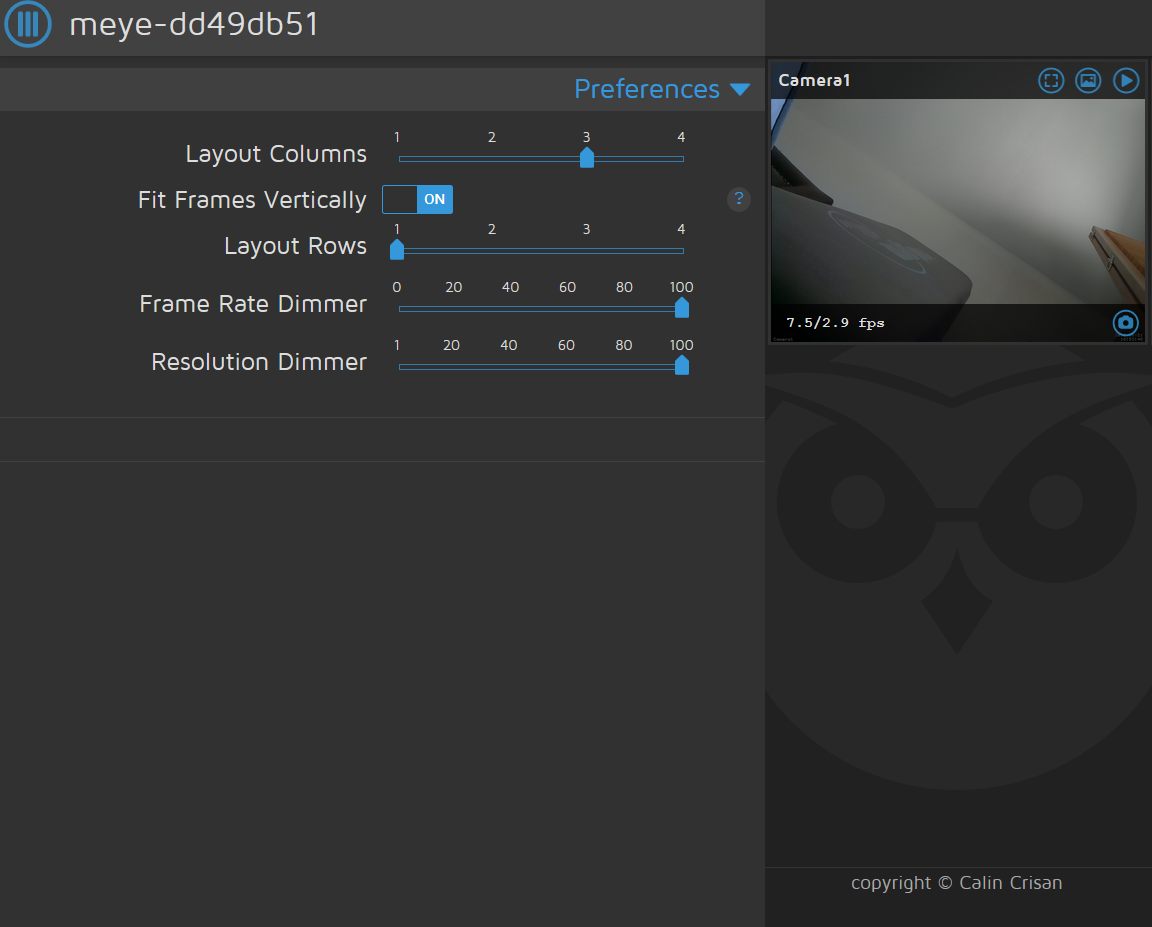
@ccrisan I had set up motion eye and everything was working fine. After resetting my network and rebooting the rPi, everything's still functioning as before but the camera feeds no longer have a link to their settings, and the main settings menu is missing pretty much everything. Couldn't find an open issue for this but this one seemed similar enough so I figured I'd post it here as an FYI.
 imjoeco
on 21 Jun 2018
imjoeco
on 21 Jun 2018
Log out and log in as admin
ccrisan
on 21 Jun 2018
Hi - installed motioneye and it works brilliantly. My question is: is there a way to activate a web browser upon motion being dected? I.e. web page is dormant and then is automatically opened when motioneye detects movement within a a certain designated grid?
 Milesy1
on 18 Jan 2019
Milesy1
on 18 Jan 2019
As i wrote:
No "Text Overlay", no options like "Interval Snapshots" or options in Movies.
I can't expand Video Streaming.
This is all i have:
Hello,
I have the same problem, did you fix it?
I have a spy-camera v.1.0 and a raspberry pi zero connected with LAN cable.
Thanks
RT
 RunTime22
on 14 Aug 2019
RunTime22
on 14 Aug 2019
Related issues
 walterdevos
·
5Comments
walterdevos
·
5Comments
 toshibochan
·
5Comments
toshibochan
·
5Comments
 ghubjules
·
4Comments
ghubjules
·
4Comments
 sambul13
·
6Comments
sambul13
·
6Comments
 chrivosie
·
5Comments
chrivosie
·
5Comments
Most helpful comment
Hmm you did not enable Advanced Settings, did you?