Motion: [BUG] Animation jittering on continuous state updates
Firstly, thanks so much for framer motion, it's my go-to for all animation these days!
Bug Description
I'm trying to use framer motion to display form errors. When I display an error, using AnimatePresence and AnimateSharedLayout the alerts animate in and the surrounding elements animate to their new positions. However, if I make quick changes to the form state, the animation for the alert jitters, causing surrounding elements to jitter when animating to their new position. This is particularly noticeable when using text inputs as each keypress triggers a form state update.
This is a minimal repro of the bug
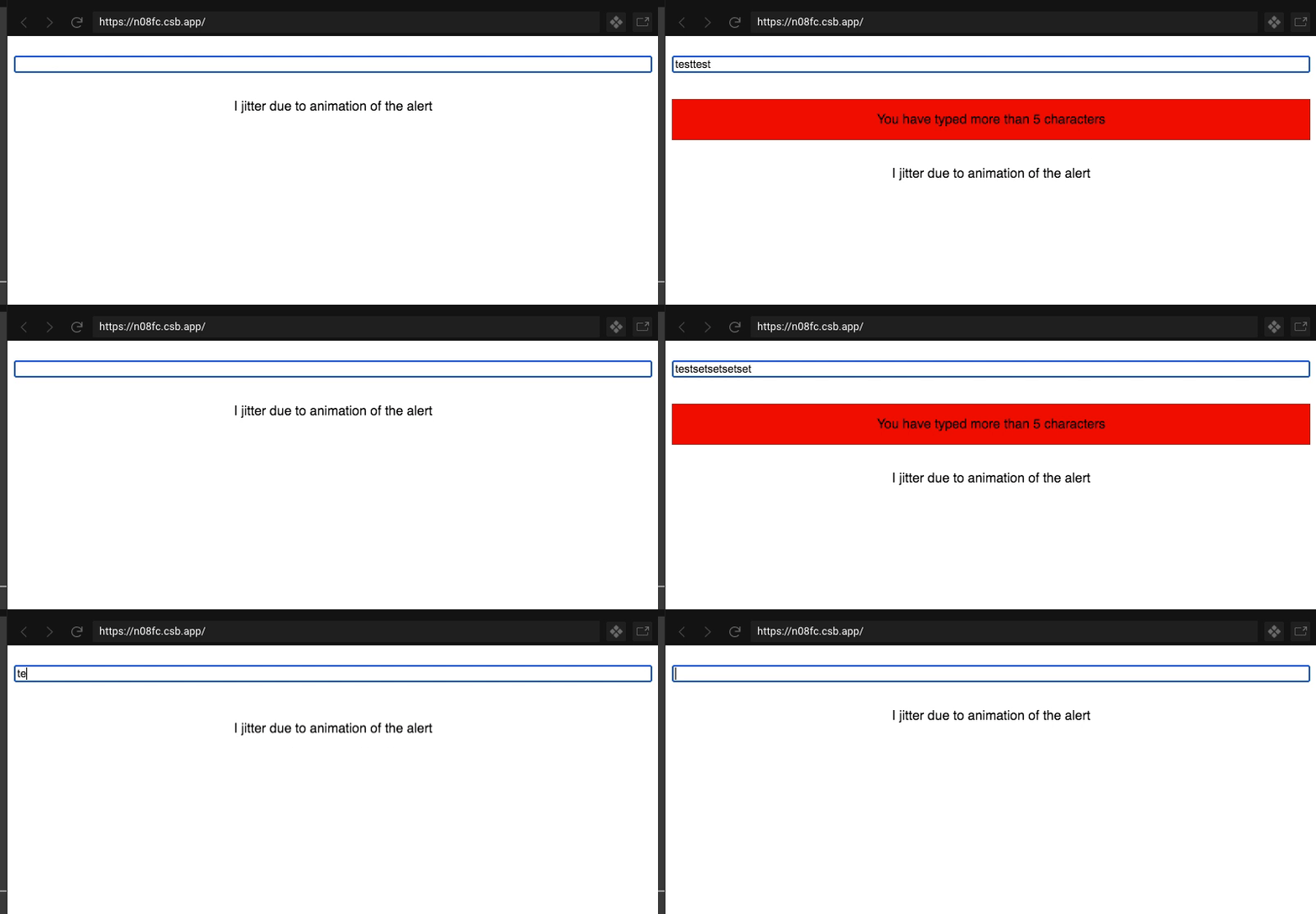
If you type more than 5 characters in the input, the alert appears. If you then quickly erase those characters, you can see the exit animation for the alert jittering on every keypress. It is also noticeable in the enter animation if you quickly continue typing more than 5 characters
Steps to reproduce
Steps to reproduce the behavior:
- Go to https://codesandbox.io/s/youthful-liskov-n08fc
- Type more than 5 characters in the input
- Quickly erase all characters
- See the text layout change animation jitter on every keypress
Expected behavior
The exit animation continues to run smoothly on every keypress
Video or screenshots
Environment details
framer motion v2.6.0
Chrome 84
macOS mojave
 alex-saunders
All 3 comments
Have you tried this in React's production mode? A quick look at the performance tab reveals React updates are blocking the main thread here.
 mattgperry
on 26 Aug 2020
mattgperry
on 26 Aug 2020
Hey @InventingWithMonster, I'm afraid I still get the same jittering in production mode
alex-saunders
on 28 Aug 2020
@InventingWithMonster can you give any advice here?
alex-saunders
on 23 Sep 2020
Related issues
 JonasWN
·
4Comments
JonasWN
·
4Comments
 snowl
·
4Comments
snowl
·
4Comments
 rihok
·
4Comments
rihok
·
4Comments
 MoSheikh
·
3Comments
MoSheikh
·
3Comments
 kevinwolfdev
·
3Comments
kevinwolfdev
·
3Comments
Most helpful comment
@InventingWithMonster can you give any advice here?