Monogame: Evaluate DocFX to replace SharpDoc
I recently came across a new-ish documentation generation system called DocFX:
http://dotnet.github.io/docfx/
We should consider if we should switch over to DocFX over our existing SharpDoc system.
 tomspilman
All 13 comments
What would be the advantages? Is it just that DocFX is newer or what?
 anshk00
on 24 Mar 2017
anshk00
on 24 Mar 2017
I've ported the documentation to docfx. I like the way it's set up a lot.
Next up is the renderer. I need to create a template so the generate pages look like the current docs page. If anyone with web dev experience can help out, it would be much appreciated :)
What would be the advantages? Is it just that DocFX is newer or what?
- It is maintained (we've had issues with SharpDoc)
- It is popular
- It is supported by .NET Foundation
- Search support
- Easy to build and test locally
- Easy "Improve this doc" button that links to source file
- Very simple configuration syntax, I think that makes contributing more accessible.
- Cool Markdown extensions
- Can generate a pdf so users can download the docs for offline reference.
 Jjagg
on 7 Dec 2017
Jjagg
on 7 Dec 2017
@Jjagg - I say setup a PR when you have time with what you got working so far. You can see how the tool for conversion hooks in here:
https://github.com/MonoGame/MonoGame/blob/develop/default.build#L208
As long as the generated html appears in the same output folder then the existing automated build process to update the content on the webserver should work as is.
Or if you have some files just give me a link to the ZIP with them.
I can then get you a fixed up CSS file for it.
tomspilman
on 12 Dec 2017
@tomspilman I went ahead and made the template myself. I mostly stuck with the default template from docfx, but styled it with MG colors. It looks very different from the current docs (in a great way IMO).
I embedded the docfx docs page in the Documentation page on the MG website to get an idea of the final result. I made some minor changes to the page to make it fit right (deleted 1 html node and edited 1 css rule IIRC, but it's not just a drop-in replacement). Looked like this:
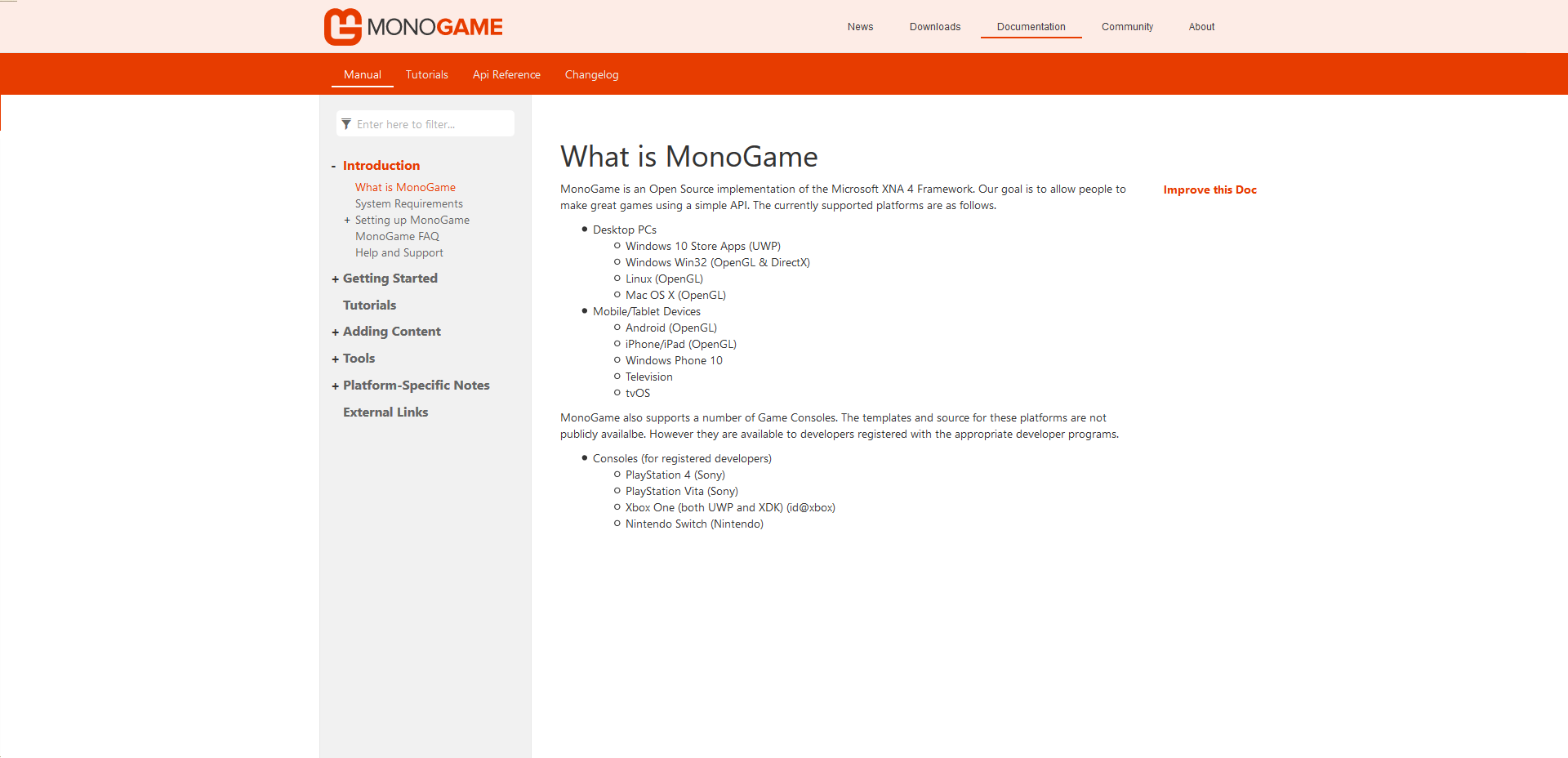
The style (and structural) changes are probably not what you had in mind, but it's well received so far so I hope you're on board with it.
The tutorials section currently only has a page with external tutorials. I've ported @MrGrak's beginner tutorial to markdown (with some sed scripts) and I hope he'll allow us to host them so we can populate it.
I've uploaded the new docs to a GitHub repo and enabled GitHub pages so people can try out the docfx docs.
I've enabled issues in the repo to track things I missed in modifying the css and to allow for user input in the general design. There's some minor things to resolve before it's ready for a PR IMO.
Jjagg
on 12 Dec 2017
I mostly stuck with the default template from docfx, but styled it with MG colors.
Exactly what i would have done. ;)
Looked like this:
Looks pretty good.... both on desktop and on mobile devices.
I guess the "Manual/Tutorials/Api Reference/Changelog" is part of the default template correct?
The current MG docs are included into the main wordpress theme using a iframe. Here is how it looks before being included in the iframe on the website:
http://www.monogame.net/docs/html/index.html
The header including the orange bar with "Documentation" on it are part of the wordpress page that includes the iframe.
I did it this way to get the "real" header and footer from the website in the docs and not fake it.
So either i can do the same sort of hacking i did before to fully integrate the docs into the site... or we can go with adding a fake header on the docs that looks like the real site.
tomspilman
on 12 Dec 2017
I guess the "Manual/Tutorials/Api Reference/Changelog" is part of the default template correct?
No, it's not. Or rather, it's not up to the template but just pulled from a Table of Content (toc) file. That's what I meant by structural changes. It is completely up to us how we handle this. I just thought this worked well.
The header including the orange bar with "Documentation" on it are part of the wordpress page that includes the iframe.
Oh, so it's not easy to just remove that bar without messing up the other pages then? Because that's the 1 html node I deleted... Other than that I just changed the target of the iframe to point to the docfx docs and changed some padding through css to account for the absence of the bar.
Jjagg
on 12 Dec 2017
There's some minor things to resolve before it's ready for a PR IMO.
What i see is mainly the reference docs feeling like it needs more whitespace in between things...
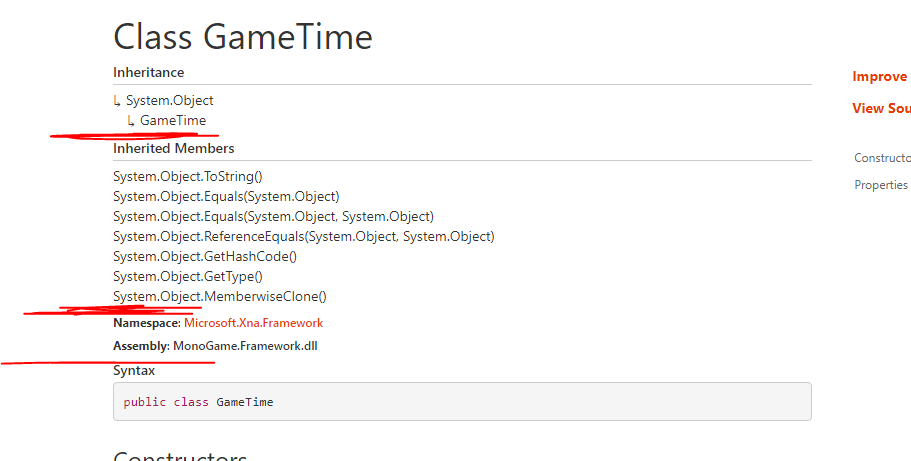
I bet some top padding on the headers could be increased to fix that.
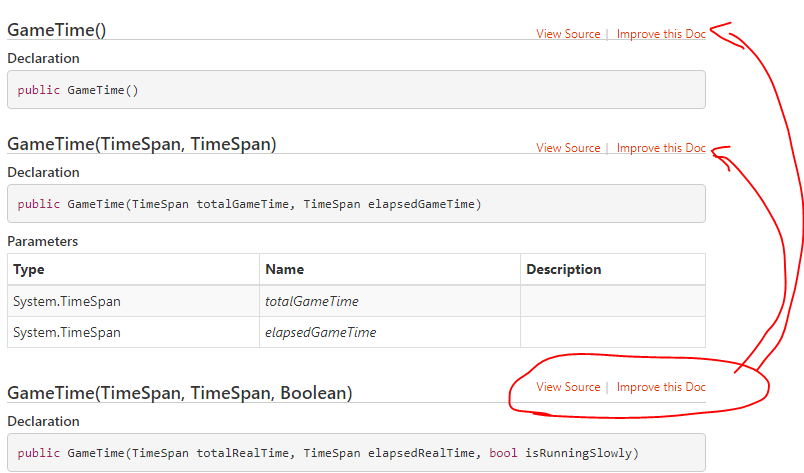
Also this mystery whitespace is really annoying...
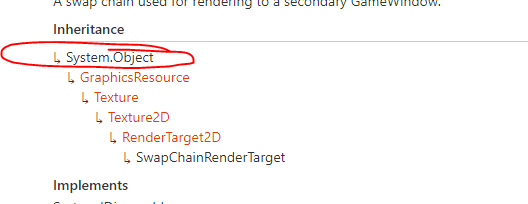
It would be nice if the docs would automatically reference the default Microsoft docs for stock types like System.Object:
tomspilman
on 12 Dec 2017
Oh, so it's not easy to just remove that bar without messing up the other pages then?
It could be removed if we had to. But i think what you have would work ok with a few adjustments.
tomspilman
on 12 Dec 2017
What i see is mainly the reference docs feeling like it needs more whitespace in between things...
Agreed, it's cluttered.
Also this mystery whitespace is really annoying...
Yeah, I noticed that. Will check it out.
It would be nice if the docs would automatically reference the default Microsoft docs for stock types like System.Object.
This is handled very neatly in docfx by using an external reference map or an external reference service. I set it up with an external reference service which queries a URL for unresolved types, but that's currently bugged (see Jjagg/MonoGame-docfx#1). If I set it to use an xrefmap instead things work as they should. That's just 1 line to change in the config file.
I opened an issue in docfx, so hopefully it will be resolved soon. The xrefmap for .NET is quite large, so resolving types by querying would be better than downloading the entire thing.
But i think what you have would work ok with a few adjustments.
What kind of adjustments? It won't look good with the 'Documentation' bar and then the nav bar from the docfx generated docs.
Jjagg
on 12 Dec 2017
so hopefully it will be resolved soon.
Sure... we wouldn't need to wait on that. It gets fixed when it gets fixed.
What kind of adjustments?
I would first reduce the space below the "Documentation" text so your orange bar fits tight under it like so...
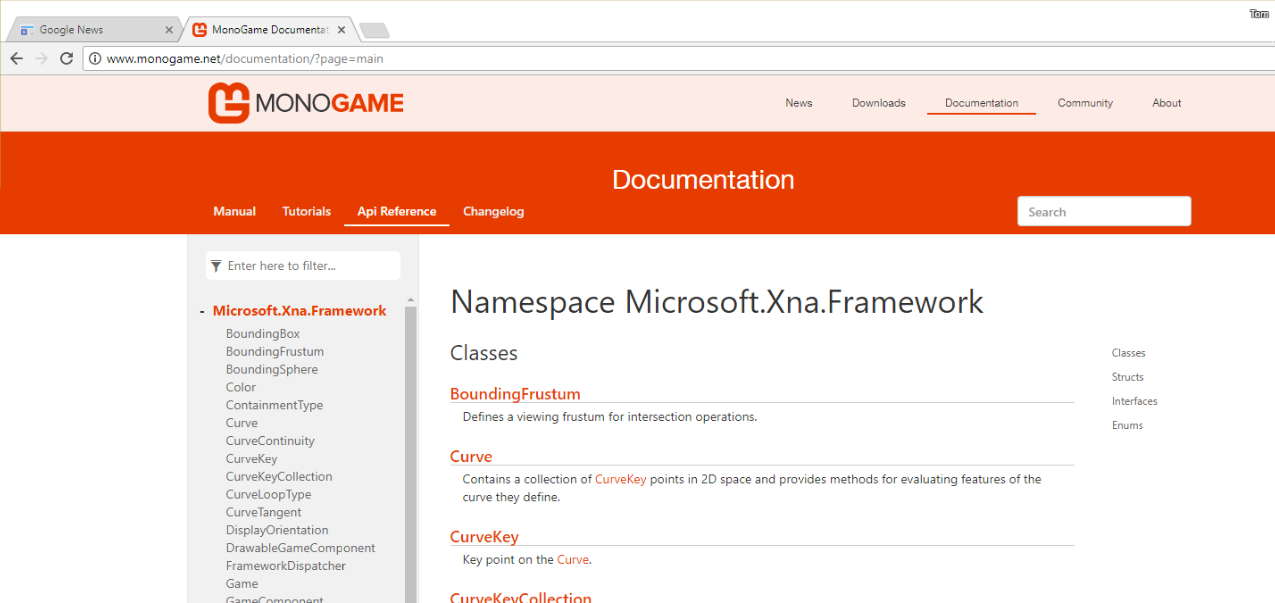
If not we could consider removing the section text all together there.
tomspilman
on 12 Dec 2017
View Source buttons are fixed, along with a bunch of other stuff. I'm pretty happy with the namespace pages, I made them to be like the .NET API Reference. Check it out: https://jjagg.github.io/MonoGame-docfx/_api/Microsoft.Xna.Framework.html
Next up: Classes/Structs and Enums. After that I'll try and niceify the TOC on mobile. I think I'm happy enough with it then to set up a PR :)
I'm gonna be busy for the next week or two, so not sure if I'll manage to work on it.
I would first reduce the space below the "Documentation" text so your orange bar fits tight under it like so...
I like it better without the Documentation bar.
Jjagg
on 13 Dec 2017
This is bothering me some....
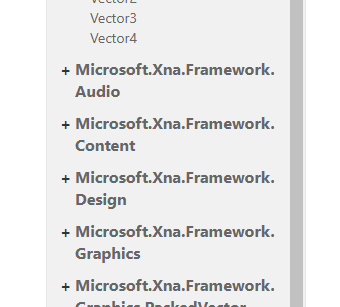
... and this...

Sucks to have wrapping of identifiers when there is plenty of space.
Not critical stuff... but would be nice to cleanup after we get the docs swapped over and major issues resolved.
tomspilman
on 13 Dec 2017
Update: I've stopped working on the template and instead I'm waiting for docfx v3 to be usable for our purposes, which should be in a couple months.
V3 supports the Microsoft docs website (example). With some MG colors and branding things will look super nice, so I'm excited for it!
Jjagg
on 12 Aug 2019
Related issues
 Ellesent
·
5Comments
Ellesent
·
5Comments
 Legendree
·
3Comments
tomspilman
·
4Comments
Legendree
·
3Comments
tomspilman
·
4Comments
 monsieurmax
·
5Comments
monsieurmax
·
5Comments
 MontyHimself
·
5Comments
MontyHimself
·
5Comments