Monitorcontrol: App does not work with multiple identical monitors
Unexpected behavior w/ 2 identical BenQ BL3201PH monitors connected via DisplayPort on a GTX 980ti, running 10.13.6. App is only able to control DDC on one of the two monitors. When the working monitor is the primary "Mac" monitor as chose in Display Preferences in the Arrangement tab.
Disabling the primary monitor in MonitorControl settings does not fix this issue. When I disable the "main" working monitor in Monitor Control preferences, adjusting the other monitor brightness causes the main monitor brightness to then change. Same applies for the brightness sliders in menubar. Has anyone else experienced this?
I've tried changing the system monitor names with no luck, no change in name in the MonitorControl app. Will keep trying other options.


 drewcotten
All 45 comments
I have same issue. two identical monitor (alphascan 5K27), connected to rx480(egpu)
 KrissHeo
on 25 Sep 2018
KrissHeo
on 25 Sep 2018
It appears most DDC control apps on Github have this same issue. It must be a root setting in ddctl (which all Mac apps that control via DDC use as far as I can tell) that is causing the issue - https://github.com/kfix/ddcctl
Edit: In fact, this is an unresolved issue on the ddcctl Github. If we can fix there, we should be able to fix here. See: https://github.com/kfix/ddcctl/issues/17
drewcotten
on 25 Sep 2018
Hi, is this still an issue with the latest version ?
 the0neyouseek
on 23 May 2019
the0neyouseek
on 23 May 2019
I am able to control brightness on multiple monitors in latest version.
 esetnik
on 3 Jun 2019
esetnik
on 3 Jun 2019
I am able to control brightness on multiple monitors in latest version.
This issue does not relate to multiple monitors - it relates to identical monitors. Unfortunately, in the latest version of monitor control, I still have this issue with my two identical displays. I believe the root problem is with ddcctl and further down the line Apple's APIs. I would recommend anyone having this issue post here https://github.com/kfix/ddcctl/issues/17
drewcotten
on 4 Jun 2019
Ok sorry for the lack of helpful feedback on my part. In case it matters I am using dual identical P2715Q monitors without any issue.
esetnik
on 4 Jun 2019
Not a problem at all. If your dual monitor setup works, it appears the problem is on my end. I will review tomorrow.
On Jun 3, 2019 at 7:59 PM,
Ok sorry for the lack of helpful feedback on my part. In case it matters I am using dual identical P2715Q monitors without any issue.
—
You are receiving this because you authored the thread.
Reply to this email directly, view it on GitHub (https://github.com/the0neyouseek/MonitorControl/issues/49?email_source=notifications&email_token=AAWVY7532IM6EHKKSPUBNADPYXEA7A5CNFSM4FW7FYIKYY3PNVWWK3TUL52HS4DFVREXG43VMVBW63LNMVXHJKTDN5WW2ZLOORPWSZGODW3FTAY#issuecomment-498489731), or mute the thread (https://github.com/notifications/unsubscribe-auth/AAWVY726PE2ZQD36KLSFUELPYXEA7ANCNFSM4FW7FYIA).
drewcotten
on 4 Jun 2019
I am experiencing the same issue with two Samsung U28E590 monitors both connected via DisplayPort to a Radeon RX 580. The brightness controls only work for one monitor but not the other.
 geoffmyers
on 12 Jun 2019
geoffmyers
on 12 Jun 2019
Same for me with two BenQ GW2760HL. It doesn't look like there is any progress on kfix/ddcctl/issues/17. Is it possible to override vendor or model for a specific monitor to trick ddcctl?
 leo150
on 13 Jun 2019
leo150
on 13 Jun 2019
ddcctl is no longer used internally. No point to link to that specific issue anymore since it's already been linked multiple times.
We now use DDC.swift. But I think the source code is based on ddcctl so it's probably the same underlying issue.
 JoniVR
on 13 Jun 2019
JoniVR
on 13 Jun 2019
Same issue with dual viewsonic vp2780-4k monitors. Can only adjust the second display by turning the primary one off. On the latest version.
 kevinjohncutler
on 28 Sep 2019
kevinjohncutler
on 28 Sep 2019
I have just noticed the very same issue using 2 x BenQ PD2700Q monitors using integrated Intel HD4000 graphics. Audio over DisplayPort is only possible via one out of the two ports. I don't know if that will have something to do with it.
 jasonbarrows
on 23 Oct 2019
jasonbarrows
on 23 Oct 2019
Same issue, 2 hp monitors. I can see the 2 devices in "monitorControl", but it does not matter which one I choose it always changes the settings for the "main" one
 dmarin
on 19 Nov 2019
dmarin
on 19 Nov 2019
We need a hero with carthage experience.
leo150
on 20 Nov 2019
Same issue, but this app works for brightness of my identical displays: https://github.com/fnesveda/ExternalDisplayBrightness/
 sndwch
on 27 May 2020
sndwch
on 27 May 2020
They did a fix for the identical monitors: commit
leo150
on 28 May 2020
If anyone's interested in a solution, I've adopted the fix mentioned above to DDC framework which is used in MonitorControl. It works with my identical BENQ displays, didn't test with anything else. Here's the fork.
If you want to try it out, update the Cartfile.resolved to point on github "leo150/DDC.swift" "be2d2a3f5662b3d529e5ecd13b9c97fadec46d3b"
leo150
on 6 Jun 2020
I can provide a full test build with your fork included soon in here if you want. That way if more people can confirm it works for them you can open a PR in DDC.swift.
JoniVR
on 6 Jun 2020
I can provide a full test build with your fork included soon in here if you want. That way if more people can confirm it works for them you can open a PR in DDC.swift.
I would be interested in trying this; I have identical BenQ PD3220Us that are exhibiting this issue.
 ndrwstn
on 6 Jun 2020
ndrwstn
on 6 Jun 2020
@JoniVR sounds good. Thank you.
leo150
on 6 Jun 2020
I just tested it on my own system (I only have 1 external monitor) and it's no longer getting detected, I think you'll probably also have to add a fallback like implemented in the other framework.
Anyways, I archived the build anyways so other people can already test and maybe even use it too if it works until a fix is available.
MonitorControl.app.zip
The .app inside the zip should be a signed and notarised test build.
JoniVR
on 6 Jun 2020
I've pushed a fallback, could you test it please?
leo150
on 6 Jun 2020
Working now, nice work! I'm exporting a new build, will update answer once done 🙂
It would be nice if as many people as possible can test this on their respective setups so we ensure it works for everyone (or at least more people than before).
Updated build:
MonitorControl.app.zip
JoniVR
on 6 Jun 2020
Does not work for me. Using @JoniVR 's updated build, it detects both displays, but both sliders control only the first monitor in a DisplayPort chain. If I can run any commands or gets logs to help debug, please advise.
ndrwstn
on 6 Jun 2020
IMO the best option would be to debug the DDC.swift on your computer. The workaround is very fragile because it uses a regex to extract the unit number. I don't have any knowledge about ddc, but I believe that this kind of solution was used because it isn't possible to extract the unit number with an api call. As result, the regex should be updated based on displayLocation of your display in the workaround.
leo150
on 6 Jun 2020
I have two VA2252 connected to a 5700xt eGPU, and none of the builds above worked for me. Also, to me it seems like the IODisplayLocation values didn't include the unit numbers at all:
Display 0 (unit 8): IOService:/AppleACPIPlatformExpert/PCI0@0/AppleACPIPCI/TRP0@7/IOPP/PXSX@0/IOPP/pci-bridge@1/IOPP/pci-bridge@0/IOPP/pci-bridge@0/IOPP/display@0/AMDRadeonX6000_AmdRadeonControllerNavi10/ATY,RadeonFramebuffer@0/display0/AppleDisplay
Display 1 (unit 9): IOService:/AppleACPIPlatformExpert/PCI0@0/AppleACPIPCI/TRP0@7/IOPP/PXSX@0/IOPP/pci-bridge@1/IOPP/pci-bridge@0/IOPP/pci-bridge@0/IOPP/display@0/AMDRadeonX6000_AmdRadeonControllerNavi10/ATY,RadeonFramebuffer@1/display0/AppleDisplay-Portrait
I ended up storing the CGDirectDisplayID and the service port number in a map, and force the DDC.servicePort(from:) to skip the current port if it was matched to another CGDirectDisplayID. This worked reasonably well for me as I don't care if the NSScreen and the service port are mismatched, as long as I can control each display.
 SuperMarcus
on 20 Jun 2020
SuperMarcus
on 20 Jun 2020
Same result as @ndrwstn here with 2 ViewSonic VP2468.
 Rykian
on 22 Jun 2020
Rykian
on 22 Jun 2020
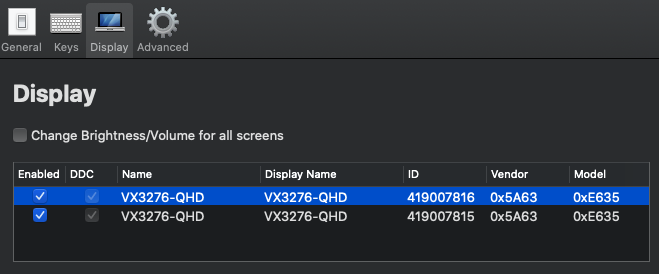
Same Issue Here, 2 Viewsonic VX3276-QHD
 CharlKlein
on 18 Jul 2020
CharlKlein
on 18 Jul 2020
Working now, nice work! I'm exporting a new build, will update answer once done 🙂
It would be nice if as many people as possible can test this on their respective setups so we ensure it works for everyone (or at least more people than before).
Updated build:
MonitorControl.app.zip
@JoniVR Unfortunately the version does not work for me. My setup: https://github.com/MonitorControl/MonitorControl/issues/225
 glumb
on 29 Jul 2020
glumb
on 29 Jul 2020
Working now, nice work! I'm exporting a new build, will update answer once done 🙂
It would be nice if as many people as possible can test this on their respective setups so we ensure it works for everyone (or at least more people than before).
Updated build:
MonitorControl.app.zip
@JoniVR This build works with my dual Samsung U28E590 displays. Thank you!
 jricks92
on 9 Aug 2020
jricks92
on 9 Aug 2020
Working now, nice work! I'm exporting a new build, will update answer once done 🙂
It would be nice if as many people as possible can test this on their respective setups so we ensure it works for everyone (or at least more people than before).
Updated build:
MonitorControl.app.zip
This version works great for me!
Using an AMD RX 590 and two ViewSonic VG2453 monitors!
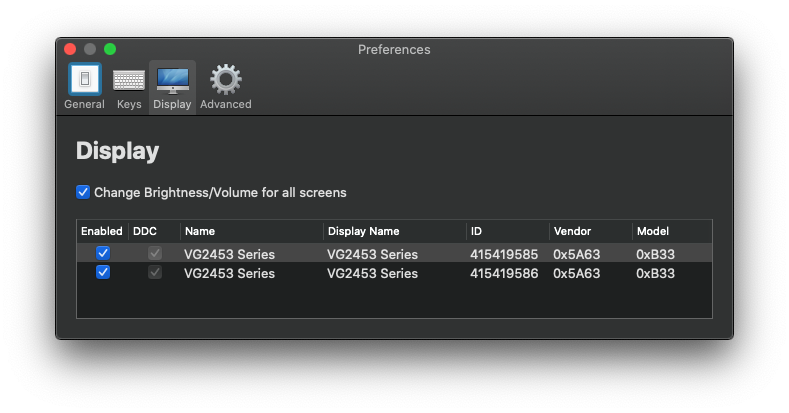
(I don't know why macOS reports my 590 as a 580)
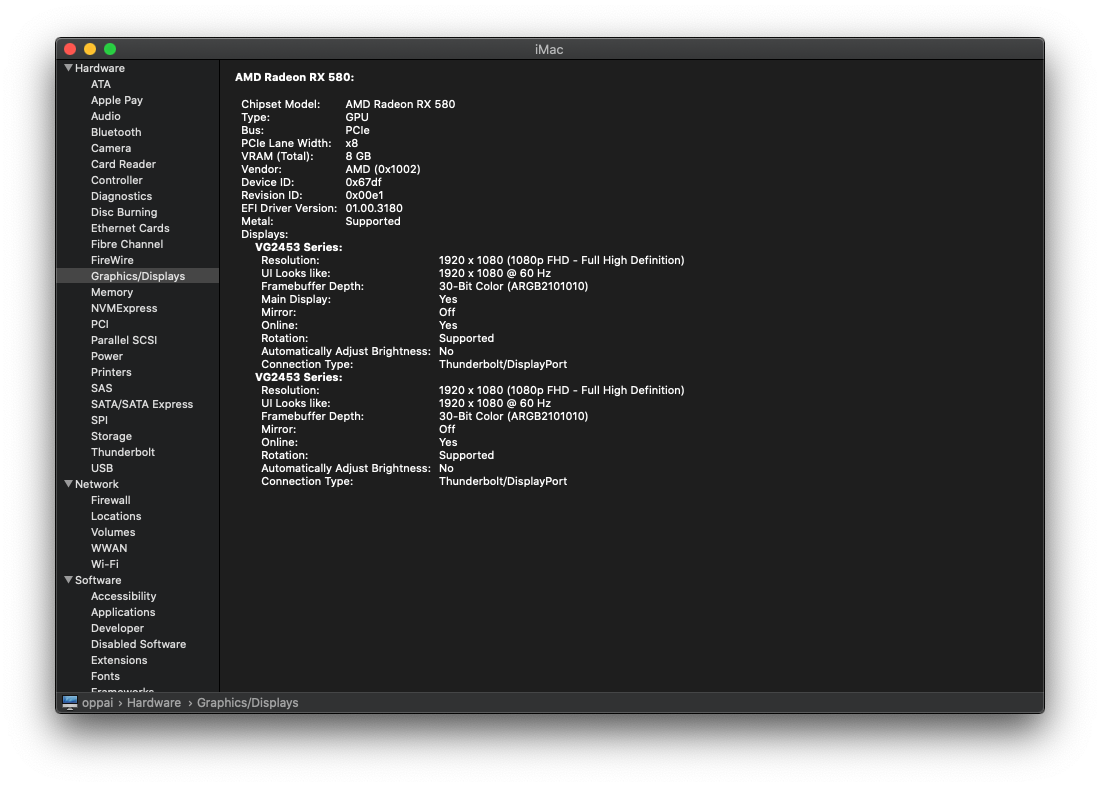
UPDATE:
This new build works good well with Big Sur Beta 9

 AndroidKitKat
on 26 Aug 2020
AndroidKitKat
on 26 Aug 2020
Working now, nice work! I'm exporting a new build, will update answer once done 🙂
It would be nice if as many people as possible can test this on their respective setups so we ensure it works for everyone (or at least more people than before).
Updated build:
MonitorControl.app.zip
This also works for me with three monitors using the RX 580!
 Chaldron
on 15 Sep 2020
Chaldron
on 15 Sep 2020
Working now, nice work! I'm exporting a new build, will update answer once done 🙂
It would be nice if as many people as possible can test this on their respective setups so we ensure it works for everyone (or at least more people than before).
Updated build:
MonitorControl.app.zip
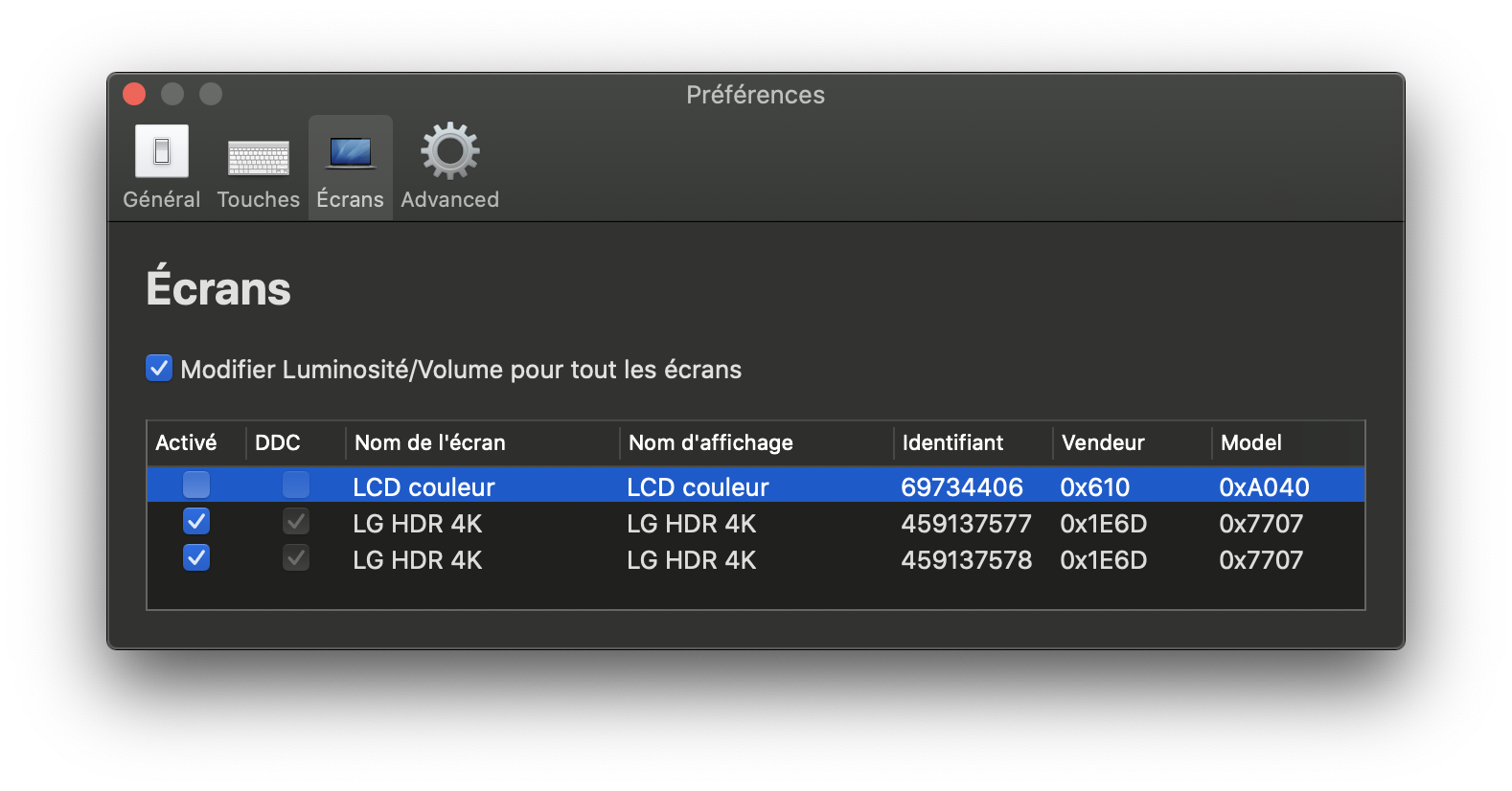
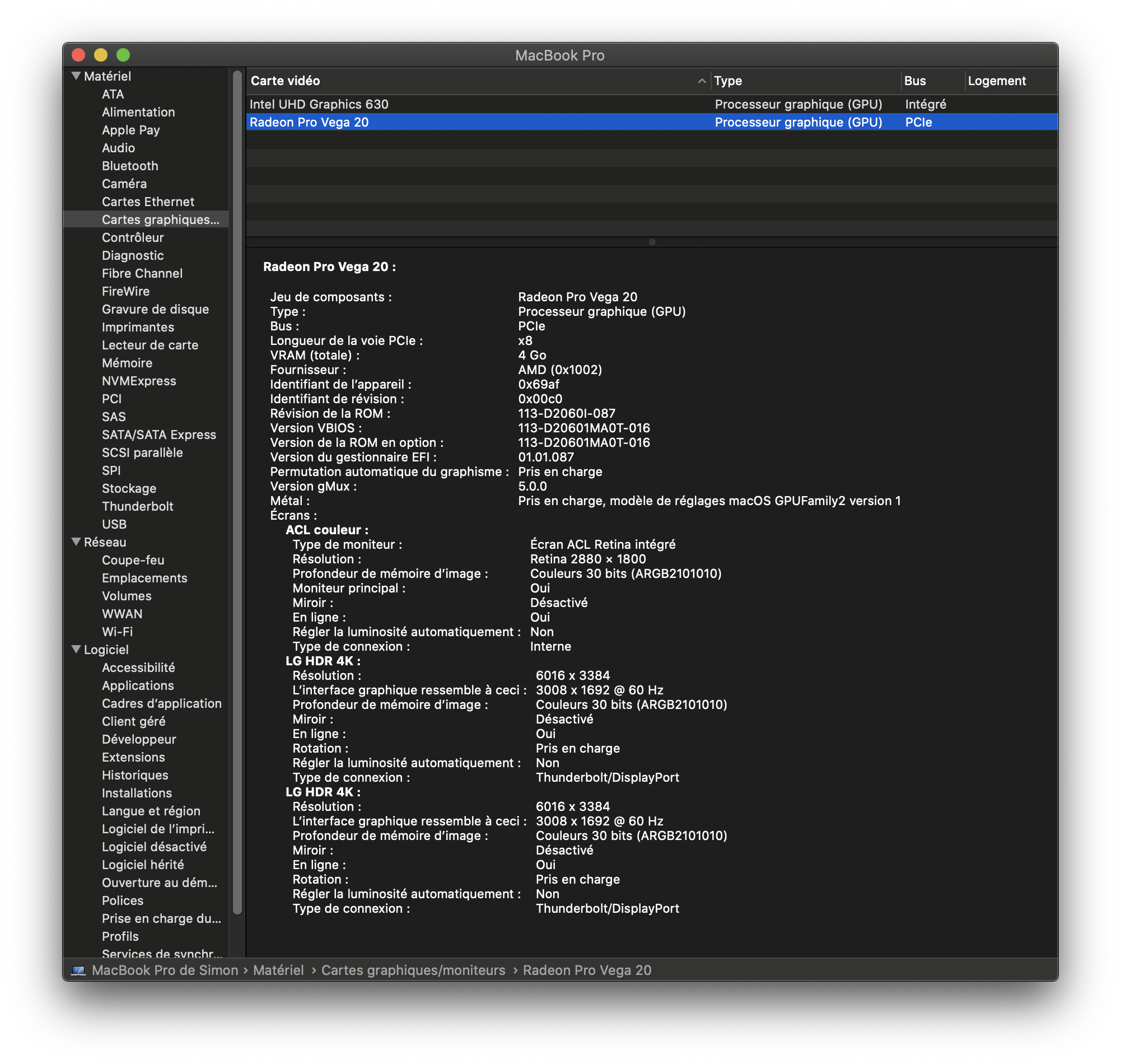
This unfortunately doesn't work on my setup. Only one of the two monitors reacts to changes in brightness. This is running two LG 27UL650-W 4K60 monitors together with the integrated display of a late 2019 MacBook Pro equipped with a Vega 20 through a Caldigit USB-C (Thunderbolt 3) Pro Dock.
 simondemeule
on 16 Sep 2020
simondemeule
on 16 Sep 2020
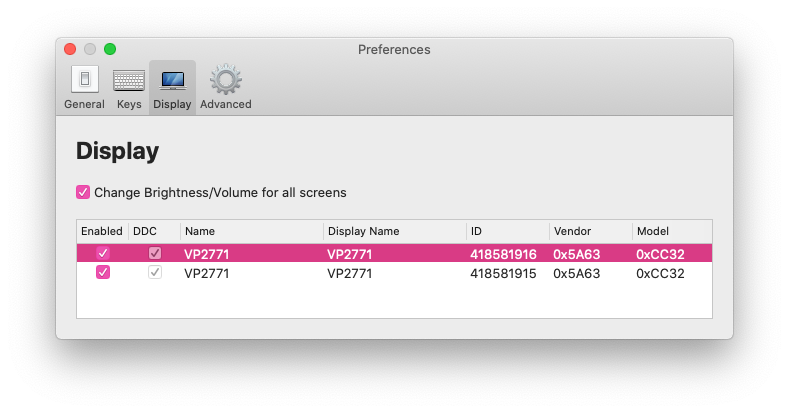
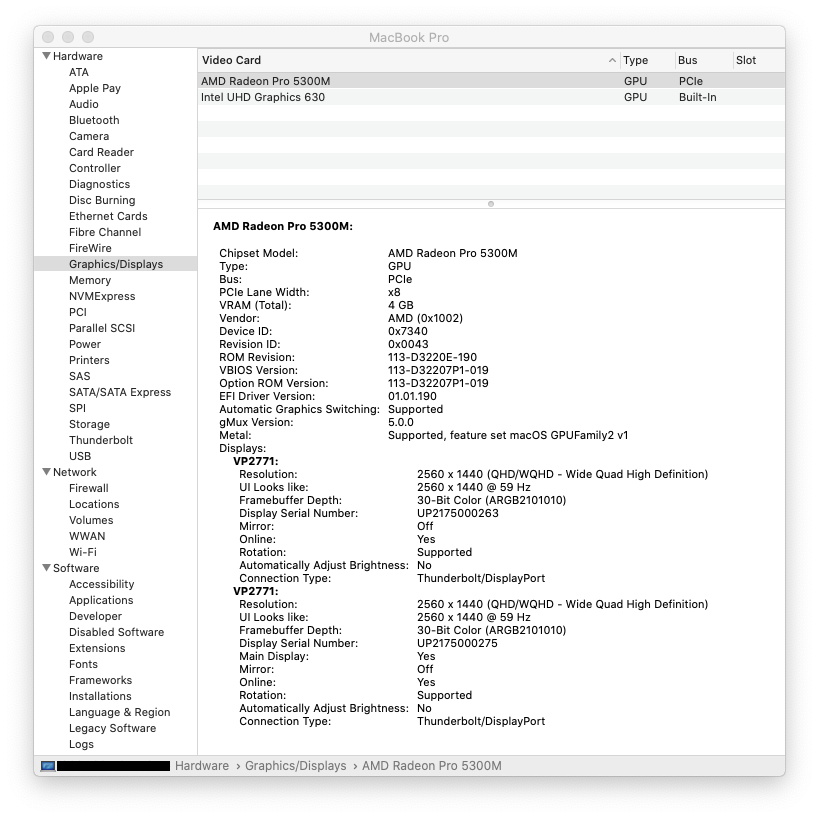
Just found this project and unfortunately have this issue. Using the build from this comment the brightness is still only changing on one monitor. In my case, I have two ViewSonic VP2771 connected via USB-C to separate ports on my MacBook Pro (16-inch, 2019).
 thajcak
on 2 Oct 2020
thajcak
on 2 Oct 2020
Working now, nice work! I'm exporting a new build, will update answer once done 🙂
It would be nice if as many people as possible can test this on their respective setups so we ensure it works for everyone (or at least more people than before).
Updated build:
MonitorControl.app.zip
this works for me too (2x BenQ PD2720U, daisy-chained via TB3)
 themaxx32000
on 5 Oct 2020
themaxx32000
on 5 Oct 2020
Working now, nice work! I'm exporting a new build, will update answer once done 🙂
It would be nice if as many people as possible can test this on their respective setups so we ensure it works for everyone (or at least more people than before).
Updated build:
MonitorControl.app.zip
This one works for me as well with 2x Lenovo L24q-30 and an AMD RX 570. Thanks!!
 B0rax
on 8 Oct 2020
B0rax
on 8 Oct 2020
Unfortunately, the updated build is not working with my configuration. I have tried with two and with three identical monitors, in every combination. Each tweak always results in all brightness sliders only affecting one monitor.

 Gravemint
on 15 Oct 2020
Gravemint
on 15 Oct 2020
Working now, nice work! I'm exporting a new build, will update answer once done 🙂
It would be nice if as many people as possible can test this on their respective setups so we ensure it works for everyone (or at least more people than before).
Updated build:
MonitorControl.app.zip
This version (as well as 2.1.0) still has the same broken behavior on my identical Lenovo L24q monitors. Only one monitor reacts to the brightness changes.
 dthiery
on 13 Nov 2020
dthiery
on 13 Nov 2020
Working now, nice work! I'm exporting a new build, will update answer once done 🙂
It would be nice if as many people as possible can test this on their respective setups so we ensure it works for everyone (or at least more people than before).
Updated build:
MonitorControl.app.zip
Unfortunately, the updated build is not working with my configuration. The brightness is still only changing on one monitor. In my case, I have two Asus Proart PA24A connected via USB-C to separate ports on my MacBook Pro (15-inch, 2018).
 mebemellow
on 25 Nov 2020
mebemellow
on 25 Nov 2020
Working now, nice work! I'm exporting a new build, will update answer once done 🙂
It would be nice if as many people as possible can test this on their respective setups so we ensure it works for everyone (or at least more people than before).
Updated build:
MonitorControl.app.zip
This is perfect! Thank you!
 jrdotel
on 28 Nov 2020
jrdotel
on 28 Nov 2020
Working now, nice work! I'm exporting a new build, will update answer once done 🙂
It would be nice if as many people as possible can test this on their respective setups so we ensure it works for everyone (or at least more people than before).
Updated build:
MonitorControl.app.zip
Awesome, confirmed working on dual ASUS PB328Q connected via TB3 to Mac mini (2018) on MacOS Big Sur 11.0.1
 rgjr
on 3 Dec 2020
rgjr
on 3 Dec 2020
Working now, nice work! I'm exporting a new build, will update answer once done 🙂
It would be nice if as many people as possible can test this on their respective setups so we ensure it works for everyone (or at least more people than before).
Updated build:
MonitorControl.app.zip
Unfortunately, this did not work on my set up. The app will control the brightness of both the iMac and primary external monitor, but not the secondary external monitor.
Side note: The brightness adjust icon appears on the screen of all monitors, but the brightness is only changed on 2 of the 3.
Set up:
- iMac 2017
- 2 external Samsung 28" LU28R55
 sher85
on 5 Dec 2020
sher85
on 5 Dec 2020
Did not work for me either:
Macbook Air M1
USB-C connection to LG 4K Display
 norenjr
on 5 Dec 2020
norenjr
on 5 Dec 2020
@leo150 Given that your DDC.swift modifications seem to help for some people (and I don't think it'll break anything for existing setups), could you open a Pull Request to DDC.swift? I'm not affiliated with it in any way (@reitermarkus wrote it), but it's used under the hood so It'd be best submitting a PR there.
JoniVR
on 5 Dec 2020
@leo150 I was trying to figure out why some (my) dual monitors don't work while others do and I got into my com.apple.windowserver.plist. It shows a multitude of (duplicate?) displays with the same IODisplayLocation. However, I only have three: 2 x BenQ PD3220U and a MBP16 (with the lid closed). SystemProfiler correctly shows only two displays though.
I was trying to debug DDC.swift as you suggested when I saw the recent activity, but I didn't really get anywhere. However, I thought this might be interesting to someone who knows what they are doing?
ndrwstn
on 7 Dec 2020
Related issues
 falcn
·
3Comments
the0neyouseek
·
6Comments
falcn
·
3Comments
the0neyouseek
·
6Comments
 Amir-Hass
·
10Comments
Amir-Hass
·
10Comments
Amir-Hass
·
10Comments
Amir-Hass
·
10Comments
 willerbee
·
6Comments
willerbee
·
6Comments
Most helpful comment
Working now, nice work! I'm exporting a new build, will update answer once done 🙂
It would be nice if as many people as possible can test this on their respective setups so we ensure it works for everyone (or at least more people than before).
Updated build:
MonitorControl.app.zip