Monero-gui: Revise send flow visuals
Making a transaction currently involves 5 steps. Step 1 is on the send page, and Steps 2-5 are modals, each one using a different visual style. I'd like to suggest streamlining those and making the final confirmation step a bit more useful with extra options to copy the transaction ID and a "View progress" option that takes you to the history screen to observe the confirmation progress. I find it pretty important to make users feel 100% confident that their transaction has been sent and is on the way.
There are also some minor tweaks here to standardize some of the button labels and visuals, etc.
Let me know what you think and if you have other ideas for improving this flow, I can update as needed and then push the designs to Zeplin.

 GBKS
GBKS
All 9 comments
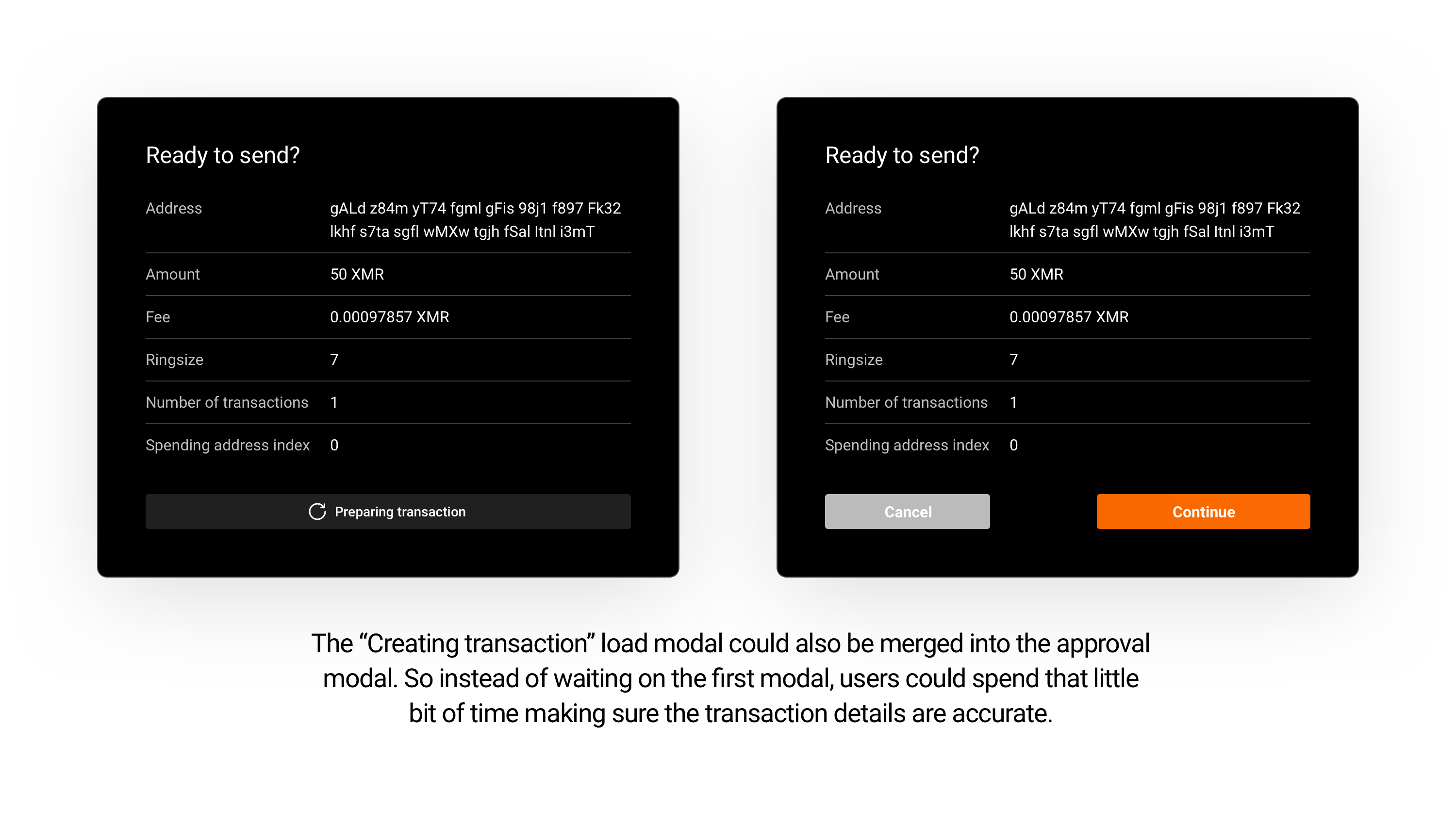
The "Creating transaction" modal could also be merged into the approval modal, as shown in the image below. Might be a better experience if the loader is not so pronounced.
GBKS
on 2 May 2019
Looking awesome. +1
 selsta
on 2 May 2019
selsta
on 2 May 2019
The visuals look awesome indeed!
How would "proceed to device" modal be solved? Is it going to be a splash screen or some indicator in the transaction signing window?
(We need to notify user that hardware device expects some user input in order to continue)
 ph4r05
on 5 May 2019
ph4r05
on 5 May 2019
Regarding #2141, fiat value could also be displayed:
- Amount: 50 XMR (3,372.80 USD)
- Fee: 0.00097857 XMR (0.07 USD)
 rating89us
on 5 May 2019
rating89us
on 5 May 2019
@ph4r05 good call. Is there an existing screen you could maybe send me a screenshot of? And can you think of any other interactive states that should be considered?
@rating89us that definitely should be addressed here, I'll revise.
GBKS
on 5 May 2019
@GBKS
I had the following in mind:

During the transaction creation process, the device requires user input to continue. It may prompt to confirm the destination addresses or amounts but also other processes, such as key image refresh. Without the prompt, the GUI won't progress.
Currently, it is made in such a way that if device signalizes required user input the splash screen with "Please proceed to the device" is shown and after the input is entered the device signalizes to hide the splash. Without the splash screen, user could have trouble to notice the device requires some input and wonder why GUI is not doing anything.
Similar logic is in the Wallet wizard:

ph4r05
on 5 May 2019
@ph4r05 how about this? If possible, it would be great to have more descriptive copy in this overlay as to what users should do on their hardware wallet.

GBKS
on 8 May 2019
@GBKS currently we don't have a more detailed device prompt notifications. The Trezor also prompts for other actions than transaction, such as confirmation of live refresh (key image sync) operation. Thus we decided to use more general "Please proceed to the device" phrase.
ph4r05
on 9 May 2019
Here's an iteration that includes the fiat values and also takes a slightly different approach to the hardware wallet interaction. Let me know if this accurately reflects the user flow. The prompt to sign the transaction on the hardware wallet is less direct (= smaller text), but the modals are more consistent. Let me know what you think.

GBKS
on 10 May 2019
Related issues
 weiglt
·
4Comments
weiglt
·
4Comments
 1337tester
·
6Comments
1337tester
·
6Comments
 keatond
·
10Comments
keatond
·
10Comments
 cdiv1e12
·
10Comments
cdiv1e12
·
10Comments
 Realchacal
·
9Comments
Realchacal
·
9Comments
Most helpful comment
The "Creating transaction" modal could also be merged into the approval modal, as shown in the image below. Might be a better experience if the loader is not so pronounced.