Monaco-editor: Add stickiness decoration option into the playground example
monaco-editor version: Actual Playground
Browser: Chrome 76.0.3809.100
OS: Windows 10
Go to https://microsoft.github.io/monaco-editor/playground.html#interacting-with-the-editor-rendering-glyphs-in-the-margin
Set cursor to the start of the line number 3.
Press Enter.
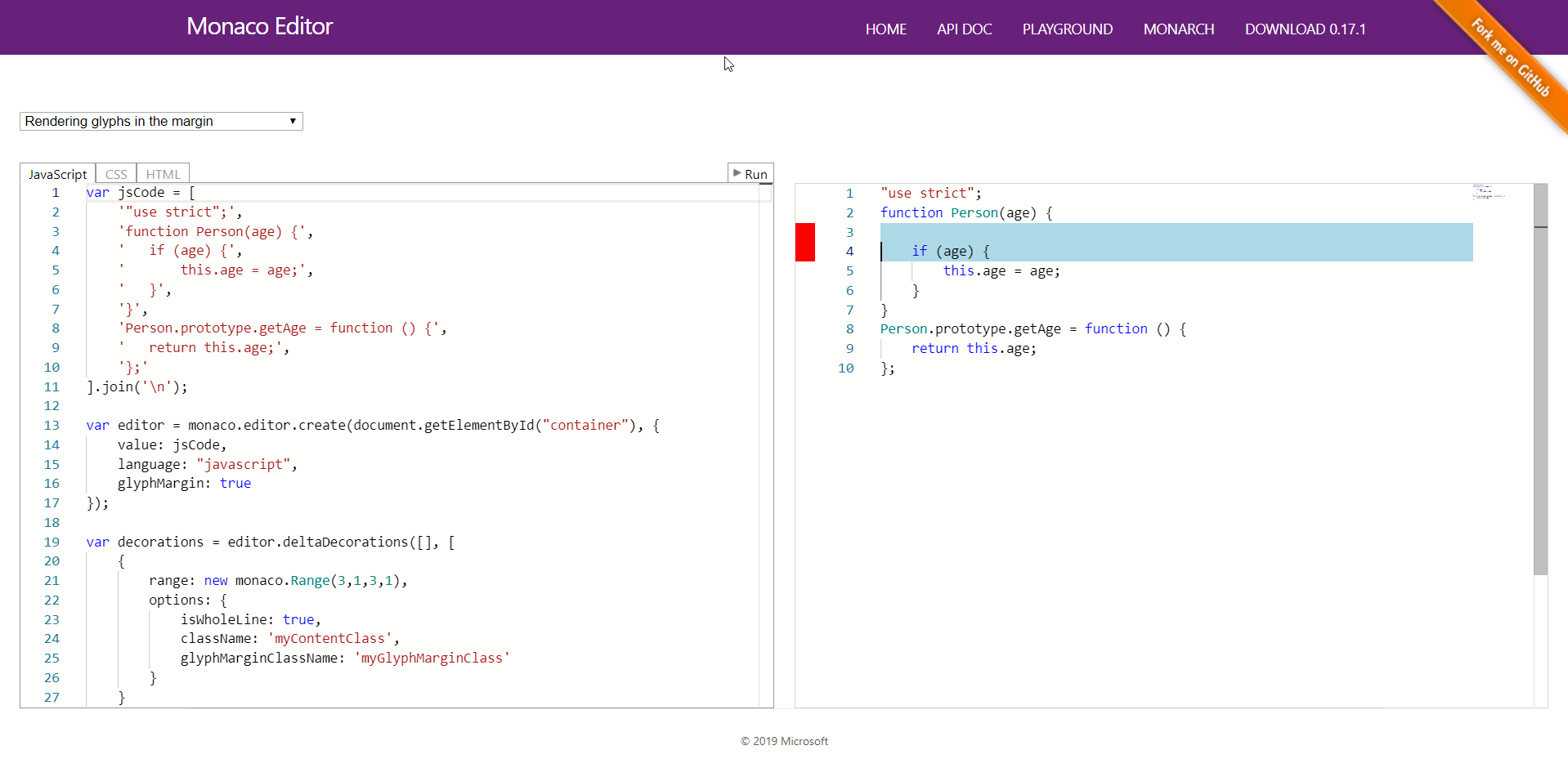
 zeegin
All 3 comments
That's what the stickiness property is for AFAICT. You can try it with the following options object
options: {
    isWholeLine: true,
    className: 'myContentClass',
    glyphMarginClassName: 'myGlyphMarginClass',
    stickiness: monaco.editor.TrackedRangeStickiness.NeverGrowsWhenTypingAtEdges,
}
 spahnke
on 16 Aug 2019
spahnke
on 16 Aug 2019
👍3
I consider that is most powerful option and it should be adding into the playground example.
zeegin
on 16 Aug 2019
PR welcome.
 alexdima
on 11 Dec 2019
alexdima
on 11 Dec 2019
Was this page helpful?
0 / 5 - 0 ratings
Related issues
 andreymarchenko
·
3Comments
andreymarchenko
·
3Comments
 brandalorian
·
3Comments
brandalorian
·
3Comments
 robclive
·
3Comments
robclive
·
3Comments
 akosyakov
·
3Comments
akosyakov
·
3Comments
 hawkerm
·
3Comments
hawkerm
·
3Comments
Most helpful comment
That's what the
stickinessproperty is for AFAICT. You can try it with the followingoptionsobject