Monaco-editor: HI everyone!! I have a Q. How to hide some area of code??
HI everyone!! I have a Question about monaco-editor.
main Q : How to hide some code of the monaco-editor??
for Example)
var userInfo = self.user;
var def_cdPcDataSource = [];
def_cdPcDataSource.push({CD_PC : userInfo.profitCenterCode,NM_PC : userInfo.profitCenterName});
I wrote above 3 line in monacoEditor! but I don't want to show 3 lines to user...
Could you let me know ....?
 Kang-Jun-sik
All 3 comments
@Kang-Jun-sik I found that there is an internal method (non API way and might get removed in the future) that can be applied to editor:
setHiddenAreas(ranges: IRange[]): void;
 nekitozzz
on 12 Dec 2017
nekitozzz
on 12 Dec 2017


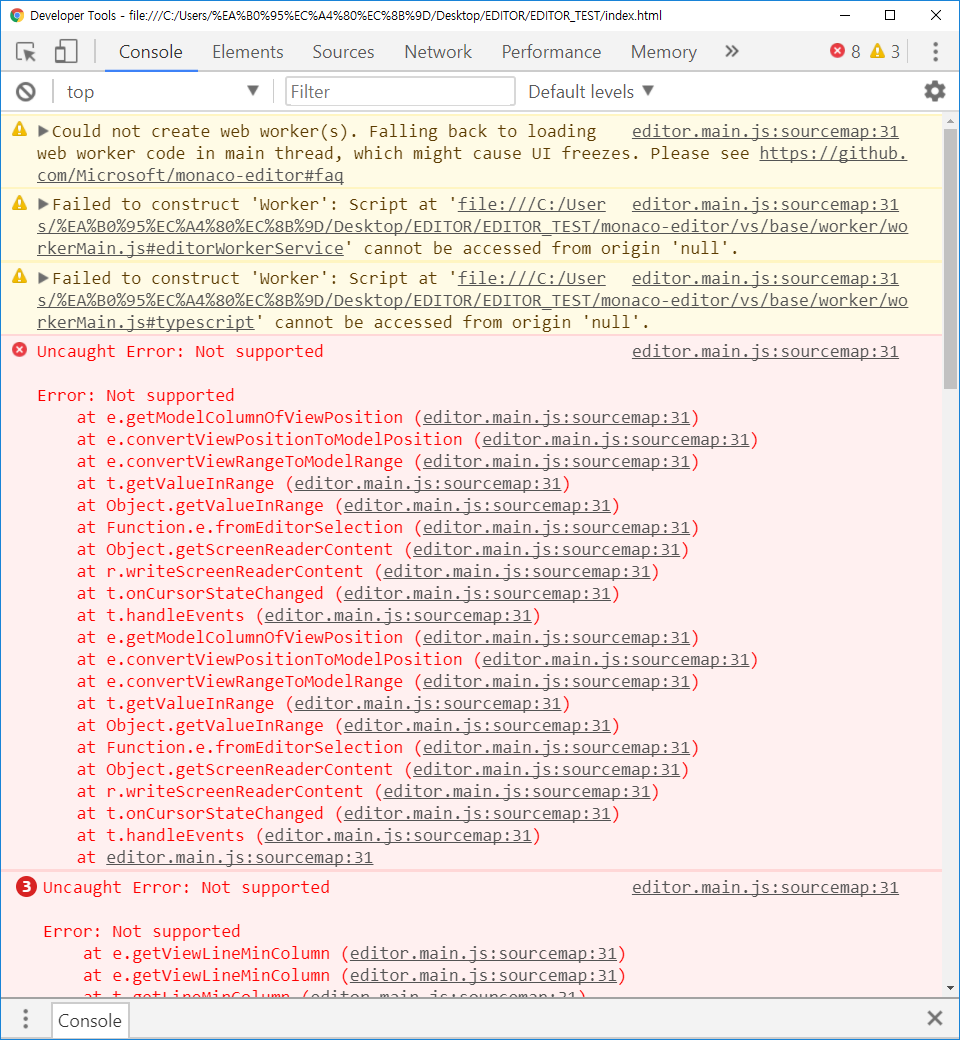
Thank you very much for your apply!! But I have a another problem. when I use delete all of the content in monaco Editor, I can see that error and editor can't execute anymore.. how can i solve it...
Kang-Jun-sik
on 13 Dec 2017
I solve it!!! you have to write the code .setEditableChange(Range)
Thank you very much!!
Kang-Jun-sik
on 14 Dec 2017
Related issues
 spotqa-josem
·
3Comments
spotqa-josem
·
3Comments
 Spongman
·
3Comments
Spongman
·
3Comments
 brandalorian
·
3Comments
brandalorian
·
3Comments
 ststeiger
·
3Comments
ststeiger
·
3Comments
 Kedyn
·
3Comments
Kedyn
·
3Comments
Most helpful comment
@Kang-Jun-sik I found that there is an internal method (non API way and might get removed in the future) that can be applied to editor:
setHiddenAreas(ranges: IRange[]): void;