Monaco-editor: Find/Replace widget position
monaco-editor version: 0.10.0
Browser: Chrome
OS: MacOX
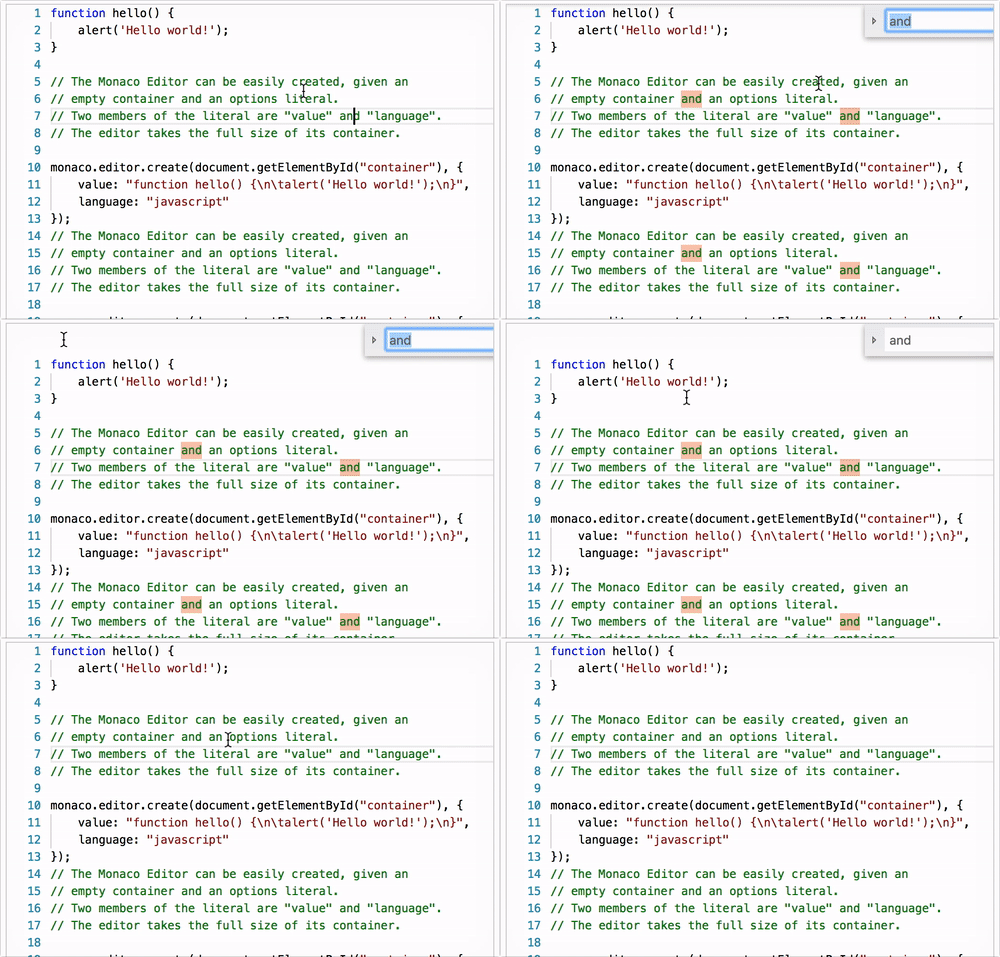
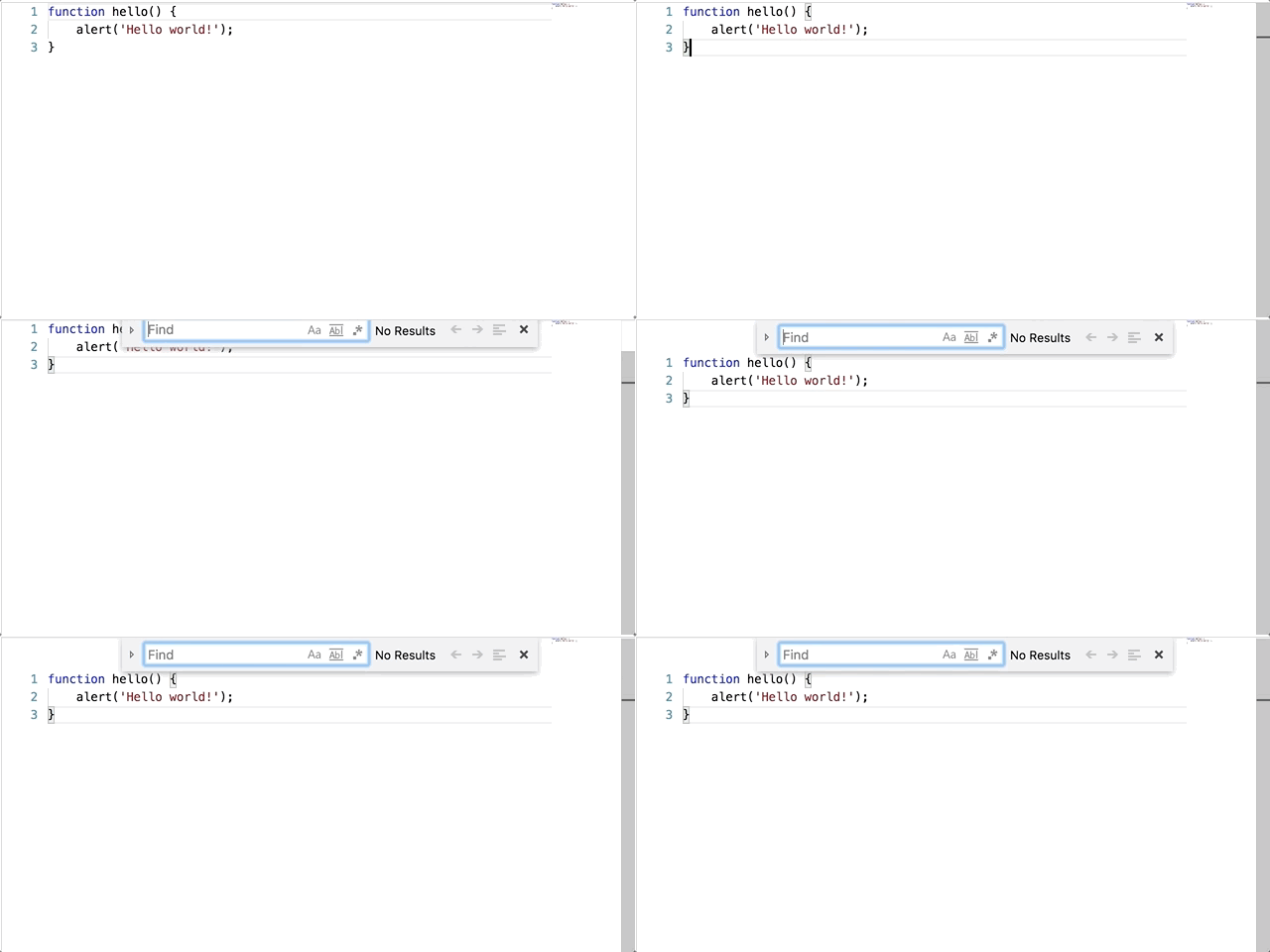
When Find/Replace widget is opened, all lines move down and empty space appears at the top of the editor.
I don't find any option which allow to fix lines and don't move them down. I looked at EditorFindOptions and OverlayWidget interfaces. I also tried "fixedOverflowWidgets" editor option, but it did not help me.
I think it would be nice to have such option.
 valekask
All 7 comments
I can reproduce it on the playground, and it looks like a bug to me. It happens if the editor is scrollable.
Reproduce:
- Have enough text to scroll
- Open find widget (e.g. CMD+F)
- Scroll down a bit, than scroll back up. Notice that a gap at the top was created that only disappears if you close the find widget.
 mofux
on 16 Nov 2017
mofux
on 16 Nov 2017
Also reproduced when there is no scroll. The same steps on playground:
valekask
on 16 Nov 2017
Actually, this is probably a feature rather than a bug, to have the user see highlighted search results that would otherwise be hidden underneath the widget. I would still be interested to know if this feature can be turned off somehow...
mofux
on 16 Nov 2017
Yes, it seems like a feature and usually it's very useful, but it would be nice to have ability to control this behavior.
valekask
on 17 Nov 2017
Any solution/work-around about this?
 Canna71
on 14 Sep 2018
Canna71
on 14 Sep 2018
Any updates on this?
 kent08ian
on 6 Nov 2018
kent08ian
on 6 Nov 2018
We now have an option for this. You can use monaco.editor.create(..., { find: { addExtraSpaceOnTop: false } }).
 alexdima
on 12 Dec 2019
alexdima
on 12 Dec 2019
Related issues
 Kedyn
·
3Comments
Kedyn
·
3Comments
 PinkyJie
·
3Comments
PinkyJie
·
3Comments
 ststeiger
·
3Comments
ststeiger
·
3Comments
 andreymarchenko
·
3Comments
andreymarchenko
·
3Comments
 Panhaiwei
·
3Comments
Panhaiwei
·
3Comments