Monaco-editor: Default folding at specified level on editor start
I want to achive the following:
After creating a editor with following code :
   var editor = monaco.editor.create(container,
                    {
                        value: '...',
                        language: 'java'
                    });
I want to fold the code at level 1. How can I achive this in javascript ?
This is how it looks at startup at the moment:

But it should look like this:

 mutt1973
👍1
>All comments
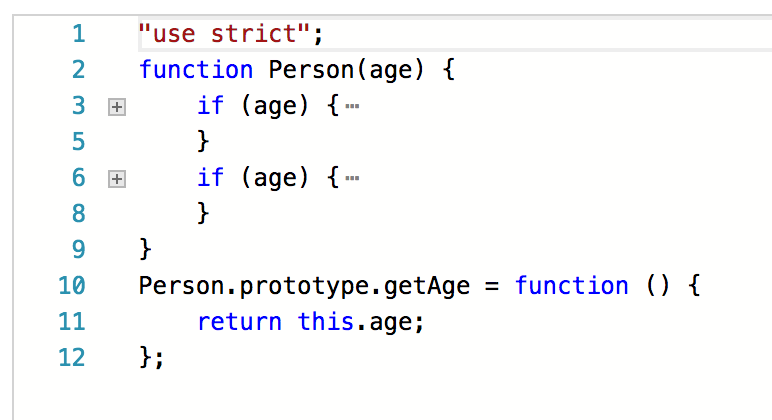
You could try using (run here):
var jsCode = [
    '"use strict";',
    'function Person(age) {',
    '   if (age) {',
    '       this.age = age;',
    '   }',
    '   if (age) {',
    '       this.age = age;',
    '   }',
    '}',
    'Person.prototype.getAge = function () {',
    '   return this.age;',
    '};'
].join('\n');

var editor = monaco.editor.create(document.getElementById("container"), {
    value: jsCode,
    language: "javascript",
    folding: true
});

editor.getAction('editor.foldLevel2').run();
 alexdima
on 15 Jun 2017
alexdima
on 15 Jun 2017
👍4
Was this page helpful?
0 / 5 - 0 ratings
Related issues
 akosyakov
·
3Comments
akosyakov
·
3Comments
 aarinsmith
·
3Comments
aarinsmith
·
3Comments
 chengtie
·
3Comments
chengtie
·
3Comments
 Panhaiwei
·
3Comments
Panhaiwei
·
3Comments
 hawkerm
·
3Comments
hawkerm
·
3Comments
Most helpful comment
You could try using (run here):