Modernization: The Modernized page created doesn't have the original Created By, Modified By, or Contact user information.
Category
[X] Bug
[ ] Enhancement
Problem Area
[ ] Page Transformation: Error during the setup/use of the Page Transformation UI solution (did you check our troubleshooting guide?)
[X] Page Transformation: Error during the use of page transformation from PnP PowerShell
[ ] Page Transformation: Error during the use of page transformation from .Net
[ ] Page Transformation: Page is not looking correct after transformation
[ ] Modernization Scanner: something went wrong...
Expected or Desired Behavior
Expect the Original Created By, Modified By, and Contact to be retained during the transformation.
Observed Behavior
The Created By, Modified By, and Contact are not being Retained during the transformation.
All fields are being replaced with the user performing the Transformation.
Steps to Reproduce
# 1 connection the target site
$target = Connect-PnPOnline https://tenant.sharepoint.com/sites/modernsite/ -ReturnConnection
# 2 Connect to your on-premises portal
Connect-PnPOnline https://ClassicSite.ourdomain.com -CurrentCredentials
# 3 Using Powershell Convert the Classic Page to Modern using ConvertTo-PnPClientSidePage
ConvertTo-PnPClientSidePage -Identity $Name -PublishingPage -overwrite -TargetConnection $target -PageLayoutMapping c:\temp\pagemap.xml -CopyPageMetadata -LogVerbose -LogType File -LogFolder c:\temp\Log
**# 4 View generated Log - Page-Transformation-Report**
> # Modernisation Summary Report
>
> Date  |  Duration  |  Source Page  |  Target Page Url  |  Status
> -------------  |  -------------  |  -------------  |  -------------  |  -------------
> 9/3/2019 9:04:03 AM  |  00:00:06  |  [/pages/partner.aspx](https://ClassicSite.ourdomain.com/pages/partner.aspx)  |  [/sitepages/pages/partner.aspx](https://tenant.sharepoint.com/sites/tdpartners/sitepages/pages/partner.aspx)  |  Successful with 6 warnings and 0 non-critical errors
> ## Warnings during transformation
>
> Date  |  Source Page  |  Operation  |  Message
> -------------  |  -------------  |  -------------  |  -------------
> 9/3/2019 9:04:03 AM  |  /pages/partner.aspx  |   Input Validation  |  Keep Specific Permissions was set, however this is not currently supported when contexts are cross-farm/tenant - this feature has been disabled
> 9/3/2019 9:04:08 AM  |  /pages/partner.aspx  |   Article page handling  |  Page could not be published as versioning is not enabled or version stamp could not be set.
> 9/3/2019 9:04:08 AM  |  /pages/partner.aspx  |   Copying page metadata  |  Skipped copying field:  Author
> 9/3/2019 9:04:08 AM  |  /pages/partner.aspx  |   Copying page metadata  |  Skipped copying field:  Editor
> 9/3/2019 9:04:09 AM  |  /pages/partner.aspx  |   Copying page metadata  |  Skipped copying field:  Author
> 9/3/2019 9:04:09 AM  |  /pages/partner.aspx  |   Copying page metadata  |  Skipped copying field:  Editor
Page-Transformation-Report-9-3-2019-9-04-03-AM.TXT
247
 arnostac
All 16 comments
Hey @arnostac ,
We've done some work for the upcoming September release (latest release date will be next week Monday) that partly realizes your scenario. It comes down to defining the needed fields in the page layout mapping as specified here: https://docs.microsoft.com/en-us/sharepoint/dev/transform/modernize-userinterface-site-pages-model-publishing#i-want-to-keep-the-source-page-creation-information-as-of-september-2019-release
This will keep the page Author and page creation date, page Editor and page change date are not kept...which however is not such a big problem since you can control the information shown in the page header and shown in the news roll up on the home page (assuming you publish the page as news).
To define a page as news see: https://docs.microsoft.com/en-us/sharepoint/dev/transform/modernize-userinterface-site-pages-model-publishing#i-want-to-promote-the-created-pages-as-news
To control the page date showing in the header and news roll up on home page see: set the FirstPublishedDate field as explained in the https://docs.microsoft.com/en-us/sharepoint/dev/transform/modernize-userinterface-site-pages-model-publishing#i-want-to-keep-the-source-page-creation-information-as-of-september-2019-release page
To control the author showing the page header and news roll up on the home page you need to configure the Authors header property as shown in https://docs.microsoft.com/en-us/sharepoint/dev/transform/modernize-userinterface-site-pages-model-publishing
 jansenbe
on 3 Sep 2019
jansenbe
on 3 Sep 2019
Bert,
Thanks For the quick response I do believe that I have followed all of these in my mapping file. Please see below. It will keep the Author but it will not keep the Presence that will tie to comments and if the news articles are edited even by the contact an error is displayed
     <Header Type="FullWidthImage" Alignment="Left" ShowPublishedDate="false">
        <Field Name="PublishingRollupImage" HeaderProperty="ImageServerRelativeUrl" Functions="ToImageUrl({PublishingRollupImage})" />
        <Field Name="ArticleByLine" HeaderProperty="TopicHeader" />
        <Field Name="PublishingContact" HeaderProperty="Authors" Functions="ToAuthors({PublishingContact})" />
      </Header>
      <MetaData ShowPageProperties="true" PagePropertiesRow="1" PagePropertiesColumn="2" PagePropertiesOrder="1">
        **<Field Name="Created" TargetFieldName="Created" Functions="" />
        <Field Name="Modified" TargetFieldName="Modified" Functions="" />
        <Field Name="Author" TargetFieldName="Author" Functions="" />
        <Field Name="Editor" TargetFieldName="Editor" Functions="" />**


        **<Field Name="ID" TargetFieldName="PromotedState" Functions="StaticString('2')" />**


        <Field Name="tdiOverview" TargetFieldName="Title" Functions="" />
        <Field Name="ArticleStartDate" TargetFieldName="FirstPublishedDate" Functions="" />
        <Field Name="tdiRollupImageCaption" TargetFieldName="ImageCaption"></Field>
        <!--          <Field Name="tdiAudienceClassifications;Classifications" TargetFieldName="Classifications"></Field>
        <Field Name="tdiAudienceLocations;Locations" TargetFieldName="Locations"></Field> -->
      </MetaData>
After Covert

When Edited

arnostac
on 3 Sep 2019
As mentioned in my first comment today the logic to keep user created (Author) and modification date (Modified) is broken...fix will be part of the upcoming September release.
The fact that you cannot publish the page is weird...
- Can you share the complete page layout mapping file?
- What's the PnP PS version you're using?
- Do you have this issue on all pages?
jansenbe
on 3 Sep 2019
PnP Version
SharePointPnPPowerShellOnline 3.12.1908.1
Yes it appears to happen on all pages.
> <?xml version="1.0" encoding="utf-8"?>
> <PublishingPageTransformation xmlns:xsd="http://www.w3.org/2001/XMLSchema" xmlns:xsi="http://www.w3.org/2001/XMLSchema-instance" xmlns="http://schemas.dev.office.com/PnP/2019/03/PublishingPageTransformationSchema">
>   <PageLayouts>
>     <PageLayout Name="TDPipelineResponsiveInternalArticle" AssociatedContentType="TD Article" PageLayoutTemplate="AutoDetect" PageHeader="Custom">
>       <Header Type="FullWidthImage" Alignment="Left" ShowPublishedDate="false">
>         <Field Name="PublishingRollupImage" HeaderProperty="ImageServerRelativeUrl" Functions="ToImageUrl({PublishingRollupImage})" />
>         <Field Name="ArticleByLine" HeaderProperty="TopicHeader" />
>         <Field Name="PublishingContact" HeaderProperty="Authors" Functions="ToAuthors({PublishingContact})" />
>       </Header>
>       <MetaData ShowPageProperties="true" PagePropertiesRow="1" PagePropertiesColumn="2" PagePropertiesOrder="1">
>         <Field Name="Created" TargetFieldName="Created" Functions="" />
>         <Field Name="Modified" TargetFieldName="Modified" Functions="" />
>         <Field Name="Author" TargetFieldName="Author" Functions="" />
>         <Field Name="Editor" TargetFieldName="Editor" Functions="" />
>         <Field Name="ID" TargetFieldName="PromotedState" Functions="StaticString('2')" />
>         <Field Name="tdiOverview" TargetFieldName="Title" Functions="" />
>         <Field Name="ArticleStartDate" TargetFieldName="FirstPublishedDate" Functions="" />
>         <Field Name="tdiRollupImageCaption" TargetFieldName="ImageCaption"></Field>
>         <!--          <Field Name="tdiAudienceClassifications;Classifications" TargetFieldName="Classifications"></Field>
>         <Field Name="tdiAudienceLocations;Locations" TargetFieldName="Locations"></Field> -->
>       </MetaData>
>       <WebParts>
>         <Field Name="PublishingRollupImage" TargetWebPart="SharePointPnP.Modernization.WikiImagePart" Row="1" Column="2" Order="1">
>           <Property Name="ImageUrl" Type="string" Functions="ToImageUrl({PublishingRollupImage})"></Property>
>           <Property Name="Caption" Type="string" Functions="StaticString({tdiRollupImageCaption})"></Property>
> <Property Name="AlternativeText" Type="string" Functions="StaticString({tdiRollupImageCaption})"></Property>
>         </Field>
>         <Field Name="PublishingPageContent" TargetWebPart="SharePointPnP.Modernization.WikiTextPart" Row="1" Column="1" Order="1">
>           <Property Name="Text" Type="string" Functions="" />
>         </Field>
>       </WebParts>
>       <WebPartZones>
>         <WebPartZone Row="1" Column="2" Order="1" ZoneId="g_0C7F16935FAC4709915E2D77092A90DE" ZoneIndex="0">
>           <WebPartZoneLayout>
>             <WebPartOccurrence Type="Microsoft.SharePoint.WebPartPages.ContentEditorWebPart, Microsoft.SharePoint, Version=16.0.0.0, Culture=neutral, PublicKeyToken=71e9bce111e9429c" Row="1" Column="2" Order="2" />
>             <WebPartOccurrence Type="Microsoft.SharePoint.WebPartPages.XsltListViewWebPart, Microsoft.SharePoint, Version=16.0.0.0, Culture=neutral, PublicKeyToken=71e9bce111e9429c" Row="1" Column="1" Order="1" />
>           </WebPartZoneLayout>
>         </WebPartZone>
>       </WebPartZones>
>     </PageLayout>
>   </PageLayouts>
> </PublishingPageTransformation>
Hi @jansenbe and @arnostac ,
Just noticed this is an on-premises to SPO connection with transform. We have an outstanding task issue #161 to build in mapping capability including some testing around users etc.
This maybe why you are having difficulties.
Paul
 pkbullock
on 3 Sep 2019
pkbullock
on 3 Sep 2019
Thanks Paul
I was think that maybe a factor. But was not sure.
arnostac
on 3 Sep 2019
Indeed, that will have an impact...all on-premises user data is not valid for online.
Can you try to convert the pages without setting the Author, Editor, Modified and Created fields and see if you still have errors? If so please comment all Metdata fields and test again. It's important to understand why the page is not allowing publishing.
User mapping capability is currently planned for the October release.
jansenbe
on 4 Sep 2019
Bert,
I ran 98 Pages and they all had the same result.
Successful with 2 warnings and 0 non-critical errors
Warnings during transformation
> Date  |  Source Page  |  Operation  |  Message
> -------------  |  -------------  |  -------------  |  -------------
> 9/4/2019 9:47:39 AM  |  /pages/how-to-find-use-safety-data-sheets.aspx  |   Input Validation  |  Keep Specific Permissions was set, however this is not currently supported when contexts are cross-farm/tenant - this feature has been disabled
> 9/4/2019 9:47:47 AM  |  /pages/how-to-find-use-safety-data-sheets.aspx  |   Article page handling  |  Page could not be published as versioning is not enabled or version stamp could not be set.
Page could not be published as versioning is not enabled or version stamp could not be set.
But when Looking at the Site Pages Library the pages all show to be Published
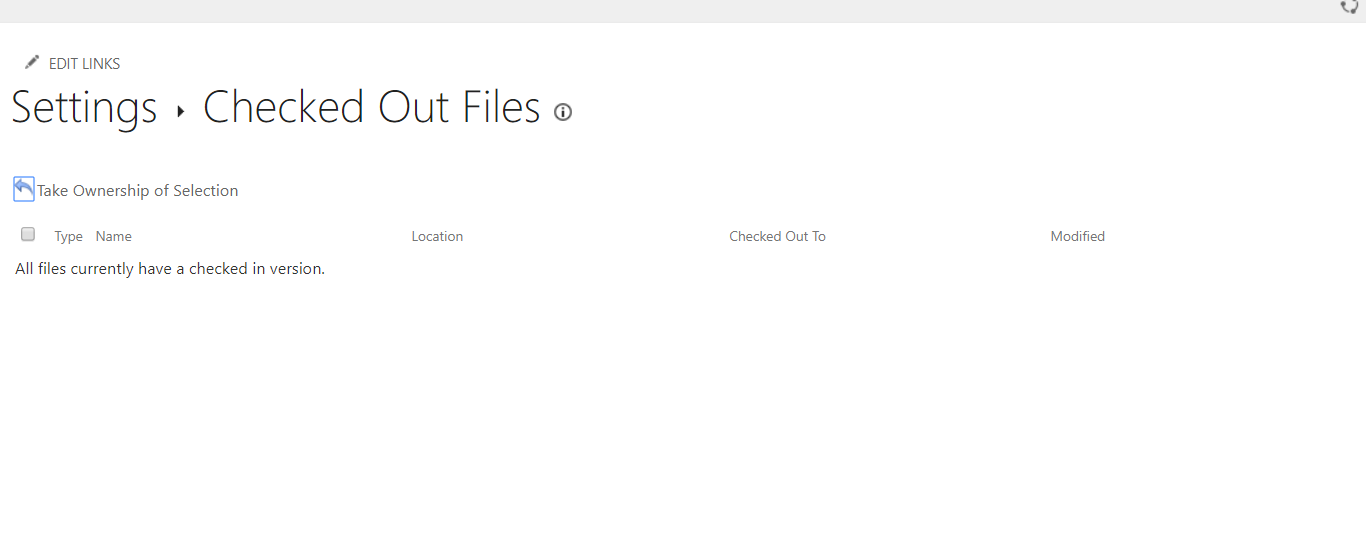
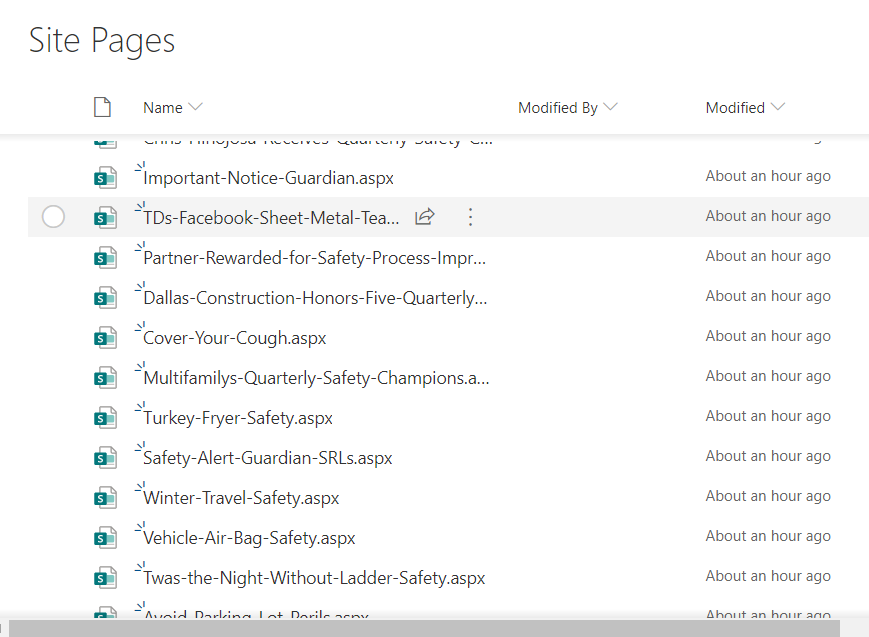
So not sure why it is throwing this error.
Thnaks,
Stacey
arnostac
on 4 Sep 2019
That's more of a warning: when the site pages library is not having major/minor versioning set this warning is thrown. You can try to enable major/minor versioning on your site pages library if that's important for you, but feel free to simply ignore this error as well.
jansenbe
on 4 Sep 2019
Bert,
You have been a great help on this one, I was thinking the same thing as well. So with the names and dates Created Modified Editor and Author, if you need some beta testing I will be glad to help with that I have 6 Site Collections all connecting to a hub site and there are about 2 to 3k pages per site. I have created a Provisioning template to configure the sites, as well as powershell to read csv files to distribute the pages to the various site collections with sleep and disconnect and reconnects to try and prevent the possibility of throttling.
The next thing i need to address is managed metadata term store field migration. any recommendations?
Also i would love to demo the process that i have put together for the migration of the site i am working on. It is an ON prem 2013 farm highly customized using display templates and I am migrating Directly to SPO using the PnP client side transition scripts that you built. Great job By the way.
Thanks Again,
Stacey Arnold
Sr Sharepoint Solutions Architect
arnostac
on 4 Sep 2019
Hi Stacey,
Glad to hear things are going in the right direction :-)
- About the throttling: you could try running using app-only as that will be less impacted by throttling. Do you see throttling today or is this more of a safety measure?
- The September release will have some cool features, but you mainly need user account mapping which will be for later
- About managed metadata: did you consider exporting the term sets with ID's and import these again in SPO with the same ID's. With that in place things should start to match up. I've a backlog item for a managed metadata mapping, but that's not high on the priority list at this moment
- About demo: would love to see this in action and if you're willing we could also get you 15 minutes in one of the PnP SIG calls so you can show this to the SharePoint community. Drop me a mail on [email protected] to discuss this further
jansenbe
on 4 Sep 2019
Throttling is only for safety measures
arnostac
on 4 Sep 2019
hey @jansenbe , i just tested the latest version 3.13.x.x. The value of Author and Created fields are saved correctly, however the Modified and Editor are not saved correctly.
Am doing a Online classic to modern transformation of a publishing page.
The mapping file is quite similar to the one mentioned above, do i need to change or am i missing anything ? I also tested after removing all custom columns and the result is the same.
 gautamdsheth
on 10 Sep 2019
gautamdsheth
on 10 Sep 2019
No, what you see is what's expected. The Modified/Editor are changed later in the flow due again...but having Author/Created and setting the FirstPublishedDate field in metadata combined with setting the Authors header property should visually show the page was created by the "given" user and when that page is published as news it will also show the correct "given" user and page date.
jansenbe
on 10 Sep 2019
Hi @gautamdsheth ,
I've introduced a new generic option to handle Author/Editor/Created/Modified via the KeepPageCreationModificationInformation flag in both .Net as PowerShell. This will be part of the October release. Given that we've no account mapping yet, this feature does not work when the source page is not in SPO, once we've account mapping this can be updated.
For now I'll close this issue, feel free open a new one if you still have issues when testing with the new options.
Note: please drop setting the Author/Editor/Created/Modified fields from your page layout mappings if you're using the new feature.
jansenbe
on 17 Sep 2019
Awesome, thanks a lot @jansenbe !
gautamdsheth
on 17 Sep 2019
Related issues
 rudfoss
·
4Comments
pkbullock
·
7Comments
rudfoss
·
4Comments
pkbullock
·
7Comments
 nicolas6969
·
3Comments
gautamdsheth
·
7Comments
jansenbe
·
5Comments
nicolas6969
·
3Comments
gautamdsheth
·
7Comments
jansenbe
·
5Comments
Most helpful comment
Hi @gautamdsheth ,
I've introduced a new generic option to handle Author/Editor/Created/Modified via the KeepPageCreationModificationInformation flag in both .Net as PowerShell. This will be part of the October release. Given that we've no account mapping yet, this feature does not work when the source page is not in SPO, once we've account mapping this can be updated.
For now I'll close this issue, feel free open a new one if you still have issues when testing with the new options.
Note: please drop setting the Author/Editor/Created/Modified fields from your page layout mappings if you're using the new feature.