Modernflyouts: Bug: Main menu language does not get updated when language is changed
When you change the language manually in the app, the main menu does not get updated. Also, the current page is not updated. If you select another page, it is shown in the correct language.
Steps to reproduce the behavior:
- Go to Settings
- Change language to anything different than the current
- See the new selected pages being updated, but not the main menu
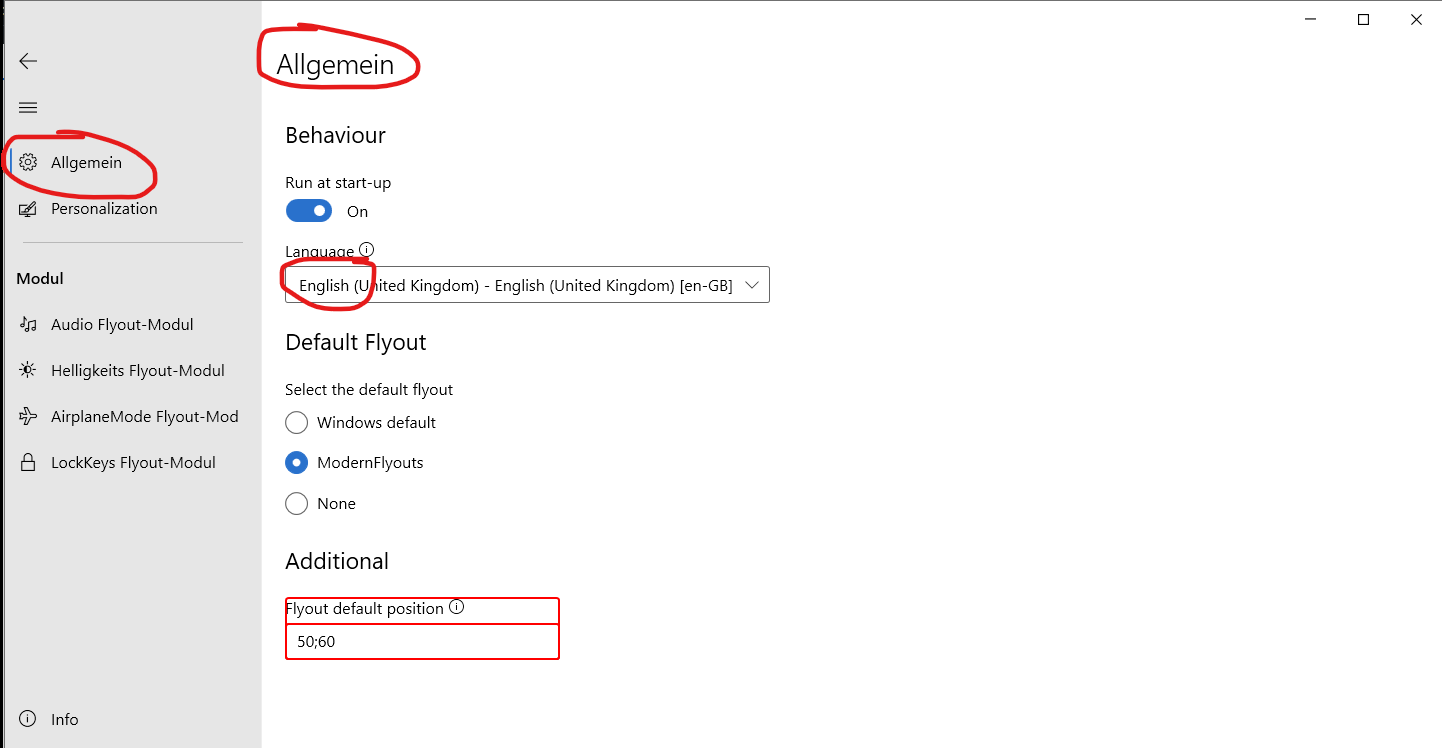
Windows 10 Version: 20H2
Modern Flyouts 0.8.0.1
 Hymian7
All 6 comments
Hi, did you restart the app?
 Samuel12321
on 13 Nov 2020
Samuel12321
on 13 Nov 2020
Nope, but maybe you can get the behaviour consistent? Either everything updates right after change or everything updates after restart.
Otherwise another label or prompt would be useful to inform that language is updated after restart.
Hymian7
on 14 Nov 2020
would #209 Fix this
Samuel12321
on 14 Nov 2020
This would definetly help! But then the consequence should be that the old language is maintained until the user manually restarts the app.
Hymian7
on 14 Nov 2020
@Hymian7,
This would definetly help! But then the consequence should be that the old language is maintained until the user manually restarts the app.
Wow! That's a great idea! We should definitely do this 👍
 ShankarBUS
on 14 Nov 2020
ShankarBUS
on 14 Nov 2020
@Hymian7,
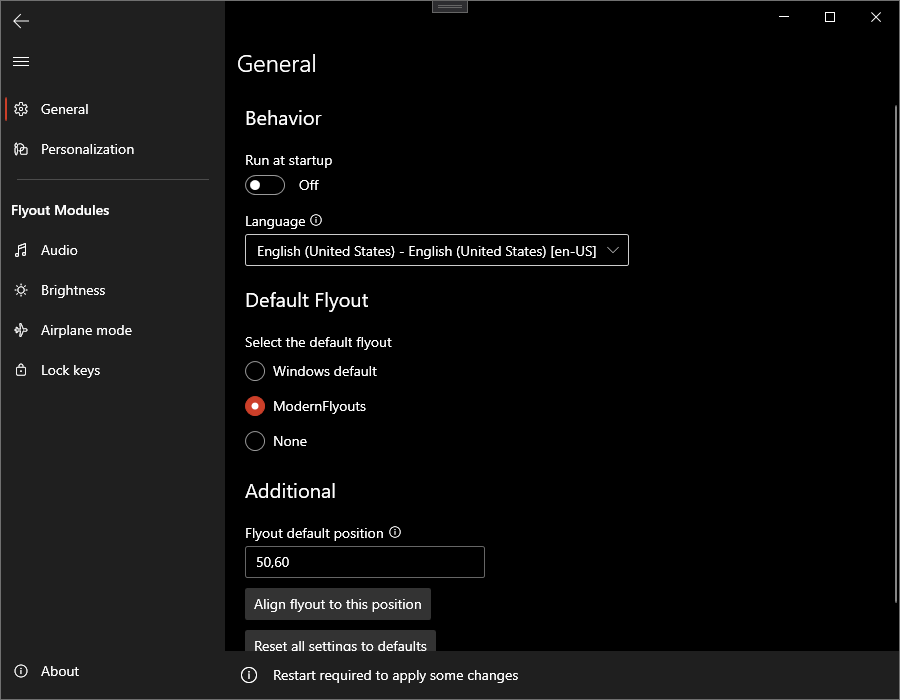
From now on (f909f55806d778e80ab5cfcad865324ddd622c9d), the language change won't be applied until the app has been restarted. Changing the language would show a notif like this. Restarting the app will update the language fully.
ShankarBUS
on 18 Nov 2020
Related issues
 toineenzo
·
4Comments
Samuel12321
·
4Comments
toineenzo
·
4Comments
Samuel12321
·
4Comments
 Poopooracoocoo
·
4Comments
Poopooracoocoo
·
4Comments
 elenmerbau
·
5Comments
elenmerbau
·
5Comments
 Cyberdroid1
·
4Comments
Cyberdroid1
·
4Comments
Most helpful comment
@Hymian7,
Wow! That's a great idea! We should definitely do this 👍