Model-viewer: Model does not "wiggle" correctly in Safari
Our new model interaction prompt seems to be very glitchy in Safari. Sometimes it works fine, sometimes the model doesn't rotate, sometimes the model rotation jumps and sometimes the hand icon disappears entirely (but the model is still rotating / glitching). The problem seems to be exacerbated by tabbing-away from Safari and then returning, or resizing it.

 cdata
cdata
All 19 comments
Seems like there are at least two different problems here.
Problem #1 is that Safari does not appear to report the correct transform value, which is definitely a bug on their part. Here is a log of the computed transform read in a 60FPS rAF:
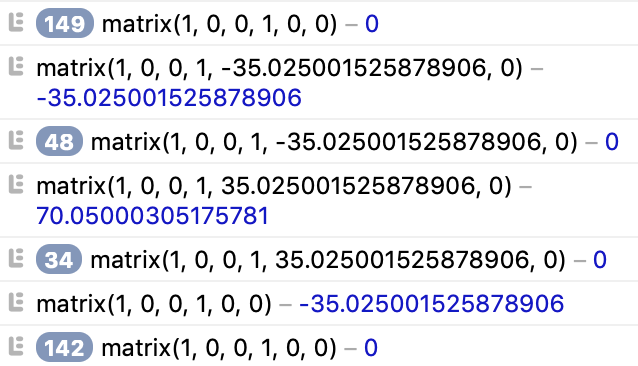
Basically what we are seeing here is that the only changes in the transform are reported at the left and right extents of the hand's traversal. This doesn't happen all the time, only occasionally. This is probably the same problem that causes the model not to rotate at all.
The other problem is that sometimes the hand disappears entirely. This may be related to the first problem, but could also just be a render layer issue.
cdata
on 17 Oct 2019
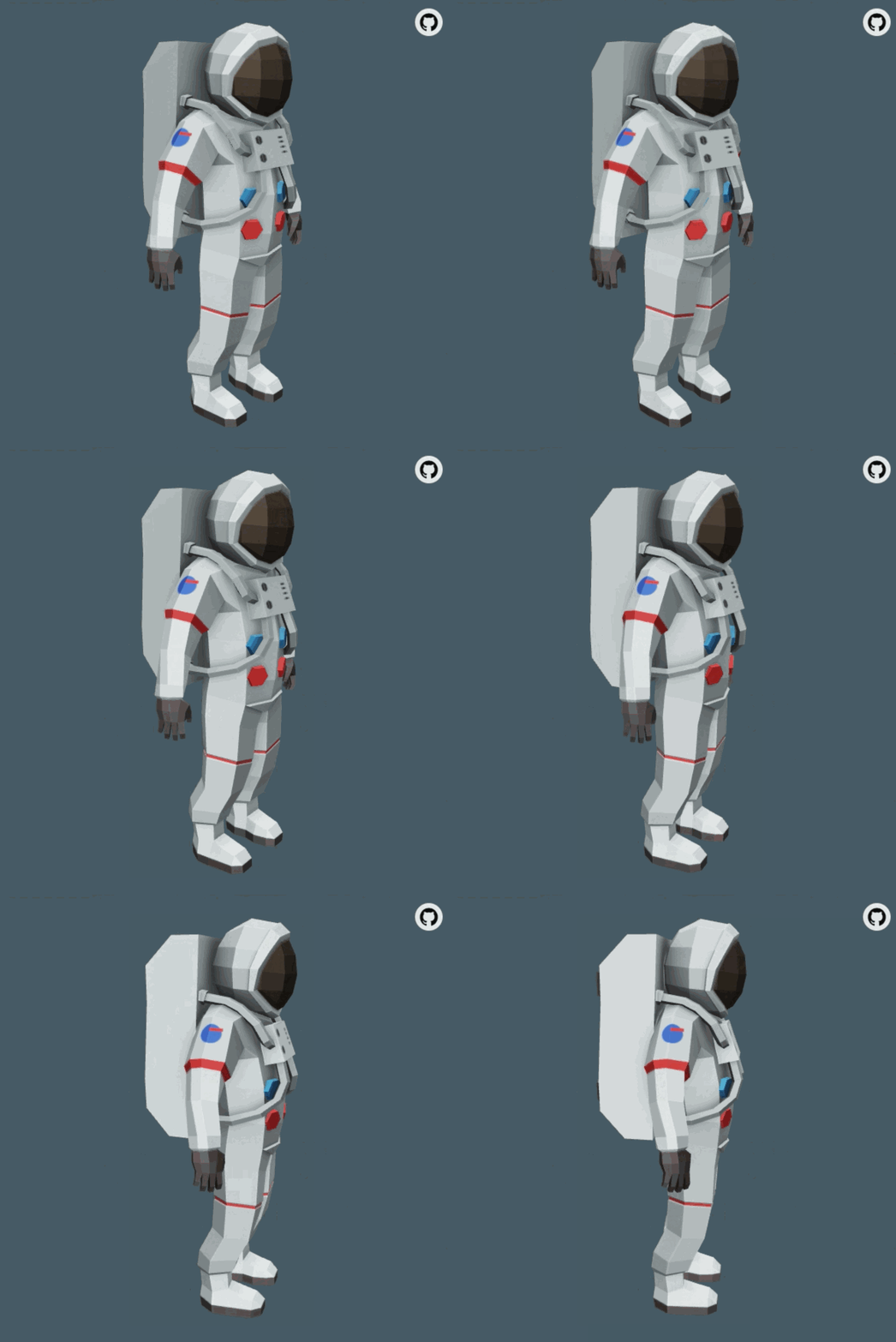
On Safari 12.1, I was not able to get it to glitch. I was able to get the hand icon to get messed up, causing it at turns to freeze or disappear entirely:
Freeze | Disappear
-------|-----------
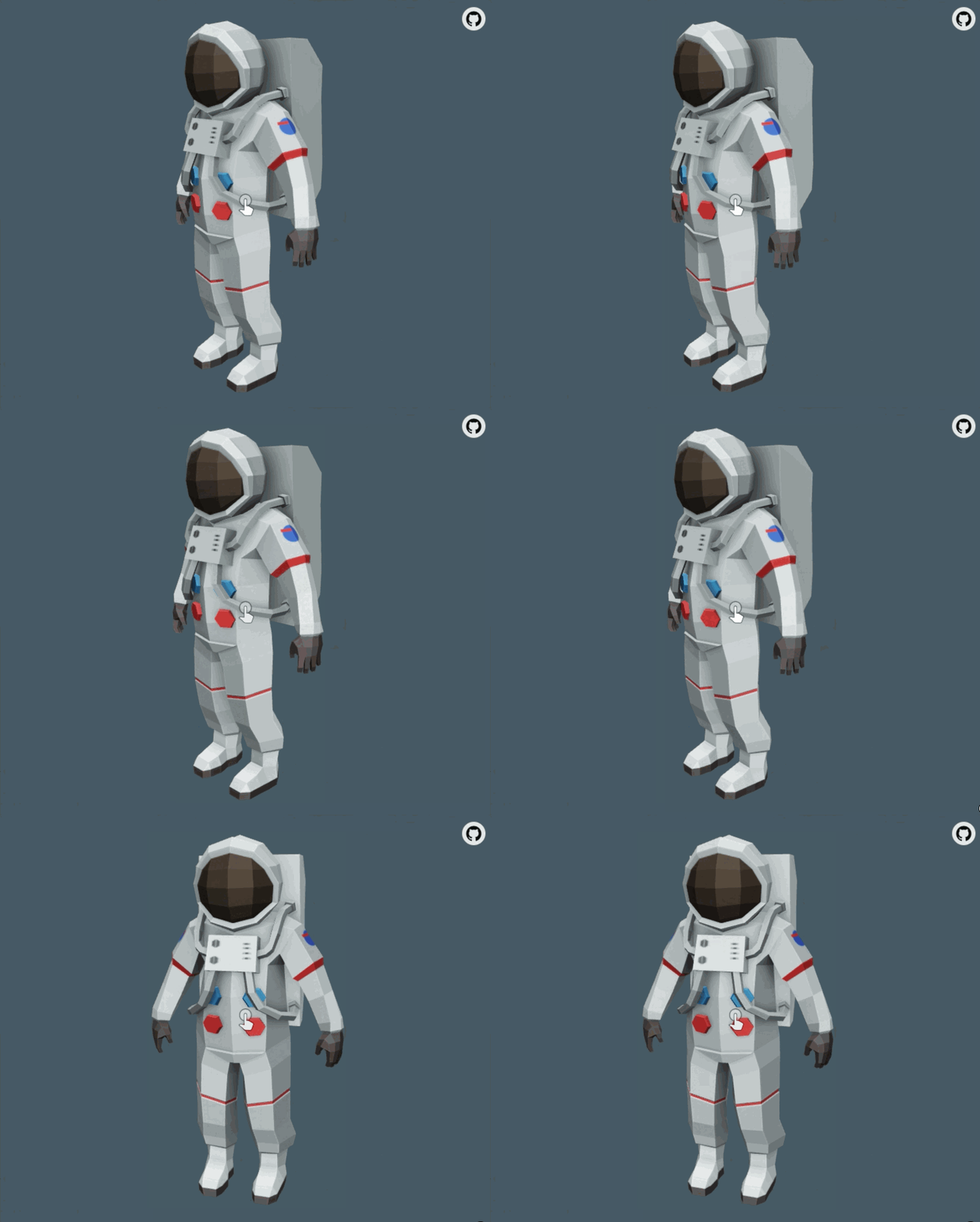 |
|
cdata
on 17 Oct 2019
The root of the wiggle bug seems to be related to reading the transform property. If I read the bounding rect and the transform at 60FPS, the bounding rect also reports static values even though the hand is moving. If I don't read the transform property, the bounding rect reports expected values.
It is still possible to reproduce the disappearing icon issue even when not reading the transform property.
cdata
on 18 Oct 2019
Considering SVG support seems to be a little iffy, do we think it might be worthwhile to consider using a png icon instead? Just a potential thing to try...
 elalish
on 18 Oct 2019
elalish
on 18 Oct 2019
Good call. Disappearing/frozen bug definitely seems like it could be compositing related, and SVG seems like it could affect that..
cdata
on 18 Oct 2019
Switching over to getBoundingClientRect, the animation seemed to no longer glitch at first. After playing with it for a bit, it eventually starts to glitch but then seems to fix itself after an iteration or two.
The next best mitigation would probably be to directly set the transform property and remove the CSS animation...
cdata
on 18 Oct 2019
I have confirmed that the issue is resolved in Safari when CSS keyframe animations are taken out of the equation, and instead the prompt is animated by manually assigning its opacity and transform properties. The silver lining here is that this will allow us to avoid re-computing style on the local DOM on every frame, so even if we manually compute animation timing it will be at least an order of magnitude faster than the implementation that required getBoundingClientRect/getComputedStyle.
cdata
on 18 Oct 2019
So the idea here is to drive the wiggle through code, and update the CSS of the indicator to match?
 pushmatrix
on 18 Oct 2019
pushmatrix
on 18 Oct 2019
@pushmatrix Yes. Check out https://github.com/GoogleWebComponents/model-viewer/pull/843/files for my first pass.
cdata
on 18 Oct 2019
The suggested approach has a notable downside: CSS parts will no longer be useful to style the prompt with a custom animation.
cdata
on 18 Oct 2019
True, but now that it's not tied to CSS, people would be able to directly manipulate the model via https://github.com/GoogleWebComponents/model-viewer/issues/738, and then drive their own css animation.
pushmatrix
on 18 Oct 2019
Yes, but this would have always been true. The thing being manipulated isn't _of_ the model, strictly speaking. It's a "pivot" node that is an ancestor of the model, and considered an internal detail of <model-viewer>.
The way this would have layered with the worklet is that while the interaction prompt feature manipulates the "pivot," the worker would manipulate the root node of the model. If both worker and prompt are active, the effect is additive. If you prefer the worker, you can switch the prompt back to "basic".
cdata
on 18 Oct 2019
Another way to make them more naturally additive is if the prompt wiggle moves the camera instead of the pivot. Personally I think this makes slightly more sense, since camera motion is what you'll actually get when you interact. But I don't have a strong preference for this.
elalish
on 18 Oct 2019
Thanks @elalish , I'll explore this in the fixed up version.
There is actually a strong aesthetic argument to have the prompt move the camera and not the pivot: moving the pivot causes the lighting cast upon the model to change, but moving the camera does not, so moving the camera is more true to what the user would actually see when interacting.
cdata
on 18 Oct 2019
(that's probably what you were saying, I'm just tired and repeating things, don't mind me :P)
cdata
on 18 Oct 2019
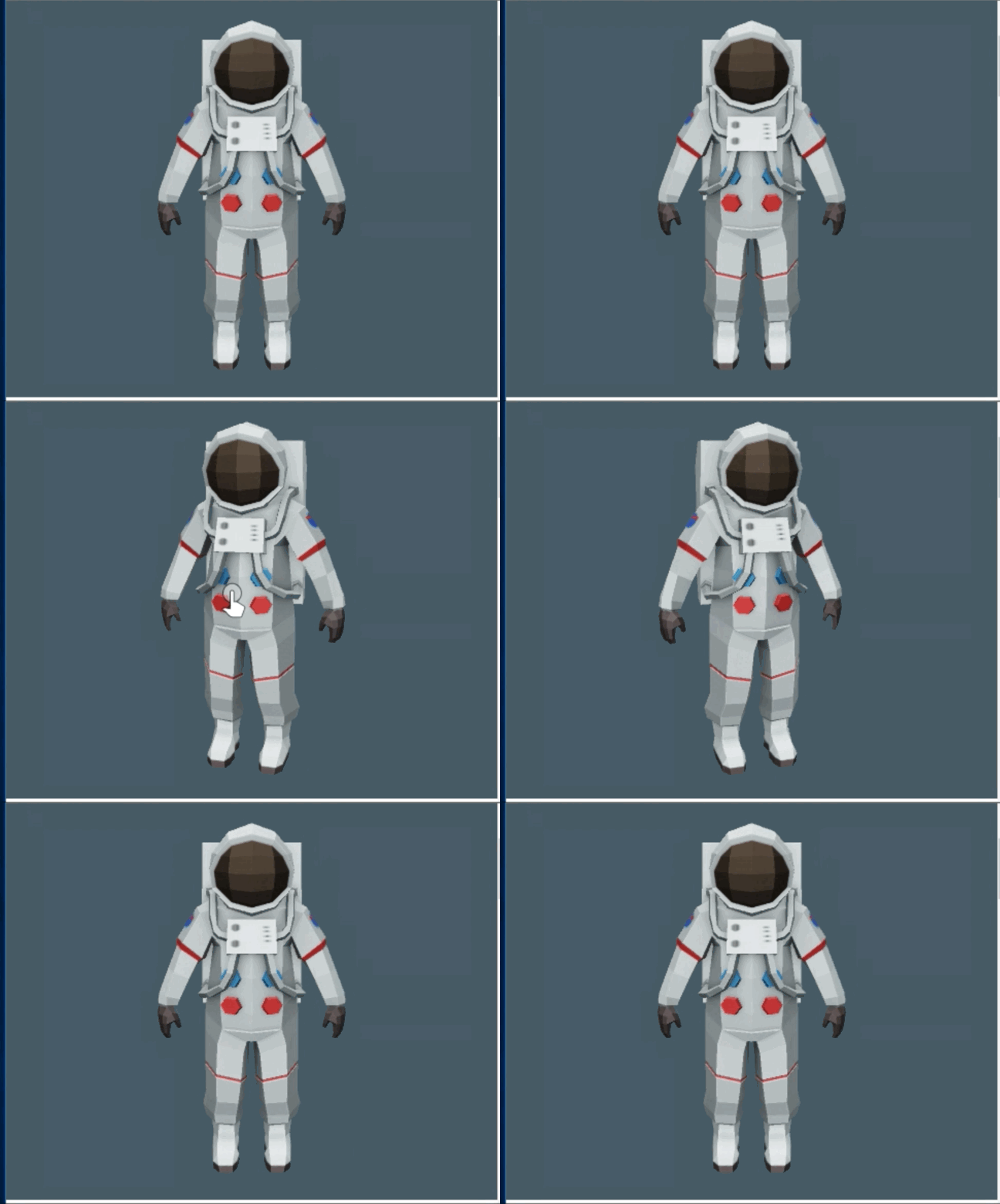
FYI while testing, I discovered that the current implementation was also not working properly in IE11. It seems to be glitchy during the last half of the animation. The proposed fix appears to work as intended in IE11.
cdata
on 18 Oct 2019
Here is a minimal repro for this issue in Safari. I tried a few different things to arrive at this test case, and the critical factors required to reproduce the issue are:
- A CSS-animated element
- A
<canvas>with a GL context with something drawn in it - A
<canvas>with a 2D context with the original canvas drawn into it
Things that do not seem to matter include:
- ShadowDOM / Custom Elements
- Details of CSS animation configuration (e.g., running vs paused)
- Number of render layers
- Animations governing the opacity of the element being measured
Only Safari 13 seems to be affected, which lines up with what we observed earlier. Here is what th test case looks like in Chrome and Safari on my 2017 MBP 15" w/ AMD Radeon 560:
Chrome 77 Stable | Safari 13.0.2
------------------|---------------
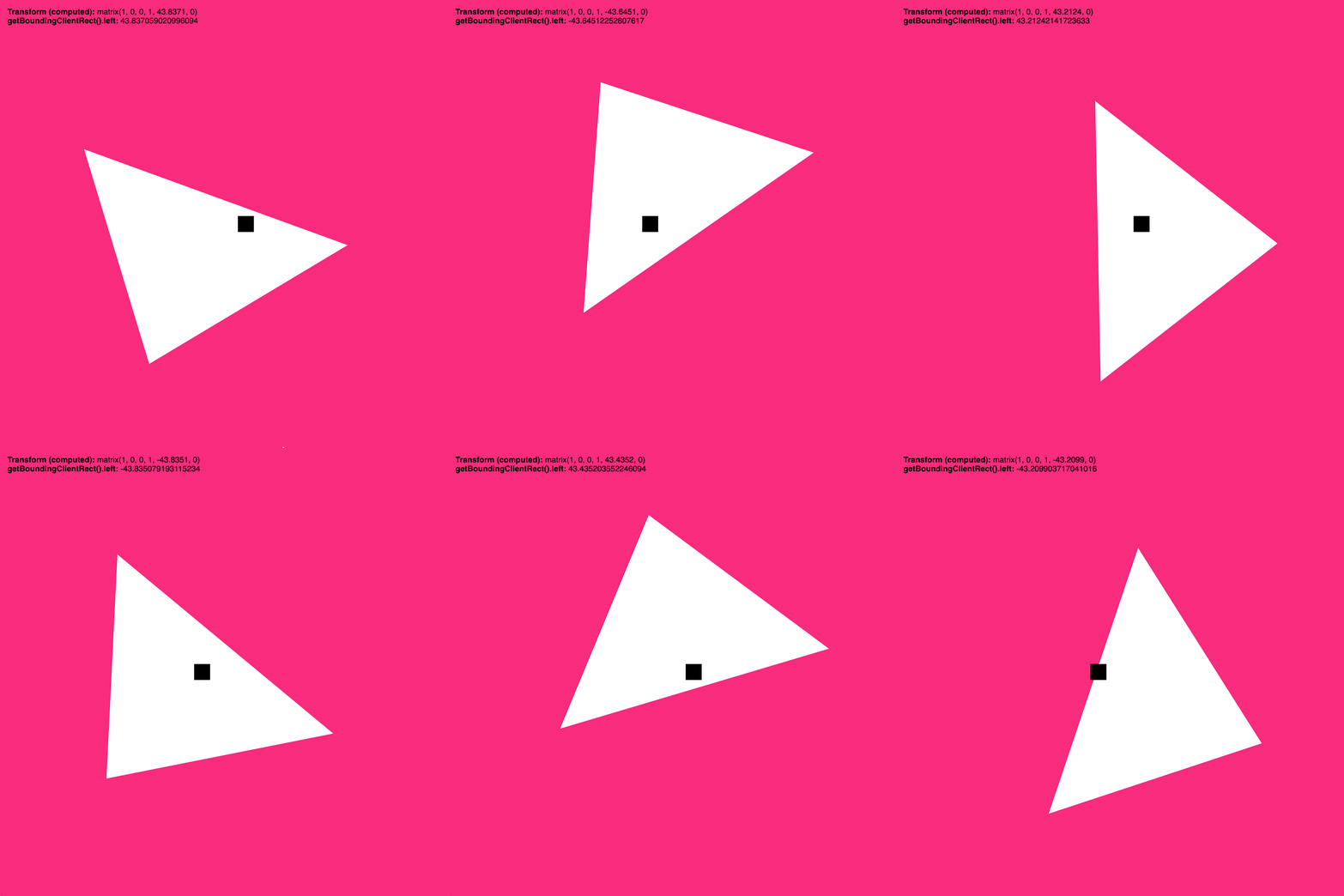 |
|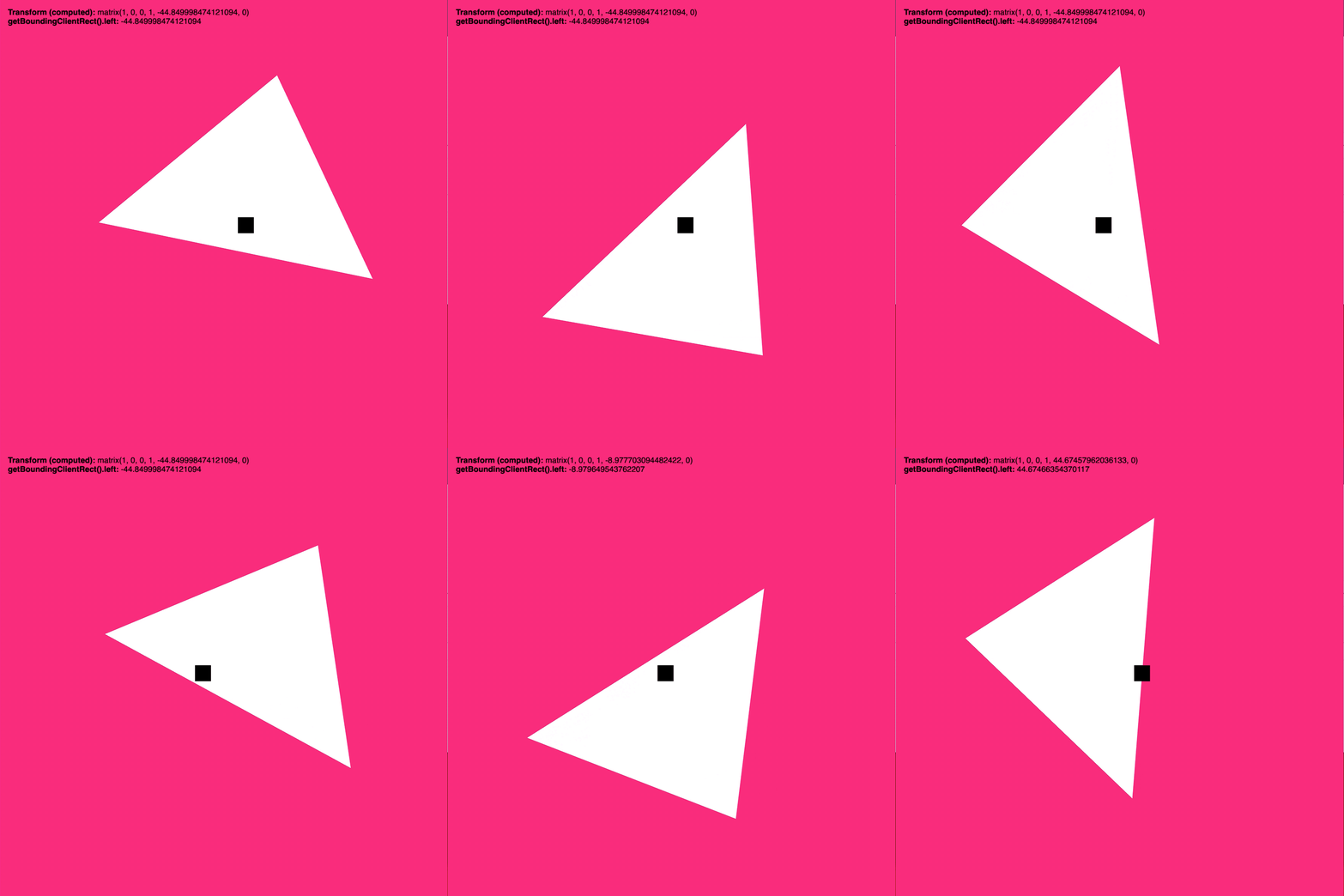
As you can see towards the end of the Safari recording, the layout magically "fixes" itself and we can start reading it correctly. Who even knows what is going on under the hood there 🤷♂
cdata
on 21 Oct 2019
I have filed a WebKit bug for this issue here: https://bugs.webkit.org/show_bug.cgi?id=203187
cdata
on 21 Oct 2019
Borrowed from @pushmatrix for posterity, here is what the glitch looked like in IE11:
cdata
on 21 Oct 2019
Related issues
 Arumugamhns
·
30Comments
Arumugamhns
·
30Comments
 calin-ciobanu
·
13Comments
pushmatrix
·
22Comments
calin-ciobanu
·
13Comments
pushmatrix
·
22Comments
 hybridherbst
·
43Comments
hybridherbst
·
43Comments
 OriginLive
·
27Comments
OriginLive
·
27Comments
Most helpful comment
Thanks @elalish , I'll explore this in the fixed up version.
There is actually a strong aesthetic argument to have the prompt move the camera and not the pivot: moving the pivot causes the lighting cast upon the model to change, but moving the camera does not, so moving the camera is more true to what the user would actually see when interacting.