Mobile-ffmpeg: [IOS] Invalid Bundle Error
Hey,
On trying to upload the app build with a library using this mobile-ffmpeg I am getting the following errors -
ERROR ITMS-90208: "Invalid Bundle. The bundle Application.app/Frameworks/libavcodec.framework does not support the minimum OS Version specified in the Info.plist."
An unknown error occurred.
ERROR ITMS-90208: "Invalid Bundle. The bundle Application.app/Frameworks/libavdevice.framework does not support the minimum OS Version specified in the Info.plist."
An unknown error occurred.
ERROR ITMS-90208: "Invalid Bundle. The bundle Application.app/Frameworks/libavfilter.framework does not support the minimum OS Version specified in the Info.plist."
An unknown error occurred.
Likewise with all the other frameworks inside this mobile-ffmpeg.
I have MinimumOSVersion is the plist of all these frameworks set to 8.0.
Please help. Kind of urgent.
Thanks.
 ghost
ghost
All 114 comments
Hi, which version you're using v2.0?
 tanersener
on 5 Sep 2018
tanersener
on 5 Sep 2018
Info.plist included in frameworks does not define a Minimum OS Version parameter, it shouldn't cause any conflicts. You can see all parameters below.
<?xml version="1.0" encoding="UTF-8"?>
<!DOCTYPE plist PUBLIC "-//Apple//DTD PLIST 1.0//EN" "http://www.apple.com/DTDs/PropertyList-1.0.dtd">
<plist version="1.0">
<dict>
        <key>CFBundleDevelopmentRegion</key>
        <string>en</string>
        <key>CFBundleExecutable</key>
        <string>libavfilter</string>
        <key>CFBundleIdentifier</key>
        <string>com.arthenica.mobileffmpeg.FFmpeglibavfilter</string>
        <key>CFBundleInfoDictionaryVersion</key>
        <string>6.0</string>
        <key>CFBundleName</key>
        <string>libavfilter</string>
        <key>CFBundlePackageType</key>
        <string>FMWK</string>
        <key>CFBundleShortVersionString</key>
        <string>7.16.100</string>
        <key>CFBundleVersion</key>
        <string>7.16.100</string>
        <key>NSPrincipalClass</key>
        <string></string>
</dict>
</plist>
Initially, I was using 2.0. It didn't work out quite right so switched back to 1.2.
So initially it was giving me the following error -
ERROR ITMS-90360: "Missing Info.plist value. A value for the key 'MinimumOSVersion' in bundle Application.app/Frameworks/libavcodec.framework is required." An unknown error occurred.
So to fix that I added "MinimumOSVersion" in all the frameworks and then it started to give me the other error that I mentioned in my problem.
Do you think I am doing something wrong while adding it to my framework or some configuration?
ghost
on 5 Sep 2018
On trying to upload the app build with a library ...
Hmm, MinimumOSVersion never caused me a problem, on which step do you receive this error, while uploading to AppStore?
tanersener
on 5 Sep 2018
Yes. Working fine otherwise in the simulator, on a real device, in tests. Just when uploading to the AppStore.
ghost
on 5 Sep 2018
So to re-reiterate the process -
- Add to the podfile and do a pod install.
- Add #import
- Write code and run.
Is there any other config that you feel I should do? Maybe build the entire ffmpeg again or using it straight from pods will be fine?
ghost
on 5 Sep 2018
Well, the next step is to check Build Settings in Xcode. Sometimes I see this error when some linking flags are not compatible with framework options. But it would prevent you from running/testing. You can run and test, so this is not the case.
There are a few other options to try:
- There are universal fat binaries released but not published. Using them is an option
- Adding MinimumOSVersion in Info.plist and publishing new version is another option. I'm releasing
v2.1right now, I can add this option and push the version to cocoapods
tanersener
on 5 Sep 2018
Yes, I think we can try those things.
One question here, where are these fat binaries available so I can get my hands on them?
Also, will try to use v2.1 once you publish it, and then see how things work out.
ghost
on 5 Sep 2018
They are not very easy to use, this why I don't publish them. Also, they are not available online, I need to upload them somewhere. Is there a specific package (min, full, full-gpl) you need? I can upload it on my Dropbox.
By the way, you have MinimumOSVersion = 8.0 setting in you application, am I right?
tanersener
on 5 Sep 2018
Yes, I also want to avoid using them, a lot of configs involved there.
I am using MinimumOSVersion = 10.0.
ghost
on 5 Sep 2018
Hmm, some stackoverflow posts recommend using the same MinimumOSVersion on both application and frameworks. So setting MinimumOSVersion = 10.0 might be a solution. You can test it if you want.
Below is the link for full-gpl-v2.1 universal binaries. You can test them too.
https://www.dropbox.com/sh/5ypukqxoxd5wv2i/AABv-YajCrm7N-FBr3rjNjnva?dl=0
tanersener
on 5 Sep 2018
Thank you so much. I will give them a go and let you know.
Also any particular recommendation on how to use these fat binaries?
ghost
on 5 Sep 2018
Sorry, I forgot to mention, v2.1 IOS API is completely new. You may receive too many compile errors. I'm working on documentation but https://github.com/tanersener/mobile-ffmpeg/tree/dev-v2.x includes a basic example about the new API.
Fat binaries are generally added to project by drag & drop to xcode. Then you need to update #include statements and application should work.
tanersener
on 5 Sep 2018
Got it. I will try these things out and let you know my results. Cheers!!!
ghost
on 5 Sep 2018
I cannot find the pod by using
pod 'mobile-ffmpeg-full', '~> 2.1'
in my pod file.
ghost
on 5 Sep 2018
After applying a MinimumOSVersion of 10.0 to both the app and the frameworks I am getting the errors -
ERROR ITMS-90208: "Invalid Bundle. The bundle Application.app/Frameworks/libavcodec.framework does not support the minimum OS Version specified in the Info.plist."
An unknown error occurred.
Any ideas about this?
ghost
on 5 Sep 2018
v2.1 of mobile-ffmpeg-full is not published to cocoapods yet, it takes time to build each package and publish. Can you try with mobile-ffmpeg-min.
tanersener
on 5 Sep 2018
Okay, I will try with that.
ghost
on 5 Sep 2018
I tried min version, but I think the MinimumOSVersion is not there in it yet, is it?
ghost
on 5 Sep 2018
Actually it was added, and I can see it inside Info.plist from Cocoapods. Do you still get the same error?
<?xml version="1.0" encoding="UTF-8"?>
<!DOCTYPE plist PUBLIC "-//Apple//DTD PLIST 1.0//EN" "http://www.apple.com/DTDs/PropertyList-1.0.dtd">
<plist version="1.0">
<dict>
        <key>CFBundleDevelopmentRegion</key>
        <string>en</string>
        <key>CFBundleExecutable</key>
        <string>libavfilter</string>
        <key>CFBundleIdentifier</key>
        <string>com.arthenica.mobileffmpeg.FFmpeglibavfilter</string>
        <key>CFBundleInfoDictionaryVersion</key>
        <string>6.0</string>
        <key>CFBundleName</key>
        <string>libavfilter</string>
        <key>CFBundlePackageType</key>
        <string>FMWK</string>
        <key>CFBundleShortVersionString</key>
        <string>7.16.100</string>
        <key>CFBundleVersion</key>
        <string>7.16.100</string>
        <key>MinimumOSVersion</key>
        <string>8.0</string>
        <key>NSPrincipalClass</key>
        <string></string>
</dict>
</plist>
All v2.1 versions are published in cocoapods.
tanersener
on 6 Sep 2018
I tried out the v2.1 full and now I can see the minimum OS version there in the plist but I am still getting the error -
ERROR ITMS-90208: "Invalid Bundle. The bundle Application.app/Frameworks/libavcodec.framework does not support the minimum OS Version specified in the Info.plist."
An unknown error occurred.
ghost
on 6 Sep 2018
Sorry mate, I'm out of solutions. Any chance of asking this issue to Apple support?
tanersener
on 6 Sep 2018
No worries buddy. Thank you for doing so much. I'll see what can be done, will update once I have something good.
ghost
on 6 Sep 2018
Just created a wiki page about Using IOS Universal Binaries. You might want to give it a try if you are still having problems with frameworks.
tanersener
on 7 Sep 2018
Earlier IOS versions of the library had errors about bitcode, but it was fixed in v2.1.
tanersener
on 10 Sep 2018
I am still working on why this error
ERROR ITMS-90208: "Invalid Bundle. The bundle Application.app/Frameworks/libavcodec.framework does not support the minimum OS Version specified in the Info.plist."
An unknown error occurred.
is still persisting. I'll update here once I know the root cause.
ghost
on 10 Sep 2018
I'll update here once I know the root cause.
Ok mate, please let me know if you need anything
tanersener
on 10 Sep 2018
I sure will. Thank you. :)
ghost
on 10 Sep 2018
I tried uploading your iOS test-app to the test flight of the app store, and it is also giving me the same error. :(
ghost
on 11 Sep 2018
I tried uploading your iOS test-app to the test flight of the app store, and it is also giving me the same error. :(
What happens when you delete MinimumOSVersion property from Info.plist files for test-app? Do you still have the same error?
tanersener
on 11 Sep 2018
I tried uploading your iOS test-app to the test flight of the app store, and it is also giving me the same error. :(
Build Settings -> Deployment -> iOS Deployment Target setting includes all targets supported by Xcode. By default it is set to 11.3, could you please try setting it to IOS 8.0? Does it make any difference, with or without MinimumOSVersion?
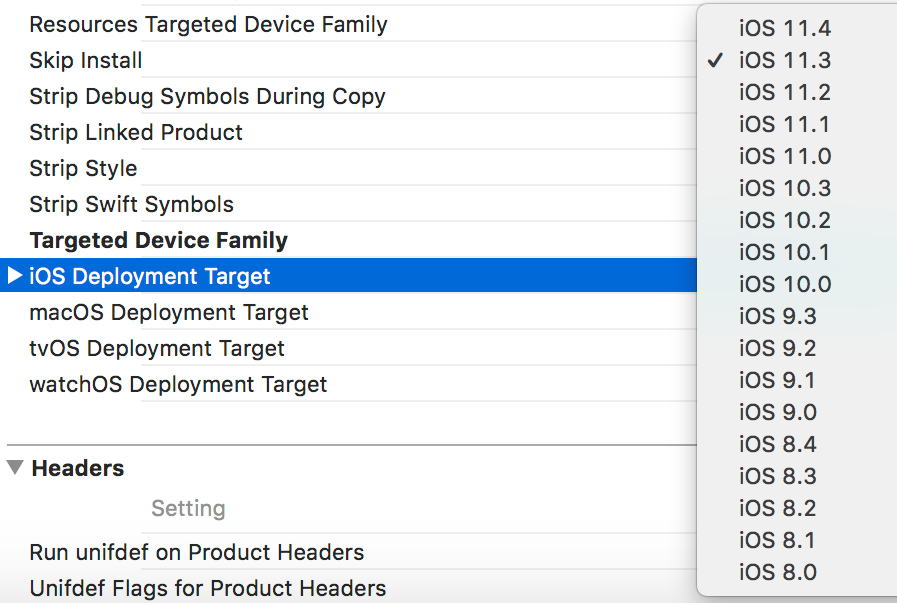
tanersener
on 11 Sep 2018
Just testing all those various combinations. Give me a few moments and will update.
ghost
on 11 Sep 2018
Nope, same errors.
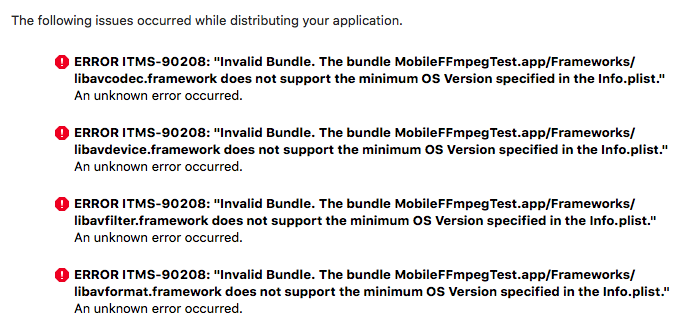
ghost
on 11 Sep 2018
Hmm, which error message do you have for test-app when 'MinimumOSVersion' is removed from Info.plist?
ERROR ITMS-90360: "Missing Info.plist value. ... or ERROR ITMS-90208: "Invalid Bundle. ...
tanersener
on 11 Sep 2018
These ones -
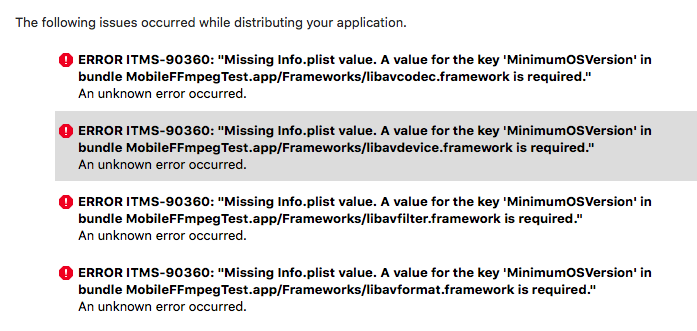
ghost
on 11 Sep 2018
OK mate, sorry if I'm asking too much, just trying to make it work for you.
In test-app Podfile the first line is platform :ios, '8.0' it is possible to:
- Remove the version and use only
platform :ios - Then run
pod installagain - Remove
MinimumOSVersionkey & values from all.framework/Info.plistfiles
These changes will generate a few new warnings but does this make any difference?
tanersener
on 11 Sep 2018
BTW, this is what Apple dev documentation tells about MinimumOSVersion.
MinimumOSVersion
MinimumOSVersion (String - iOS). When you build an iOS app, Xcode uses the iOS Deployment Target setting of the project to set the value for the MinimumOSVersion key. Do not specify this key yourself in the Info.plist file; it is a system-written key. When you publish your app to the App Store, the store indicates the iOS releases on which your app can run based on this key. It is equivalent to the LSMinimumSystemVersion key in macOS.
tanersener
on 11 Sep 2018
Don't be sorry dude. I'll go for that.
ghost
on 11 Sep 2018
I have a new error -
ERROR ITMS-90081: "This bundle is invalid. Applications built for more than one architecture require an iOS Deployment Target of 3.0 or later."
An unknown error occurred.
Also, the other errors are still present, ie the MinimimOSVersion key missing and the framework does not support the minimum OS version specified in the Info.plist.
I think the .frameworks are only built for 64-bit architectures or some build script when you are making compiling the project. Is that a place that we could check?
ghost
on 11 Sep 2018
Build flags are set by functions in ios-common.sh, but unfortunately there is not a single line containing all the flags. They are all separated into CFLAGS, CXXFLAGS and LDFLAGS.
lipo can be used to check architectures included in .frameworks.
lipo -i Pods/mobile-ffmpeg-full/mobileffmpeg.framework/mobileffmpeg
lipo -i Pods/mobile-ffmpeg-full/libavcodec.framework/libavcodec
tanersener
on 11 Sep 2018
Yeah, I checked, all the architectures are present. I don't know what is wrong then. It is just getting bad now.
ghost
on 11 Sep 2018
Well, I'm out of ideas too.
Unfortunately, I don't have an active 'Apple Developer Program Membership'. Do you know any other way to test application submission?
tanersener
on 11 Sep 2018
There is none, not at least to my knowledge.
ghost
on 12 Sep 2018
I noticed there is a Pods-MobileFFmpegTest-Info.list file under Pods-MobileFFmpegTest section. Content of this file is similar to Info.plist files of frameworks but there are small differences. Neither MinimumOSVersion nor LSMinimumSystemVersion is defined here. Can you test if defining one of these two properties makes a difference?
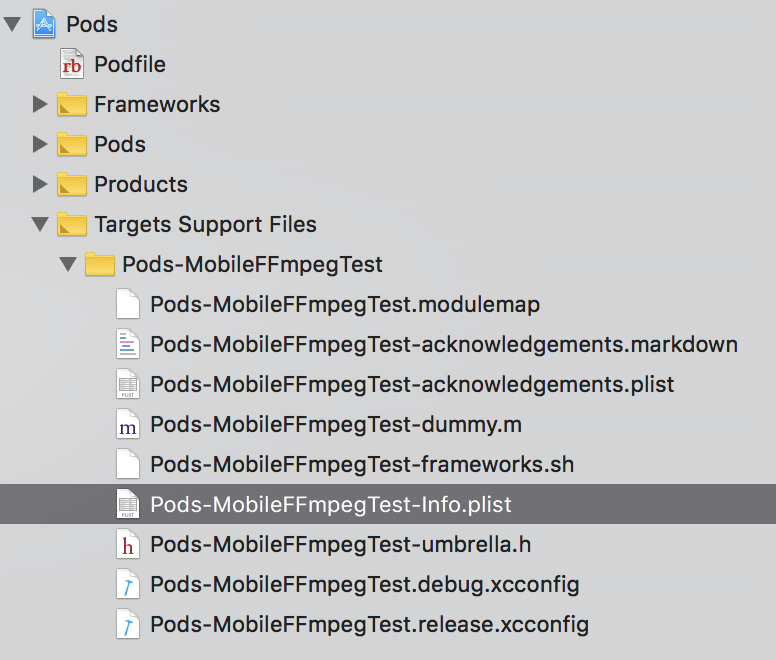
tanersener
on 12 Sep 2018
I will try that and update.
ghost
on 12 Sep 2018
No luck. It is the same error -
ERROR ITMS-90208: "Invalid Bundle. The bundle Application.app/Frameworks/libavcodec.framework does not support the minimum OS Version specified in the Info.plist."
An unknown error occurred.
ghost
on 12 Sep 2018
Hey buddy, I just need one last favor, I think I am very close to getting this working. Do you have any idea where I can get a precompiled static library of mobileffmpeg. I just need it for mobileffmpeg and not for the others like libavfilter, libavutil, etc etc.
ghost
on 14 Sep 2018
Unfortunately all released/published libraries are dynamic.
It is possible to modify build scripts and create a static mobileffmpeg library. But licensing terms are tight for static linked libraries using LGPL-3.0 and GPL-3.0. This is why they are not built & released.
If you are familiar with compiling/building a library on bash, it won't be very hard for you to clone master branch and build the static version of mobilefffmpeg. If you are not, I can build it for you but I'll need some time to do it, and I'll need to know package you'd like to use (min, full, https, audio, video, ...)?
tanersener
on 14 Sep 2018
Hey buddy,
Same Issue Please build it for me full & video both
Thanks
 ankitsiliconithub
on 18 Sep 2018
ankitsiliconithub
on 18 Sep 2018
Same Issue Please build it for me full & video both
Have you tried Using IOS Universal Binaries?
tanersener
on 18 Sep 2018
@tprakhar Created a static build for min package. Could you please try it?
tanersener
on 19 Sep 2018
I'll try that and update you. :)
ghost
on 19 Sep 2018
I am getting this error, which states that the static library is missing the arm64 architecture.
ld: symbol(s) not found for architecture arm64
clang: error: linker command failed with exit code 1 (use -v to see invocation)
Below you can see what is inside the static library; arm64 symbols are actually there. Also, I must remind that this library includes only mobileffmpeg objects/symbols as you've requested. But ffmpeg libraries (libavcodec libavdevice libavfilter libavformat libavutil libswresample libswscale) are still required to link/run. Are they available on path when you try to link with this library?
otool -L libmobileffmpeg.a
Archive : libmobileffmpeg.a
libmobileffmpeg.a(libmobileffmpeg_la-ArchDetect.o):
libmobileffmpeg.a(libmobileffmpeg_la-fftools_cmdutils.o):
libmobileffmpeg.a(libmobileffmpeg_la-fftools_ffmpeg.o):
libmobileffmpeg.a(libmobileffmpeg_la-fftools_ffmpeg_filter.o):
libmobileffmpeg.a(libmobileffmpeg_la-fftools_ffmpeg_hw.o):
libmobileffmpeg.a(libmobileffmpeg_la-fftools_ffmpeg_opt.o):
libmobileffmpeg.a(libmobileffmpeg_la-MobileFFmpeg.o):
libmobileffmpeg.a(libmobileffmpeg_la-MobileFFmpegConfig.o):
libmobileffmpeg.a(libmobileffmpeg_la-mobileffmpeg_exception.o):
libmobileffmpeg.a(libmobileffmpeg_la-Statistics.o):
lipo -i libmobileffmpeg.a
Architectures in the fat file: libmobileffmpeg.a are: armv7 armv7s i386 x86_64 arm64
I actually need a .h file also for ffmpeg like other static libraries have.
ghost
on 19 Sep 2018
Just Use this steps
https://github.com/tanersener/mobile-ffmpeg/wiki/Using-IOS-Universal-Binaries
and it work perfect also upload in itunes for demo for check it's work or not but it work Perfect
Thanks @tanersener
ankitsiliconithub
on 19 Sep 2018
@tprakhar Here you can find them too mobileffmpeg-min-v2.1.1-universal-static-library
@ankitsiliconithub glad it worked for you
tanersener
on 19 Sep 2018
@tprakhar ,
Just added the following static universal packages for v2.1.1 release.
mobile-ffmpeg-full-2.1.1-ios-static-universal
mobile-ffmpeg-full-gpl-2.1.1-ios-static-universal
Also updated Using IOS Universal Binaries wiki page to cover static universal libraries.
I hope they work for you.
tanersener
on 19 Sep 2018
Thank you so much for all your input here. I will try out these things by end of the day today and update you.
ghost
on 20 Sep 2018
Thank you so much for all your input here. I will try out these things by end of the day today and update you.
Ok mate :+1:
tanersener
on 20 Sep 2018
Hi mate, just published all static and shared universal binaries for v2.1.1 in a new v2.1.1 IOS Universal Binaries release.
tanersener
on 20 Sep 2018
Hey buddy, Thank you for your help and patience on this, but I tried using the 2.1.1 full static universal and added them all properly in my framework as given under the instructions and I am still getting the error -
.
.
      ...
  "_shine_set_config_mpeg_defaults", referenced from:
      _libshine_encode_init in libavcodec.a(libshine.o)
  "_lame_get_framesize", referenced from:
      _mp3lame_encode_init in libavcodec.a(libmp3lame.o)
  "_opus_multistream_decoder_ctl", referenced from:
      _libopus_decode_init in libavcodec.a(libopusdec.o)
      _libopus_flush in libavcodec.a(libopusdec.o)
  "_aom_codec_encode", referenced from:
      _aom_encode in libavcodec.a(libaomenc.o)
  "_aom_codec_get_cx_data", referenced from:
      _aom_encode in libavcodec.a(libaomenc.o)
ld: symbol(s) not found for architecture x86_64
clang: error: linker command failed with exit code 1 (use -v to see invocation)
Hmm, I’ve tested the libraries before publishing them but I didn’t test all the packages. This error basically says that package is not linked successfully. I might have missed something for ‘full’ package. I’ll need some time to test it. Until then you could try one of the other packages if you want.
tanersener
on 21 Sep 2018
Sure thing, take all the time you need, please. Till then, I will try with the other packages.
ghost
on 21 Sep 2018
Hey @tanersener I am successful in running and uploading a static min version of the 2.1.1
Is there some place where we could connect, linkedIn/FB?
ghost
on 21 Sep 2018
I am successful in running and uploading a static min version of the 2.1.1
Great 👍, we finally made a working solution for you. Off course, here's my LinkedIn profile.
I spent hours working on linking errors of static libraries. I guess, I misjudged the whole static linking concept for universal libraries. Anyway, I fixed the errors and updated static packages in v2.1.1 IOS Universal Binaries release. Now all static packages work, for me. But it would be great if somebody else also tries them out.
tanersener
on 23 Sep 2018
I will try out the other libraries also for you, most probably by end of the day today. I cannot thank you enough, but nonetheless, Thank you so much for sticking with me through this.
ghost
on 24 Sep 2018
No mate, I'm the one who should thank you 👍
Also, I'm happy we found a solution for you but Invalid Bundle Error is still there so this issue must remain open until a solution is found.
tanersener
on 24 Sep 2018
Yes, that is also true as that was the core problem and this is just a workaround. That is the right way to go about.
ghost
on 24 Sep 2018
@tanersener I'd just like to say thanks very much for all your help with my colleague @tprakhar's issue here. You're a 🌟! 🎉
 IanField90
on 24 Sep 2018
IanField90
on 24 Sep 2018
@IanField90 Well, don't know what to say. Thank you for using this library. You are very kind.
tanersener
on 24 Sep 2018
@tanersener I am also experiencing this issue when uploading a test build through TestFlight.
I am using the mobile-ffmpeg-min-gpl ~> 2.1.1
and throws me this error:
ERROR ITMS-90208: "Invalid Bundle. The bundle boxborders.app/Frameworks/libavcodec.framework does not support the minimum OS Version specified in the Info.plist."
ERROR ITMS-90208: "Invalid Bundle. The bundle boxborders.app/Frameworks/libavdevice.framework does not support the minimum OS Version specified in the Info.plist."
ERROR ITMS-90208: "Invalid Bundle. The bundle boxborders.app/Frameworks/libavfilter.framework does not support the minimum OS Version specified in the Info.plist."
ERROR ITMS-90208: "Invalid Bundle. The bundle boxborders.app/Frameworks/libavformat.framework does not support the minimum OS Version specified in the Info.plist."
ERROR ITMS-90208: "Invalid Bundle. The bundle boxborders.app/Frameworks/libavutil.framework does not support the minimum OS Version specified in the Info.plist."
ERROR ITMS-90208: "Invalid Bundle. The bundle boxborders.app/Frameworks/libswresample.framework does not support the minimum OS Version specified in the Info.plist."
ERROR ITMS-90208: "Invalid Bundle. The bundle boxborders.app/Frameworks/libswscale.framework does not support the minimum OS Version specified in the Info.plist."
Is there a way to fix this or any alternate solution for this as it is urgent. Thank you.
 jlorencelim
on 25 Sep 2018
jlorencelim
on 25 Sep 2018
@jlorencelim Unfortunately I don't have a solution for this issue yet. If you read entire thread from the beginning, you'll see that we tried many things but didn't found a fix for this.
Using Universal Binaries Release is a workaround. You can apply it if you want.
Alternatively, you can manually edit Info.plist files to try some of the suggestions written in the previous posts. They didn't work for us but they may work for you.
Currently, I don't have an active Apple Developer Program membership, so I can't test the issue described here. If you have any suggestions about the solution, the testing, please share it; I'm open to everything.
tanersener
on 25 Sep 2018
Just to confirm, if I use the Universal Binaries Release, I won't be using the cocoapods anymore, right?
jlorencelim
on 25 Sep 2018
Just to confirm, if I use the Universal Binaries Release, I won't be using the cocoapods anymore, right?
You can still use cocoapods, but your Podfile won't have mobile-ffmpeg pod inside.
tanersener
on 25 Sep 2018
Hi @tanersener. I used the Universal Binaries Release work around. It worked and was able to upload the build.
I encountered an error though when uploading the build:
ld: could not reparse object file in bitcode bundle: 'Invalid bitcode version (Producer: '1000.11.45.2_0' Reader: '902.0.39.2_0')', using libLTO version 'LLVM version 9.1.0, (clang-902.0.39.2)' for architecturearmv7
which I set the Enable Bitcode to No in the Build Settings. I am not sure if this solution is fine but it works just fine.
Thanks for your help!
jlorencelim
on 26 Sep 2018
Hi @jlorencelim. Thanks for letting me know. It is an Xcode incompatibility issue. Binaries were built using the latest Xcode version, but you have version 9.4, this is causing this error.
I created a new issue for this, Support older Xcode versions, planning to resolve it in the next release.
tanersener
on 26 Sep 2018
Cool, thanks a lot for your help. I really appreciate it.
jlorencelim
on 26 Sep 2018
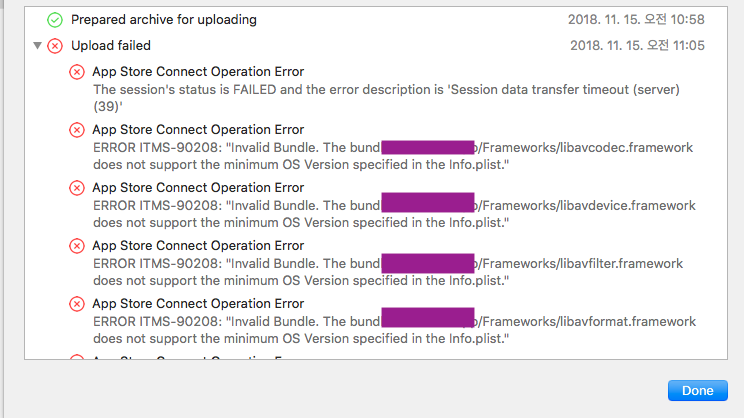
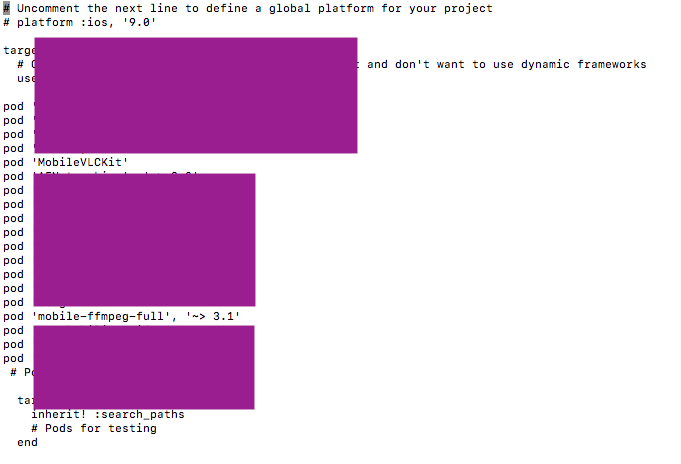
same upload error , help me.....
I'm try Pod And universal min version
first (Pod version 3.1)
pod -> only Pod install > ipa export Success
but pod -> only Pod install > arcive & upload > Error
next
pod remove -> Download : min version universal > ipa export & Run Success
but, arcive & upload > Error
no more other solution?
 thecsy
on 15 Nov 2018
thecsy
on 15 Nov 2018
Hi @thecsy,
This issue is about dynamic frameworks distributed from Cocoapods. We tried many things to solve it but none of them worked.
The only working solution is using universal binaries instead of pod files. Universal binaries are released on github and inlude .a or .dylib files.
According to your output you still use MobileFFmpeg from Cocoapods. If you disable it and import universal binaries then these errors will be resolved.
tanersener
on 15 Nov 2018
By the way, this error occurs due to incompatibility between entries in Info.plist and your build settings. If you have tips on resolving it I'll be more than happy to help.
tanersener
on 15 Nov 2018
thank you reply
but not complete.
Pod remove and universal install
first. universal 2.1.1 min version
second. universal 3.0 full version
last universal 3.0 min version
2.1.1 min = VlcMobileKit Complict , ARM64 error.....
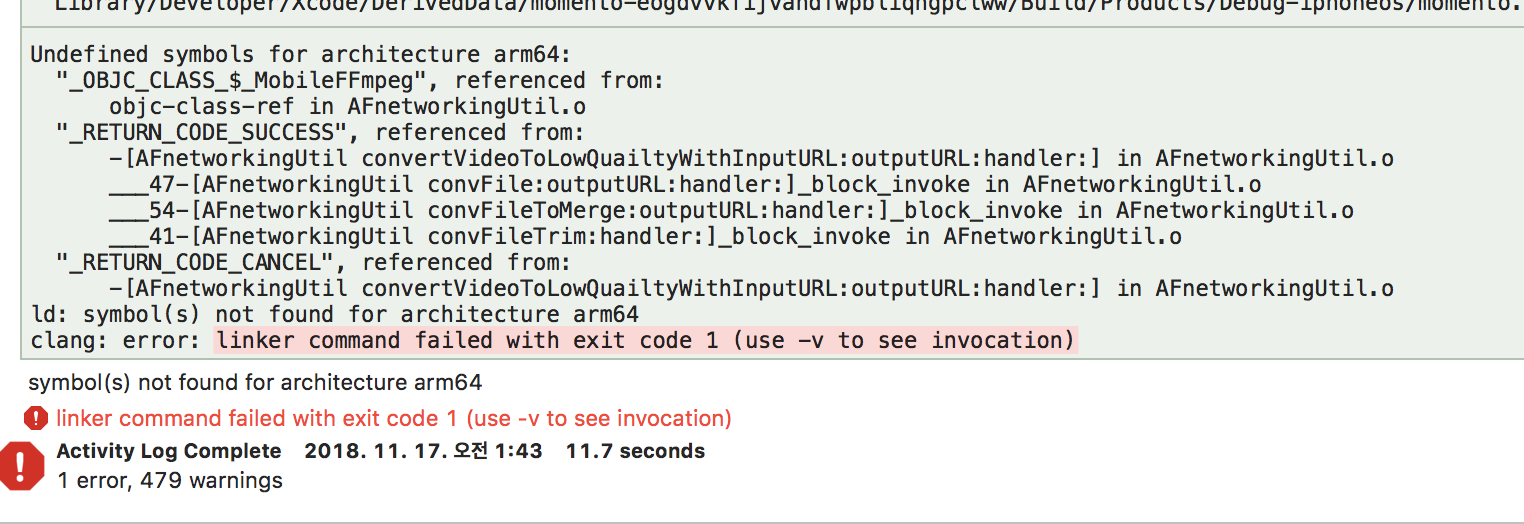
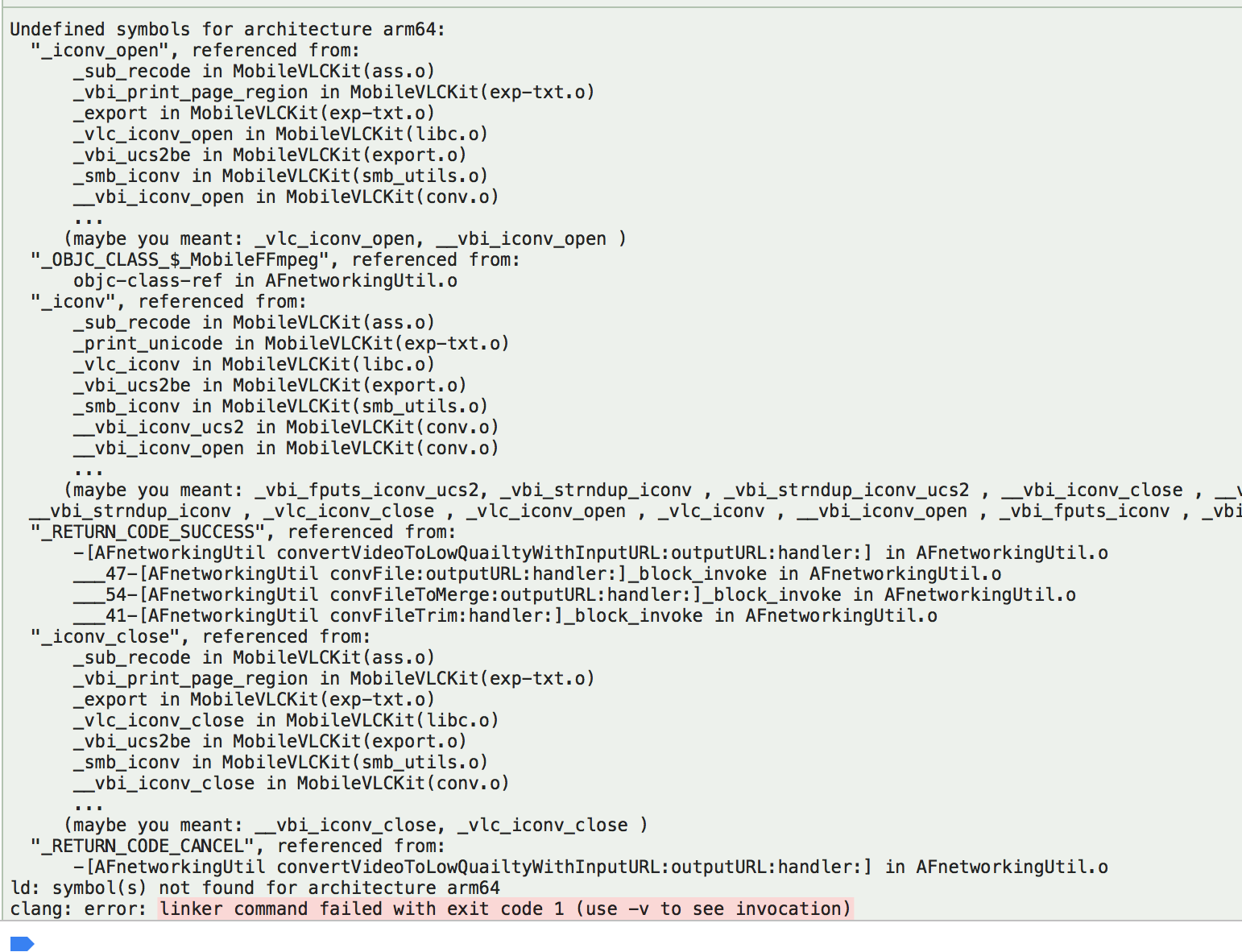
3.0 full = VlcMobileKit Complict
3.0 min = upload Ok, Build Ok but ffmpeg function excute not working
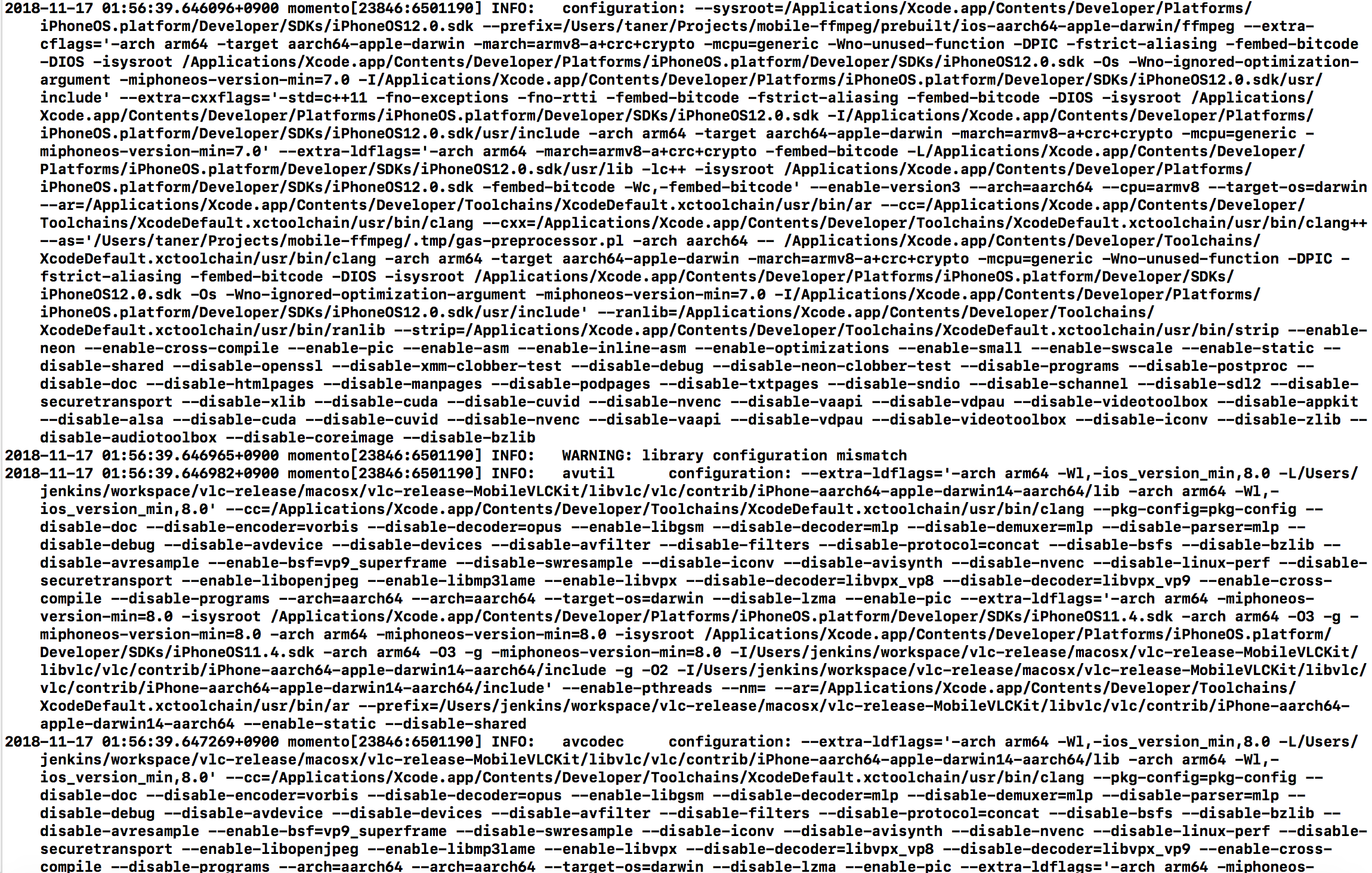
before when i used POD, thet is complete.
but now i use universal version it was not working
thecsy
on 16 Nov 2018
Hi @thecsy, linking errors show that something is wrong in your Xcode Build Settings. I'd recommend validating each step in Using IOS Universal Binaries guide.
I don't see any errors about execute() method in your output. Can you explain the error and share command output please?
tanersener
on 16 Nov 2018
mm..
im use 2.1.1 Universal Binaries
always fail, "excute()".
before when i used POD, not problem.
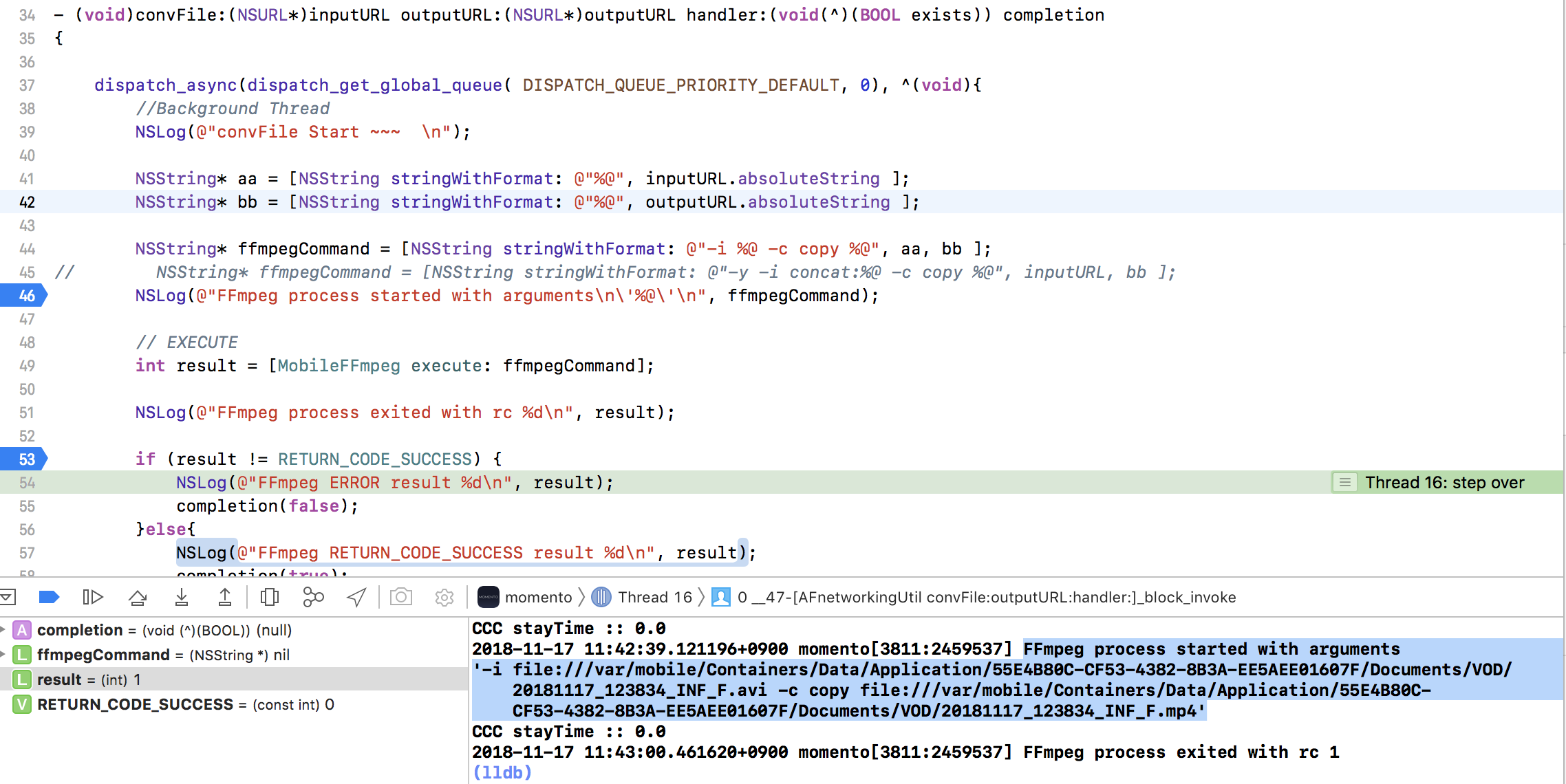
guide
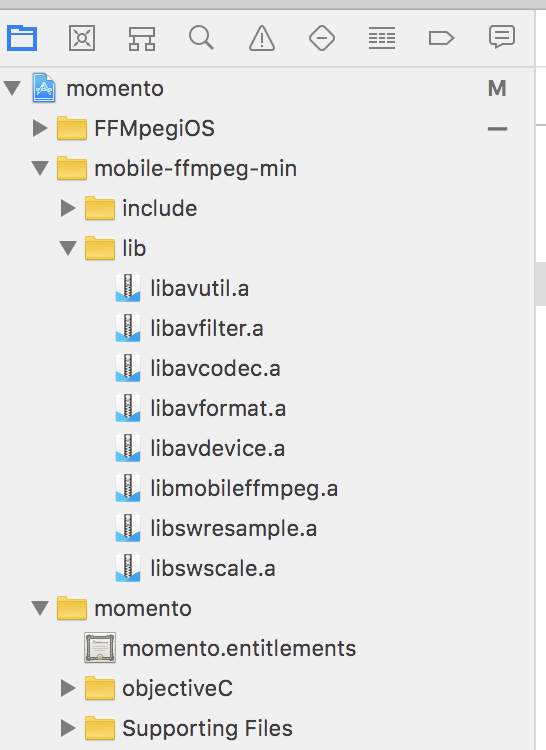
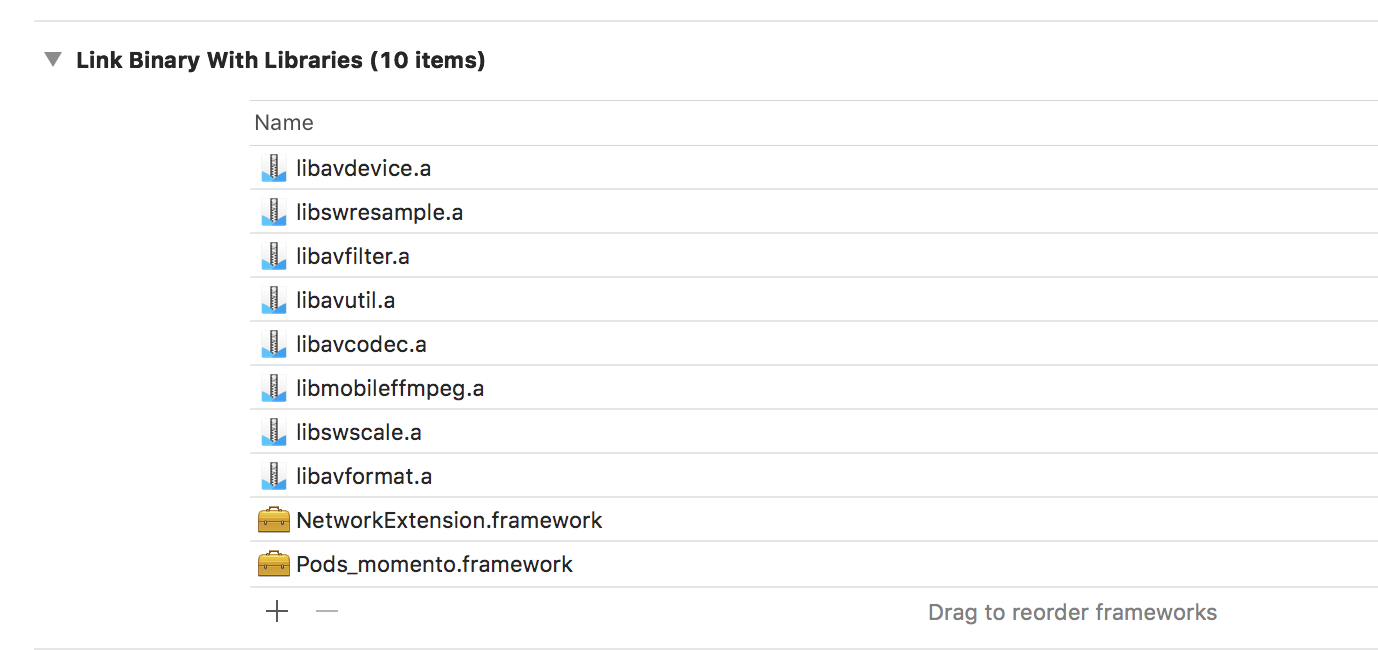
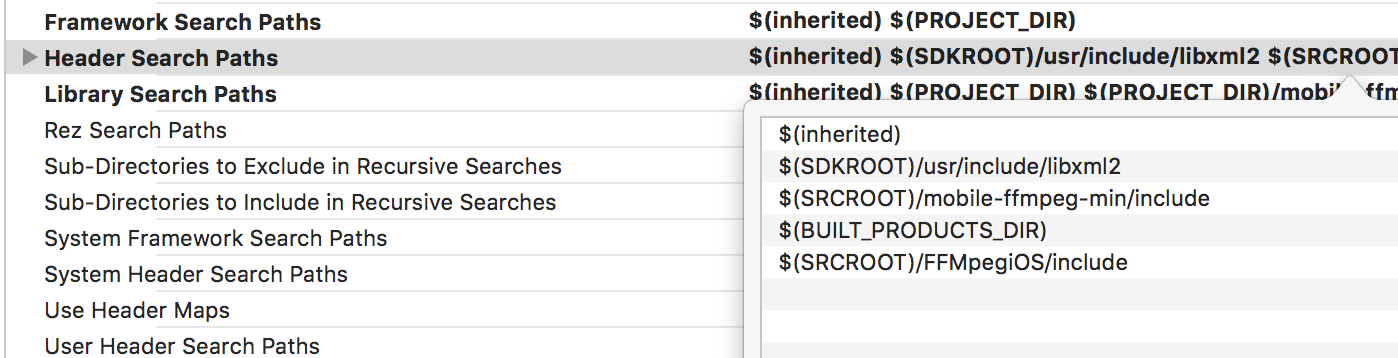
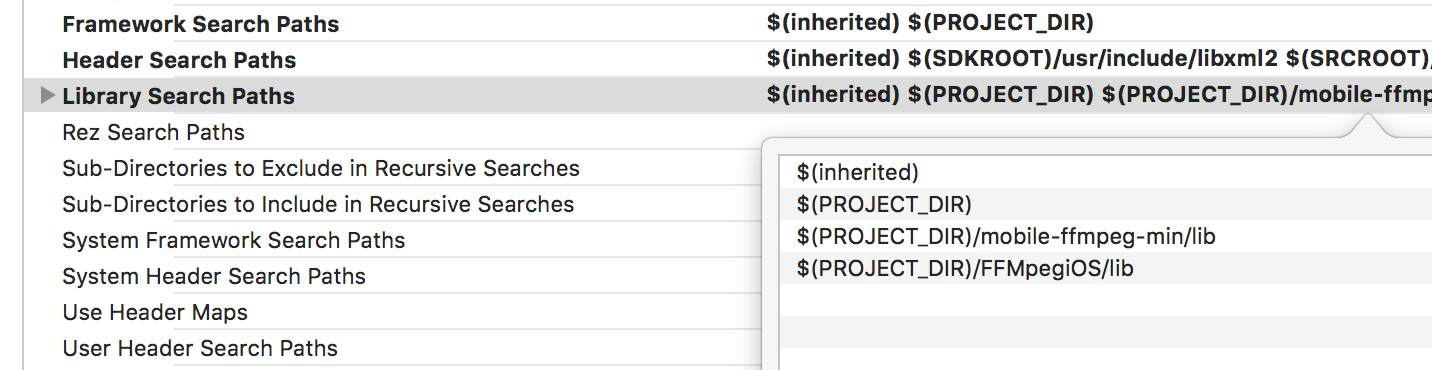
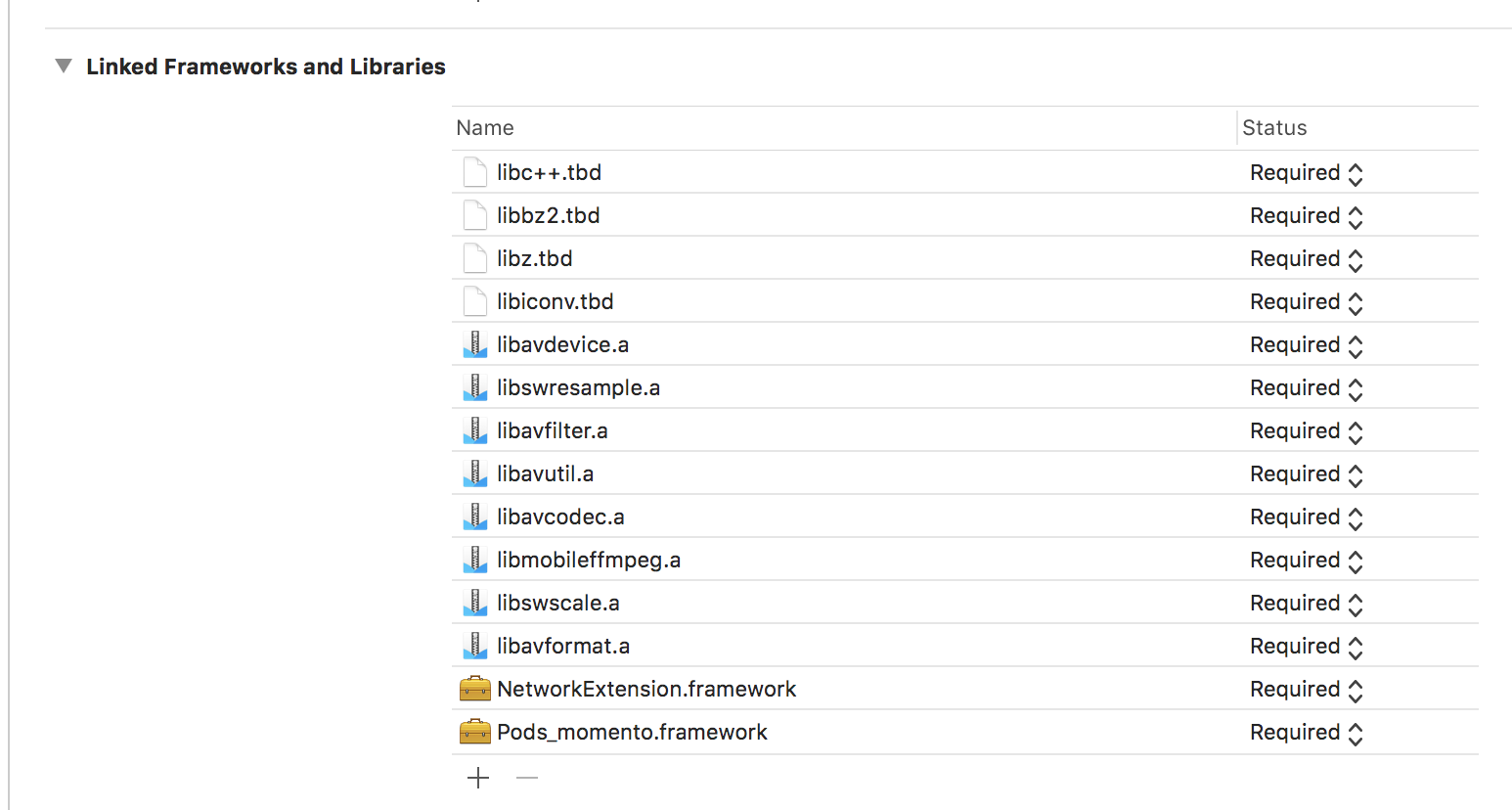
thecsy
on 17 Nov 2018
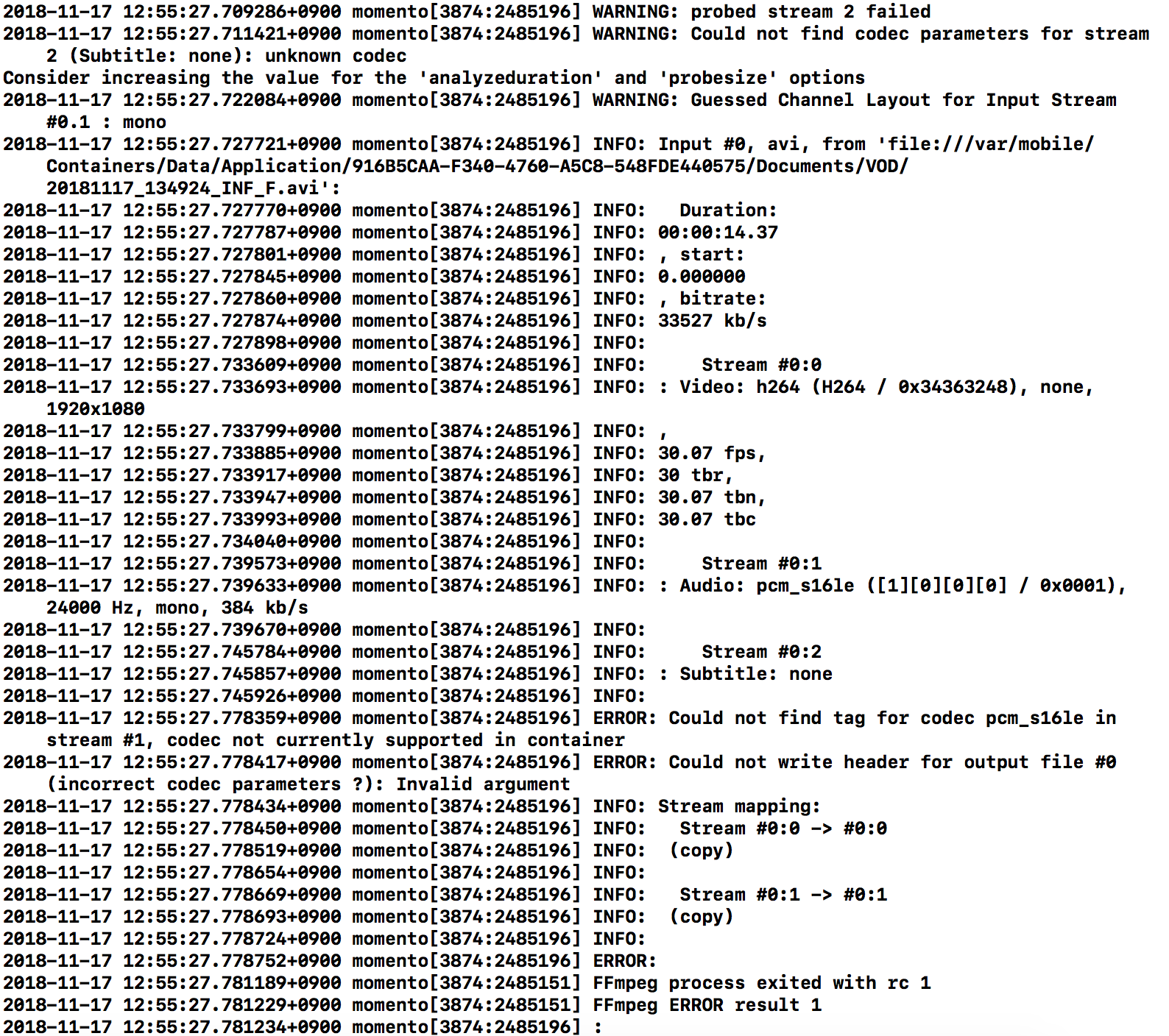
3.0 min install is others error.
codec not found....
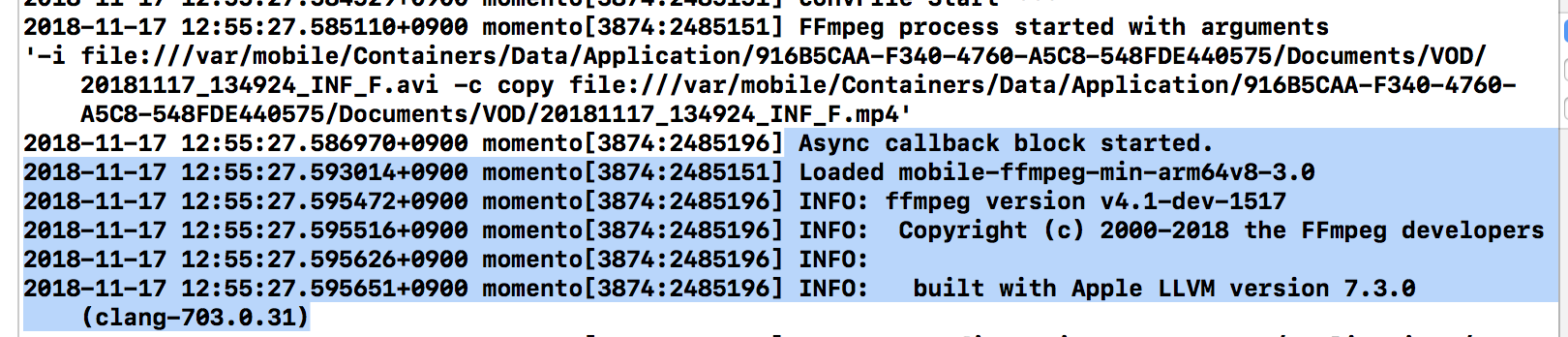
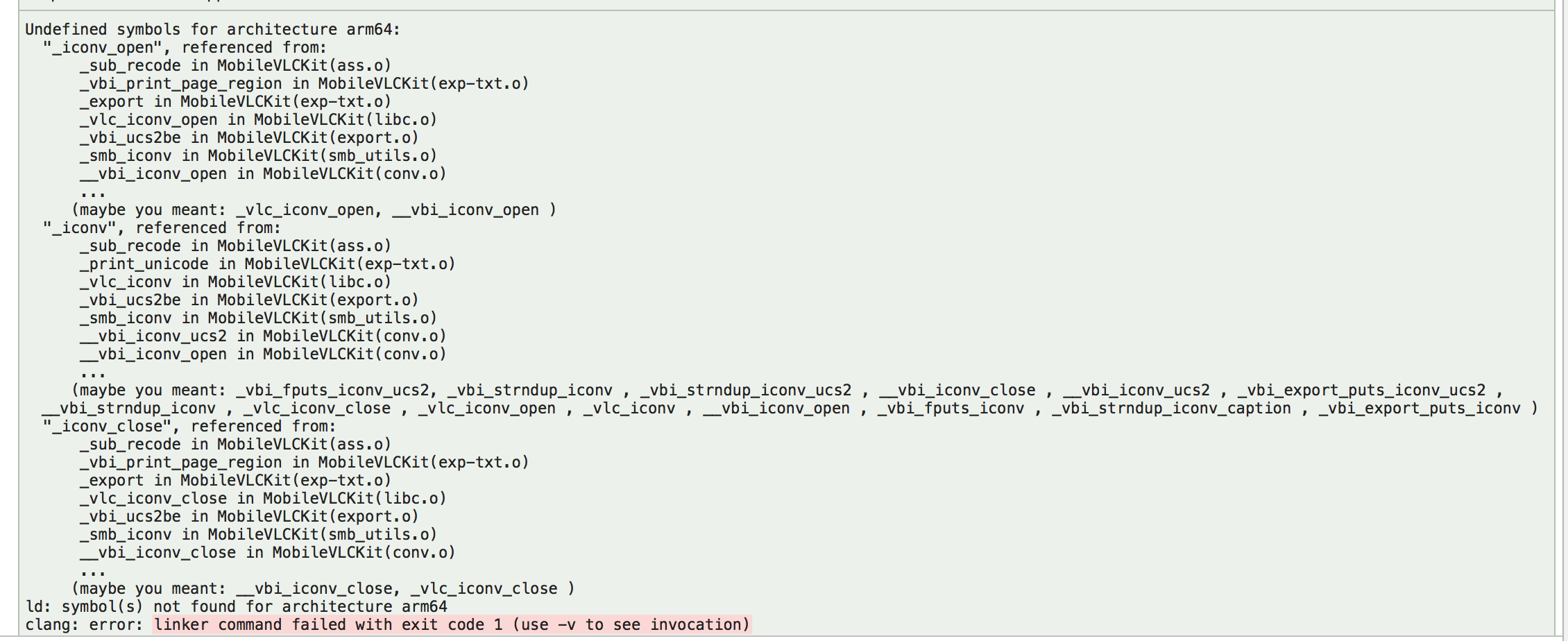
3.0 full version is conflict in iconv
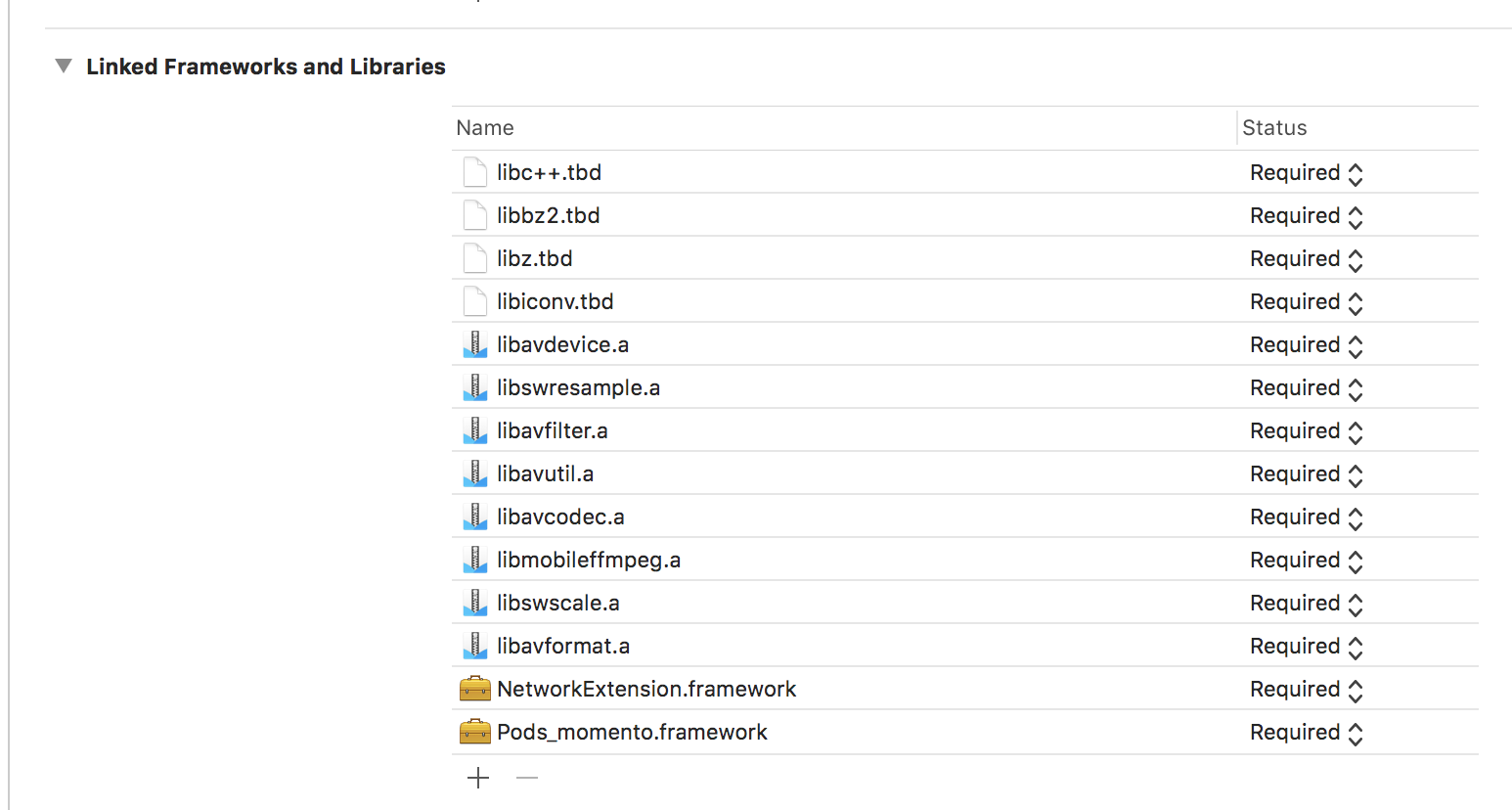
Required libraries in VLCKit
libiconv.tbd
libbz2.tbd
libz.tbd
libc.tbd
Because of 'libiconv.tbd' , full version can not be used.
Is 'pod' difficult to use?
thecsy
on 17 Nov 2018
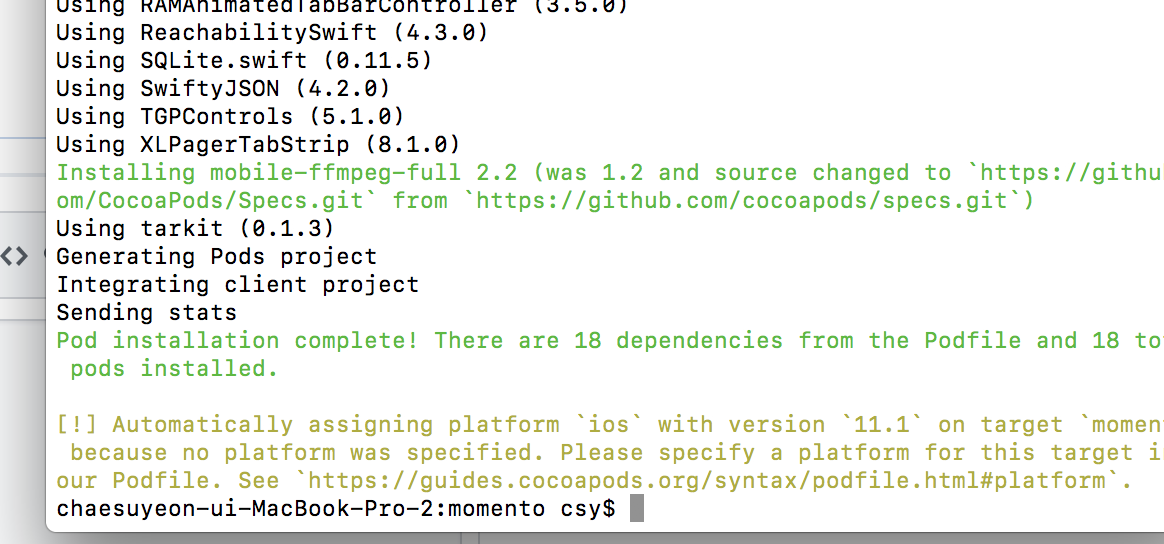
last capture
pod use
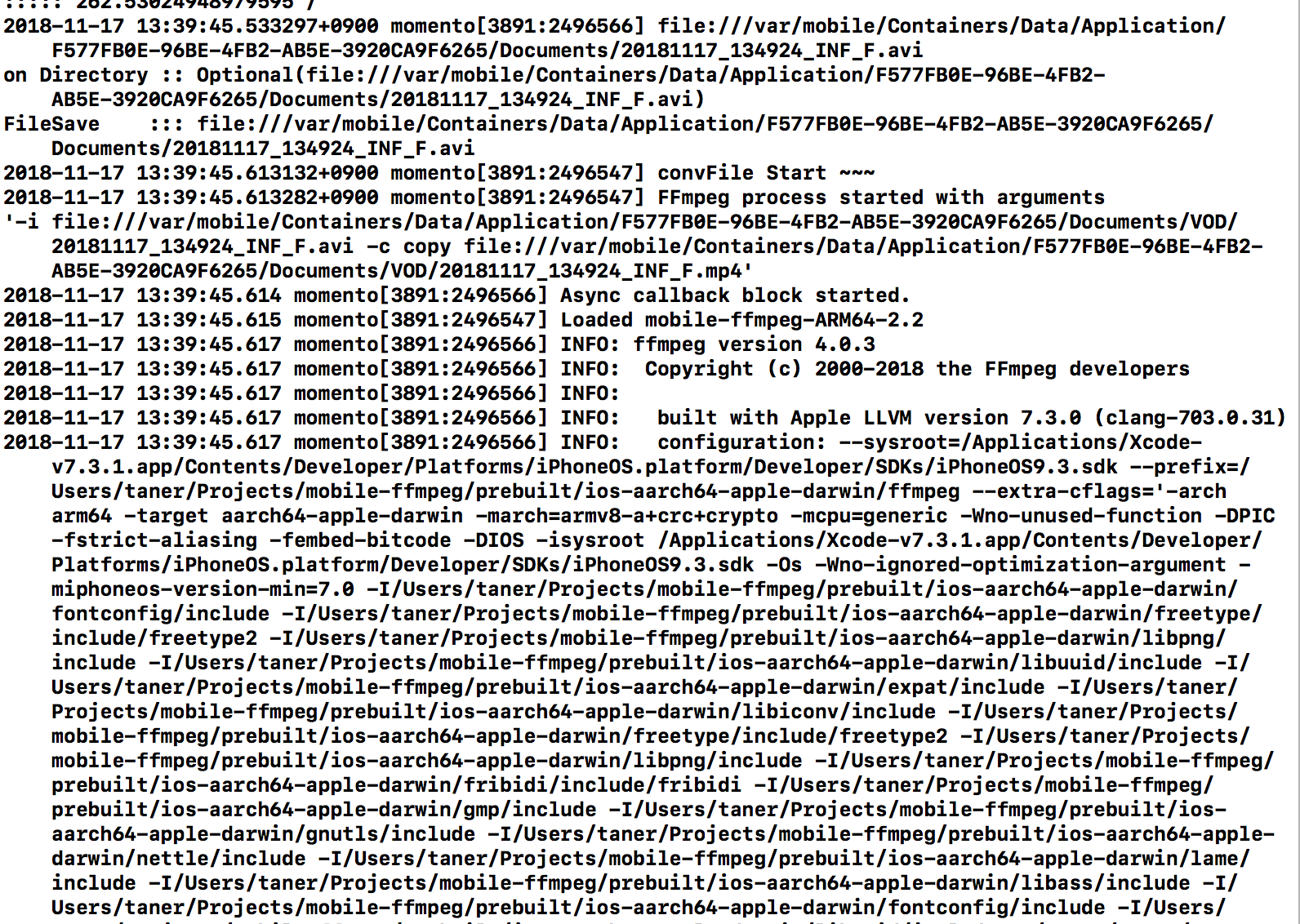
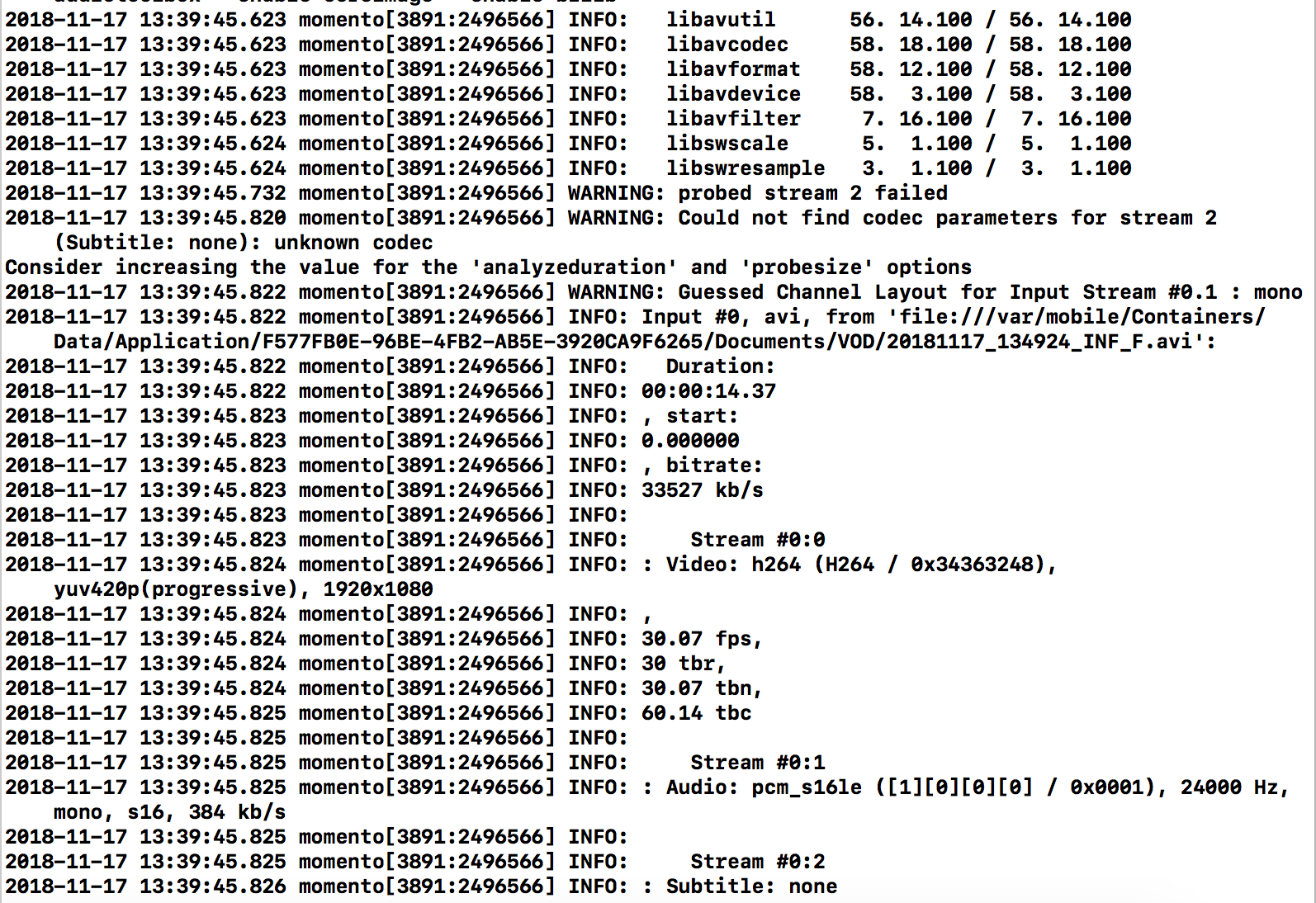
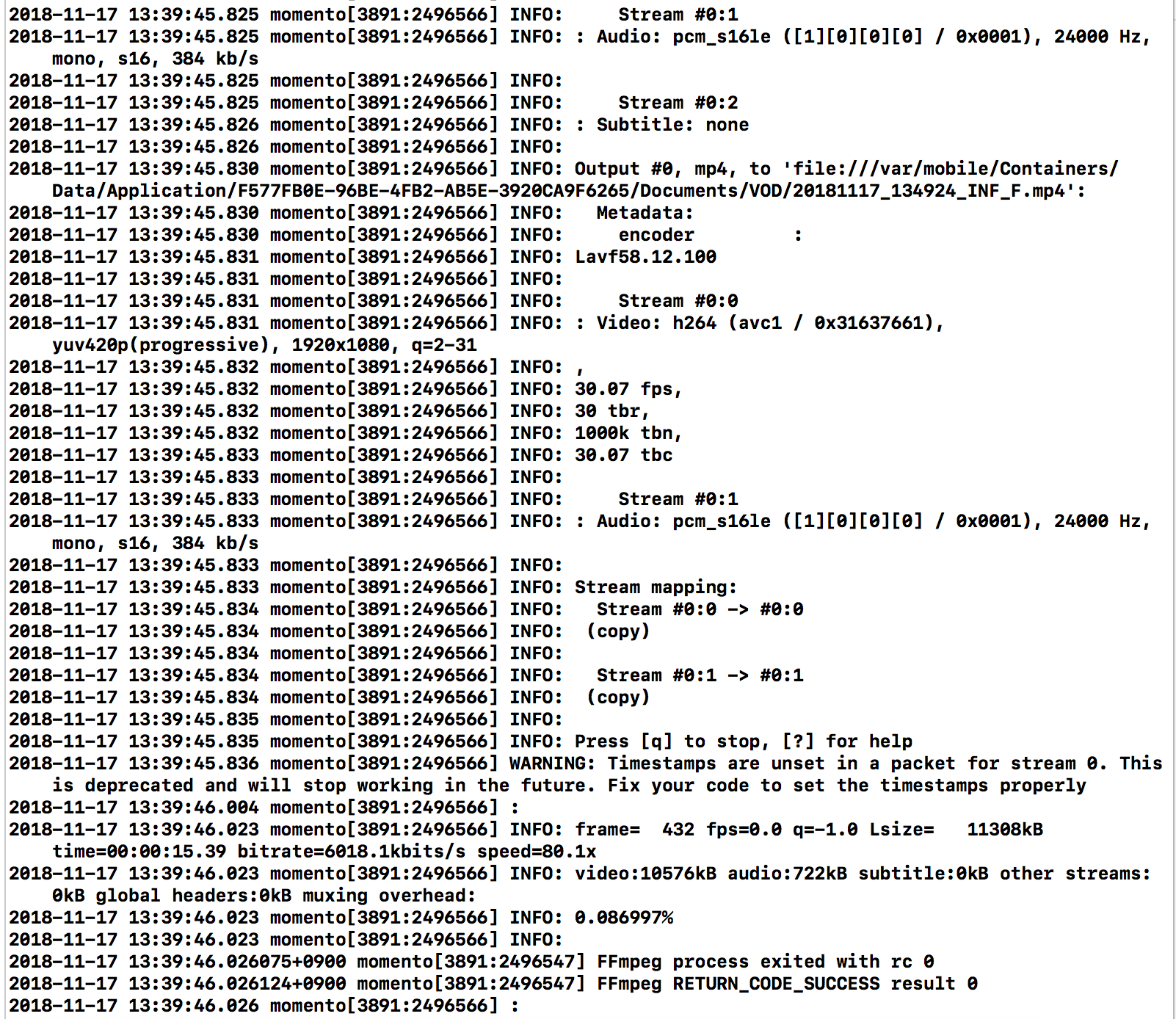
thecsy
on 17 Nov 2018
all code same...
Result Succes only for last version
thecsy
on 17 Nov 2018
im use 2.1.1 Universal Binaries
always fail, "excute()".
Your command fails but the reason is not printed. You may try to increase the log severity and try again; but I guess error for this version is the same as v3.0.
3.0 min install is others error.
codec not found...
Min versions does not include any external libraries so some formats/codecs are not supported. According to logs pcm_s16le and h264 codecs are not found. It means you need to use another package, other than min.
3.0 full version is conflict in iconv
Required libraries in VLCKitlibiconv.tbd
libbz2.tbd
libz.tbd
libc.tbd
According to step 7 in Using IOS Universal Binaries guide you need add all shared/static libraries under mobile-ffmpeg-<package-name>-universal/lib to Link Binary With Libraries section. Your screenshot shows that all static files are not added.
Because of 'libiconv.tbd' , full version can not be used.
static libraries for full package needs libiconv.a but it is not added in your project. So they try to use libiconv.tbd and it causes linking errors. You can use shared version of full package. It doesn't need libiconv to be exclusively added.
Is 'pod' difficult to use?
Pod is easy to use but you need to solve Invalid Bundle Error error, which doesn't have a solution right now.
tanersener
on 17 Nov 2018
oh sorry
i find it, embed menu
"Success EXECUTE()"
Thank you Guide & miss point check
thecsy
on 17 Nov 2018
oh return, first stage....
share version build ok, but not upload
dylib error... my Xcode 10.1 version

thecsy
on 18 Nov 2018
share version build ok, but not upload
dylib error... my Xcode 10.1 version
@thecsy I opened a new issue #45 about this. Can we talk it there?
tanersener
on 18 Nov 2018
Issue was solved by using the 3.1 distributed frameworks for me
 Mcgode
on 12 Dec 2018
Mcgode
on 12 Dec 2018
Issue was solved by using the 3.1 distributed frameworks for me
@Mcgode Do I understand correctly? Your application was getting Invalid Bundle Error with v3.0 frameworks, with v3.1 frameworks Invalid Bundle Error errors are gone, right?
tanersener
on 12 Dec 2018
@tanersener Yup exactly, but only for the framework version, I still get issue #45 with the shared library
Mcgode
on 12 Dec 2018
@tanersener Yup exactly, but only for the framework version, I still get issue #45 with the shared library
@Mcgode Great, by the way how do you install frameworks, using Cocoapods or manually?
I made some custom builds for #45 but they didn't work as far as I remember. Did you try applying them or would you like to try them If you have time?
tanersener
on 12 Dec 2018
@tanersener I installed those manually, from your releases (the mobile-ffmpeg-video version), here on Github
Mcgode
on 12 Dec 2018
@Mcgode Thank you very much, your comments helped a lot.
tanersener
on 12 Dec 2018
Okay... So... For some reason, one of the build scripts for my app unlinked the whole library when archiving the entire app :/
After having fixed that issue, it turns out I still run into the issue of this topic. Sorry for giving you a fake hope :/
Mcgode
on 13 Dec 2018
Is there a solution about Invalid Bundle "does not support the minimum OS Version specified in the Info.plist"
I added MinimumOSVersion as 10.0 also my deployment target is 10.0
 codaman
on 13 Dec 2018
codaman
on 13 Dec 2018
I tried 2.1 3.0 and 3.1 framework but no fixes :(
codaman
on 13 Dec 2018
After having fixed that issue, it turns out I still run into the issue of this topic. Sorry for giving you a fake hope :/
No problem, it will be fixed sooner or later.
Is there a solution about Invalid Bundle "does not support the minimum OS Version specified in the Info.plist"
Can you try
Universal Binaries?
tanersener
on 13 Dec 2018
OMG I passed invalid binary. I just added frameworks manually and minimum iOS version is 11.0. I didn't try 10.0 with manually. Yes i tried with Universal Binaries. Also thank you Taner with this amazing project. It saved my life :)
Ellerine sağlık hocam :)
codaman
on 13 Dec 2018
OMG I passed invalid binary. I just added frameworks manually and minimum iOS version is 11.0. I didn't try 10.0 with manually. Yes i tried with Universal Binaries. Also thank you Taner with this amazing project. It saved my life :)
Ellerine sağlık hocam :)
Thanks, my friend. But I didn't fully understand how the problem was solved. You used frameworks and you have minimum iOS version 11.0 in your Info.plist file, right?
tanersener
on 13 Dec 2018
I tried minimumosversion as 10 and 11. I didnt try below ios version may be it works. I just added frameworks manually
codaman
on 14 Dec 2018
@codaman great, thanks 👍
tanersener
on 14 Dec 2018
@tanersener i didn't successed. 2 days ago. Time is late. I ran wrong project. I didn't add universal library as embedded. Yes it successfully uploaded store but i tested wrong project. Issue continue. I tried universal library also. But not yet succeeded. Has anybody find out the solution
codaman
on 16 Dec 2018
I am trying to add universal library But I got an interesting error.
dyld: Library not loaded: /Users/taner/Projects/mobile-ffmpeg/prebuilt/ios-aarch64-apple-darwin/ffmpeg/lib/libavfilter.7.dylib
Referenced from: /var/containers/Bundle/Application/81FB16BE-A478-4295-A273-0CC0B0EAD7F9/xxx.app/xxx
Reason: image not found
codaman
on 16 Dec 2018
@codaman Did you follow all steps defined in Using IOS Universal Binaries guide? Most of the time your error is received when step #8 is not applied. Can you check that?
tanersener
on 16 Dec 2018
@tanersener thank you I passed this problem. Now I am trying upload to the store
codaman
on 16 Dec 2018
"Invalid Segment Alignment. The app binary at 'xxx.app/Frameworks/libmobileffmpeg.dylib' does not have proper segment alignment. I am searching the solution
codaman
on 17 Dec 2018
@codaman There is an issue about that: #45. Can you try using binaries posted in that page?
tanersener
on 17 Dec 2018
This issue will be fixed in the next maintenance release. You can apply the following patch for the released versions.
Please note that this issue occurs only on frameworks (installed manually or via Cocoapods). Other errors reported in this thread are different issues. If you need support about them please submit a new issue.
Go to
Build Phasessection underXcodeand add a newRun Script Phaseas the last phase of your build.Use the following code block as the source of your new run phase.
echo "Applying patch for https://github.com/tanersener/mobile-ffmpeg/issues/18"
cd "${BUILT_PRODUCTS_DIR}/${FRAMEWORKS_FOLDER_PATH}"

INFO_PLIST_FILES=$(find . -name Info.plist | grep 'libswresample\|libavfilter\|libavformat\|libavutil\|libswscale\|libavdevice\|libavcodec\|mobileffmpeg')

for INFO_PLIST in ${INFO_PLIST_FILES};
do
        existing_key_line_number=$(sed -n '/MinimumOS/=' ${INFO_PLIST})
        if [[ -z ${existing_key_line_number} ]]; then
            sed -i .tmp "s/<\/dict/    <key>MinimumOSVersion<\/key>\\
    <string>9.3<\/string>\\
<\/dict/g" ${INFO_PLIST}
            rm -f "${INFO_PLIST}.tmp"
            echo "Patch added MinimumOSVersion key & value at ${INFO_PLIST}"
        else
            sed -i .tmp "$((existing_key_line_number+1))s/.*/        <string>9.3<\/string>/" ${INFO_PLIST}
            rm -f "${INFO_PLIST}.tmp"
            echo "Patch replaced MinimumOSVersion value at ${INFO_PLIST}"
        fi
done
The final view of the Build Phases tab should be similar to the following screenshot.

tanersener
on 17 Dec 2018
This issue is fixed in the latest v4.2 release.
tanersener
on 30 Dec 2018
Related issues
 usmanrana07
·
5Comments
usmanrana07
·
5Comments
 ZedZeal
·
6Comments
ZedZeal
·
6Comments
 shaheercs
·
6Comments
shaheercs
·
6Comments
 chitrang200889
·
5Comments
chitrang200889
·
5Comments
 hantrungkien
·
6Comments
hantrungkien
·
6Comments