Mjml: mj-image in mj-group does not respect width or CSS min-width on Android Gmail
Hello,
I am experiencing a rendering issue with Android clients when trying to render an mj-image inside of an mj-group; the Android clients do not seem to care about the width MJML attribute or the min-width CSS attribute. This leads to the image having a distorted aspect ratio when the screen size begins to shrink (see screenshots).
Reproduction Steps:
- Use
mjml2htmlto compile the following MJML to HTML:
<mjml>
<mj-head>
<mj-attributes>
<mj-all font-family="Helvetica, Arial, sans-serif"/>
<mj-text font-size="16px"
color="#414247"
line-height="22px"/>
</mj-attributes>
<mj-style>
p {
margin: 0;
}
</mj-style>
</mj-head>
<mj-body>
<mj-section padding="0 0 10px 0"
border-radius="4px">
<mj-group width="70%">
<mj-column vertical-align="middle"
width="25%">
<mj-image
src="https://storage.googleapis.com/accounts-content/590789031630f717a458c889-portrait_original-e6a96d18-df1c-4cc2-842b-af3a1e196655.jpg"
border-radius="50%"
height="48px"
width="48px"
align="right"
padding="10px 15px 10px 25px"/>
</mj-column>
<mj-column vertical-align="middle"
width="75%">
<mj-text color="#023082"
padding="0 0 2px 0"
align="left">
Drake
</mj-text>
<mj-text font-size="13px"
color="#717171"
padding="2px 0 0 0"
line-height="18px"
align="left">
Marketing & Communications Manager
</mj-text>
</mj-column>
</mj-group>
<mj-column width="30%"
vertical-align="middle">
<mj-button background-color="#2637DE">CTA!</mj-button>
</mj-column>
</mj-section>
</mj-body>
</mjml>
- Copy and paste the outputted HTML into Litmus
- See expected behaviour in iPhone screen captures and observed behaviour in Android screen captures
Expected behavior:
- When screen shrinks, padding should shrink and image width should be respected
Observed behavior:
- When screen shrinks on Android, image width gets reduced, resulting in a distorted aspect ratio
Screenshots and GIFs
iPhone screenshot with expected image width
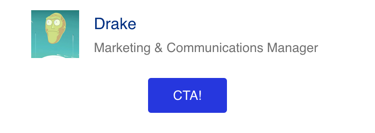
Android 6.0 (Android 6.0) with distorted aspect ratio*

Gmail App (Android 6.0) with distorted aspect ratio*

Gmail App IMAP (Android 4.4) with distorted aspect ratio

MJML version:
v4.0.2
Email clients the bug is seen on:
- Android 6.0 (Android 6.0)
- Gmail App (Android 6.0)
- Gmail App IMAP (Android 4.4)
 10kc-zack
All 4 comments
Hey @10kc-zack,
That's a weird one because the is auto, I wonder if it's an issue due to the padding, can you try to set the padding to 0 on mj-image?
 iRyusa
on 29 Mar 2018
iRyusa
on 29 Mar 2018
Hi @10kc-zack this has been fixed in the new release mjml4.2-beta, which you can install with npm install mjml, you can check if it solves the problem
 kmcb777
on 13 Sep 2018
kmcb777
on 13 Sep 2018
@kmcb777 Thanks for this fix! Confirmed fixed on the following email clients, using Email on Acid:
- iPhone X (iOS 11)
- iPhone 5S (iOS 11)
- iPhone 6 (iOS 10)
- iPhone 6 Gmail (iOS 10)
- iPhone 6+ Gmail (iOS 10)
- iPhone 7 (iOS 10)
- iPhone 7 Outlook (iOS 11)
- iPhone 7 (iOS 11)
- iPhone 8 (iOS 11)
- iPhone SE (iOS 10)
- iPhone SE (iOS 11)
Example before and after diff:
Before
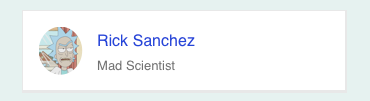
After
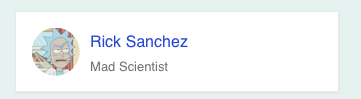
10kc-zack
on 13 Sep 2018
@10kc-zack Hi, just wanted to inform you that we had to revert this fix. This prevented images from shrinking on mobile. After further investigation, the reason why the image was too thin on some clients in your example is that the column itself was getting too thin, so with your padding the image couldn't be wider than that as it's limited by its container width
kmcb777
on 8 Oct 2018
Related issues
 ghost
·
4Comments
ghost
·
4Comments
 plaisted
·
4Comments
plaisted
·
4Comments
 liminspace
·
3Comments
liminspace
·
3Comments
 fmauNeko
·
3Comments
fmauNeko
·
3Comments
 sinsunsan
·
4Comments
sinsunsan
·
4Comments
Most helpful comment
Hi @10kc-zack this has been fixed in the new release mjml4.2-beta, which you can install with npm install mjml, you can check if it solves the problem