Mixedrealitytoolkit-unity: Unity 19.3.7f1 MRTK 2.4.0 can't connect HoloLens2 with Wi-Fi nor USB: NullReferenceException: DownloadHandler has already been destroyed
Describe the bug
I can connect HoloLens2 with Wi-Fi using Chrome by ip address:192.168.0.102, and the Windows Device Portal shows correctly. (I also installed the certificate to make a trust connection)
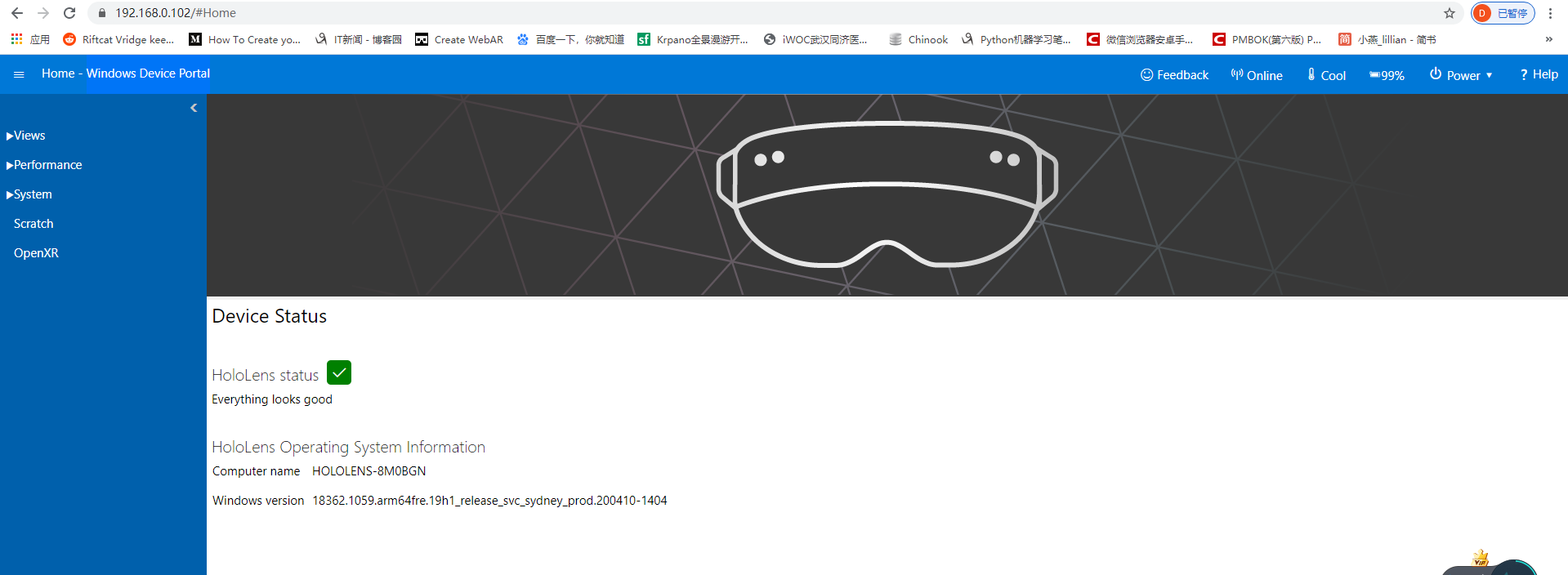
But when I tried to connect it in Unity, it didn't work:

To reproduce
Steps to reproduce the behavior:
In Unity
- Go to 'Mixed Reality Toolkit'
- Go to 'Utilities'
- Click on 'Bulid Window'
- Click on 'Deploy Options'
- Click on 'Target Type'
With Wi-Fi:
- Scroll to 'Remote'
- Type IpAddress, Username, Password
- Clcik on 'Test Connection'
- Unity Editor shows "NullReferenceException: DownloadHandler has already been destroyed"
With USB:
- Scroll to 'Local'
- Type Username, Password
- Clcik on 'Test Connection'
- Unity Editor shows "NullReferenceException: DownloadHandler has already been destroyed"
Expected behavior
How can I fixed it?
My setup
- Unity Version [v2019.3.7f1]
- MRTK Version [v2.4.0]
- win10 SDK[10.0.18362.1]
Target platform
- HoloLens 2
Additional context
In HoloLens2, "Developer Mode" and "Enable Device Portal" options are turned on
Bug
 FatherKingXWH
👍3
>All comments
Fixed via https://github.com/microsoft/MixedRealityToolkit-Unity/pull/7823. Will ship in MRTK 2.4
 keveleigh
on 8 May 2020
keveleigh
on 8 May 2020
😄1
👍1
Was this page helpful?
0 / 5 - 0 ratings
Related issues
 nuernber
·
3Comments
nuernber
·
3Comments
 amfdeluca
·
3Comments
amfdeluca
·
3Comments
 matatabi-ux
·
3Comments
matatabi-ux
·
3Comments
 ritijain
·
3Comments
ritijain
·
3Comments
 rigma
·
3Comments
rigma
·
3Comments
Most helpful comment
Fixed via https://github.com/microsoft/MixedRealityToolkit-Unity/pull/7823. Will ship in MRTK 2.4