Mixedrealitytoolkit-unity: CameraExtensions IsInFov includes points behind the camera.
Describe the bug
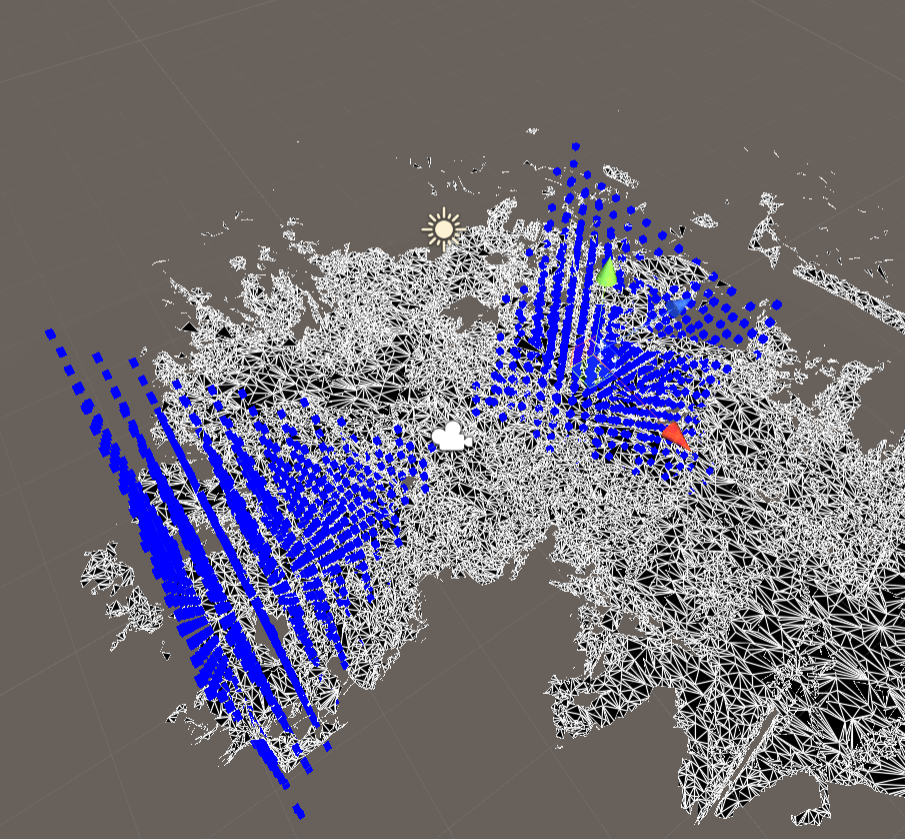
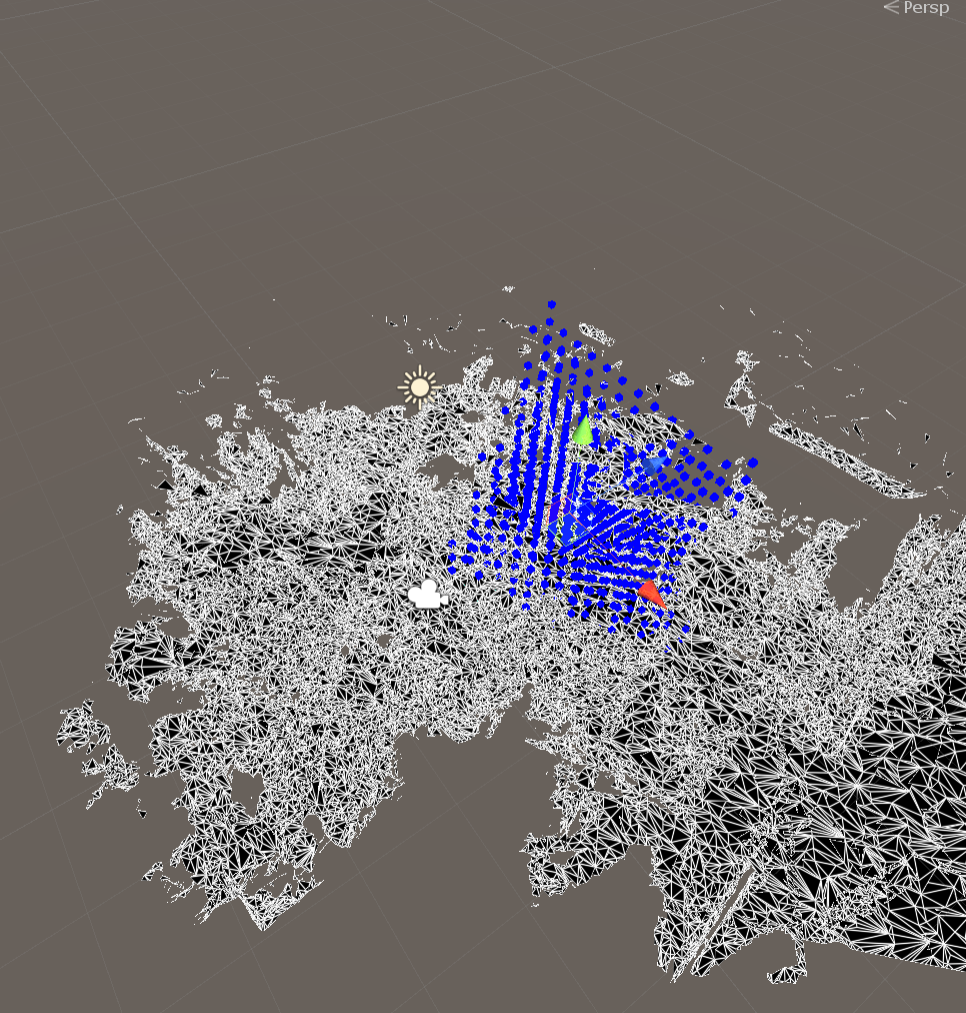
I tried using the camera extension 'IsInFOV'. In the unity editor it was clear that the points being returned included points behind the camera, so long as they were still within the angles of the FOV.
To reproduce
/// <summary>
/// Returns if a point will be rendered on the screen in either eye
/// </summary>
/// <param name="camera">The camera to check the point against</param>
/// <param name="position"></param>
/// <returns></returns>
public static bool IsInFOV(this Camera camera, Vector3 position)
{
    float verticalFovHalf = camera.fieldOfView * 0.5f;
    float horizontalFovHalf = camera.GetHorizontalFieldOfViewRadians() * Mathf.Rad2Deg * 0.5f;

    Vector3 deltaPos = position - camera.transform.position;
    Vector3 headDeltaPos = MathUtilities.TransformDirectionFromTo(null, camera.transform, deltaPos).normalized;

    # ********** I added this to fix the bug for me
    if (headDeltaPos.z < camera.nearClipPlane || headDeltaPos.z > camera.farClipPlane)
    {
        return false;
    }
    # **********

    float yaw = Mathf.Asin(headDeltaPos.x) * Mathf.Rad2Deg;
    float pitch = Mathf.Asin(headDeltaPos.y) * Mathf.Rad2Deg;

    return (Mathf.Abs(yaw) < horizontalFovHalf && Mathf.Abs(pitch) < verticalFovHalf);
}
Steps to reproduce the behavior:
- put a bunch of things in the scene
- put your camera in the middle
- conditionally visualize your things based on Camera.main.IsInFov(thing.transform.position)
- note that things behind the camera will render.
Expected behavior
things behind the camera shouldn't render.
Screenshots
bad:
good:
Your Setup (please complete the following information)
- Unity Version [e.g. 2018.3.11f1] 2019.2.5f1
- MRTK Version [e.g. v2.0] 2
Target Platform (please complete the following information)
Additional context
 darax
darax
All 4 comments
You could directly create a PullRequest for this. Makes total sense not to include objects behind the camera.
 Alexees
on 18 Sep 2019
Alexees
on 18 Sep 2019
👍3
@keveleigh, when you make this change, can you plz add a test for this as part of your PR?
 davidkline-ms
on 28 Sep 2019
davidkline-ms
on 28 Sep 2019
@davidkline-ms and @keveleigh I actually already just did this :P Opening PR now
 Troy-Ferrell
on 28 Sep 2019
Troy-Ferrell
on 28 Sep 2019
👍1
Fixed via #6128
 keveleigh
on 30 Sep 2019
keveleigh
on 30 Sep 2019
Was this page helpful?
0 / 5 - 0 ratings
Related issues
 StephenHodgson
·
3Comments
StephenHodgson
·
3Comments
 markgrossnickle
·
3Comments
markgrossnickle
·
3Comments
 overedge
·
3Comments
overedge
·
3Comments
 MatteoFantasy
·
3Comments
StephenHodgson
·
3Comments
MatteoFantasy
·
3Comments
StephenHodgson
·
3Comments
Most helpful comment
You could directly create a PullRequest for this. Makes total sense not to include objects behind the camera.