Mixedrealitytoolkit-unity: APPX doesn't build as hololens app but as a windows app inside a window
Describe the bug
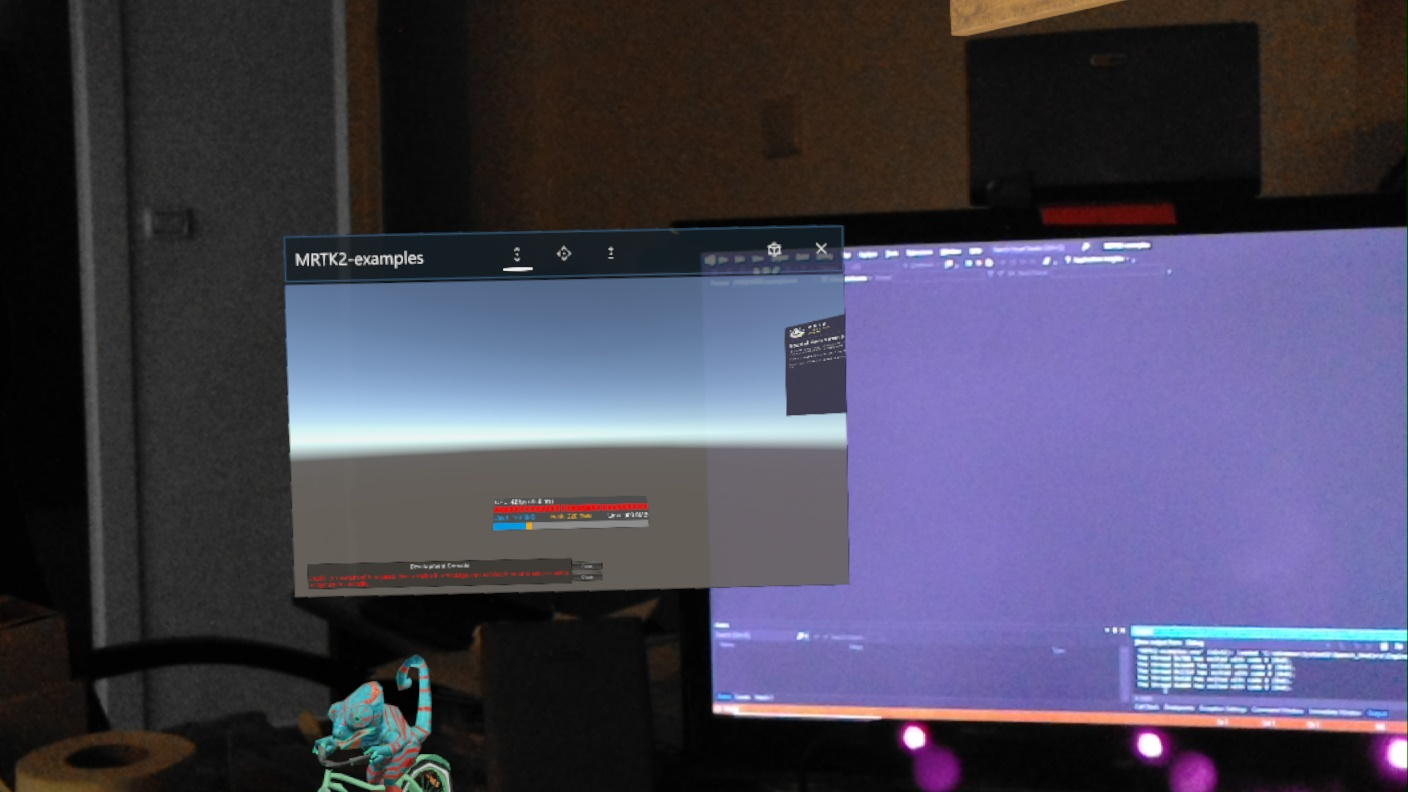
I'mt tyring to build an empty project with MRTK 2 foundation and examples and the spatial awareness scene , when it finishes building through VS 2019 it runs inside a window instead of in the MR space.
To reproduce
Steps to reproduce the behavior:
Clean project with MRTK and examples, open the spatial awareness scene and add it to build
First build in unity
open VS
connect the build to the hololens device
build
it runs as a windows app inside a windows
Expected behavior
I am expecting it to run in the full holographic environment and not inside a window
Screenshots
Your Setup (please complete the following information)
Unity Version 2019.1.11f
MRTK Version v2.0.0 RC2.1
Visual Studio community 2019 ( Visual Studio community 2017 also installed on PC)
Target Platform (please complete the following information)
- HoloLens
 SoundGuy
All 5 comments
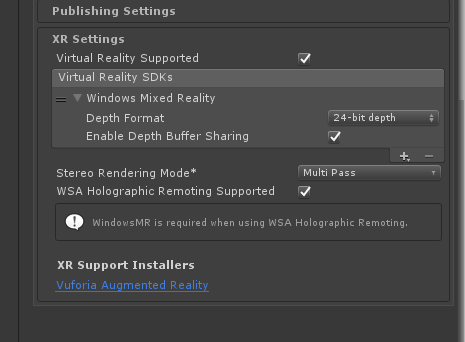
Check your XR Settings under Player Settings and ensure you have "Virtual Reality supported" checked.
https://docs.unity3d.com/Manual/VROverview.html
 Troy-Ferrell
on 28 Jul 2019
Troy-Ferrell
on 28 Jul 2019
Ofcourse I do.
SoundGuy
on 29 Jul 2019
@SoundGuy, if you remove the MRTK, do you still see this?
I assume there's some more general Unity config/VS deploy issue at hand here because AFAIK even if we wanted to, I don't think the MRTK has the power to cause you to force drop to slate interactions.
 wiwei
on 29 Jul 2019
wiwei
on 29 Jul 2019
@SoundGuy , I would disable WSA holographic remoting supported if you are trying to run your app directly on device. As @wiwei said, the app model running on device isn't driven by MRTK but by your Unity build. If you took MRTK out of the scene and didn't change anything else, you should get the same result
Also I would update Stereo rendering mode to "Single Pass Instanced". Read this: https://microsoft.github.io/MixedRealityToolkit-Unity/Documentation/Performance/PerfGettingStarted.html
And this for why:
https://blogs.unity3d.com/2017/11/21/how-to-maximize-ar-and-vr-performance-with-advanced-stereo-rendering/
Troy-Ferrell
on 29 Jul 2019
Thanks, it was indeed the WSA holographic remoting support, once i removed it , it built propely.
SoundGuy
on 1 Aug 2019
Related issues
 nuernber
·
3Comments
nuernber
·
3Comments
 brean
·
3Comments
brean
·
3Comments
 chrisfromwork
·
3Comments
chrisfromwork
·
3Comments
 StephenHodgson
·
3Comments
StephenHodgson
·
3Comments
 jimstack
·
3Comments
jimstack
·
3Comments