Mixedrealitytoolkit-unity: Error - HoloLensWorldManager failed to return a world coordinate system!
Overview
I get the error down below when I play my scene.
Expected Behavior
Preferably this should not occur.
Actual Behavior
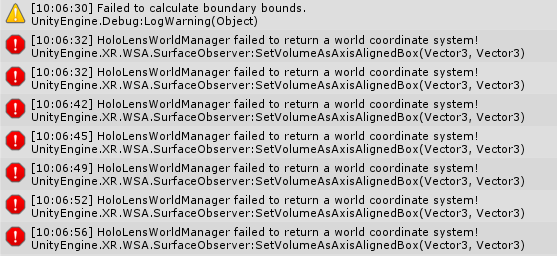
Full error
HoloLensWorldManager failed to return a world coordinate system!
UnityEngine.XR.WSA.SurfaceObserver:SetVolumeAsAxisAlignedBox(Vector3, Vector3)
Microsoft.MixedReality.Toolkit.WindowsMixedReality.SpatialAwareness.WindowsMixedRealitySpatialMeshObserver:ConfigureObserverVolume() (at Assets/MixedRealityToolkit.Providers/WindowsMixedReality/WindowsMixedRealitySpatialMeshObserver.cs:523)
Microsoft.MixedReality.Toolkit.WindowsMixedReality.SpatialAwareness.WindowsMixedRealitySpatialMeshObserver:CreateObserver() (at Assets/MixedRealityToolkit.Providers/WindowsMixedReality/WindowsMixedRealitySpatialMeshObserver.cs:300)
Microsoft.MixedReality.Toolkit.WindowsMixedReality.SpatialAwareness.WindowsMixedRealitySpatialMeshObserver:Initialize() (at Assets/MixedRealityToolkit.Providers/WindowsMixedReality/WindowsMixedRealitySpatialMeshObserver.cs:82)
Microsoft.MixedReality.Toolkit.MixedRealityToolkit:RegisterServiceInternal(Type, IMixedRealityService) (at Assets/MixedRealityToolkit/Services/MixedRealityToolkit.cs:842)
Microsoft.MixedReality.Toolkit.MixedRealityToolkit:RegisterServiceInternal(IMixedRealitySpatialAwarenessObserver) (at Assets/MixedRealityToolkit/Services/MixedRealityToolkit.cs:858)
Microsoft.MixedReality.Toolkit.MixedRealityToolkit:RegisterService(Type, SupportedPlatforms, Object[]) (at Assets/MixedRealityToolkit/Services/MixedRealityToolkit.cs:199)
Microsoft.MixedReality.Toolkit.MixedRealityToolkit:RegisterDataProvider(Type, SupportedPlatforms, Object[]) (at Assets/MixedRealityToolkit/Services/MixedRealityToolkit.cs:280)
Microsoft.MixedReality.Toolkit.SpatialAwareness.MixedRealitySpatialAwarenessSystem:Enable() (at Assets/MixedRealityToolkit.Services/SpatialAwarenessSystem/MixedRealitySpatialAwarenessSystem.cs:85)
Microsoft.MixedReality.Toolkit.MixedRealityToolkit:EnableAllServices() (at Assets/MixedRealityToolkit/Services/MixedRealityToolkit.cs:973)
Microsoft.MixedReality.Toolkit.MixedRealityToolkit:OnEnable() (at Assets/MixedRealityToolkit/Services/MixedRealityToolkit.cs:772)
The error ticks while the scene is being played
Steps to reproduce
This is the scene hierarchy
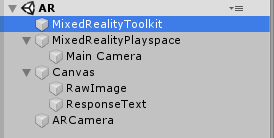
There is also an ARCamera for my script (which is on the main camera) to handle.
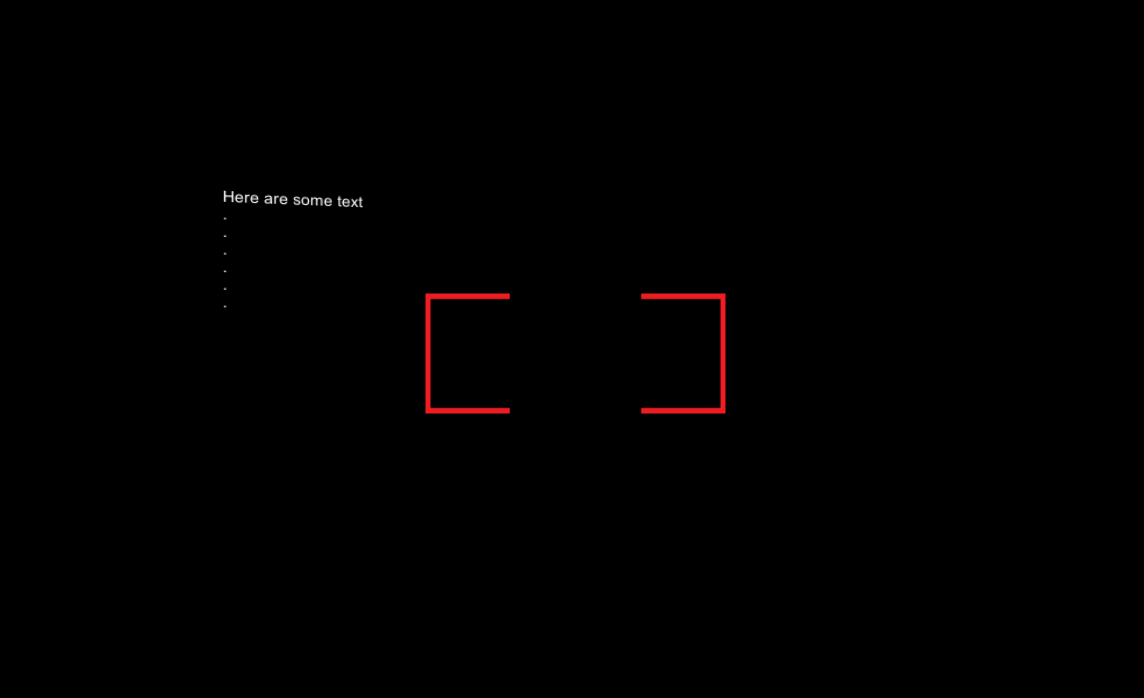
How the game scene looks like
Unity Editor Version
2019.1.0f2
Mixed Reality Toolkit Release
MRTK v2 RC1
 bratzenmadde
All 14 comments
The warnings full text

bratzenmadde
on 24 Apr 2019
The link above result in Page not Found.
RC1 does not support Unity 2019.1. If you need 2019.1 you may have to wait for RC1 refresh this week.
Closing this issue. please reopen if you see this after we release RC1 Refresh!
 Yoyozilla
on 30 Apr 2019
Yoyozilla
on 30 Apr 2019
Hi there,
I am running the examples through 2019.1 using the RC1 refresh and I have encountered this same issue when previewing.
After a bit of debugging, I have pinned it down to changing platform to UWP. After doing this I get the error. If I switch back to PC Mac & Linux standalone I no longer get the error when previewing.
Let me know if you would prefer a new issue - just found this one when searching - cheers!
HoloLensWorldManager failed to return a world coordinate system!
UnityEngine.XR.WSA.SurfaceObserver:SetVolumeAsAxisAlignedBox(Vector3, Vector3)
Microsoft.MixedReality.Toolkit.WindowsMixedReality.SpatialAwareness.WindowsMixedRealitySpatialMeshObserver:ConfigureObserverVolume() (at Assets/MixedRealityToolkit.Providers/WindowsMixedReality/WindowsMixedRealitySpatialMeshObserver.cs:523)
Microsoft.MixedReality.Toolkit.WindowsMixedReality.SpatialAwareness.WindowsMixedRealitySpatialMeshObserver:UpdateObserver() (at Assets/MixedRealityToolkit.Providers/WindowsMixedReality/WindowsMixedRealitySpatialMeshObserver.cs:408)
Microsoft.MixedReality.Toolkit.WindowsMixedReality.SpatialAwareness.WindowsMixedRealitySpatialMeshObserver:Update() (at Assets/MixedRealityToolkit.Providers/WindowsMixedReality/WindowsMixedRealitySpatialMeshObserver.cs:104)
Microsoft.MixedReality.Toolkit.<>c:<UpdateAllServices>b__65_0(IMixedRealityService) (at Assets/MixedRealityToolkit/Services/MixedRealityToolkit.cs:959)
Microsoft.MixedReality.Toolkit.MixedRealityToolkit:ExecuteOnAllServices(Action`1) (at Assets/MixedRealityToolkit/Services/MixedRealityToolkit.cs:1009)
Microsoft.MixedReality.Toolkit.MixedRealityToolkit:UpdateAllServices() (at Assets/MixedRealityToolkit/Services/MixedRealityToolkit.cs:959)
Microsoft.MixedReality.Toolkit.MixedRealityToolkit:Update() (at Assets/MixedRealityToolkit/Services/MixedRealityToolkit.cs:792)
 handyjellyfish
on 9 May 2019
handyjellyfish
on 9 May 2019
Pretty sure this is a Unity bug with the Observer.
I'd double check to make sure you have the latest 1.0.9 Windows Mixed Reality Package installed in the Unity Package Manager.
 StephenHodgson
on 9 May 2019
StephenHodgson
on 9 May 2019
@wassx probably relates to your bug report on the fork as well.
StephenHodgson
on 9 May 2019
Pretty sure this is a Unity bug with the
Observer.I'd double check to make sure you have the latest
1.0.9Windows Mixed Reality Package installed in the Unity Package Manager.
@StephenHodgson definitely have 1.0.9 installed. Should I be logging an issue with Unity? Not that I can currently find the place to do so.
handyjellyfish
on 9 May 2019
Yeah I think this is a bug with 2019+ (Is that the version you're using as well?)
StephenHodgson
on 9 May 2019
Yeah I think this is a bug with 2019+ (Is that the version you're using as well?)
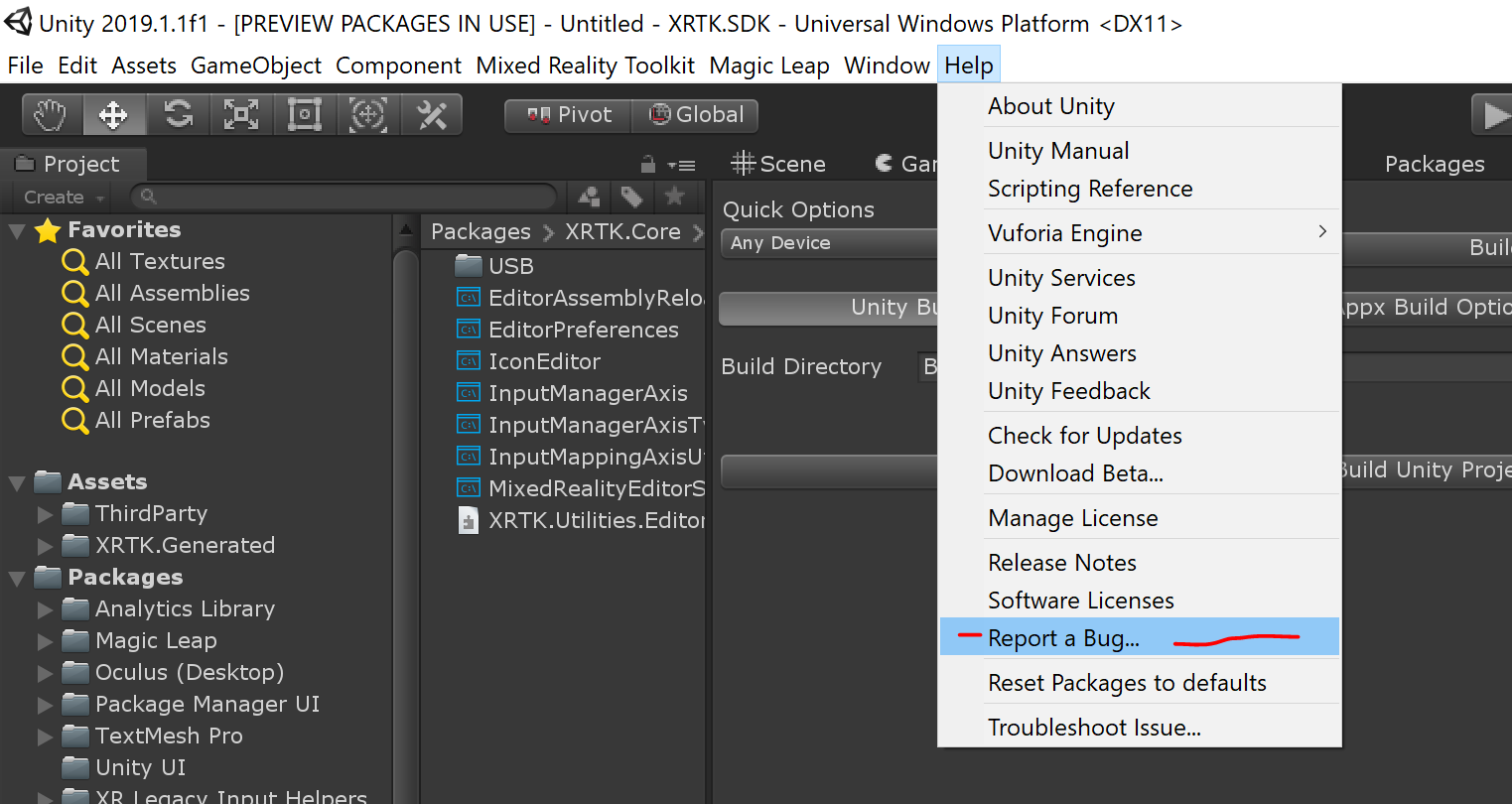
Yep 2019.1 - thanks for the help - will report :D
handyjellyfish
on 9 May 2019
@StephenHodgson ah thx for the hint!
@handyjellyfish do you have a link to the filed unity issue please?
 wassx
on 9 May 2019
wassx
on 9 May 2019
@StephenHodgson ah thx for the hint!
@handyjellyfish do you have a link to the filed unity issue please?
Have just submitted it - will let you know as soon as I have more info :)
handyjellyfish
on 9 May 2019
handyjellyfish
on 9 May 2019
@handyjellyfish might be best to send them a repro that doesn't include the MRTK.
They'll be able to rule it out easier.
a min repro is good.
StephenHodgson
on 9 May 2019
private void ConfigureObserverVolume()
        {
            // Update the observer
            switch(ObserverVolumeType)
            {
            #if !UNITY_EDITOR
                case VolumeType.AxisAlignedCube:
                    observer.SetVolumeAsAxisAlignedBox(ObserverOrigin, ObservationExtents);
                    break;

                case VolumeType.Sphere:
                    // We use the x value of the extents as the sphere radius
                    observer.SetVolumeAsSphere(ObserverOrigin, ObservationExtents.x);
                    break;

                case VolumeType.UserAlignedCube:
                    observer.SetVolumeAsOrientedBox(ObserverOrigin, ObservationExtents, ObserverRotation);
                    break;

                default:
                    Debug.LogError($"Unsupported ObserverVolumeType value {ObserverVolumeType}");
                    break;
            #endif
            }
        }
I ran into this issue and I lust put a platform parameter (#if !UNITY_EDITOR) around the part that throws the error like seen in the code snippet above.
(Just a quick and dirty hotfix)
 KarlSupertramp
on 7 Aug 2019
KarlSupertramp
on 7 Aug 2019
I am getting this error now when implementing the XRTK v 01.15
HoloLensWorldManager failed to return a world coordinate system!
UnityEngine.XR.WSA.SurfaceObserver:SetVolumeAsAxisAlignedBox(Vector3, Vector3)
XRTK.WindowsMixedReality.SpatialObservers.WindowsMixedRealitySpatialMeshObserver:ConfigureObserverVolume(Vector3, Vector3) (at Library/PackageCache/com.xrtk.wmr@40f707ba94f5b34d8969246ee980dbe9c3b8ff31/SpatialObservers/WindowsMixedRealitySpatialMeshObserver.cs:131)
XRTK.WindowsMixedReality.SpatialObservers.WindowsMixedRealitySpatialMeshObserver:Update() (at Library/PackageCache/com.xrtk.wmr@40f707ba94f5b34d8969246ee980dbe9c3b8ff31/SpatialObservers/WindowsMixedRealitySpatialMeshObserver.cs:68)
XRTK.Services.MixedRealityToolkit:UpdateAllServices() (at Library/PackageCache/com.xrtk.core@838e59081c1adc5ea07281f243561186c034f127/Services/MixedRealityToolkit.cs:1284)
XRTK.Services.MixedRealityToolkit:Update() (at Library/PackageCache/com.xrtk.core@838e59081c1adc5ea07281f243561186c034f127/Services/MixedRealityToolkit.cs:705)>
Would this cause Unity to not open application in MixedReality window?
 hridpath
on 10 Aug 2019
hridpath
on 10 Aug 2019
Related issues
 dfields-msft
·
3Comments
dfields-msft
·
3Comments
 ritijain
·
3Comments
ritijain
·
3Comments
 chrisfromwork
·
3Comments
chrisfromwork
·
3Comments
 jimstack
·
3Comments
StephenHodgson
·
3Comments
jimstack
·
3Comments
StephenHodgson
·
3Comments
Most helpful comment
https://fogbugz.unity3d.com/default.asp?1153049_2d4gcjera1n04qou