Mixedrealitytoolkit-unity: HoloLens2 MRTK visualizer for hands is enabled by default
Keeping hands enabled by default is a perf hit when enabled and deployed to device. This should be disabled so developers don't forget to turn it off. Not to mention it is 3 layers deep into profiles and if you are not familar with them, you will never find it.
Ideally you have a configuration on the profile so you can enable it in the editor only.
 carmines
All 7 comments
Hi Carmine, how we do the following:
- Set up hand visualization config per-platform.
- For UWP, turn off hand joint and hand mesh visualization
- For Editor, turn on hand joint visualization.
 julenka
on 22 Apr 2019
julenka
on 22 Apr 2019
@thalbern this looks like an intereseting issue if you're looking for something to tackle.
julenka
on 22 Apr 2019
The HandTrackingProfile actually has both joints and mesh visualization disabled by default (both in the script and the default profile asset). However, the test scene has this ToggleHandVisualisation button, which is enabled by default and switches the visualization on. Simplest fix here would be to just disable that button.
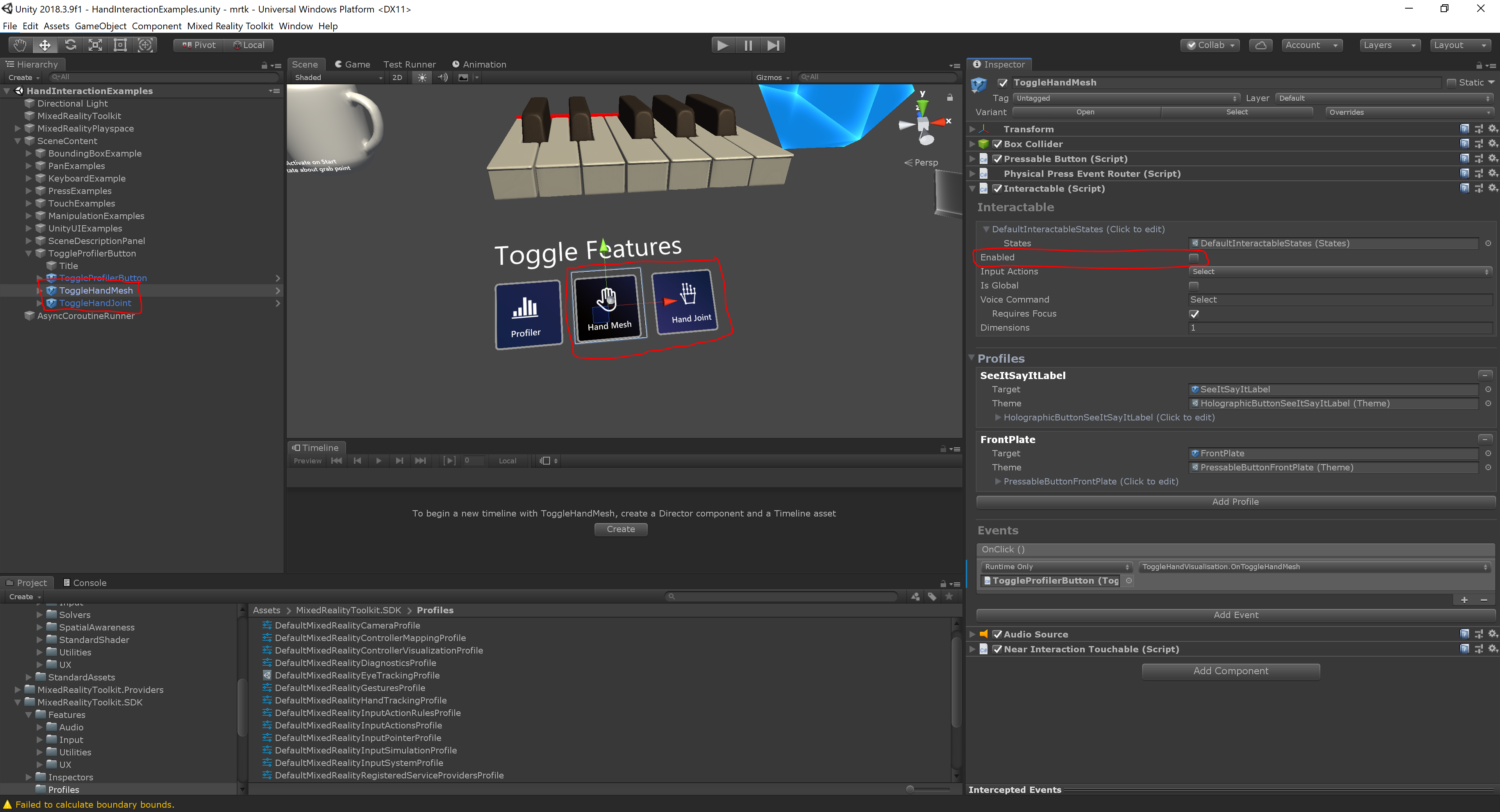
That still leaves the question of if/how to handle platform dependent settings. Right now we expect users to make separate profiles for target platforms, which i imagine is really cumbersome with our profile system. But any solution would be more general than just the hand settings, so i'd leave that for another day.
 lukastoenneMS
on 23 Apr 2019
lukastoenneMS
on 23 Apr 2019
The HandTrackingProfile actually has both joints and mesh visualization disabled by default (both in the script and the default profile asset). However, the test scene has this ToggleHandVisualisation button, which is enabled by default and switches the visualization on. Simplest fix here would be to just disable that button.
That still leaves the question of if/how to handle platform dependent settings. Right now we expect users to make separate profiles for target platforms, which i imagine is really cumbersome with our profile system. But any solution would be more general than just the hand settings, so i'd leave that for another day.
There should be a Toggle Hand Visualization Script on the ToggleProfilerButton parent of the ToggleHandMesh gameobject - you can change the default behavior in the scene there. no need to disable the button itself
 thalbern
on 23 Apr 2019
thalbern
on 23 Apr 2019
@thalbern looks like you have a proposed solution, are you implementing this?
 Yoyozilla
on 30 Apr 2019
Yoyozilla
on 30 Apr 2019
@Yoyozilla that script is in the example scene. you can just grab it and use it wherever you want - don't think we would want to move this over to the sdk code itself?
thalbern
on 1 May 2019
I'm working on adding a default HL2 profile, which will have hand mesh turned off by default.
https://github.com/microsoft/MixedRealityToolkit-Unity/issues/4351
I think that this plus this:
https://github.com/microsoft/MixedRealityToolkit-Unity/issues/4213
Means that I think that we'll have good coverage on this (i.e. this issue is a duplicate/will be handled by the other stuff)
 wiwei
on 17 May 2019
wiwei
on 17 May 2019
Related issues
 chrisfromwork
·
3Comments
chrisfromwork
·
3Comments
 rigma
·
3Comments
rigma
·
3Comments
 StephenHodgson
·
3Comments
StephenHodgson
·
3Comments
 amfdeluca
·
3Comments
amfdeluca
·
3Comments
 markgrossnickle
·
3Comments
markgrossnickle
·
3Comments