Mixedreality-webrtc: Cannot stream my webcam
I managed to establish a connection between two scenes in Unity through the node.dss server, the default material (green with purple shades) appears on the display and the node.dss server detects a connection between two instances. The problem is that I can't get the second scene to input and then stream what it gets from the webcam. I'm a little tired, I don't want the problem to be some kind of permission on the Unity side to get the webcam input.
Thanks for your attention.
 amfdeluca
All 7 comments
Hi @amfdeluca,
- What are the 2 peers? Unity Editor cannot run multiple instances, so are you using a standalone build? For which platform (Desktop, UWP, ...)?
- Are the 2 peers on the same machine? Do you have 2 webcams? You cannot use the same webcam from multiple peers/tracks.
 djee-ms
on 13 Mar 2020
djee-ms
on 13 Mar 2020
Hi, thank's for yuor reply. One is builded as Desktop and the other one is in editor.
I have the 2 peer on the same machine but What i'm doing is trying to send from a peer (called Scanner) to another that only takes the stream. I've tryied to open my old project , that worked, but the problem persists, so i don't know if the issue is caused by something different. Now i'm working from home so i don't know if i had something different on my old pc like some permission or other.
For the webcam i'm using obs-virtualcam to simulate it 'cause i don't have any webcam.
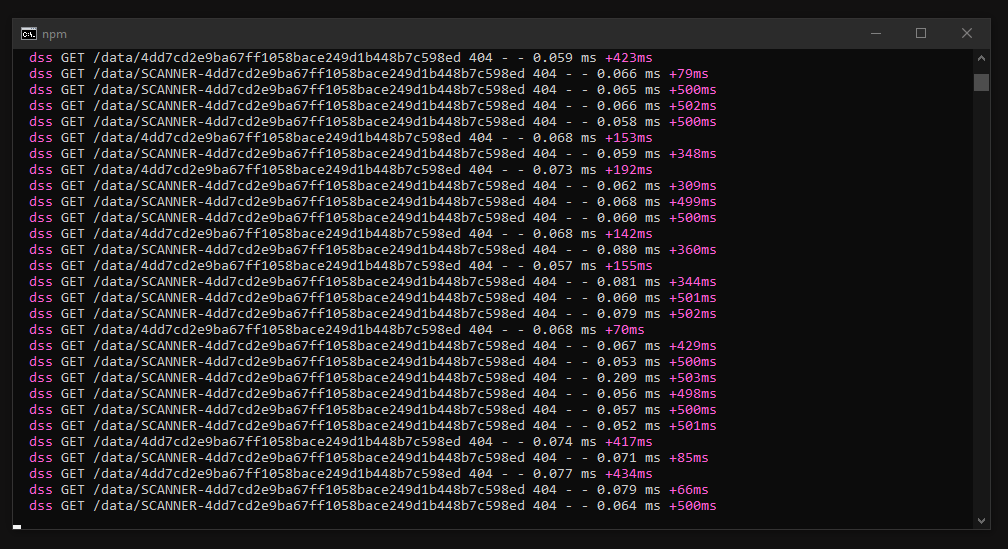
amfdeluca
on 13 Mar 2020
I see that the 2 peers are connected to the node-dss server, that's good.
Let's try to break down the issue: is the problem on the peer capturing the webcam and sending the video, or during the SDP session negotiation, or is it on the peer receiving it?
- On the peer which adds the local video track, can you see the video? Can you set a breakpoint inside the I420ALocalVideoFrameReady callback (or some logging) to make sure it's called?
- Can you please paste the SDP offer and SDP answer messages, if any?
- On the peer which receives the remote video, can you set a breakpoint inside the I420ARemoteVideoFrameReady callback (or some logging) to make sure it's called?
djee-ms
on 13 Mar 2020
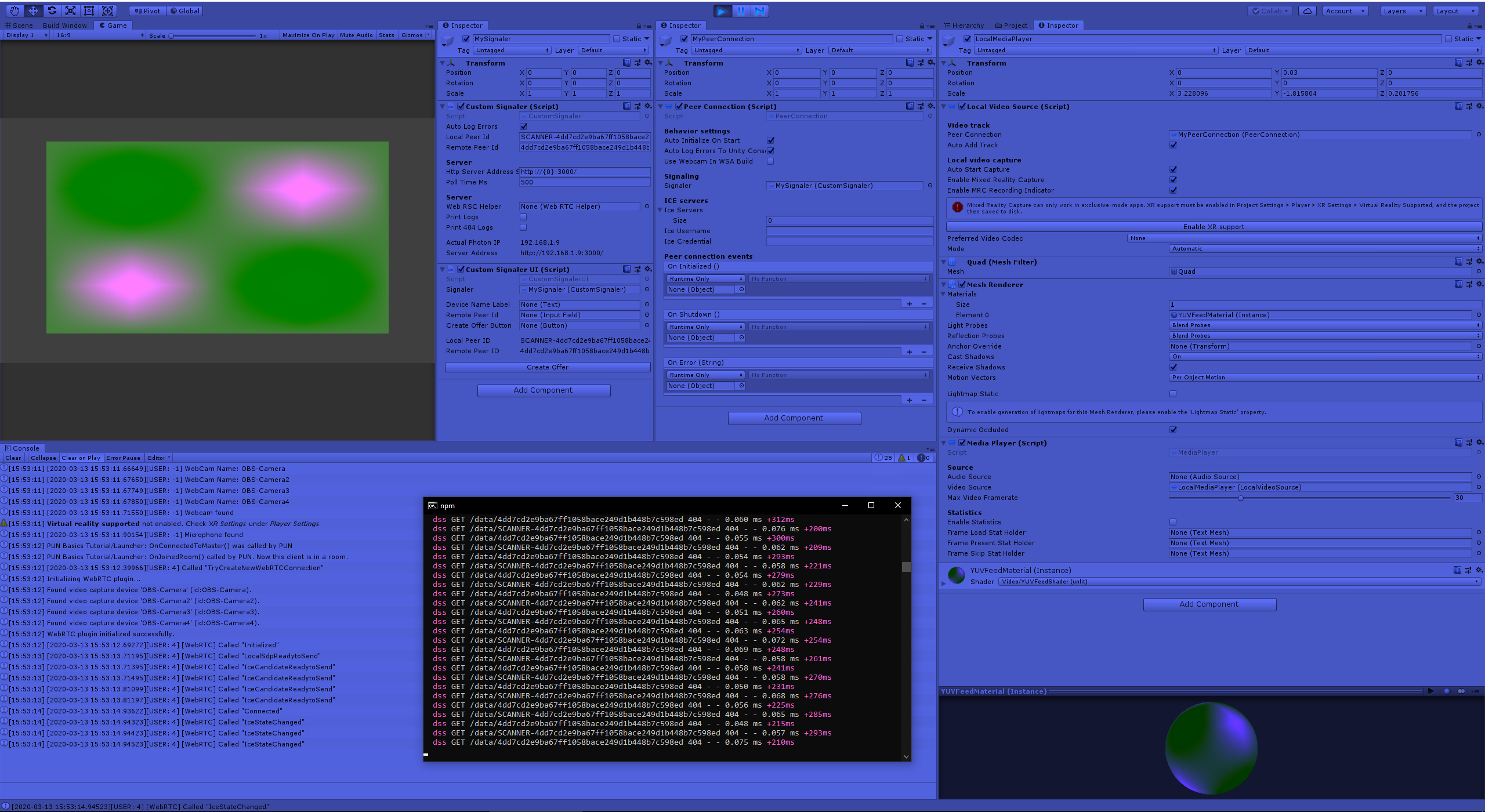
- Hi, I tried with a debug log and with a breakpoint but nothing, it seems not to enter the method. I share what is debugged in the console so perhaps to have an idea of the operations that take place and where it stops instead. I tried to put everything I thought useful on the screen.
- Now the SDPs
From the Scanner scene (pics above)
_case Message.WireMessageType.Answer >>>> msg.MessageType = Answer , msg = Microsoft.MixedReality.WebRTC.Unity.Signaler+Message, msg.Data =v=0_
From the MR scene
_case Message.WireMessageType.Offer >>>> msg.MessageType = Offer , msg = Microsoft.MixedReality.WebRTC.Unity.Signaler+Message, msg.Data =v=0_
No way I420ARemoteVideoFrameReady is not called
Thank you for your attention and sorry for the incompetence but I am quite junior ":)
amfdeluca
on 13 Mar 2020
All setups look ok to me. If the local peer doesn't show the video in the MediaPlayer (which is configured correctly I think) then it's most likely an issue with the video capture. This is confirmed by the fact I420ALocalVideoFrameReady is never called, which means the WebRTC implementation doesn't receive any video data.
I see that the logs show the 4 OBS webcams are enumerated, so I think the implementation sees them. Not sure why it would fail to use them though. But I am not familiar with OBS.
- Can you please try to enumerate the capture formats on one of the devices, to see if the implementation can access it? Something like this:
cs
var devices = await GetVideoCaptureDevicesAsync();
foreach (var device in devices)
{
  Debug.Log($"Device: {device.name} ({device.id}):");
  var formats = await WebRTC.PeerConnection.GetVideoCaptureFormatsAsync(device.id);
  foreach (var format in formats)
  {
      Debug.Log($"+ format: {format.width}x{format.height}@{format.framerate} ({format.fourcc})");
  }
}
You can for example put it inOnPostInitialize()inPeerConnection.csat the end before or afterOnInitialized.Invoke();(and makeOnPostInitialize()async for theawaitcalls to compile). - Can you check with some breakpoint or logging if the track is created correctly? The camera is opened by the call to AddLocalVideoTrackAsync().
djee-ms
on 13 Mar 2020
I was able to test the project remotely on the office PC and I could see that all the webrtc part works, it is not yet clear to me how it is possible that with the home PC the connection does not take place but I would close the report as the problem could be precisely due to factors X not attributable directly to the WebRTC, I apologize for the inconvenience.
amfdeluca
on 27 Mar 2020
No worry at all! For context on Desktop the video capture module is the built-in one written by Google, which uses the very outdated DirectShow API. I know some newer devices may have issues with it (and conversely older devices can have issues with the new MediaFoundation API we use on UWP) so it is entirely possible we are unlucky here and the OBS camera doesn't work with DirectShow. Going forward we plan to transition to a new unified video capture module based on MediaFoundation, so hopefully that will at least remove any discrepancy between Desktop and UWP. However A/V capture is hard, there are many things that can fail from hardware to driver to media API to WebRTC, and our error logging is pretty poor at the moment, so things are difficult to debug. Anyway please feel free to reopen if you want to investigate further.
djee-ms
on 27 Mar 2020
Related issues
 eshel
·
6Comments
eshel
·
6Comments
 StephenHodgson
·
3Comments
StephenHodgson
·
3Comments
 efsjouw
·
4Comments
efsjouw
·
4Comments
 danilogr
·
6Comments
amfdeluca
·
7Comments
danilogr
·
6Comments
amfdeluca
·
7Comments
Most helpful comment
No worry at all! For context on Desktop the video capture module is the built-in one written by Google, which uses the very outdated DirectShow API. I know some newer devices may have issues with it (and conversely older devices can have issues with the new MediaFoundation API we use on UWP) so it is entirely possible we are unlucky here and the OBS camera doesn't work with DirectShow. Going forward we plan to transition to a new unified video capture module based on MediaFoundation, so hopefully that will at least remove any discrepancy between Desktop and UWP. However A/V capture is hard, there are many things that can fail from hardware to driver to media API to WebRTC, and our error logging is pretty poor at the moment, so things are difficult to debug. Anyway please feel free to reopen if you want to investigate further.