Mixedreality-webrtc: Hologram+PV Camera rendering from remote HL1
Hi.
I have setup local and remote peer.
- Local: TestAppUwp + Logitech HD Webcam C310
- Remote: HL1 (VideoChatDemo app)
It works fine.
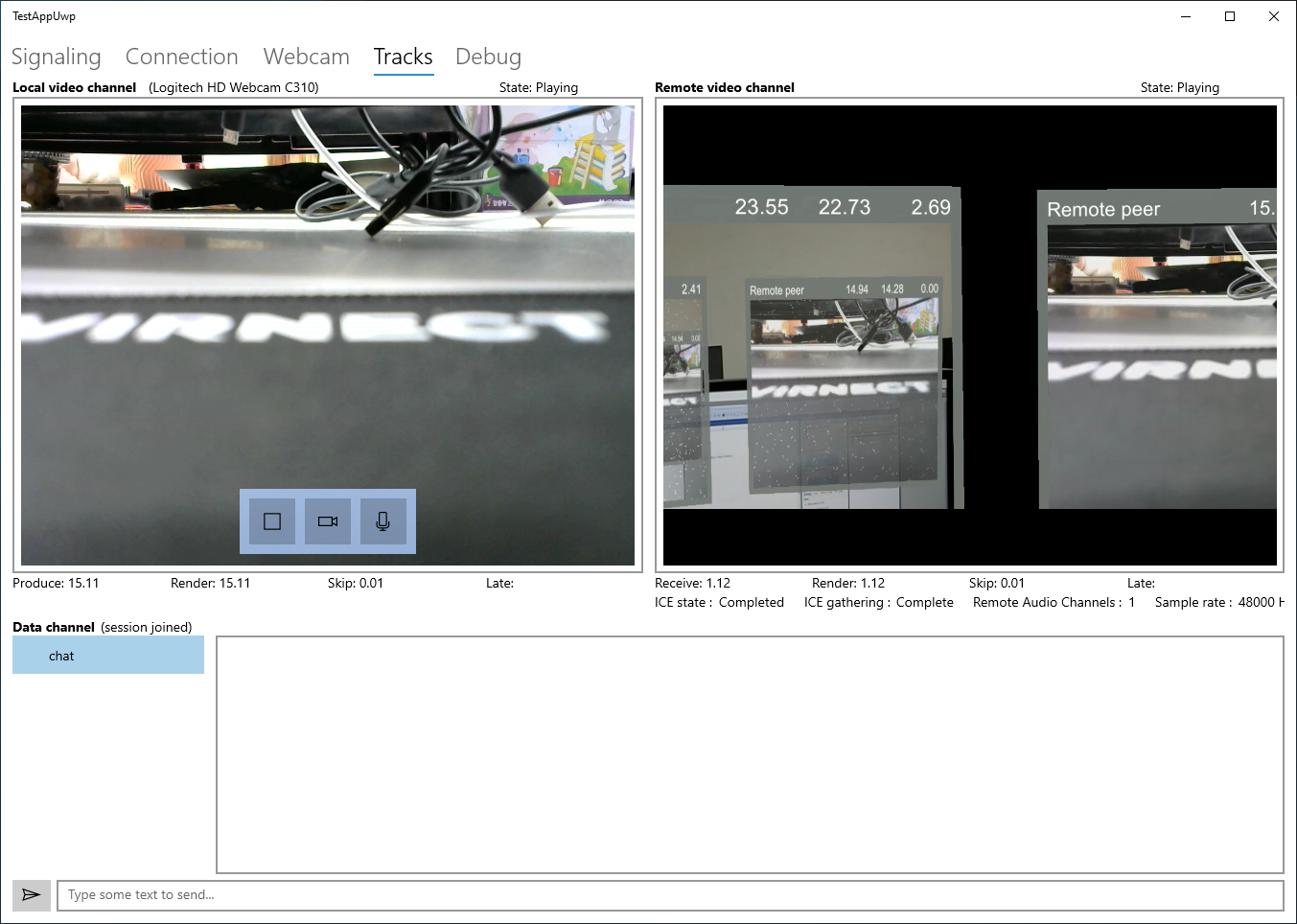
But, I can see only hologram object and inside video textures.
Can I see mixed hologram and PV camera from remote video channel.
LocalVideoSource.LocalVideoSourceFormatMode set to manual
And VideoProfileKind set to each modes
But I can't see PV Camera rendering from remote video channel.
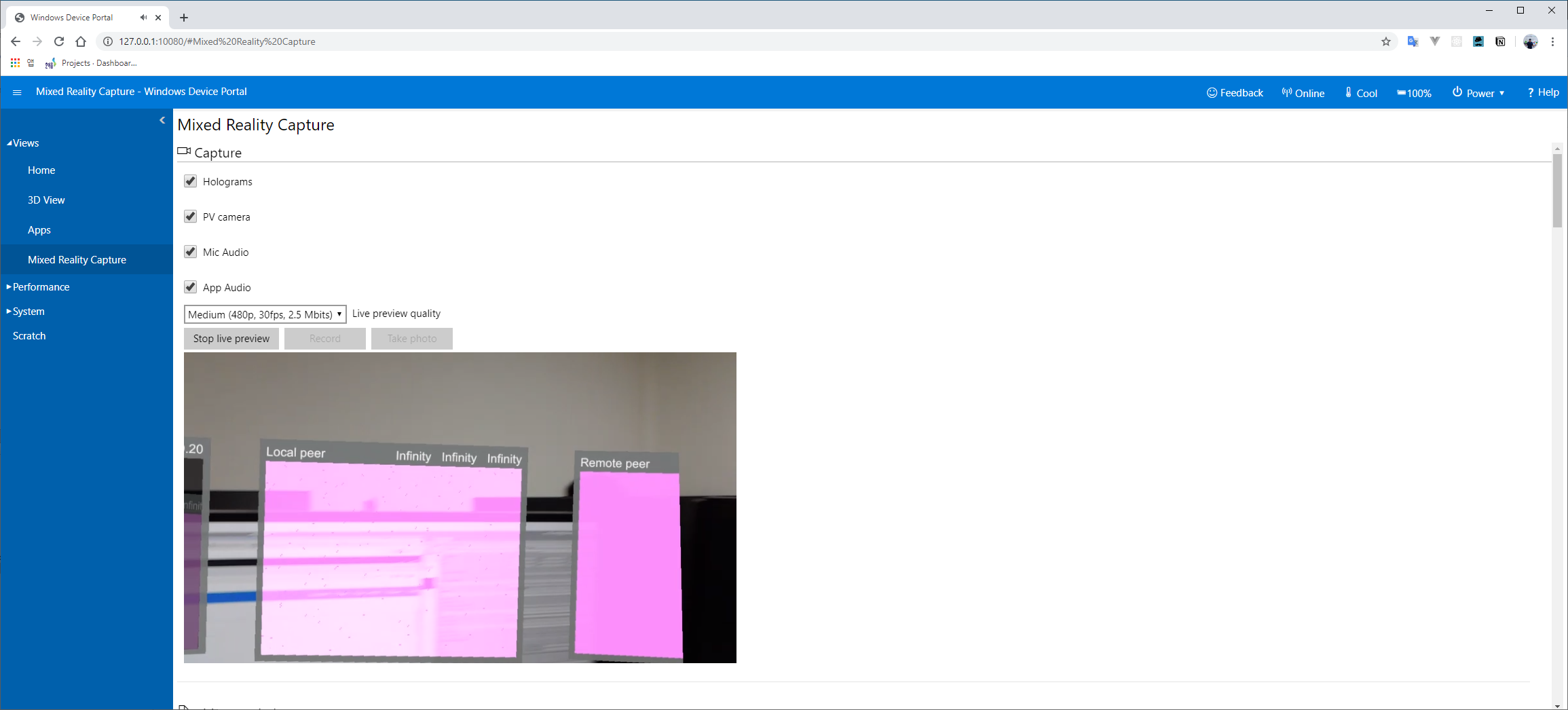
How can I render just looks like Device Portal live preview video?
 jongfeelkim-VIRNECT
All 4 comments
Hi @jongfeelkim-VIRNECT
I am a bit confused by the description and the screenshots. In the TestAppUWP, the remote video channel shows the content of the Unity scene. This I think would be produced by the SceneVideoSource component, which streams the 3D scene rendered by the Unity camera. If you want to stream the content of the PV camera of HoloLens (with or without MRC), then you should use instead the LocalVideoSource component, which streams only what a video device captures, without any interference from Unity.
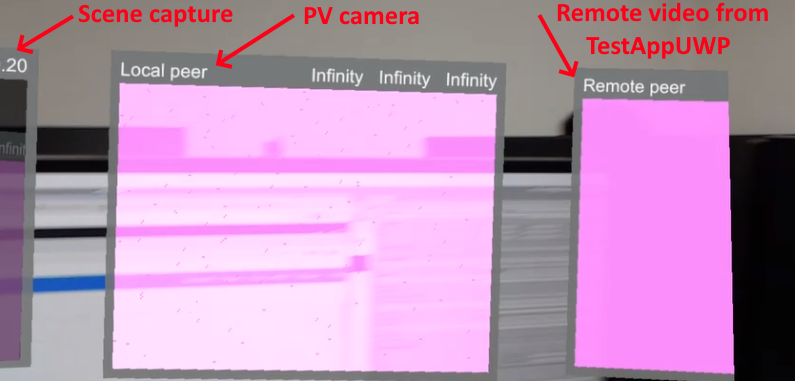
Now you say you are already using the LocalVideoSource, so I am wondering, are you using both components in the same scene? Are you using the MultiTrackDemo sample scene by any chance? From what I see in the Device Portal there are 3 video pannels so I'd say this is the case. If so, then you have 2 video tracks sending to TestAppUWP : the PV camera + MRC, and the Unity scene capture. But TestAppUWP will only pick 1 and discard the other, as the UI was not designed to render more than 1 video. So I suggest disabling the SceneVideoSource component, or use the VideoChatDemo as a starting example (which doesn't use it). That way you should end up with a single video track, which I believe will display what you want.
 djee-ms
on 29 Jan 2020
djee-ms
on 29 Jan 2020
@djee-ms
Thank you for your answer.
And I apologize for any confusion that I did not explain exactly.
I use not SceneVideoSource component but LocalVideoSource component.
It is not problem.
Second, I will use "Remote video channel" on Local client. So I want see remote HL1 rendered video (hologram + PV camera).
The point is "Remote video channel" from remote HL1 stream to local client.
Problem:
- Only show hologram rendering on remote video channel
I want:
- Show hologram + PV camera rendering on remote video channel
How can I do settings or configuration?
jongfeelkim-VIRNECT
on 30 Jan 2020
The screenshot of the Device Portal shows 3 video panels, the leftmost of which shows the Unity scene. This is exactly the same setup as the MultiTrackDemo. Can you please check again, because I am fairly confident that you are using 2 video tracks, which explains the issue. The solution is described above : either use VideoChatDemo or remove the SceneVideoSource.
djee-ms
on 30 Jan 2020
@djee-ms
I don't know what you say disabling the SceneVideoSource component.
I tried disable only SceneVideoPlayer game object.
So, I disabled both SceneVideoSource and SceneVideoPlayer.
And then Remote video channel PV Camera and Hologram redering works perfect.
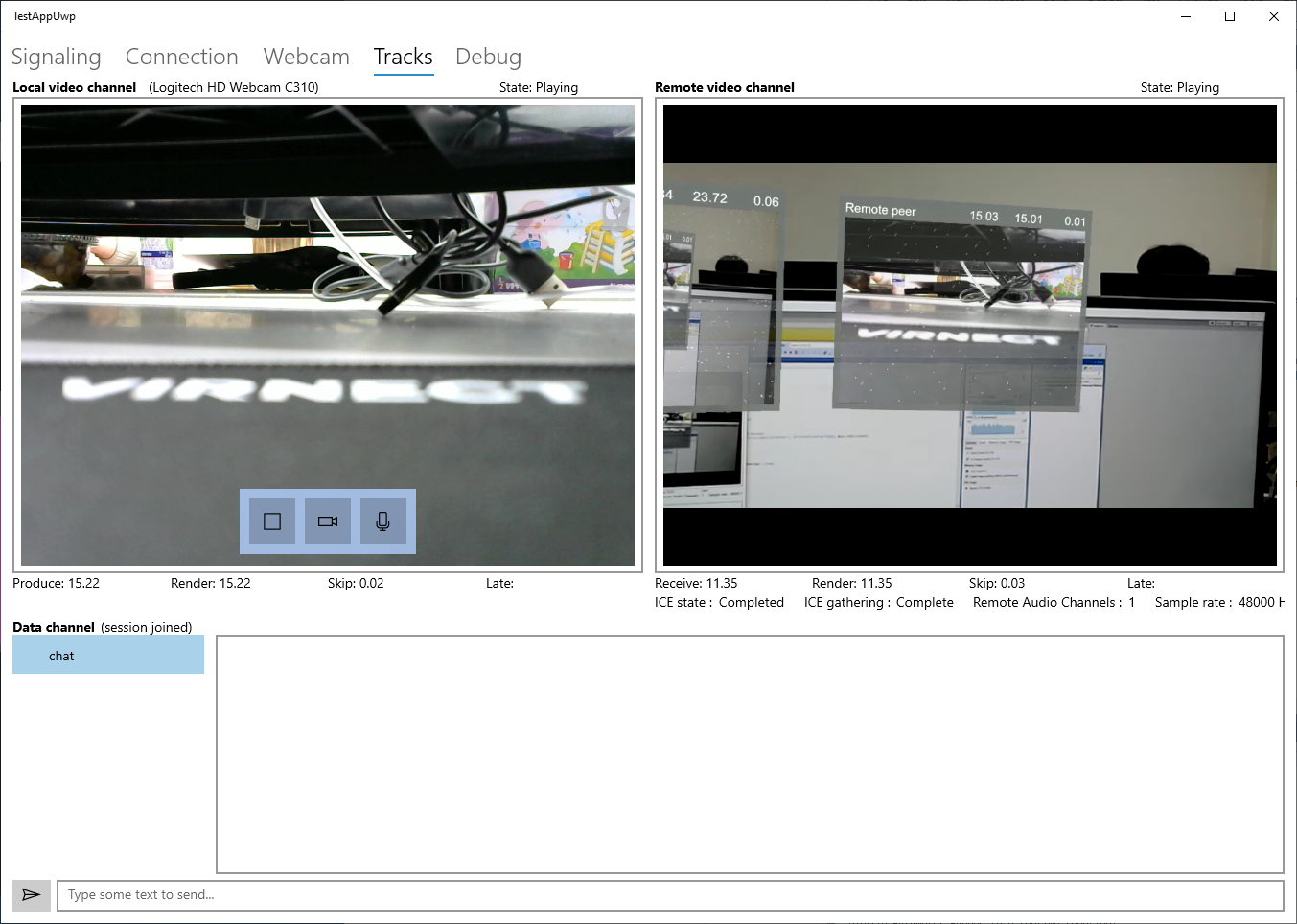
I understand that SceneVideoSource.SourceCamera shows unity scene capture. That media streams transfer to local peer remote video channel. You said
the PV camera + MRC, and the Unity scene capture. But TestAppUWP will only pick 1 and discard the other.
You are right and I understand at last.
Thank you.
jongfeelkim-VIRNECT
on 31 Jan 2020
Related issues
 danilogr
·
6Comments
danilogr
·
6Comments
 alterscape
·
5Comments
alterscape
·
5Comments
 drejx
·
3Comments
drejx
·
3Comments
 efsjouw
·
4Comments
efsjouw
·
4Comments
 jmc-crash
·
6Comments
jmc-crash
·
6Comments