Mist: Please Help: "Couldn't connect to node? See logs for more" geth...darwin (Architecture x64)
I have had this issue on Ethereum Wallet and Mist. So I had downloaded about 95% of my Ethereum Wallet and had already sent 1.2 ETH to it after being able to open it. My ETH is still in that wallet (transaction posted below). (https://etherscan.io/tx/0x9c2e6686a652eda54740e9d6dd4563188e4af1bb82608de13288386e338c7cb2).
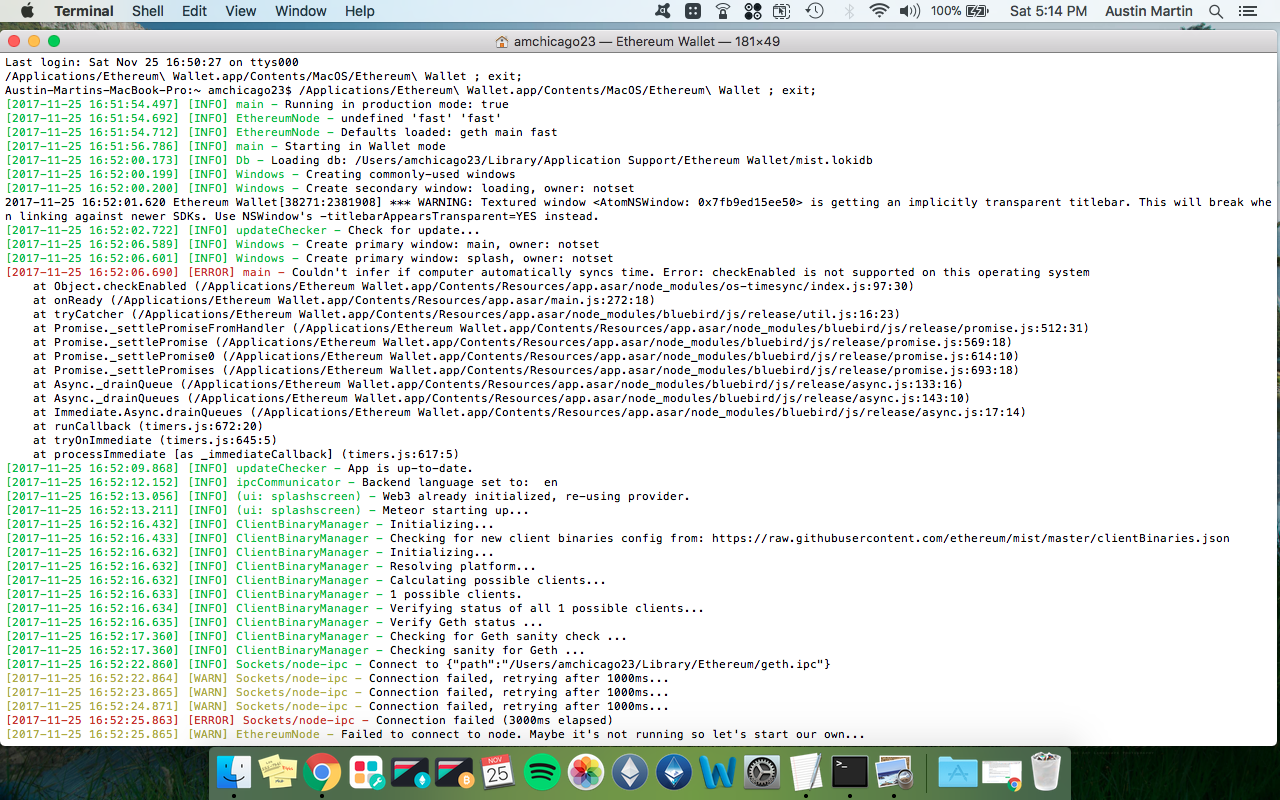
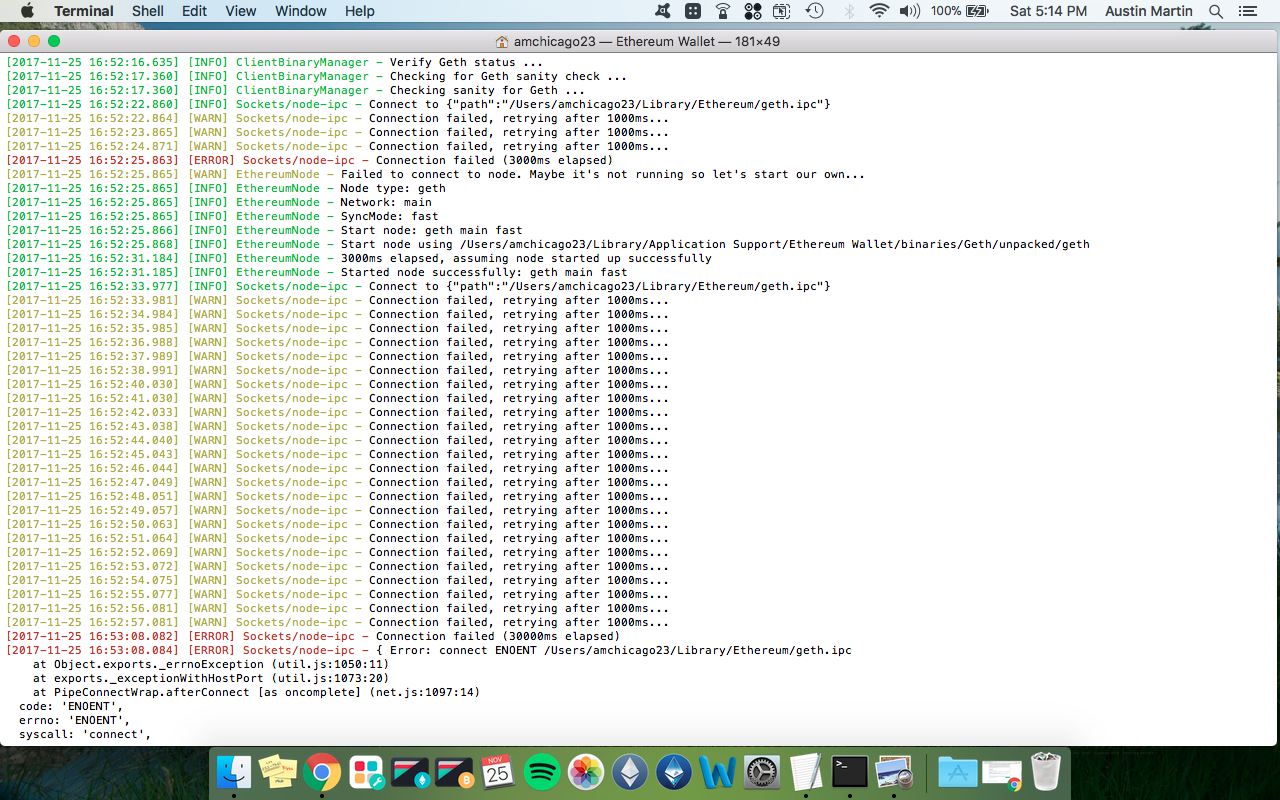
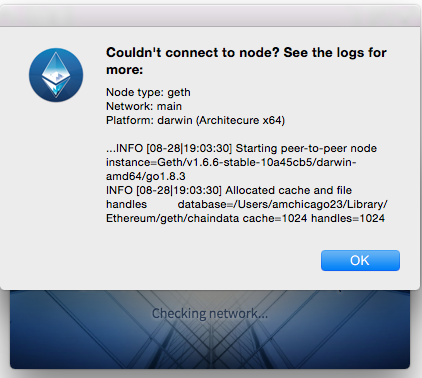
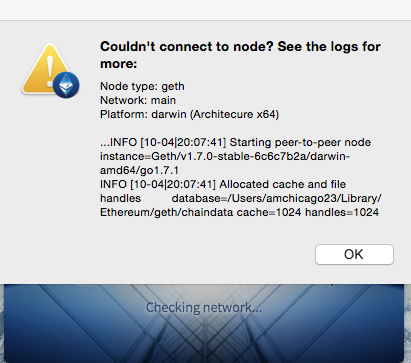
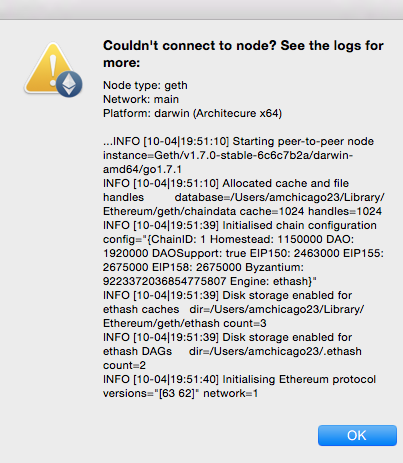
Now I keep getting these errors and I am no longer able to open the wallet at all. Someone please help me figure this out as it has been months and I can't find an answer on what to do. I am using a Mac and have screenshots attached. I literally just want to be able to access my wallet so I can send my ETH back to my Ledger Nano S. I have attached screenshots of the issue and also the terminal code when I run my Ethereum Wallet. PLEASE HELP!
"Node type: geth
Network: main
Platform: darwin (Architecure x64)
...INFO [10-12|16:07:17] Starting peer-to-peer node instance=Geth/v1.7.0-stable-6c6c7b2a/darwin-amd64/go1.7.1
INFO [10-12|16:07:17] Allocated cache and file handles database=/Users/amchicago23/Library/Ethereum/geth/chaindata cache=1024 handles=1024"
 AMart1901
All 18 comments
Your version of Geth is out of date. 1.7.2 is in 0.9.2 upgrade your wallet after doing a back up if you can
 0-0-0-
on 26 Nov 2017
0-0-0-
on 26 Nov 2017
I have already installed the latest version of the Ethereum Wallet. How do I update the geth version?
AMart1901
on 28 Nov 2017
If you have 0.9.3 installed then the version of Geth should be updated as well. You did not specify which version. 1.7.0 is not the latest version. So check that you have 0.9.3 the pre release and that should update the Geth version as well. (they are bundled) If you are running 0.9.2 then you should be on 1.7.2
0-0-0-
on 28 Nov 2017
If you need to access your wallet you can use my ether wallet and your backup to move your eth somewhere until you get your wallet sorted out. Alternatively, you could use Meta Mask or Parity instead of Mist.
0-0-0-
on 28 Nov 2017
I believe the only way I can access it is to actually get the Ethereum Wallet up and running because I never did a backup as I was new to crypto back then. It is the updated version that was just an old picture.
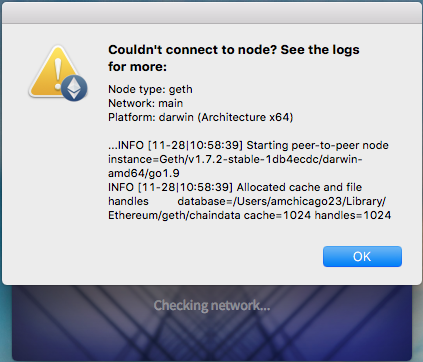
And I don't know what you mean by using Meta Mask instead of Mist. Do I need to run Mist simultaneously with the Ethereum Wallet for it to work or something?
AMart1901
on 28 Nov 2017
Try navigating to the APPLICATIONS FOLDER and then SHOW PACKAGE CONTENTS on the MIST APP or find the ''path'' string to the app data folder and try and grab a copy of the wallet(s) manually. If you know what I mean. You should be able to look into the application data folder and grab a copy of the wallet. ~Meta Mask is just another wallet like Parity. It runs in the browser. My thought was if you got access via My ether wallet you could run the Metamask instance in Chrome on the Mac for the time being. I used to Do a ~Brew Install and then Geth as well at the command line for some reason on the old OS it was a way to get the earlier client of Mist to work.
Something is blocking your ports? Firewall and security settings? Router Settings? Don't be shy to remove this install and start again. The stubs seem to remain and Mist seems to find the earlier copy even if you remove it( unless you remove it at the command line level)Just removing the app and chucking it in the bin does not remove the previous paths or so it seemed to me.
0-0-0-
on 28 Nov 2017
Ya I use Meta Mask all the time I just don't know what you mean by using the Ethereum Wallet through Meta Mask when I cannot even open the Ethereum Wallet. And ya I have removed and redownloaded EW and Mist multiple times. Trying to navigate Mist packages so here are a couple screenshots. Can't find anything relating to 'app data folder'.
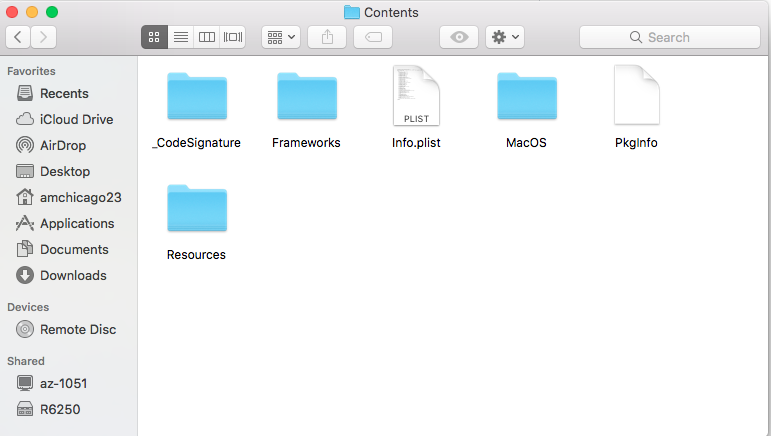
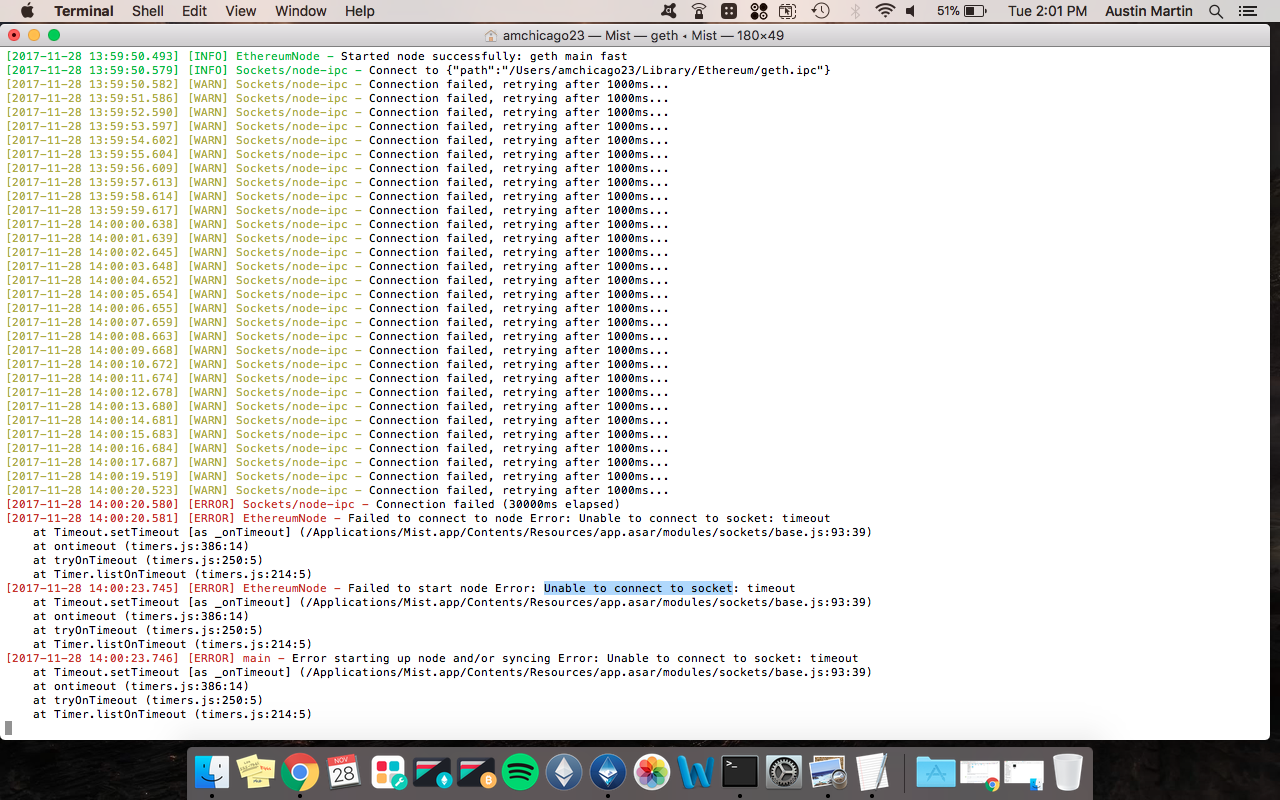
Not sure where to go from here but I will run the code to see if it is a little more specific for Mist. I will post that below. Thanks for all the help.
AMart1901
on 28 Nov 2017
I wonder if you somehow have another instance that is reserving the sockets you referenced the Process ID but nothing was showing on those ports. I would be tempted to run the Brew package and then Tap another verson of GETH. I had an issue before and running that framework seemed to allow the Mist package to run successfully. This was a while ago, but even now I run Brew on my Mac and Geth if it connects and runs successfully I quit the command line client and restart Mist
and it seems to work 0.9.3 crashes a bit with 10.13.1 but thats the price we pay for the pre release versions. What I hoped was you could find the wallet files and use MYETHERWALLET to access your Eth and send them to Metamask for the time being, not being able to get the program to run or find the PATH to the wallet and APP data is a problem. I am sorry I am not much help.
I have fought some battles with the Mac and `Ethereum. Look into downloading ~Brew at the command line and then GETH if it can install and run then that means the sockets you need are there and functioning. You cant run Mist and Geth at the same time but its mostly to validate the ports are active and functioning. If Geth runs then you quit the client and start Mist and cross your fingers. Please tell me you are not using WHOLE DISK ENCRYPTION ie file vault on your Mac
0-0-0-
on 28 Nov 2017
I am honestly an amateur when it comes to the actual code and terminal interactions. Don't know anything about Brew package or how to implement that, tap another version of Geth, etc. If you could help me step by step I would be willing to send some of my ETH if we are able to solve the issue. And all the things you are referencing is that all in the terminal? Because I am not able to open the Ethereum Wallet or Mist app as they both give me the couldn't connect to node issue before anything finishes opening. And is geth a part of the Ethereum Wallet? I don't know anything about geth or how it functions.
AMart1901
on 28 Nov 2017
You and I both. Hang on and I'll find a link, this may or may not help but it helped me in the past.
https://brew.sh/
/usr/bin/ruby -e "$(curl -fsSL https://raw.githubusercontent.com/Homebrew/install/master/install)"
or this tutorial https://ethereum.org/cli
Geth
Logo for Go
The Go implementation is called Geth. Geth has been audited for security and will be the future basis for the enduser-facing Mist Browser, so if you have experience with web development and are interested in building frontends for dapps, you should experiment with Geth.
INSTALL ON MAC
Install Homebrew and make sure it's up to date:
brew update
brew upgrade
Then use these commands to install ethereum:
brew tap ethereum/ethereum
brew install ethereum
If it installs and starts to synch then you know your ports are available. I would then quit TERMINAL
RESTART YOUR MIST and see what happens
0-0-0-
on 28 Nov 2017
1) search your computer starting with UTC ,,, all json files start with UTC ...
once you find the file ... just go to myetherwallet.com ... click send ether/tokens ... then select the JSON file tab ... choose the file from your computer ... then enter your pasword that you created when you originally downloaded the wallet
you should then be able to send your tokens to any address you want ....
0xa7d987308fef06dd9fa67a8b8ba0b9eaae54c6e6
Feel free to send some eth :) ... Good luck
 rivaderci88
on 28 Nov 2017
rivaderci88
on 28 Nov 2017
@rivaderci88 I tried this and found two files both of which were created recently and much later than my original transfer to my Ethereum Wallet address (https://etherscan.io/tx/0x9c2e6686a652eda54740e9d6dd4563188e4af1bb82608de13288386e338c7cb2). I opened them both on MyEtherWallet and neither of them were the same address from the original Ethereum Wallet transfer and both had no money or transaction history so not sure what those are?
AMart1901
on 28 Nov 2017
shit man ... that's all i got for you ... thats what I did and it worked, I
have no idea what those can be and why they would have no funds in them
On Tue, Nov 28, 2017 at 5:59 PM, Jayhawk1901 notifications@github.com
wrote:
@rivaderci88 https://github.com/rivaderci88 I tried this and found two
files both of which were created recently and much later than my original
transfer to my Ethereum Wallet address (https://etherscan.io/tx/
0x9c2e6686a652eda54740e9d6dd4563188e4af1bb82608de13288386e338c7cb2). I
opened them both on MyEtherWallet and neither of them were the same address
from the original Ethereum Wallet transfer and both had no money or
transaction history so not sure what those are?—
You are receiving this because you were mentioned.
Reply to this email directly, view it on GitHub
https://github.com/ethereum/mist/issues/3329#issuecomment-347693047, or mute
the thread
https://github.com/notifications/unsubscribe-auth/AbFNbrJVTpP5p7XtOeSBwndiRq1cpFonks5s7JBfgaJpZM4QqmrF
.
--
Robert Riva
Financial Advisor
CFA Level 3 Candidate
Morgan Stanley
777 South Flagler Dr
Suite 700
West Palm Beach, FL
33401
Mobile: 561 310 6251
Office: 561 822 4906
Website: https://fa.morganstanley.com/robert.riva
rivaderci88
on 29 Nov 2017
Maybe try a search on the Mac with your address?
0-0-0-
on 29 Nov 2017
Do a search for a folder called Keystore, it should contain your private keys.
I am closing this issue due to inactivity. Please feel free to reopen should you still have some considerations about it.
 alexvandesande
on 23 Jan 2018
alexvandesande
on 23 Jan 2018
I met the same problems with you, how do you solve it?
 hxchen
on 12 Apr 2018
hxchen
on 12 Apr 2018
Make sure you have a back up is the first thing. Better yet have two. I wound up doing a clean install of the 10.9.2 and using the light synch option. Avoid 0.9.3 for now with Sierra, its very buggy.
Use the previous version with the light synch option and it will eventually peer..it may take a bit of time.
I still get random freezing and crashing but on the whole its been more stable with the light synch and sierra. If you are stuck and have a back up you can use my etherwallet to access you funds in a pinch
until you get the client up and running. Having a back up is key..Do what Alex says above and get the keystore safe first of all before you do anything else.
0-0-0-
on 12 Apr 2018
I have resolved it.
My problem is I didn't start my geth server with --rpcaddr , the default settings can only be accessed by local
hxchen
on 13 Apr 2018
Related issues
 chanukya246
·
5Comments
chanukya246
·
5Comments
 ivica7
·
6Comments
ivica7
·
6Comments
 ihatecreatingaccounts
·
6Comments
ihatecreatingaccounts
·
6Comments
 ibart7
·
6Comments
ibart7
·
6Comments
 PacketSmuggler
·
3Comments
PacketSmuggler
·
3Comments