Misskey: Cannot sign in from OAuth by using a web browser
💡 Summary
Cannot sign in from OAuth by using a web browser because usernane and password fields were not shown.
🙂 Expected Behavior
I should be able to type my username and password and sign-in.
☹️ Actual Behavior
The web page did not show usernane textfield, password textfield, and sign-in button.
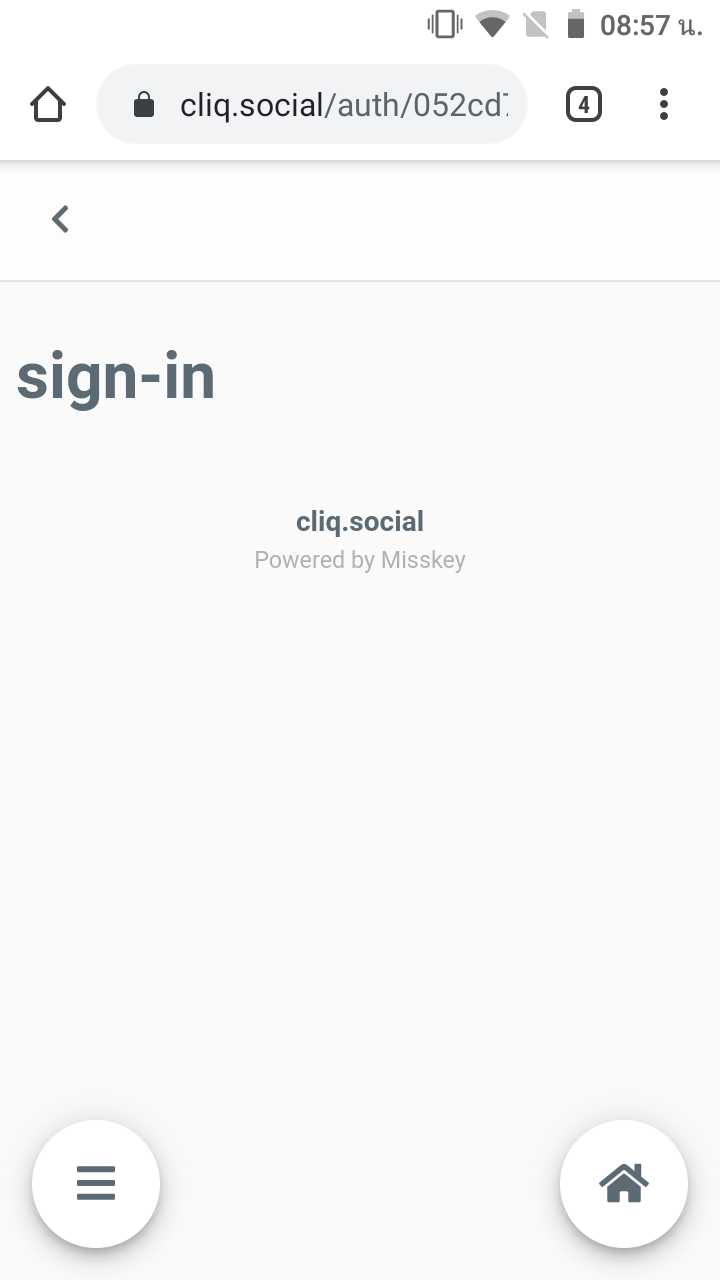
📝 Steps to Reproduce
- Open Subway Tooter
- Add an account
3.Type: cliq.social - Tap OK
📌 Environment
Android (MIUI 11.0.4)
 veer66
👍1
All 2 comments
参考: 既にログインされている場合は問題ないけど、ログインしてない状態でauthページに行くとログイン画面が出てこない
 u1-liquid
on 19 Feb 2020
u1-liquid
on 19 Feb 2020
mk-signin ではなく x-signinにしないと
https://github.com/syuilo/misskey/blob/develop/src/client/components/signin.vue
u1-liquid
on 19 Feb 2020
❤3
Was this page helpful?
0 / 5 - 0 ratings
Related issues
 no-boot-device
·
3Comments
no-boot-device
·
3Comments
 ibrokemypie
·
3Comments
ibrokemypie
·
3Comments
 2vg
·
3Comments
2vg
·
3Comments
 YuzuRyo61
·
3Comments
ibrokemypie
·
3Comments
YuzuRyo61
·
3Comments
ibrokemypie
·
3Comments
Most helpful comment
https://github.com/syuilo/misskey/blob/f456feb3ffa6acb043198664bcb44237c0519fc1/src/client/pages/auth.vue#L29
mk-signin ではなく x-signinにしないと
https://github.com/syuilo/misskey/blob/develop/src/client/components/signin.vue