Minimal-mistakes: How to add custom icons for author links
- [x] This is a question about using the theme.
- [ x] I am using the latest version of the theme.
- [x ] I have updated all gems with
bundle update. - [x ] I have tested locally with
bundle exec jekyll build.
Environment informations
- Minimal Mistakes version: latest
- Jekyll version:
- GitHub Pages hosted: yes
- Operating system: MacOS
Expected behavior
I'd like to add my custom icon to a custom link in the author-profile-custom-links
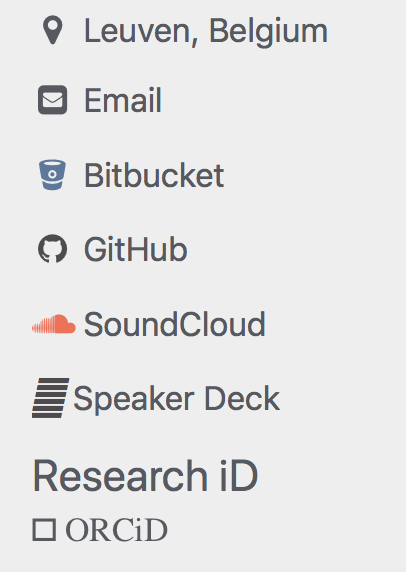
In my old website (written in html5), I was able to add that icon (ORCiD is the iD icon here below) but here it seems to be a bit more complicated and I don't really know where to add such an icon. I have the icon files and everything required to see it online (see attached screenshot).

Anyone willing to help please? And how do you keep the correct font?
 arainot
All 21 comments
To add a new link you’ll need three things:
- Destination URL
- Font Awesome icon (
fa-class)- Label for the link
https://mmistakes.github.io/minimal-mistakes/docs/layouts/#author-profile
 mmistakes
on 13 Feb 2018
mmistakes
on 13 Feb 2018
@mmistakes Thanks I've read this from your website already but I would like to add my own icon, one that is not in font awesome. Is that possible?
arainot
on 13 Feb 2018
Anything is possible if you know HTML and CSS.
mmistakes
on 13 Feb 2018
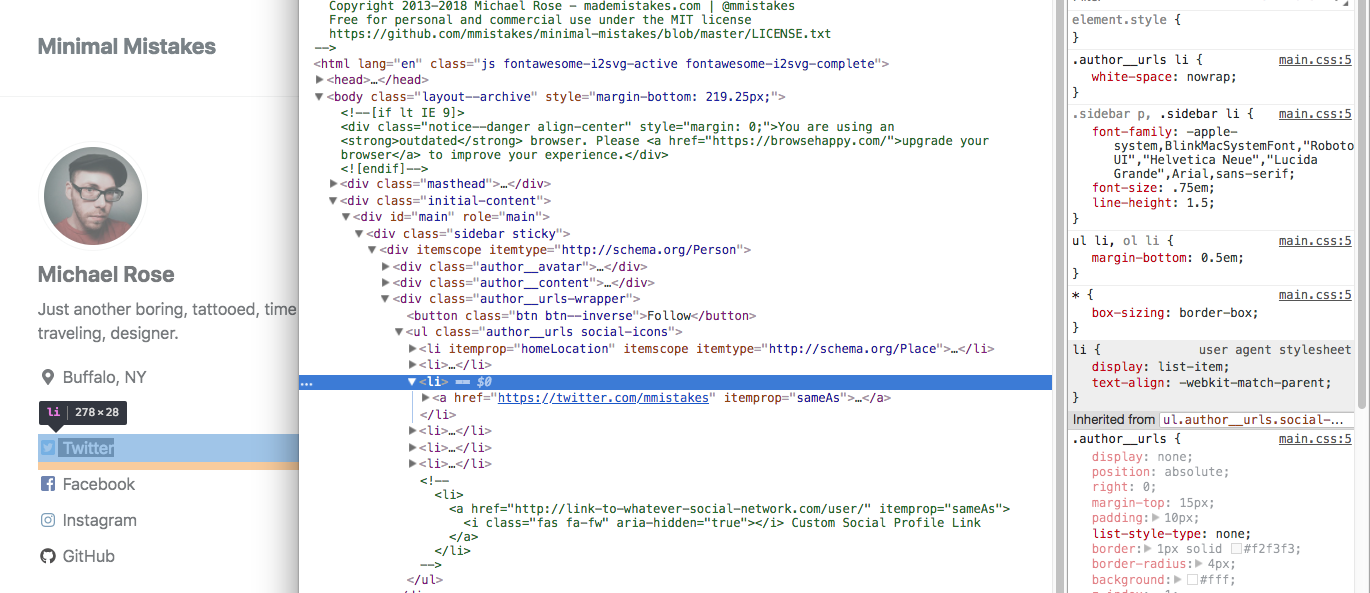
Inspecting elements with your browser's web developer tools is the way to go. It'll tell you all the CSS you'll need to apply to match the styling.
You'll probably need to add some custom CSS too to fine tune things.
mmistakes
on 13 Feb 2018
mmistakes
on 13 Feb 2018
Also, if you mimic the same HTML markup used for the other icons it'll pick up the correct styling and fix the font issue. I'm guessing you didn't drop it into an <li> element like the others.
Or because you're outside of the other author links unordered list or adding the resource heading it doesn't have the parent styling or something broke. Hard to tell without seeing your actual HTML.
And since FontAwesome injects their icons as SVGs, if you put yours in as an inline SVG and apply the same classes they do, it should "just work". I say should because I have no clue how your SVG's are built or marked-up, so they are a bit of a wild card.
<li>
  <a href="https://whatever.com">
    <svg class="svg-inline--fa fa-w-14 fa-fw" aria-hidden="true" role="img" xmlns="http://www.w3.org/2000/svg" viewBox="0 0 448 512">
      ... <!-- svg paths and stuff -->
    </svg> Whatever
  </a>
</li>
@mmistakes Using the inline SVG method worked! Thanks a lot!
arainot
on 14 Feb 2018
If I want to use Fork Awesome (https://forkawesome.github.io/Fork-Awesome/get-started/), could you give me a hint which file I would have to edit to use different CDN from standard Font Awesome?
 Sciss
on 26 Mar 2018
mmistakes
on 26 Mar 2018
Sciss
on 26 Mar 2018
mmistakes
on 26 Mar 2018
@mmistakes thank you Michael; I commented this script out and instead added the link-rel to head/custom.hml, but somehow the icons don't load. Now I also tried adding the css and fonts folders from fork-awesome directly to assets, same problem:

(to test: https://www.sciss.de/ )
the css looks correct: https://www.sciss.de/assets/css/fork-awesome.min.css
and the relative font URL also resolves: https://www.sciss.de/assets/fonts/forkawesome-webfont.eot
Any idea?
Sciss
on 26 Mar 2018
So this is caused by using css classes fab and fas instead of fa. They have probably something to do with the colours? But also seem to constrain the icon size wrongly. I change now to fa. What's the reason for using fab and fas?
Sciss
on 26 Mar 2018
@Sciss Have a look at Font Awesome's documentation. They changed things in version 5 and added the new fab and fas classes. They have to do with different versions of the icons... solid... brand... regular... etc.
What's the reasons behind switching to font Fork Awesome?
mmistakes
on 26 Mar 2018
Thanks for the link. The reason is the upstream project decided not to add any more icons, which I think is a real crap. All the open source social media platforms such as Mastodon, Diaspora, Friendica are not represented and pull requests not accepted. The fork brings all these icons.
Sciss
on 26 Mar 2018
Sorry to comment on a closed issue, but I don't see a good reason to submit a new one.
@Sciss brought a really good argument regarding the possibility to use Fork Awesome instead of Font Awesome. I was trying to do it by hand, but it's like doing a full fork of minimal mistakes.
These are the files that need to be modified to adapt the class and icon name:
_includes/toc
_includes/tag-list.html
comments-providers/staticman_v2.html
comments-providers/staticman.html
_includes/category-list.html
_includes/archive-single.html
_includes/author-profile-custom-links.html
_includes/footer.html
_includes/social-share.html
_includes/comments.html
_includes/author-profile.html
_layouts/single.html
It may be incomplete or not completely correct (I've done just a grep on the files)
So far I've included the scripts.html in my _includes and updated adding the Fork Awesome fonts
  <script src="{{ '/assets/js/main.min.js' | relative_url }}"></script>
  <link rel="stylesheet" href="https://cdn.jsdelivr.net/npm/[email protected]/css/fork-awesome.min.css" integrity="sha256-gsmEoJAws/Kd3CjuOQzLie5Q3yshhvmo7YNtBG7aaEY=" crossorigin="anonymous">
  <script src="https://kit.fontawesome.com/4eee35f757.js"></script>
I think it would be possible to adapt this with a couple of if and add a configuration option in the _config.yml
So that people can choose between one or the other.
Do you want I try to implement it? Will you accept a PR?
Thanks and sorry again for commenting on this old issue.
 antenore
on 19 Nov 2019
antenore
on 19 Nov 2019
@antenore As you noted above, there's a lot of includes that I'd have to manage conditionals for to swap out font names between the two libraries. That's going to add complexity to the theme that I'm not comfortable introducing.
mmistakes
on 19 Nov 2019
Also, all of the fonts @Sciss mentioned above are all included in Font Awesome now (with the exception of Friendica). So it does appear they are merging in new icons as they become available.
mmistakes
on 19 Nov 2019
I understand. I'll think about a solution, for me it's more a philosophical matter :-P
antenore
on 19 Nov 2019
I get it. It's hard balancing for those who want to set it and forget it using the theme's sensible defaults, and then those that want to rip out every 3rd party service and replace with something else.
mmistakes
on 19 Nov 2019
@mmistakes @Sciss it's much easier than I thought.
The Fork Awesome project added a compatibility layer with font awesome, so it's enough to remove the Font Awesome link in the scripts.html, and add the two Awesome Fork css in the the _includes/head/custom.html
diff --git a/_includes/head/custom.html b/_includes/head/custom.html
index 4a14faf..334c018 100644
--- a/_includes/head/custom.html
+++ b/_includes/head/custom.html
@@ -1,5 +1,8 @@
 <!-- start custom head snippets -->

+<link rel="stylesheet" href="https://cdn.jsdelivr.net/npm/[email protected]/css/fork-awesome.min.css" integrity="sha256-gsmEoJAws/Kd3CjuOQzLie5Q3yshhvmo7YNtBG7aaEY=" crossorigin="anonymous">
+<link rel="stylesheet" href="https://cdn.jsdelivr.net/npm/[email protected]/css/v5-compat.css" integrity="sha256-RvCQAdteSSbFMVisNWyJpd/B2NpoK+TD1mYnPhr0Wh0=" crossorigin="anonymous">
+
 <!-- Apply specific styles at elements containing a specific text -->
 <script type="text/javascript" >
     window.onload = function () {
That's all.
antenore
on 19 Nov 2019
@antenore you don't even have to go as far as overriding any of the theme's _includes which makes updating easier.
The theme has a couple of hooks you can add an array of scripts to in your _config.yml and it will inject them instead of what's currently there.
For <head> scripts you add this to _config.yml
head_scripts:
  - "https://cdn.jsdelivr.net/npm/[email protected]/css/fork-awesome.min.css"
  - "https://cdn.jsdelivr.net/npm/[email protected]/css/v5-compat.css"
Then for scripts added before the footer you'd add the following. This will deactivate all footer scripts including FontAwesome. So you just need to add back in main.min.js since that has all of the theme's scripts that handle smooth scroll, jQuery, and other things.
footer_scripts:
  - /assets/js/main.min.js
Thanks @mmistakes I'm having some hard time with this but it's the best solution finally, I forgot about these hooks.
Thanks!
antenore
on 21 Nov 2019
Related issues
 lgyjg
·
5Comments
lgyjg
·
5Comments
 justinrummel
·
3Comments
justinrummel
·
3Comments
 adinriv
·
3Comments
adinriv
·
3Comments
 asarkar
·
4Comments
asarkar
·
4Comments
 r614
·
3Comments
r614
·
3Comments