Minikube: Doc: Add documentation for security whitelist for VMWare Fusion 11 on mac
On a fresh install of Vmware Fusion 11 Minikube, and Docker-machine vms will fail to start.
This is due to mac blocking starts
The exact command to reproduce the issue:
minikube start -p aaa --vm-driver=vmware -v 10
The full output of the command that failed:
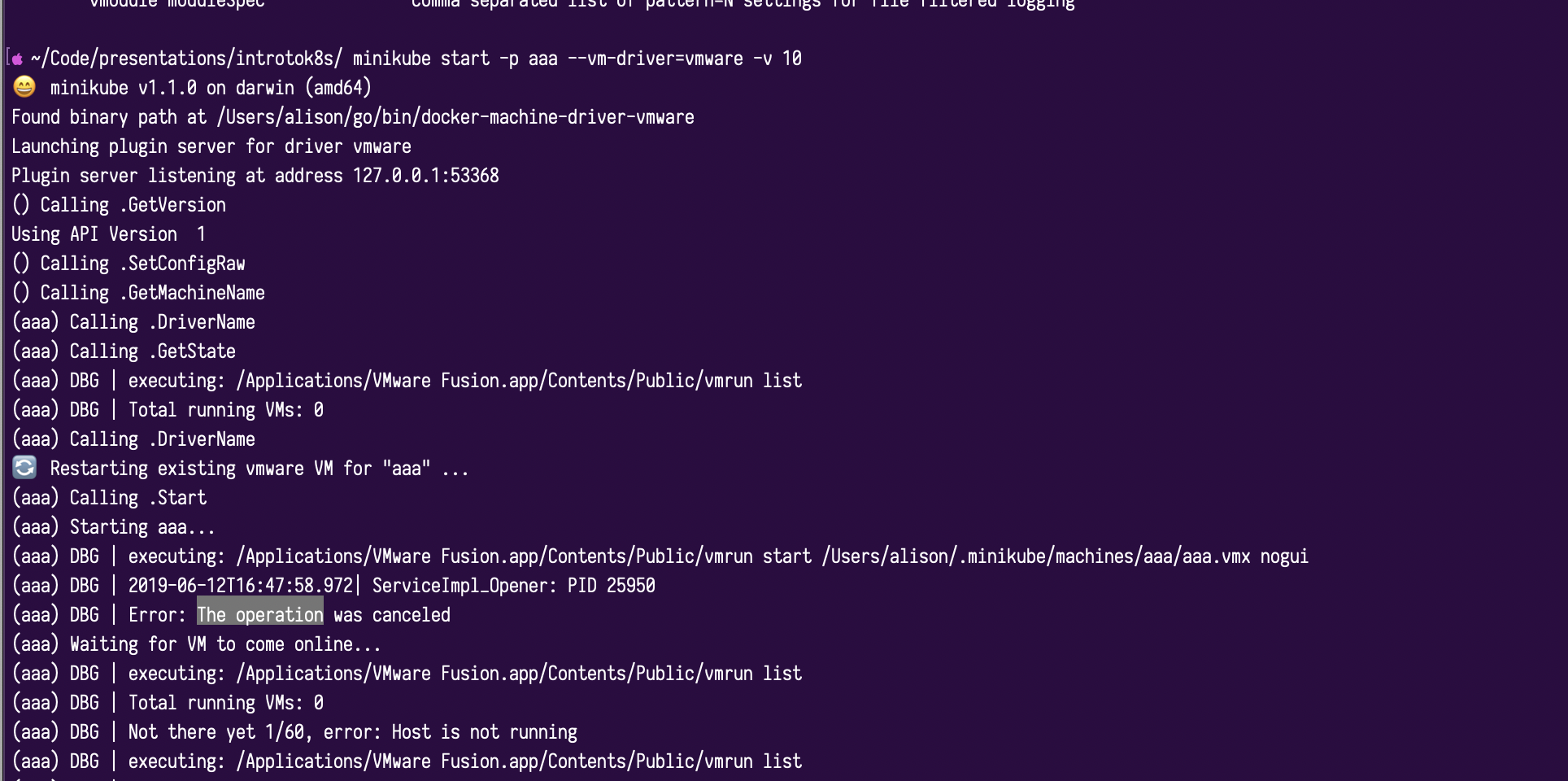
The output of the minikube logs command:
n/a
The operating system version:
Mojave 10.14.4
The Fix
Security & Privacy
Clicking allow, if a is blocked from opening prompt is displayed.
If this prompt isn't displayed, create a vm using fusion, and it should fail on vmmon kernel driver not being loaded.
Then navigate to security & privacy under mac preferences, and there should be a prompt to give vmware fusion more access
Action
Document this under https://github.com/kubernetes/minikube/blob/master/docs/drivers.md#vmware-unified-driver
I would do this but I'm pressed for time at this current moment.
 alisondy
All 5 comments
Great finding! Thank you for taking the time to create this issue. we will definitely update our documentation.
 medyagh
on 15 Jun 2019
medyagh
on 15 Jun 2019
Fusion now has it's own docs page. Do you mind clicking "Edit this page" and adding what you've discovered to the troubleshooting area?
 tstromberg
on 20 Sep 2019
tstromberg
on 20 Sep 2019
Just saw this now, Will see to it
alisondy
on 27 Sep 2019
@alisondy are you still interested to do this ?
medyagh
on 30 Oct 2019
I'm closing this issue as it hasn't seen activity in awhile, and it's unclear if this issue still exists. If this issue does continue to exist in the most recent release of minikube, please feel free to re-open it.
Thank you for opening the issue!
tstromberg
on 17 Dec 2019
Related issues
 cherish3620
·
3Comments
cherish3620
·
3Comments
 tnine
·
3Comments
tnine
·
3Comments
 mdkess
·
3Comments
mdkess
·
3Comments
 kphatak
·
3Comments
kphatak
·
3Comments
 olalonde
·
3Comments
olalonde
·
3Comments