Mini-media-player: Two issues with progress bar
I have found two issues with the progress bar.
During playing the progress bar works just fine but if I switch to another card at the top and back to the mini media player card the progress is frozen but the playback is continuing.
In addition, when I stop the playback the progress bar is keep counting seconds.
 03397
03397
All 28 comments
What media player integration are you seeing this with?
 kalkih
on 4 Apr 2020
kalkih
on 4 Apr 2020
With Sonos.
03397
on 4 Apr 2020
Another issue is If refresh the url at the media player card the icons dissapear.
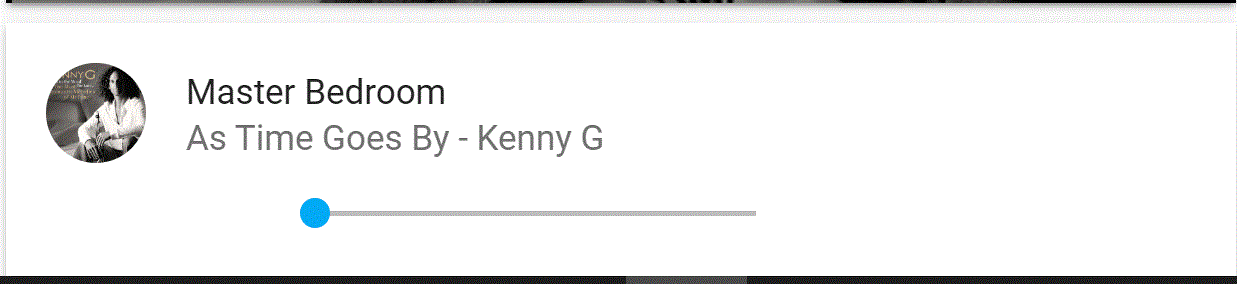
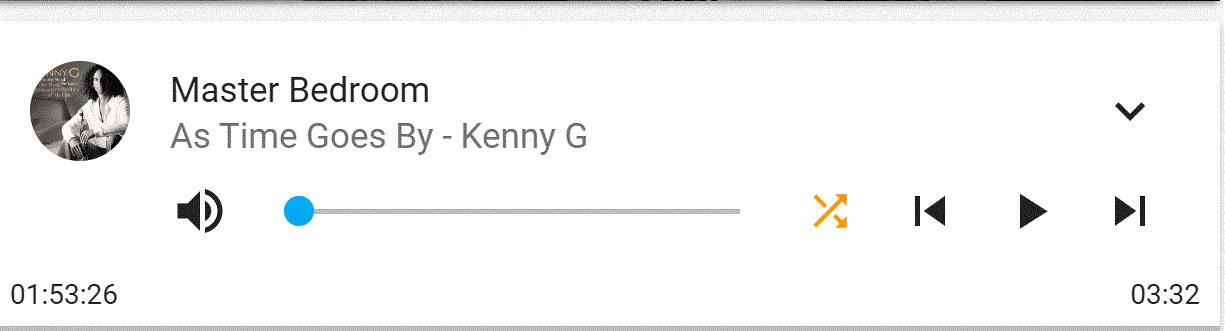
You can see at the pictures also the counter regarding my previous post and the icons missing
03397
on 4 Apr 2020
I am not want to give you more information. I think the issue with the dissapearing icons is created because of vertical stack I am using.
03397
on 5 Apr 2020
Was not able to reproduce the progress tracking continuing after pausing playback, does it always happen?
The freezing after changing tab was easy to reproduce and I will fix that.
kalkih
on 5 Apr 2020
Yes it happens always. Just pause and notice the number of the progress bar. Then if you switch card and come back you will see that the progress bar has moved and the number is not the same.
So if you pause for two hours the progress bar will be moved two hours ahead.
I am using vertical stack and the progress bar is at the second card if this matters.
03397
on 5 Apr 2020
Have you managed to reproduce the disappearing icons issue?
This should be easy to reproduce too.
03397
on 5 Apr 2020
Yes it happens always. Just pause and notice the number of the progress bar.
No this doesn't happen to me, the progress stops correctly until I unpause again I don't own any Sonos, so not sure if the issue is specific to Sonos.
Have you managed to reproduce the disappearing icons issue?
This should be easy to reproduce too.
No, never seen that happen.
kalkih
on 5 Apr 2020
Have you tried to reproduce it using vertical stack?
Because it does not happen otherwise.
Use my setup. Maybe you can reproduce both issues.
03397
on 5 Apr 2020
Ok, please post your config (inside a code block).
kalkih
on 5 Apr 2020
cards:
  - artwork: full-cover-fit
    entity: media_player.sonos_one
    hide:
      controls: true
      icon: true
      info: true
      name: true
      power: true
      progress: true
      source: true
      volume: true
    type: 'custom:mini-media-player'
  - entity: media_player.sonos_one
    hide:
      info: false
      power: true
      runtime: false
      shuffle: false
    info: scroll
    name: Master Bedroom
    type: 'custom:mini-media-player'
type: vertical-stack
Hello, I've now tried with you config and can't see any of the two issues (disappearing icons or progress continuing after pausing).
The issue regarding progress tracking not working when leaving the tab and coming back has been addressed and will be included in the next release #272
kalkih
on 7 Apr 2020

Do you happen to use any specific theme or plugins in chrome that could cause this?
kalkih
on 7 Apr 2020
The disappearing icons issue have been solved after installing mini media player from HACS.
The issue with the progress bar it still there.
You need to pause, switch to a different card from Home Assistant and then come back.
You will see that the progress bar moved forward since the pause.
I am using Sonos. Do you think this might cause the issue?
03397
on 7 Apr 2020
Okay, great!
If it's just when you're switching between tabs it should be fixed with https://github.com/kalkih/mini-media-player/pull/272 as well 👍
kalkih
on 7 Apr 2020
I also have problem with the progress and runtime:

Without runtime:
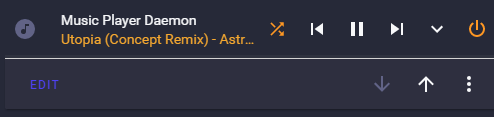
Normal Media Player:

I am using mpd.
entity: media_player.music_player_daemon
group: true
hide:
  power_state: false
  shuffle: false
  volume: true
  progress: false
  runtime: false
icon: 'mdi:music-circle'
info: short
source: icon
type: 'custom:mini-media-player'
 PD75
on 8 Apr 2020
PD75
on 8 Apr 2020
I can say I experience something related?
At the beginning it's fine for few seconds, but then this starts to happen more and more:
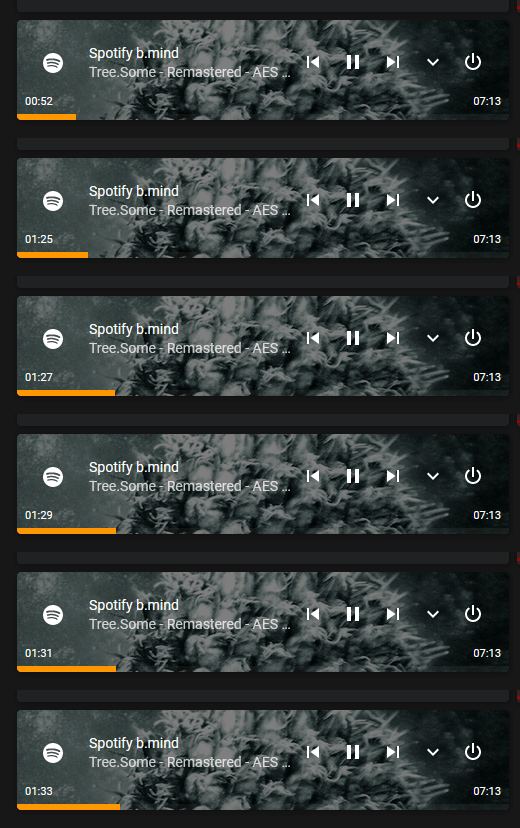
This happened when I sipped ahead in Spotify desktop app:
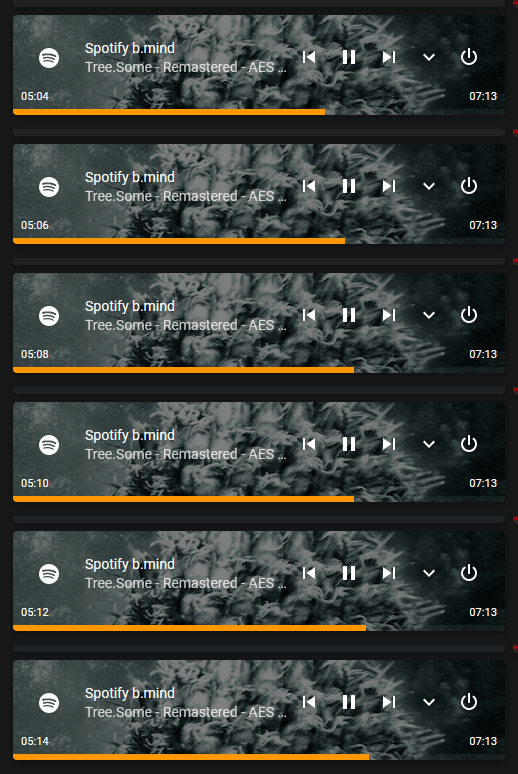
And here you see that current time is kinda longer than the song itself ;)
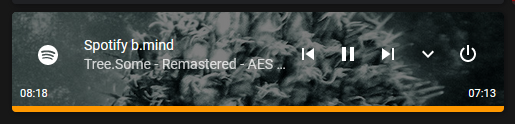
My config:
entity: media_player.spotify
type: 'custom:mini-media-player'
artwork: cover
source: icon
hide:
  volume: true
  runtime: false
style: |
  ha-card {
    height: 100px;
  }
  ha-card .mmp-player {
    margin: auto 0;
  }
 mwasowski
on 16 Apr 2020
mwasowski
on 16 Apr 2020
I have upgraded to version 1.8.0.
Problem with the status bar still there .
After pause counter and bar keeps counting.
03397
on 17 May 2020
Same here. The bar skips like in my previous gifs and counts past song length.
mwasowski
on 17 May 2020
@03397
You need to pause, switch to a different card from Home Assistant and then come back.
You will see that the progress bar moved forward since the pause.
I am using Sonos. Do you think this might cause the issue?
Is this the issue you're having or does it also happen when just pausing and not switching tabs?
@mwasowski Does the skipping and ticking past the track length occur on the default media control card as well?
kalkih
on 18 May 2020
@kalkih
It seems now you do not need to changes tabs. It changes every time the card refreshes.
But this can happen with either changing tabs, refresh the current tab or wait until the card refreshes by itself.
03397
on 18 May 2020
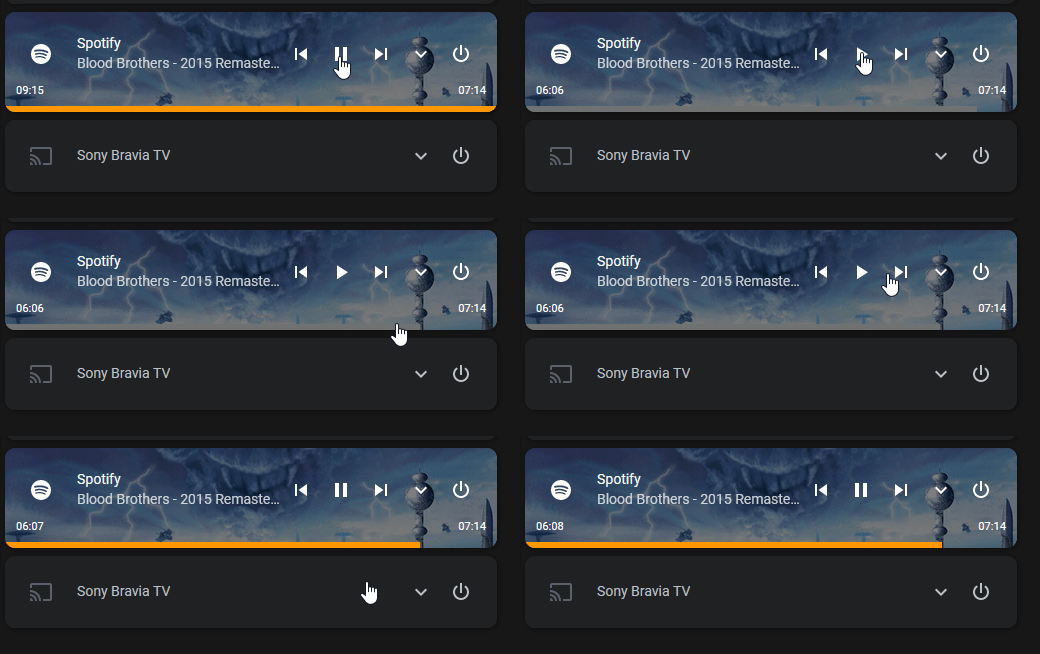
@kalkih Ok, I just added standard media control card for testing and it behaves in a similar way. Maybe it's not skipping back and forth like before, but does skip forward. And definitely not counting the time right. I am suspecting that it's the Spotify integration :( When I pause from the card it pauses playback, but when I pause from Spotify the progress bar and time continues to move :( Also, when I pause the playback with the progress bar and time ahead, it snaps back to correct position:
mwasowski
on 18 May 2020
@mwasowski
Thanks for the details.
Okay, yes I believe I've seen this behaviour as well, I believe it started after the rework of the Spotify component. If the underlying data isn't accurate there's not much I can do about that particular issue unfortunately.
@03397 Ok, what media player component are you using where you see this behaviour?
kalkih
on 18 May 2020
@kalkih
I am using a Sonos Media Player.
03397
on 18 May 2020
@kalkih I was afraid it's not related to the mini-media-player since after your suggestion it bugs out on the default card the same way. I guess it has to be moved upstream if you won't be able to find anything.
mwasowski
on 18 May 2020
Yes you are right, the only thing I could do would be to limit it from going past the length of the media, but that won't help the out of sync issue.
kalkih
on 18 May 2020
@kalkih It might seem like a dumb question but is this the right place to report this?
https://github.com/home-assistant/core
mwasowski
on 18 May 2020
@mwasowski yes, that's the correct place 👍🏼
kalkih
on 18 May 2020
Related issues
 Krocko
·
4Comments
Krocko
·
4Comments
 twistp
·
5Comments
twistp
·
5Comments
 quantummobile
·
3Comments
quantummobile
·
3Comments
 kbrohkahn
·
3Comments
kbrohkahn
·
3Comments
 orickcorreia
·
5Comments
orickcorreia
·
5Comments
Most helpful comment
I have upgraded to version 1.8.0.
Problem with the status bar still there .
After pause counter and bar keeps counting.