Mini-css-extract-plugin: Always extra module errors showing with CSS syntax error
Hi,
I am using mini-css-extract-plugin to create a compiled CSS, but it always showing other module errors with the CSS syntax error.
- Operating System: macOS Mojave
- Node Version: v11.14.0
- NPM Version: 6.9.0
- webpack Version: 4.31.0
- mini-css-extract-plugin Version: 0.6.0
Expected Behavior
error  in ./src/_scss/app.scss
      color: $brand-primar
            ^
      Undefined variable: "$brand-primar".
      in /Users/my-name/Desktop/my-project/src/_scss/_sidebar-form.scss (line 15, column 14)
Actual Behavior
error  in ./src/_scss/app.scss

Module build failed (from ../node_modules/mini-css-extract-plugin/dist/loader.js):
ModuleBuildError: Module build failed (from ../node_modules/sass-loader/lib/loader.js):

      color: $brand-primar
            ^
      Undefined variable: "$brand-primar".
      in /Users/my-name/Desktop/my-project/src/_scss/_sidebar-form.scss (line 15, column 14)
    at runLoaders (/Users/my-name/Desktop/my-project/node_modules/webpack/lib/NormalModule.js:301:20)
    at /Users/my-name/Desktop/my-project/node_modules/loader-runner/lib/LoaderRunner.js:367:11
    at /Users/my-name/Desktop/my-project/node_modules/loader-runner/lib/LoaderRunner.js:233:18
    at context.callback (/Users/my-name/Desktop/my-project/node_modules/loader-runner/lib/LoaderRunner.js:111:13)
    at Object.render [as callback] (/Users/my-name/Desktop/my-project/node_modules/sass-loader/lib/loader.js:52:13)
    at Object.done [as callback] (/Users/my-name/Desktop/my-project/node_modules/neo-async/async.js:8077:18)
    at options.error (/Users/my-name/Desktop/my-project/node_modules/node-sass/lib/index.js:294:32)
my setup:
All the dependencies are the latest one.
webpack-config.js
module: {
    rules: [
        {
            test: /\.(s*)css$/,
            exclude: /(node_modules|bower_components)/,
            use: [
                MiniCssExtractPlugin.loader,
                {
                    loader: 'css-loader',
                    options: {
                        url: false,
                        sourceMap: true,
                        importLoaders: 2,
                  }
                },
                {
                    loader: 'postcss-loader',
                    options: {
                        sourceMap: true,
                        plugins: () => [
                            require('autoprefixer')
                        ]
                  }
                },
                {
                    loader: 'sass-loader',
                    options: {
                        sourceMap: true
                    }
                },
            ]
        }
    ]
},
In short, it should only have these few lines to show on the console, but right now all showing the module tracing errors.
Any helps? Thanks!
 weilinzung
All 7 comments
No related to plugin, problem in your scss code, read the error
 alexander-akait
on 17 May 2019
alexander-akait
on 17 May 2019
@evilebottnawi I know it is the SCSS code has a syntax error, but why also showing the module warning errors?
app.scss
@import 'variables';

@import '~bootstrap-sass/assets/stylesheets/_bootstrap';

@import 'shared/responsive';
@weilinzung because webpack can't build module
alexander-akait
on 17 May 2019
@evilebottnawi Can you clarify a bit more? Those module errors are only showing on when building SCSS to CSS, but I have no problem to build JS that if JS has errors.
weilinzung
on 17 May 2019
same issue

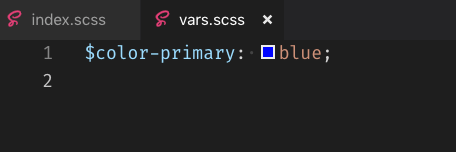

 bowencool
on 20 May 2019
bowencool
on 20 May 2019
Problem solved.
import 'xxx.scss';
@bowencool, it is not about showing and building with syntax errors. It is why also showing “module error “, like your second screenshot 2&3 line, also under (line 5, column 10) should has all the module tracing errors. Showing syntax error it is fine and it should showing, my problem is the error should be clean without the module errors.
weilinzung
on 20 May 2019
Related issues
 mike-marcacci
·
4Comments
mike-marcacci
·
4Comments
 mobilesite
·
4Comments
mobilesite
·
4Comments
 septs
·
3Comments
septs
·
3Comments
 skrobek
·
4Comments
skrobek
·
4Comments
 thescientist13
·
3Comments
thescientist13
·
3Comments