Mingw-packages: jq is missing a dependency on oniguruma
I installed jq, but running it failed with
C:/msys64/mingw64/bin/jq.exe: error while loading shared libraries: libwinpthread-1.dll: cannot open shared object file: No such file or directory
Double-clicking from Windows Explorer indicated it was looking for libonig-2.dll. So I installed oniguruma and now it works.
 dgbustos
👍1
All 5 comments
I'd add that installing oniguruma now (at version 6.0.0-1) installed libonig-3.dll, so running jq (1.5-1) fails to run with this error:
jq.exe: error while loading shared libraries: libonig-2.dll: cannot open shared object file: No such file or directory
 vszakats
on 22 Jul 2016
vszakats
on 22 Jul 2016
@vszakats Maybe this is not a best solution but the following works for me
pacman -S mingw-w64-x86_64-jq
pacman -S mingw-w64-x86_64-oniguruma
pacman -D --asdep mingw-w64-x86_64-oniguruma
cp /mingw64/bin/libonig-3.dll /mingw64/bin/libonig-2.dll
 Den-dp
on 23 Jul 2016
Den-dp
on 23 Jul 2016
👍1
Thanks @Den-dp, the cp was enough to make it work in my installation.
vszakats
on 23 Jul 2016
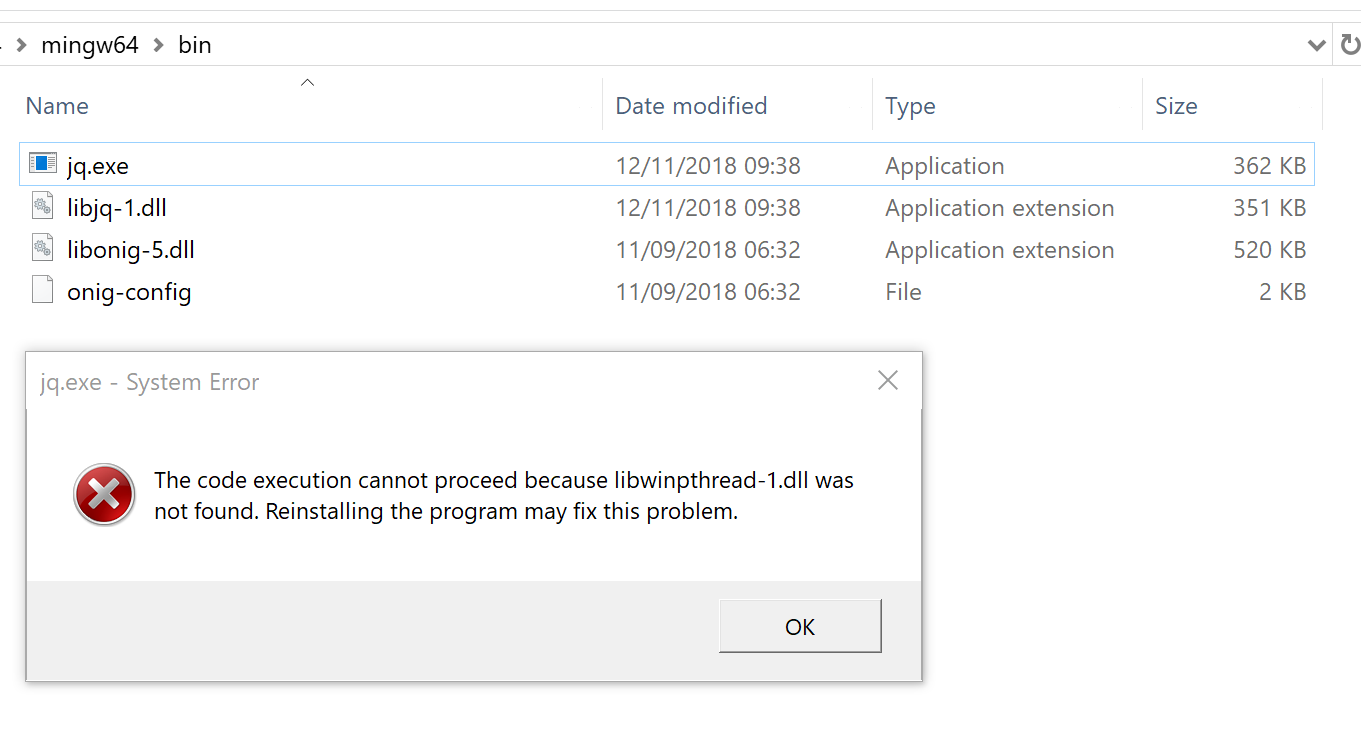
Can this be reopend I think its broken again?
 gertcuykens
on 5 Dec 2018
gertcuykens
on 5 Dec 2018
pacman -S mingw-w64-x86_64-libwinpthread is needed for jq aparently
gertcuykens
on 5 Dec 2018
👍3
Was this page helpful?
0 / 5 - 0 ratings
Related issues
 Ede123
·
7Comments
Ede123
·
7Comments
 kryptan
·
5Comments
kryptan
·
5Comments
 MenaceInc
·
6Comments
MenaceInc
·
6Comments
 gdo
·
8Comments
gdo
·
8Comments
 jagannatharjun
·
3Comments
jagannatharjun
·
3Comments
Most helpful comment
pacman -S mingw-w64-x86_64-libwinpthread is needed for jq aparently