Minetest_game: Water is too transparent
In fact this has bothered me for a while, but I never knew what it was.
Islands don't really look like islands, beaches not like beaches.
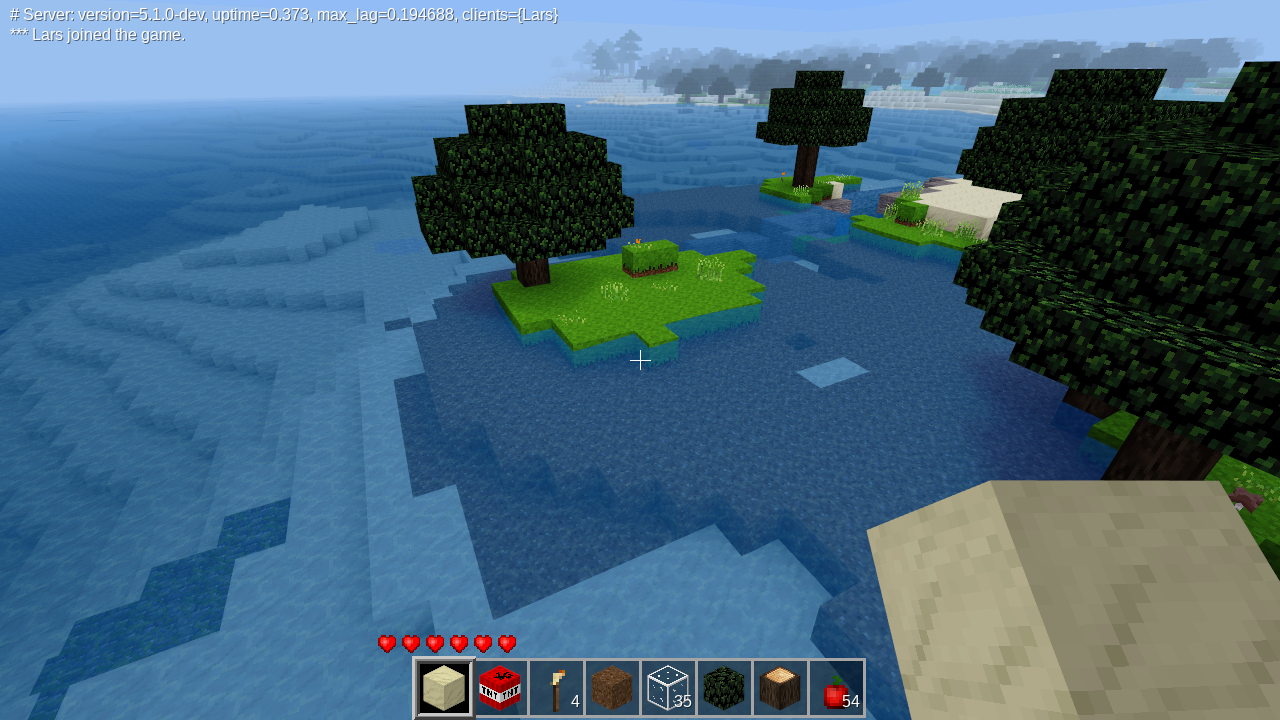
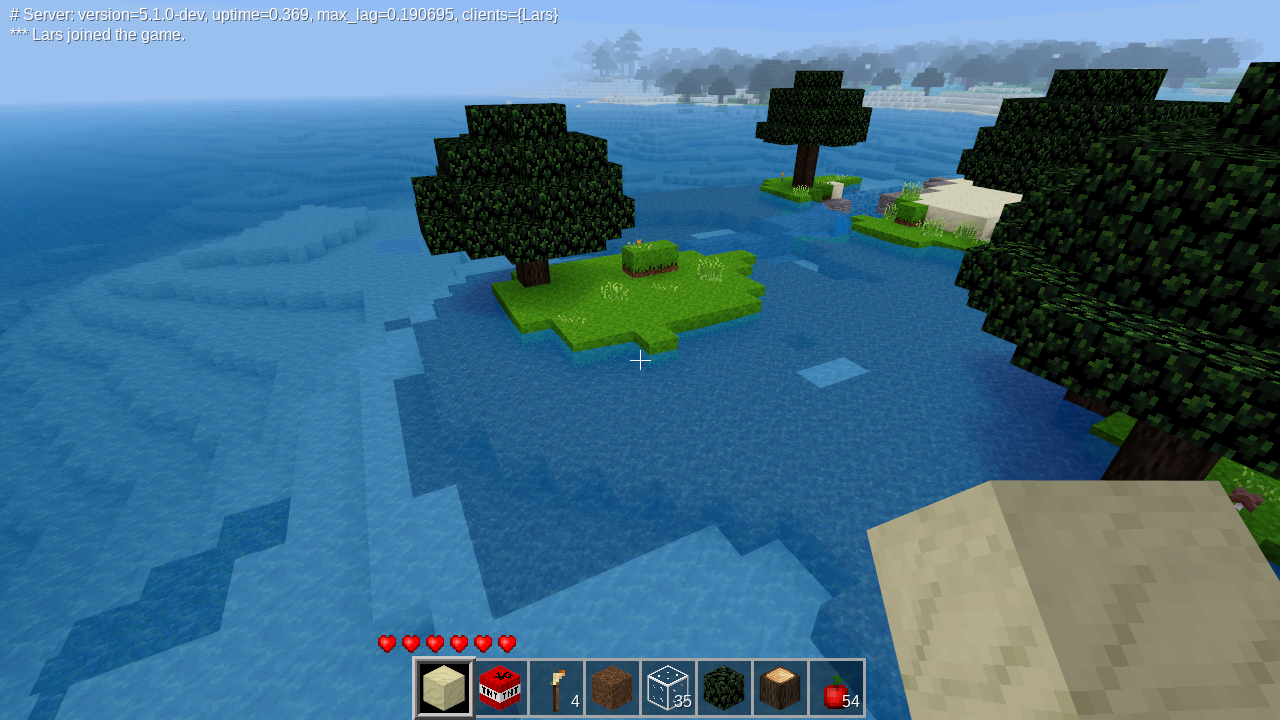
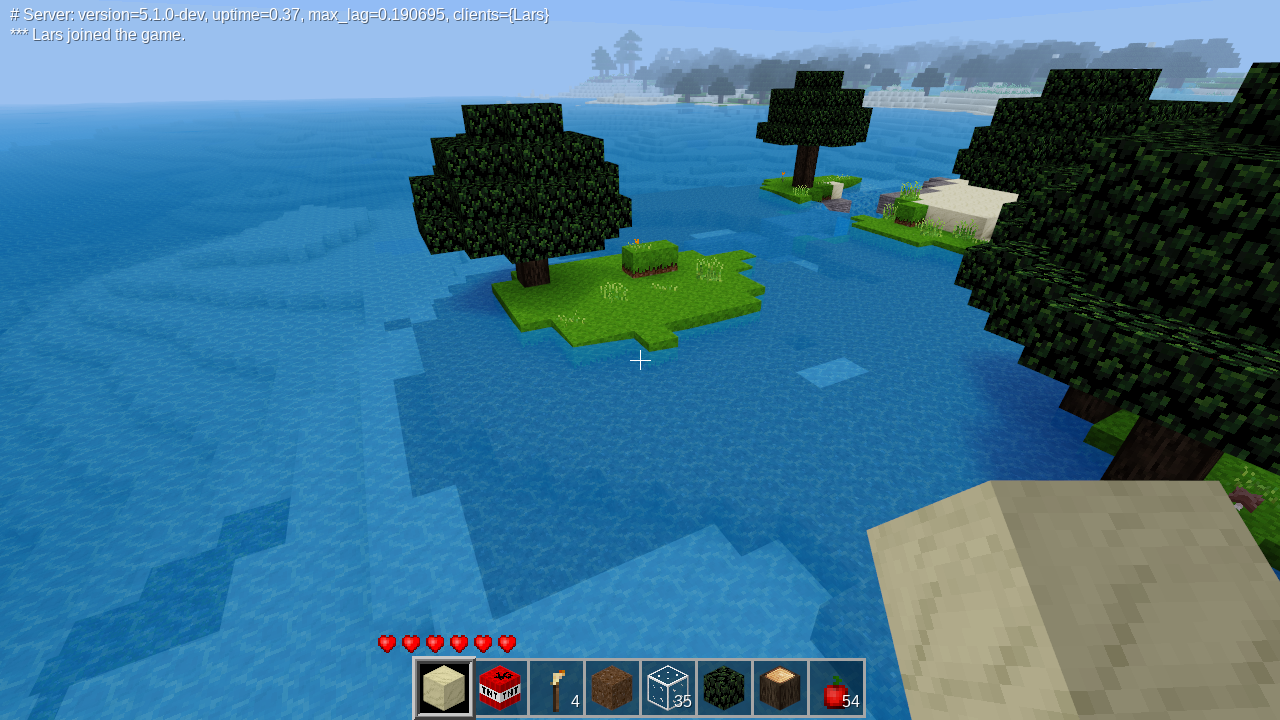
I finally figured that it was the water's transparency. IMHO (and just in IMHO) it looks much better when the transparency is set to 180 or even 200 (from the current 160).
Examples below. Notice how the landscape looks more real when you can see the water better.
160 (current value):
180:
200:
Looking for opinions.
 lhofhansl
All 20 comments
180 seems to be a good compromise so that one can still see objects under water. Even 200 is OK (IMHO(
160:
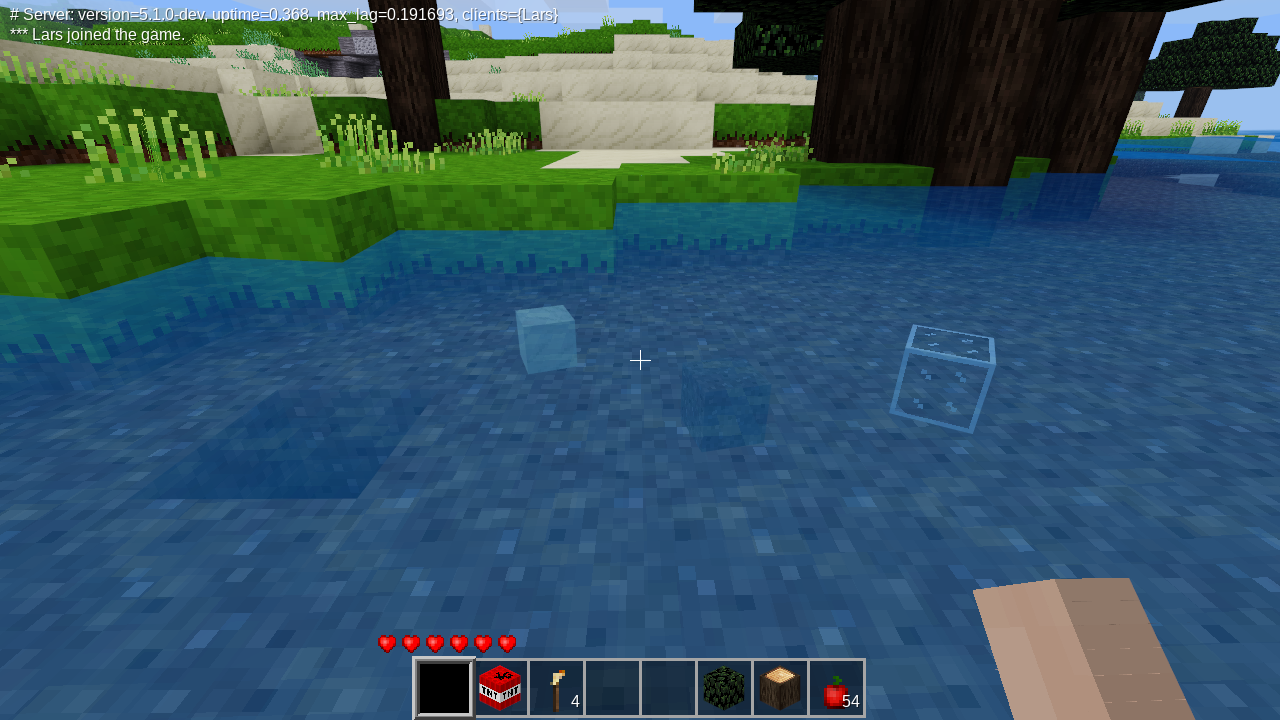
180:
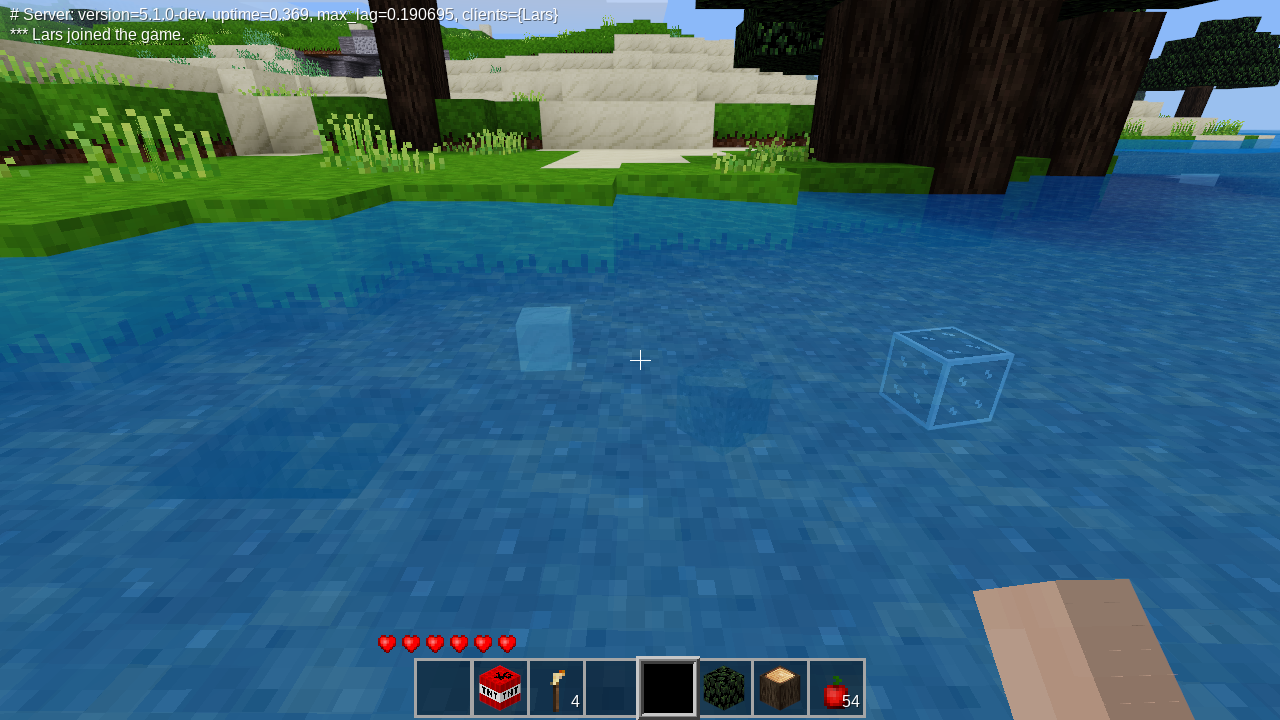
200:
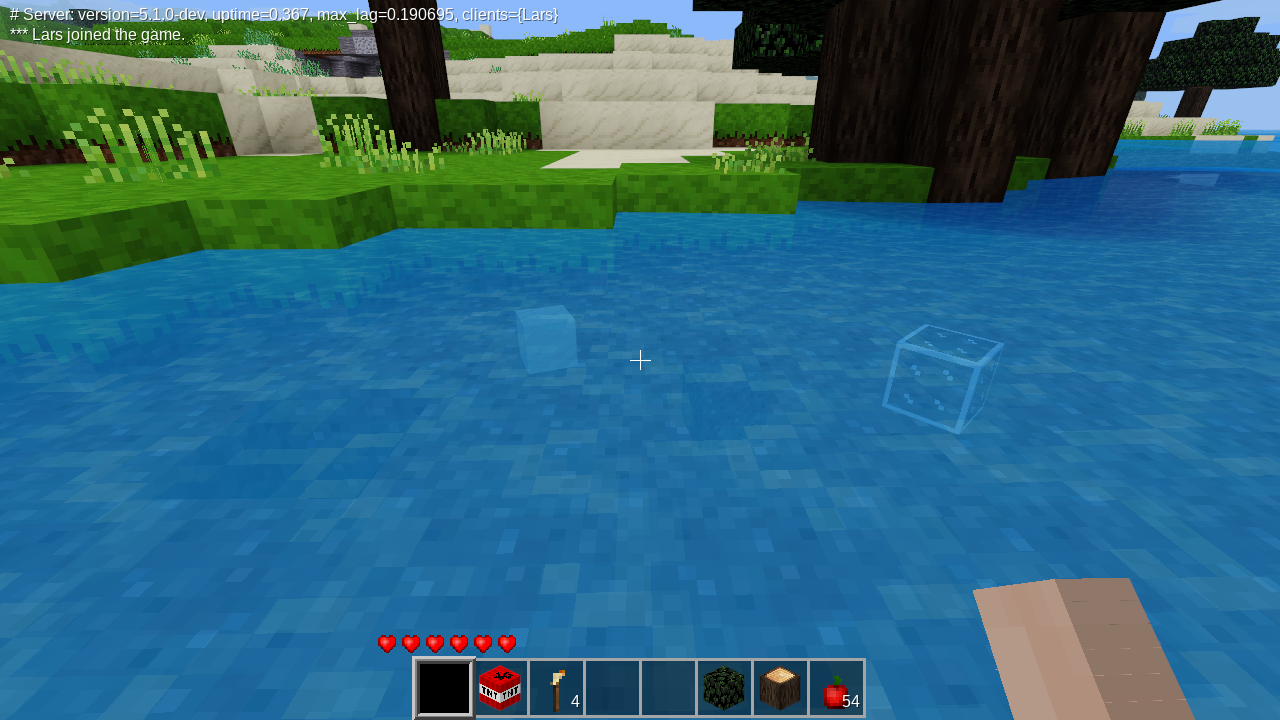
lhofhansl
on 4 Oct 2019
The water would get looked just awesome if it had still reflections on its surface like in this video: https://www.youtube.com/watch?v=uz1douFQcok
 Andrey2470T
on 4 Oct 2019
Andrey2470T
on 4 Oct 2019
@lhofhansl
I've felt the same and made comments on this in HW.
I also prefer underwater to be cloudy enough to look like you are actually "under water", rather than complete clarity as is current.
It is also annoying that when one goes under water at night, everything is suddenly brighter.
 TumeniNodes
on 4 Oct 2019
TumeniNodes
on 4 Oct 2019
The water would get looked just awesome if it had still reflections on its surface like in this video: https://www.youtube.com/watch?v=uz1douFQcok
@Andrey2470T that is completely OT for this discussion .
Yes, we are _all_ aware of kilbith's recent teaser...
TumeniNodes
on 4 Oct 2019
180 is fine by me, however I think the much bigger problem is that you can see through large masses of water as if it were a tinted panel of glass:
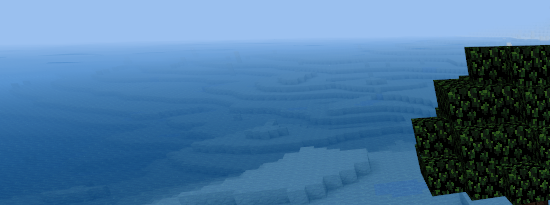
IMO fixing that would even have more benefits than reducing texture transparency.
 sfan5
on 4 Oct 2019
sfan5
on 4 Oct 2019
180 or 200 looks great :+1:
 LoneWolfHT
on 4 Oct 2019
LoneWolfHT
on 4 Oct 2019
@Andrey2470T Agreed, but that's a different topic. We'd need @kilbith to post the code :) (I'd be very much in support as long as it is optional. That's also an engine change, not a game change.)
@sfan5 Agreed. Not sure how we'd that without rendering non-surface water nodes. Possibly we do something in the shader based on the viewing angle (which would actually reflect reality somewhat).
Back to this... The more I look, the more I like 200 as a setting. Simple change, increases immersion immensely (still MHO). If it's hard to agree we could make this configurable, but I'd prefer remove config option rather than adding more. :)
@paramat ?
lhofhansl
on 4 Oct 2019
180 or 200 does look better to me than 160, which i agree looks too clear.
In the 1st set of screenshots 200 looks best, in the 2nd set of screenshots it is possibly a little too opaque, not sure, i will have to test.
How about a number more suitable for a 0-255 range, like 191 (3/4)? This could be a nice balance between 180 and 200. Values like 160, 180, 200 don't make much sense as numbers to choose in a 0-255 range.
I also prefer this is not made configurable.
:+1: for something around 191 to 200.
 paramat
on 4 Oct 2019
paramat
on 4 Oct 2019
We'd need @kilbith to post the code
This is being worked on currently.
 kilbith
on 4 Oct 2019
kilbith
on 4 Oct 2019
@kilbith cool!
@paramat I had exactly the same observation. 200 looks best for a complete scene, whereas 180 seems better when you're looking for something under water. 191 sounds like an excellent compromise I'll test with that.
lhofhansl
on 5 Oct 2019
Will under water visuals be addressed as well, or will that go into another, future PR?
If changing the visuals from above, to me it makes sense to go the full way and address water visuals completely from above and under.
The only thing I am unsure of, is how to change the light levels for underwater.
Changing the clarity and colour underwater is simple... and it can be made configurable via the conf file, which would be a nice option for game creators.
A bit OT but, it would be nice to eventually add options for particles underwater, which would seem to float around under water
TumeniNodes
on 5 Oct 2019
@TumeniNodes I think we should. There're already parameters in MTG:
post_effect_color = {a = 103, r = 30, g = 60, b = 90}
We can tweak those, and/or increase "fog" density underwater.
I think we should initially limit this to simple changes like this one.
Eventually - and I know this is controversial - I'm a super big fan of more photo-realistic rendering at least where it adds to the immersion.
Underwater particles... Like snowdrift? That could be an interesting thing. It's pretty server-expensive, though. It's (relatively) cheap to do things at the surface - shader based fog, waves, reflections, etc. If we have to render the intermediary stuff nodes (like water or air) it's gets quite a bit more expensive.
Then again I work on globe spanning distributed databases for a living and know fairly little about shaders. :)
lhofhansl
on 5 Oct 2019
Here's an example when I a to 203 (instead of 103):
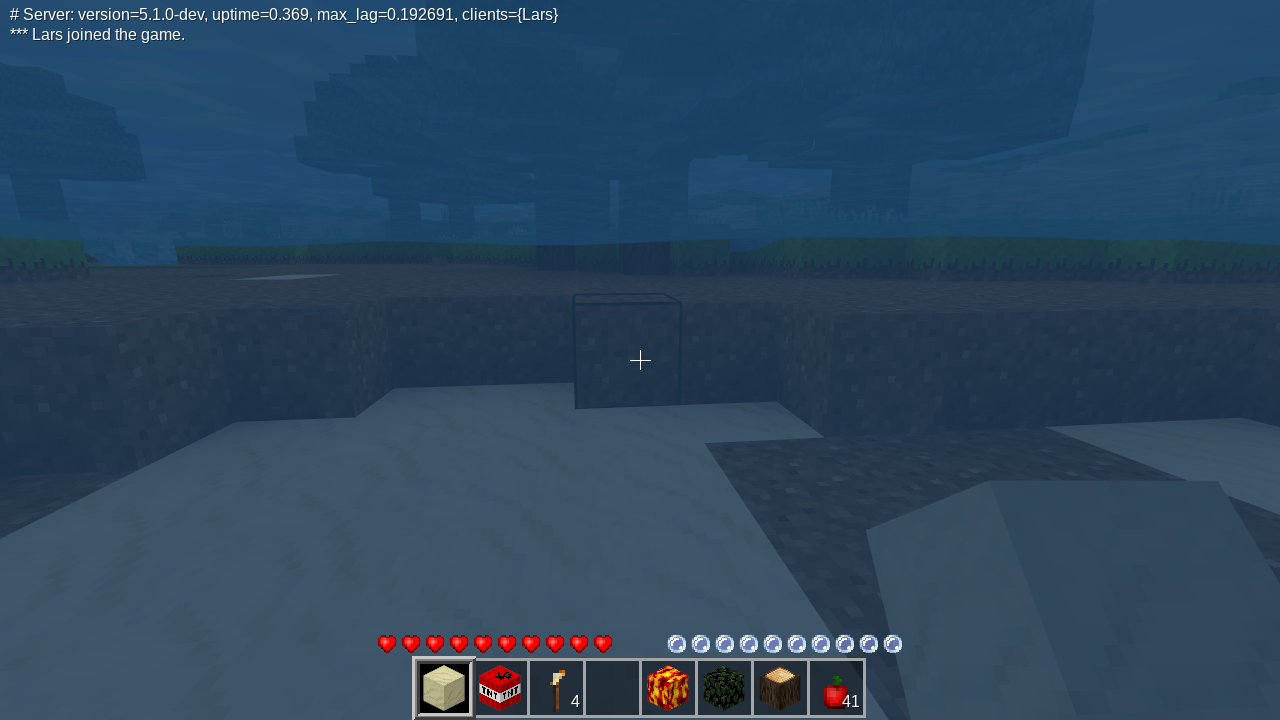
Current:
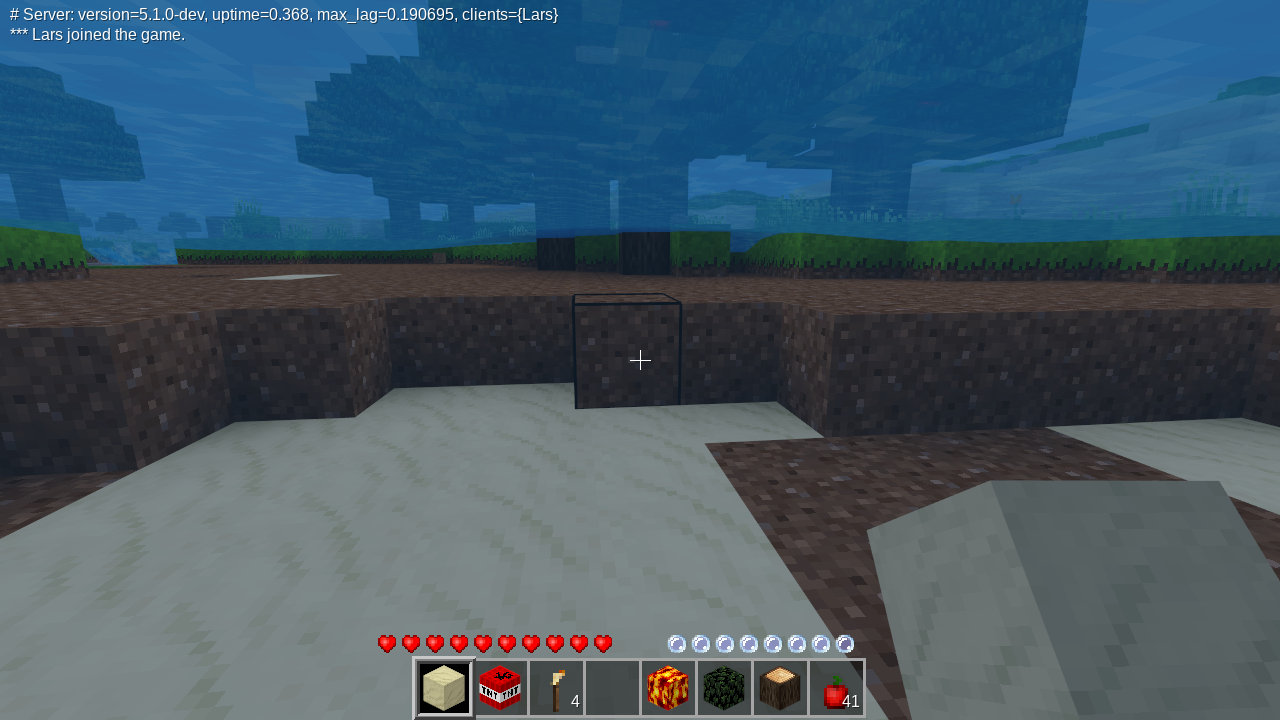
203 is not a good number, just for exploration.
lhofhansl
on 5 Oct 2019
Concerning 'post effect colour': Increasing that is very problematic. It is uniform across the screen so looks increasingly bad at higher values. It is also what makes water so bright at night and in very deep water where light level is low. So it is best to have PEC as low as possible, for just a subtle colour tint, as now. Increasing 'fogginess' is best done in other ways in the engine.
paramat
on 5 Oct 2019
Yeah agree. Let's have a separate discussion for the underwater behavior independent of this one.
Something like the fog-in-clouds stuff that we did! We can change the fog color under water and increase the density.
Also note I'm not suggesting we change the river water. Somehow there it seems ok, although we could of course change it there too.
You guys want a PR for the alpha change for water? This was really just to have a discussion.
lhofhansl
on 5 Oct 2019
Yes please for a PR. I'll +1 and i expect another MTG core dev will too.
paramat
on 5 Oct 2019
Maybe have fog in the water so the deeper it is the foggier it will look
So like normal fog but only within the water blocks
And when within the water too
 Extex101
on 5 Oct 2019
Extex101
on 5 Oct 2019
@Extex101 It's actually not that easy to tell. You can't go by the water height, as there might be caves.
So you'd have to check how many water blocks are above you, even then there might be cave, so you can't tell. Hmmm...
Perhaps we can come with something that takes the light level or the day-night ratio and calculate the fog strength from that.
Lemme file a separate issue for that, then we can discuss.
lhofhansl
on 5 Oct 2019
@sfan5 Actually there are two ways to render the water such that won't appear perfectly transparent.
(1) we can calculate the fresnel-effect, which makes water more reflective at lower angles, and (2) we can draw a depthmap, and calculate the "length" of the water to the floor that way.
(2) is pretty expensive, and (1) won't work until we have the fixed the shaders to do reflections correctly.
lhofhansl
on 15 Oct 2019
Option (2) is overkill and far too intensive to be practical.
paramat
on 15 Oct 2019
Related issues
 Ezhh
·
45Comments
Ezhh
·
45Comments
 rubenwardy
·
150Comments
paramat
·
51Comments
rubenwardy
·
150Comments
paramat
·
51Comments
 tobyplowy
·
82Comments
paramat
·
41Comments
tobyplowy
·
82Comments
paramat
·
41Comments
Most helpful comment
This is being worked on currently.