Minecraftforge: [1.15.1-1.15.2] OBJ Blocks rendering mostly dark on some faces and bright on others
So I've been playing around with the forge OBJ loader and I've ran into this same issue with all my blocks where the blocks are rendering very dark on most faces but then brighter on other faces. On the forge discord I asked about this and I was told that it could be a problem with the normals on my model. However after going back into both my OBJ file and my 3D software and confirming that the normals were being written properly and that my normals were facing the right direction (Both were confirmed by members of the discord server). One member of the discord server figured it was most likely a bug with the OBJLoader. I could be wrong but I figured it was best to post this here anyway just to ensure.
I've attached some images of the dark blocks below. Now of course these are test blocks and I would not use an OBJ model just for a default cube. These are merely for reference purposes but this issue has persisted across all of myOBJ models recently. I'm assuming it is mostly to do with the render changes in 1.15.
Errors On Startup: 0
Using forge-1.15.1-30.0.35


Model JSON
```json {
"parent": "forge:block/default",
"loader": "forge:obj",
"model": "stancempiresextrabuildingblocks:models/block/cobblestone_panel.obj",
"flip-v": true,
"textures":
{
    "particle": "block/cobblestone"
}
}
OBJ File
```obj
# Blender v2.81 (sub 16) OBJ File: 'PlaceHolderBlock.blend'
# www.blender.org
mtllib cobblestone_panel.mtl
o Block_Cube.001
v 0.000000 0.000000 1.000000
v 0.000000 1.000000 1.000000
v 0.000000 0.000000 0.000000
v 0.000000 1.000000 0.000000
v 1.000000 0.000000 1.000000
v 1.000000 1.000000 1.000000
v 1.000000 0.000000 0.000000
v 1.000000 1.000000 0.000000
vt 0.500000 0.749957
vt 0.250043 0.749957
vt 0.250043 0.500000
vt 0.500000 0.500000
vt 0.250043 0.250043
vt 0.500000 0.250043
vt 0.250043 0.000087
vt 0.500000 0.000087
vt 0.500000 0.999913
vt 0.250043 0.999913
vt 0.749957 0.500000
vt 0.749957 0.749957
vt 0.000087 0.500000
vt 0.000087 0.749957
vn -1.0000 0.0000 0.0000
vn 0.0000 0.0000 -1.0000
vn 1.0000 0.0000 0.0000
vn 0.0000 0.0000 1.0000
vn 0.0000 -1.0000 0.0000
vn 0.0000 1.0000 0.0000
usemtl PlaceHolderMAT
s off
f 1/1/1 2/2/1 4/3/1 3/4/1
f 3/4/2 4/3/2 8/5/2 7/6/2
f 7/6/3 8/5/3 6/7/3 5/8/3
f 5/9/4 6/10/4 2/2/4 1/1/4
f 3/4/5 7/11/5 5/12/5 1/1/5
f 8/13/6 4/3/6 2/2/6 6/14/6
MTL File
```mtl
Blender MTL File: 'PlaceHolderBlock.blend'
Material Count: 1
newmtl PlaceHolderMAT
Ns 323.999994
Ka 1.000000 1.000000 1.000000
Kd 0.800000 0.800000 0.800000
Ks 0.500000 0.500000 0.500000
Ke 0.000000 0.000000 0.000000
Ni 1.000000
d 1.000000
illum 2
map_Kd stancempiresextrabuildingblocks:block/cobblestone_panel```
 StanCEmpire
All 20 comments
Hi, could you retest in forge 30.0.39? I am not certain if your issue was caused by the same problem I just fixed or not.
 gigaherz
on 13 Jan 2020
gigaherz
on 13 Jan 2020
Well in 30.0.39 the blocks are working for the most part. There are a few instances however where there are some odd shadow effects on the block but for the most part the blocks are the correct brightness. I've included images of both the old version (30.0.35) in comparison to the newer version which for the most part works perfectly. Ive included some images to demonstrate the minor artefacts appearing on some blocks in specific positions.
OLD VERSION

NEW VERSION (including some blocks with a few odd artefacts)


So in summary I would say it works very well for the most part 😃 thanks for the speedy update too. Just a few minor shadows on a few blocks but mostly very good 👍
Just as a side note some of the weird shadows could be due to low in-game lighting but I'm unsure as there are some cases where blocks are well lit but still have some strange shadows
StanCEmpire
on 14 Jan 2020
Ok so i did a bit of testing and I think that the weird shadows (that I mentioned in the comment above) are only weird because they are appearing on the wrong side of the block. In the image above (in the previous comment) you can see on the bottom row of blocks there is a dark shadow on it. That shadow is normally on the bottom side of the block.

As seen here on the stone block, the faint shadow is suppose to be on the lower half of the block
This shadow only seems to occur if there are blocks underneath the custom OBJ block but is not affected by blocks above it.
I have tested this on the latest forge version (30.0.41) and the issue still persists
StanCEmpire
on 17 Jan 2020
Heya, I was tracking down the issue last night, and I did in fact figure out what the problem is: the minecraft lighting engine does care about what the specific ordering of the vertices is. This means like, it expect the TOP LEFT vertex to go first on each face. If any other vertex is first, it will assign the wrong light values, because it always provides top-left first on the list of light values!
So, the problem isn't that they show in the wrong face, the problem is t hat with your model, they show 180 degrees rotated! With other models it could be 0, 90, or -90.
The solution is going to be either to teach the lighting engine to actually look at where each vertex is, instead of blindly assigning light values, or teach the model loading system to just cycle around the vertices to make them "top-left first".
I think I'll attempt the latter first.
gigaherz
on 17 Jan 2020
Just a question regarding this issue. Would the fix for this issue require OBJ models to be modelled differently within 3D softwares or would it internally direct the lighting engine to the correct vertices and assign their correct light values light values.
In other words would teaching the lighting engine to assign the correct light values to vertices (instead of "blindly assigning light values") mean that modders would need to change how they make models.
It seems like you're indicating that it can be done internally without modders having to edit their models to suit this. Correct me if im wrong, however. Just want to know in advance.
StanCEmpire
on 24 Jan 2020
This would ensure that you do not need to do anything to your models.
 TeamSpen210
on 24 Jan 2020
TeamSpen210
on 24 Jan 2020
I figured that would be the case. I guess unless something changes is the way the actual model is being loaded by forge then modelling should remain the same. Cheers for the speedy reply mate :)
StanCEmpire
on 24 Jan 2020
I haven't played around with OBJ models for a bit and I'm planning on using them in the mod I'm currently working on. Just curious what progress has been made on this issue so far. If none, thats totally fine just curious where we are up to with this issue.
StanCEmpire
on 1 Feb 2020
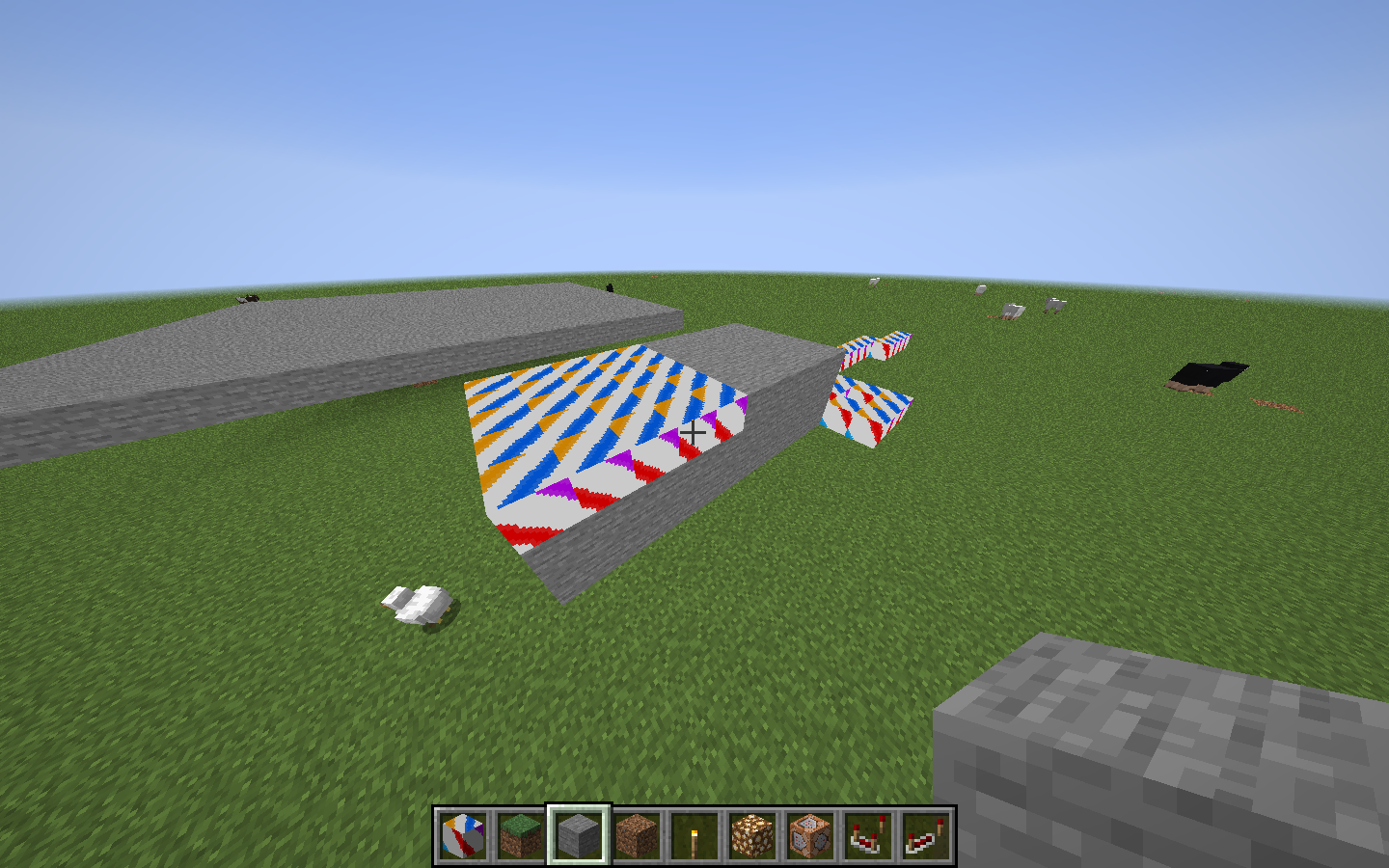
Ok so I think this issue may be related but i thought I would mention it anyway. So in forge build 31.1.1 I am having this issue where now the shadows arent appearing in random spots, but rather, my model is "immune" (so to speak) of shadows. This is the same block OBJ model used in the previous examples
Images display player inside a room which should be completely dark but the roof with my OBJ block is not dark

Json Model File
```json
{
"parent": "forge:block/default",
"loader": "forge:obj",
"model": "stancempiresmultidragoneggmod:models/block/test_block.obj",
"textures":
{

    "particle": "stancempiresmultidragoneggmod:block/test_block"

},
"flip-v": true
}```
StanCEmpire
on 10 Feb 2020
Ok so I've done a bit more testing [Forge Build: 31.1.16] with a couple of different models with different shapes (so some non-cube examples) and I think the issue with blocks being dark (the original concern) is fixed. I think the only problem now the blocks not having shadows and not reacting properly to varied light values (as stated above).
Im still not sure if it is a related issue to the vertex ordering issue or if it is something completely separate. I'll let someone else be the judge of that though. I just wanted to confirm that yes i have done some tests with some non-cube shapes and the issue does persist in the same way.
StanCEmpire
on 24 Feb 2020
Issue is still present in 31.1.27
StanCEmpire
on 22 Mar 2020
Changes in 31.1.39 have not resolved the issue. Vertex ordering still appears to be an issue, and blocks are still not reacting to light very well.
Well fully enclosed in the block, the ground (grass block) reacts to the light, but the custom OBJ blocks are not
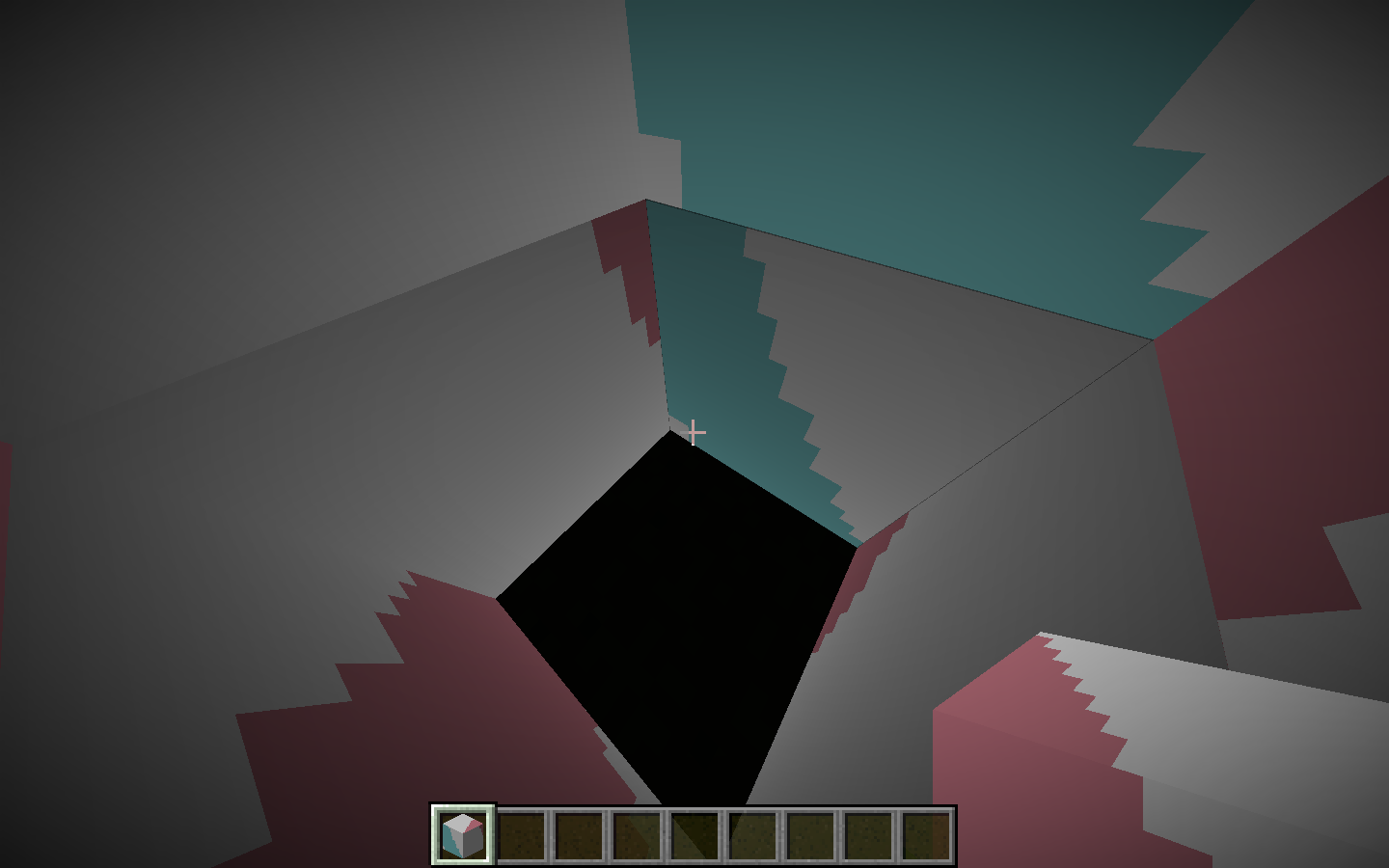
Verticies being in the wrong order causing the shadows to appear on the upper side on the block

However I do appreciate the work that is being done towards fixing this.
StanCEmpire
on 9 Apr 2020
Did you enable the forge pipeline?
 tterrag1098
on 9 Apr 2020
tterrag1098
on 9 Apr 2020
I don't think so sorry, how would I go about doing that
StanCEmpire
on 9 Apr 2020
If you look at the forge config, you should find a experimentalForgeLightingPipelineEnabled setting.
gigaherz
on 9 Apr 2020
Ok cheers mate, i'll take a look into it and test again
StanCEmpire
on 9 Apr 2020
Well, I can confirm that the experimental forge pipeline does indeed work
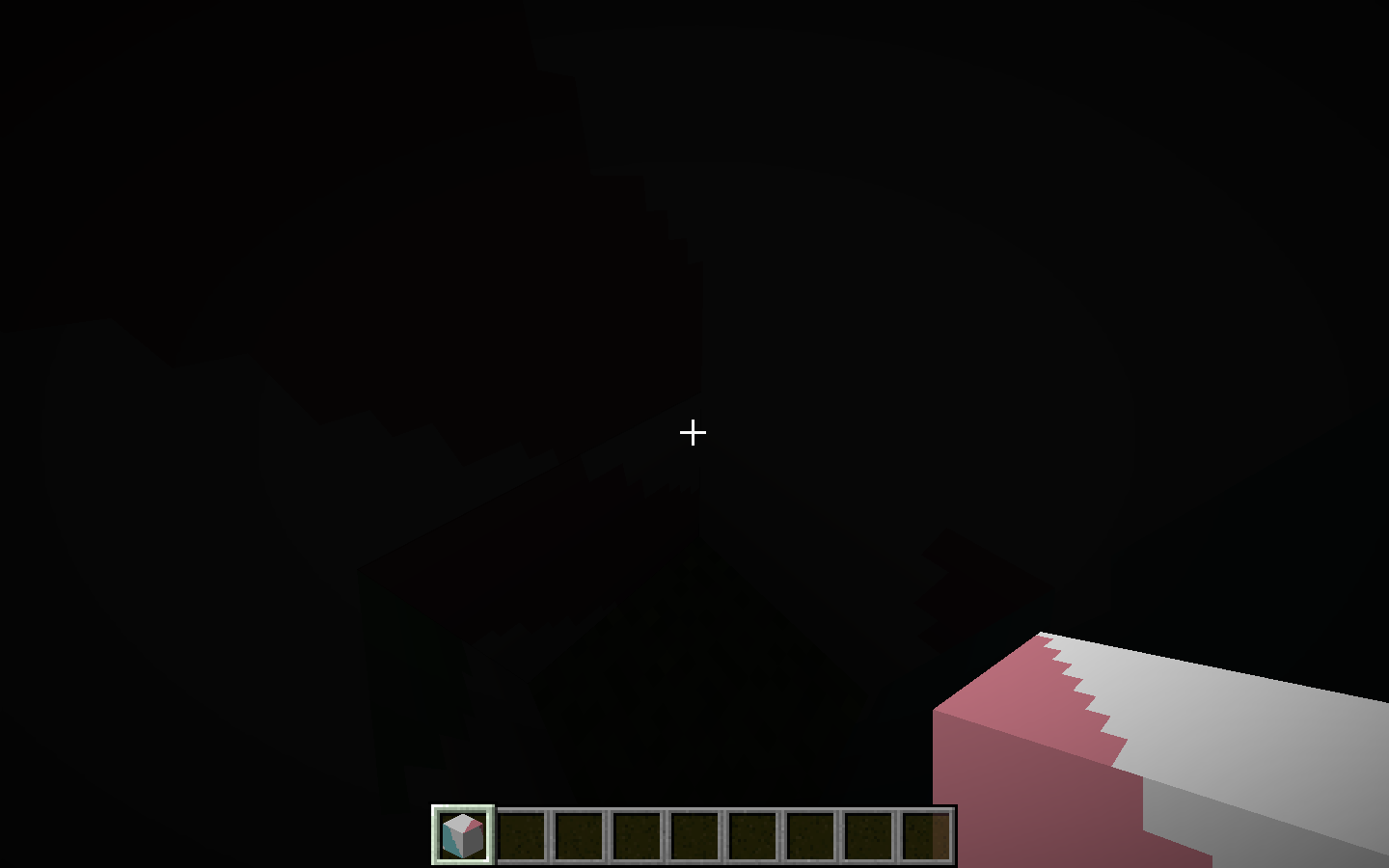
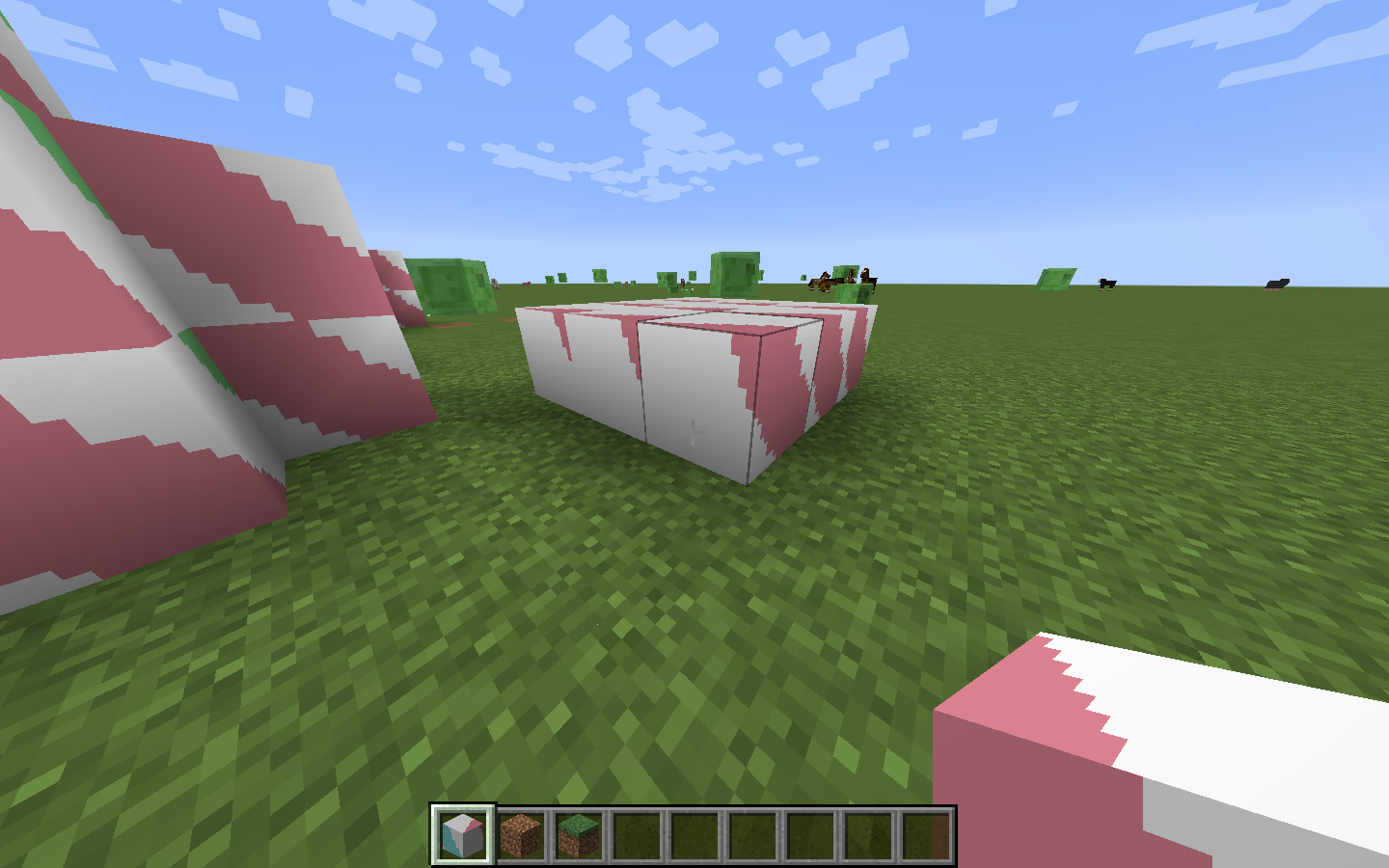
Vertex ordering is correct, and lighting is working correctly with blocks
Unless there are any further concerns I think we can safely close this issue and mark as fixed
StanCEmpire
on 9 Apr 2020
Leaving this open until the pipeline is finalized and enabled by default.
tterrag1098
on 9 Apr 2020
Ok that makes sense, sorry for closing early
StanCEmpire
on 10 Apr 2020
The experimental pipeline fixes obj models but I have a case where it breaks a json model.
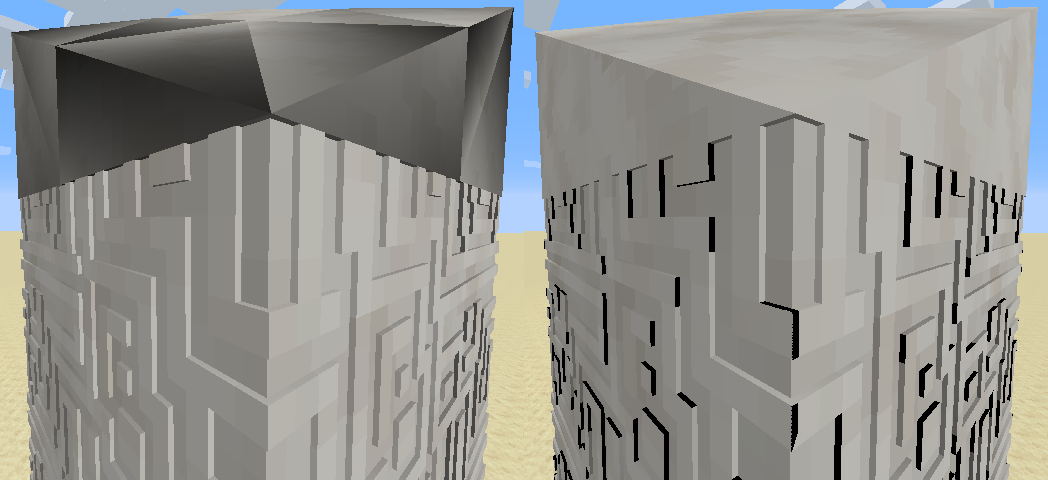
Also tested with and without 'forgeLightPipelineEnabled' but didn't seem to make any difference.
 ShetiPhian
on 10 Jul 2020
ShetiPhian
on 10 Jul 2020
Related issues
 jredfox
·
38Comments
jredfox
·
38Comments
 cpw
·
97Comments
cpw
·
97Comments
 BinaryAura
·
26Comments
BinaryAura
·
26Comments
 mcenderdragon
·
21Comments
mcenderdragon
·
21Comments
 AlgorithmX2
·
20Comments
AlgorithmX2
·
20Comments