Migrate: check the manual that corresponds to your MySQL server version for the right syntax to use near 'CURRENT_TIMESTAMP' at line 1')
Bug description
Report id 4223
Running a prisma migrate up --experimental throws the following error
Failure during a migration command: Connector error. (error: Error querying the database: Error querying the database: Server error: `ERROR 42000 (1064): You have an error in your SQL syntax; check the manual that corresponds to your MySQL server version for the right syntax to use near 'CURRENT_TIMESTAMP' at line 1')
Environment & setup
- OS: Windows 10
- Database: MySQL
- Prisma version: 2.0.0-beta.3
- Node.js version: 10.15
 jayanth1991
All 13 comments
Thank you for reporting this! It's not the first time I see this error, we'll have to research support for CURRENT TIMESTAMP across different MySQL versions.
 tomhoule
on 23 Apr 2020
tomhoule
on 23 Apr 2020
CURRENT_TIMESTAMP is supported as far back as MySQL 5.6 so that's probably not the issue. (official docs). Would you be able to share your prisma schema here so we can try to reproduce the crash?
tomhoule
on 24 Apr 2020
// schema.prisma
datasource mysql {
  provider = "mysql"
  url      = env("DATABASE_URL")
}

generator client {
  provider = "prisma-client-js"
}

model Vendor {
  id        Int      @id @default(autoincrement())
  email     String   @unique
  imageUrl String?
  name      String?
  role      Role     @default(VENDOR)
  vendorStrings     VendorString[]
  vendorStringM2M VendorString[] @relation(name:"M2MVendorVendorStrings", references: [id])

  orders Order[] @relation(name:"M2MVendorsOrders", references:[id])
  createdAt DateTime @default(now())
  updatedAt DateTime @updatedAt
}

model VendorString {
  id         Int        @id @default(autoincrement())
  createdAt  DateTime   @default(now())
  updatedAt  DateTime   @updatedAt
  name      String  @unique
  vendor     Vendor      @relation(fields: [vendorId], references: [id])
  vendorId Int
  vendors     Vendor[]      @relation(name:"M2MVendorVendorStrings", references: [id])
}

enum Role {
  VENDOR
  ADMIN
}

model Customer {
  id  Int @id @default(autoincrement())
  stId String @unique
  name  String?
  email String?
  phoneNumber String?
  orders  Order[]

  createdAt DateTime @default(now())
  updatedAt DateTime @updatedAt
}

model Order {
  id  Int @id @default(autoincrement())
  stId  String @unique
  lineItem LineItem
  status  String
  name String
  subtotalLineItemsQuantity Int @default(0)
  subtotalPrice String @default("0.00")
  totalPrice  String @default("0.00")
  totalTax  String @default("0.00")
  associatedVendor Vendor @relation(fields: [vendorId], references: [id])
  vendorId Int
  associatedVendors Vendor[] @relation(name:"M2MVendorsOrders", references:[id])
  address MailingAddress? @relation(fields: [addressId], references:[id])
  addressId Int?

  customer Customer @relation(fields: [customerId], references: [id])
  customerId Int

  notifiedVendor Boolean @default(false)
  lastNotified DateTime?

  createdAt DateTime  @default(now())
  updatedAt DateTime  @updatedAt
}

model MailingAddress {
  id Int @id @default(autoincrement())
  stId String
  address1 String?
  address2 String?
  city String?
  company String?
  country String?
  countryCode String?
  firstName String?
  formattedArea String?
  lastName String?
  latitude Float?
  longitude Float?
  name String?
  phone String?
  province String?
  provinceCode String?
  zip String?
  createdAt DateTime @default(now())
  updatedAt DateTime @updatedAt
}

model LineItem {
  id  Int @id @default(autoincrement())
  name String
  order Order @relation(fields: [orderId], references: [id])
  orderId Int

  unitCost String @default("0.00")
  originalTotal String @default("0.00")
  originalUnitPrice String @default("0.00")
  productId String
  productVariantId String
  quantity Int @default(0)
  sku String

  createdAt DateTime @default(now())
  updatedAt DateTime @updatedAt
}

model VendorNotification {
  id Int @id @default(autoincrement())
  lastNotifiedDate DateTime @default(now())
  lastWeeklyNotifiedDate DateTime @default(now())
  vendor Vendor @relation(fields: [vendorId], references:[id])
  vendorId Int

  createdAt DateTime @default(now())
  updatedAt DateTime @updatedAt
}
I run MySQL on docker and here is the .yml
version: '3'
services:
  mysql:
    image: mysql:5.7
    restart: always
    ports:
      - "3306:3306"
    environment:
      MYSQL_ROOT_PASSWORD: <blah>
    volumes:
      - mysql:/var/lib/mysql
volumes:
  mysql:
I am unable to reproduce this issue, I used the exact same docker setup that you have posted:
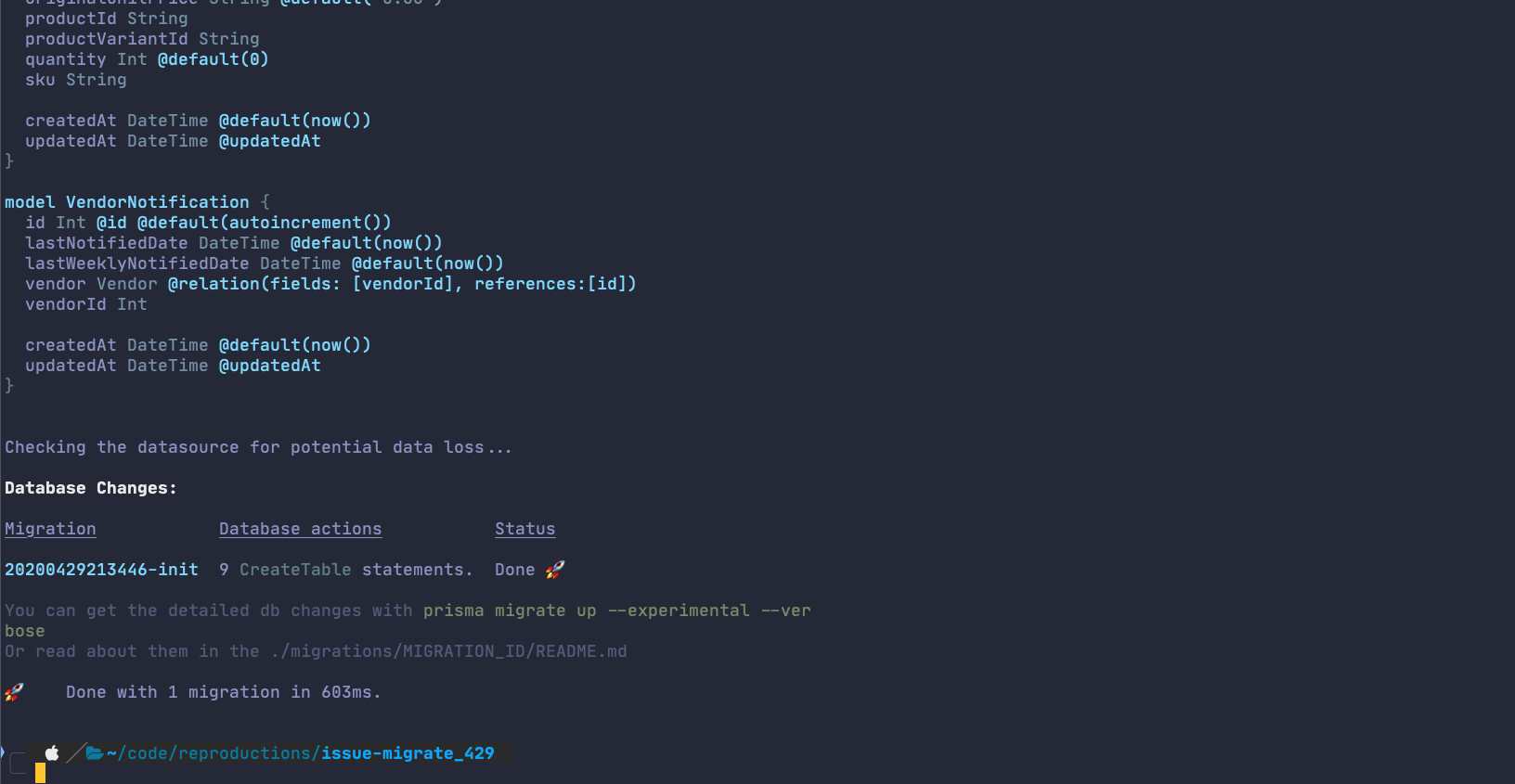
Please try this with the latest alpha once, use npx @prisma/cli migrate save --experimental && npx @prisma/cli@alpha migrate up --experimental
 pantharshit00
on 29 Apr 2020
pantharshit00
on 29 Apr 2020
I ran into this today, report #4946 -- after looking at the README.md for the migration, it looks like this statement is invalid:
ALTER TABLE `lre`.`actions` ALTER COLUMN `createdAt` SET DEFAULT CURRENT_TIMESTAMP;
I'm migrating from another ORM where createdAt was managed by the ORM, and my migration is setting @default(now()) from my new prisma schema (where there was no default before).
Per https://stackoverflow.com/questions/11605701/how-to-alter-an-existing-column-to-default-to-the-current-time-on-insert-in-mys, the syntax should actually be:
ALTER TABLE `lre`.`actions` MODIFY `createdAt` DATETIME DEFAULT CURRENT_TIMESTAMP NOT NULL;
 radicand
on 7 May 2020
radicand
on 7 May 2020
Quick update: I started working on this this morning, and it's pretty subtle.
ALTER TABLE `lre`.`actions` ALTER COLUMN `createdAt` SET DEFAULT (CURRENT_TIMESTAMP);
(notice the parentheses)
will work on MySQL 8 and MariaDB, but not MySQL 5. So we can't treat now() like a regular default. I am working on a MODIFY-based solution, which should work but will also required new runtime checks, for example when you change an optional field from to required with a default value, and there are existing NULL values in the column, at the moment it will work, but it gets much trickier with MODIFY.
I think we will be able to return good warnings for these cases and make migrating the defautls on DateTime columns smoothly possible. I'll update this issue when I have a PR for this.
tomhoule
on 11 May 2020
@tomhoule thanks for your work on resolving this. Do you have a sense for when we'd see a resolution to test? It's still a blocker here for one of my use-cases. In the interim on the development environment I'm nuking the Migrations table and manually editing steps.json to remove the default(now()) steps, but this isn't a sustainable solution.
radicand
on 29 May 2020
I'm migrating Prisma 1 to Prisma 2, right now we're facing this issue as well.
Here is the report id 7249.
 chanlito
on 11 Jun 2020
chanlito
on 11 Jun 2020
https://github.com/prisma/prisma-engines/pull/819 is merged, this will work in the next dev build and the next release.
tomhoule
on 18 Jun 2020
This was released yesterday as part of the 2.1 release, can someone confirm that the crash no longer happens?
tomhoule
on 24 Jun 2020
I can validate this later today, thank you for working on it.
radicand
on 25 Jun 2020
@tomhoule better late than never, but appears to be working well here. I was able to create a new migration and not do the previous hacks/workarounds I had to do before. Thanks for this work!
radicand
on 6 Jul 2020
Thanks for checking, glad it's fixed the problem for you :)
tomhoule
on 6 Jul 2020
Related issues
 2013-11390
·
3Comments
2013-11390
·
3Comments
 flybayer
·
3Comments
flybayer
·
3Comments
 chanphiromsok
·
3Comments
chanphiromsok
·
3Comments
 mariushab
·
3Comments
mariushab
·
3Comments
 steebchen
·
3Comments
steebchen
·
3Comments
Most helpful comment
https://github.com/prisma/prisma-engines/pull/819 is merged, this will work in the next
devbuild and the next release.