Microsoft-authentication-library-for-dotnet: [Bug] Edit Policy using Embedded Web View asks for sign in for IOS
Which Version of MSAL are you using ?
4.17.1 (Also tested with 4.18.0)
Platform
xamarin android, xamarin iOS
What authentication flow has the issue?
- Desktop / Mobile
- [ ] Interactive
- [ ] Integrated Windows Auth
- [ ] Username Password
- [ ] Device code flow (browserless)
- Web App
- [ ] Authorization code
- [ ] OBO
- Web API
- [ ] OBO
Is this a new or existing app?
A new in-house application that is being developed for a client leveraging MSAL.
Repro
https://github.com/Coder-RKV/msal-xamarin-sample-embeddedwebview
Expected behavior
Sign In
Edit Profile -> Should open up without asking for login again.
Actual behavior
Android
Works as expected.
IOS
Sign In
Edit Profile -> Opens up login page for confirmation.
Possible Solution
Not sure. I thought it might be due to lack of current view controller for IOS. Added that too. No luck.
@jennyf19 As discussed in the other issue, creating a new one.
 Coder-RKV
All 36 comments
@Coder-RKV thanks for opening the issue here. Will be easier to keep things separated.
 jennyf19
on 11 Sep 2020
jennyf19
on 11 Sep 2020
@Coder-RKV can you try removing .WithAccount()?
linking the other issue which has some info as well.
jennyf19
on 11 Sep 2020
@jennyf19 tried the same, again. Actually, tried all that's in the other issue as it had really good information and explanation.
No luck.
Coder-RKV
on 11 Sep 2020
@Coder-RKV okay, thanks, we'll try to repro w/the code you sent. appreciated.
jennyf19
on 11 Sep 2020
@jennyf19 Any luck?
Coder-RKV
on 12 Sep 2020
@jennyf19 Also on a side note, is there a way we can request a fresh token (without from the cache, since that seems to get with the older claims) silently?
Use case is, on one of the successful activity from the app (user creation on the in-house system) the backend updates certain information to the Azure. Now, the existing access token would not have that information, so the rest of the application flow becomes moot since the backend expects the updated access token (it contains the newly created user information).
Coder-RKV
on 12 Sep 2020
@Coder-RKV so this is as expected because we are relying on the cookies to determine if the user sees the login screen or not. each policy is a separate authorization server, so there is no way for us (the client sdk) to connect the policies. so when using embedded webview, your users will see an addition prompt. another reason to use the system browser.
going to mark it "by-design" as there is nothing we can do. not sure why there is a difference in behavior on android vs. iOS.
Use case is, on one of the successful activity from the app (user creation on the in-house system) the backend updates certain information to the Azure.
with b2c, you have to track which policy was used last and then use that token from the cache if you want the updated claims, or wait a bit for the information to sync on the b2c side. it can take a few to several minutes. generally though, you'll be using just the su_si token for everything, and when the user updates claims in the edit_profile policy, it will take awhile for that info to propagate to the su_si policy. So if you want to display updated info, you can use the id_token that comes back from the edit_profile policy. you'd have to peruse the B2C docs to find info on this.
jennyf19
on 12 Sep 2020
@jennyf19 Thank you.. Sad that there is no fix / for the additional log in for IOS. I was also thinking more from the underlying web-view cookies settings. Will let know if I find any work around.
Thank you for your inputs regarding the scenario. Though conceptually through the B2C docs, leveraged whatever I can, including the id_token. The challenge is the edit profile is done through Graph API from backend. So from the App, there isn't a flow per-say. Do you think if I provide the access token received for the Graph API shall work here for the backend? Might have to try that.
Coder-RKV
on 12 Sep 2020
@jennyf19 I recommend to kindly add this as a limitation to the library. 3/4th way of the implementation in our project we have come across this, if we'd had known this upfront, we might have looked into other options in terms of UX up-front. This is a critical production ready functionality for all those who use EmbeddedView.
Coder-RKV
on 14 Sep 2020
@Coder-RKV I understand. most of our b2c customers are using system browser though because google doesn't allow embedded webview as a sign-in, and you get SSO (the issue you are running into on embedded webview) across policies.
jennyf19
on 15 Sep 2020
@jennyf19 This is disappointing. At one place we mention that using System Browser is recommended, and at other, we don't even have the ability to perform a clean log out. The current log out feature only clears the token from the cache. What about the session that we're been talking about? I've even tried implementing low level method to clear the session cookies which doesn't work either, perhaps because of the implementation for the same.
Now, once logged out, we want a clear session for relogin as a part of requirement. Can't do with the prompts. Any thoughts please?
Coder-RKV
on 15 Sep 2020
@Coder-RKV we don't clear the session cookies, just the cache. You can force a sign-in each time by passing in ForceLogin.
@jmprieur thoughts on the above?
jennyf19
on 15 Sep 2020
Thanks @jennyf19 . Exploring forcelogin...
Coder-RKV
on 15 Sep 2020
@jennyf19 ForceLogin seems to be working. Quick question. I've been seeing issues and something from the past for
- making the IOS popup of system browser as full view.
- Customizing / Hiding the Address bar of the system browser popup for both Android and IOS.
However haven't got anything concrete for the same. Could you please direct / advise on the same?
Coder-RKV
on 15 Sep 2020
@jennyf19 Please do let me know if we have anything per the above comment.
Coder-RKV
on 16 Sep 2020
@JasSuri can you provide the documentation/sample for how to customize the UI for B2C? Thank you.
jennyf19
on 16 Sep 2020
@JasSuri @jennyf19 @jmprieur Would love to see elaborate or even some documentation / sample against how to customize SYSTEM WEB VIEW implementation through the library. Currently, whatever I've observed, it overrides pretty much everything that's provided for customization. Also, I'm running short of time :) You guys have been very helpful and responsive until now to guide, provide work around or even fix the limitations the library has. Appreciate it. Anticipiating your quick turn around here as well.
Just to add, by customization we're not talking about the HTML or content customization, we've already achieved that. We're talking about the actual view customization - as mentioned in the comment above -
- making the IOS popup of system browser as full view.
- Customizing / Hiding the Address bar of the system browser popup for both Android and IOS.
Coder-RKV
on 17 Sep 2020
Customizing / Hiding the Address bar of the system browser popup for both Android and IOS.
This is for security reasons so the user knows they are going to a legitimate site. If you don't want "microsoft" branding there, you would need to go the custom domain route, which @JasSuri could provide information on as well, if that's even possible.
@trwalke can you look into this one:
making the IOS popup of system browser as full view.
whenever i have run iOS w/system browser it takes up the full screen. thx.
jennyf19
on 17 Sep 2020
@jennyf19
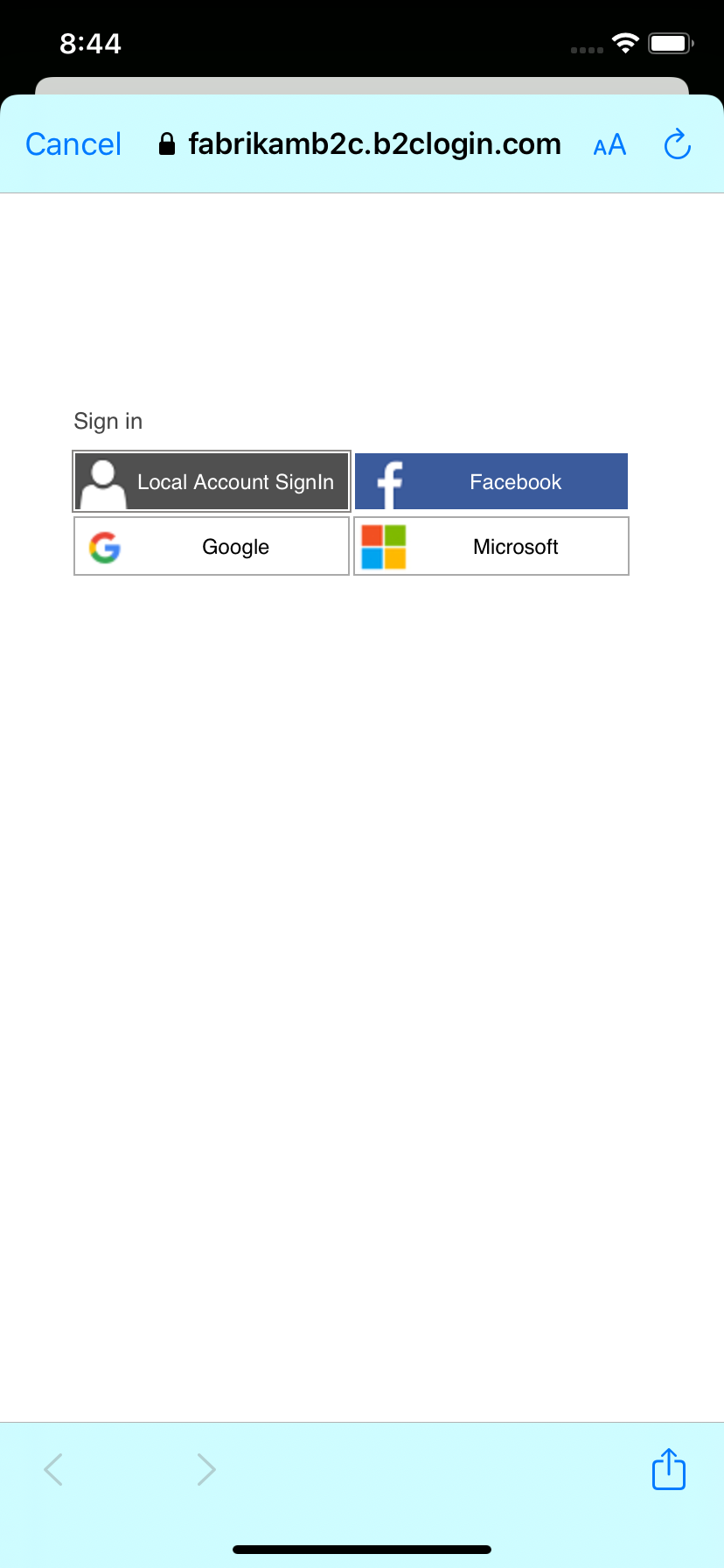
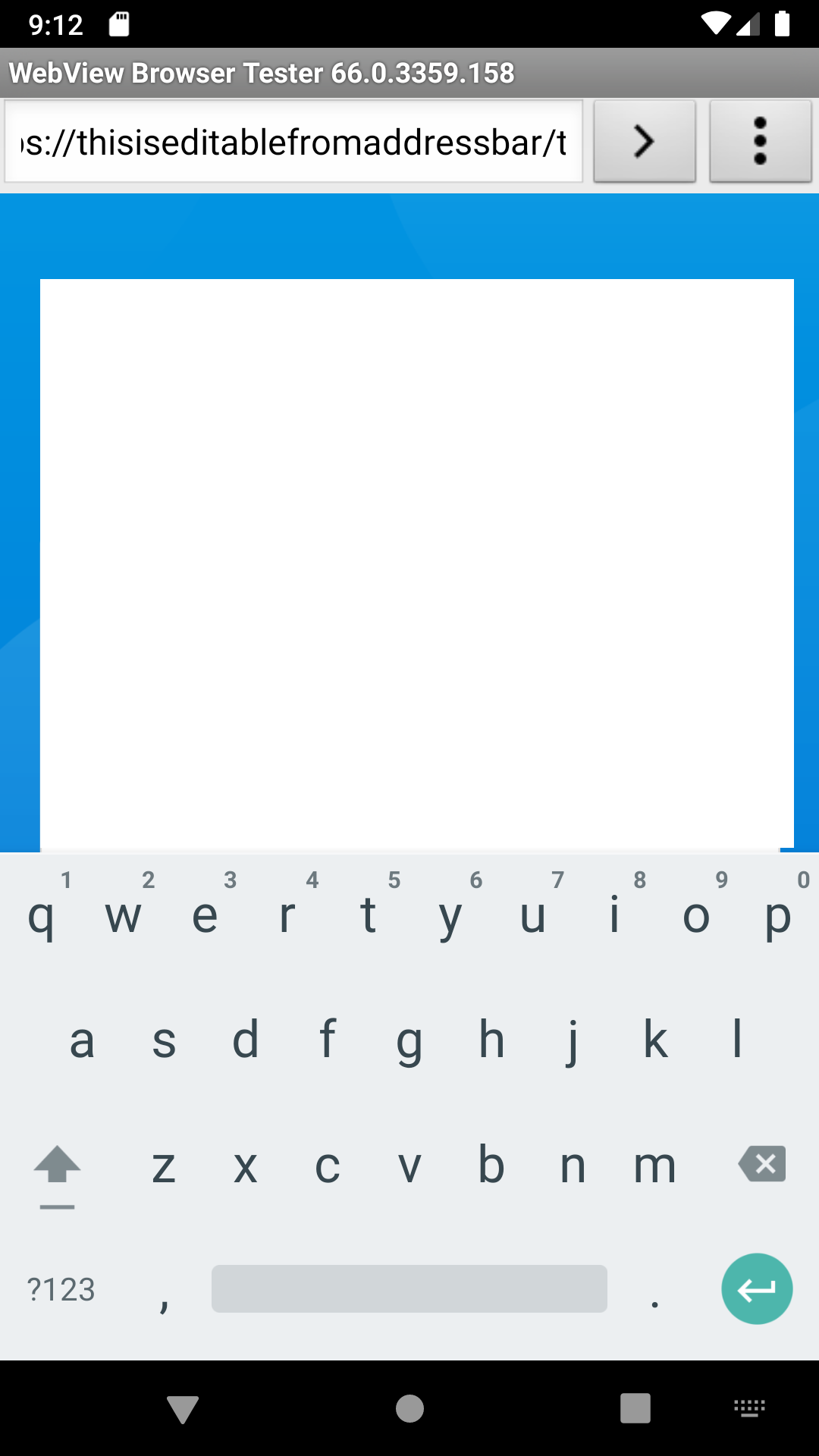
Thank you for point no 1. It makes sense. However, in android it is editable. Can we make it non editable?
whenever i have run iOS w/system browser it takes up the full screen. thx.
It always comes up as a popup in my simulator. Attaching screenshot.
Coder-RKV
on 17 Sep 2020
@Coder-RKV I believe the system browser popup you're seeing is part of iOS 13, which is to show the user he/she is having a private dialogue w/the authorization server, outside of the app, so it's slightly off. We don't control that.
For android, not sure what you mean by "editable".
jennyf19
on 17 Sep 2020
@jennyf19
I believe the system browser popup you're seeing is part of iOS 13, which is to show the user he/she is having a private dialogue w/the authorization server, outside of the app, so it's slightly off. We don't control that.
Okay. So basically you mean to say when we use MSAL, it is not customizable, correct? If I want to customize it, I'd have to create my own library / implementation, correct?
For android, not sure what you mean by "editable".
Attaching screenshot. Please check the address bar.
Coder-RKV
on 17 Sep 2020
Okay. So basically you mean to say when we use MSAL, it is not customizable, correct? If I want to customize it, I'd have to create my own library / implementation, correct?
You can customize the UI. But that's outside the scope of MSAL. We can't control how the OS presents the UI. just like we can't control the pop-up on iOS 13 that shows up. @JasSuri can provide docs on how to customize the UI.
You cannot make the full browser non-editable. More info here
jennyf19
on 17 Sep 2020
Thanks @jennyf19 Looking forward for the documents quickly if that helps from @JasSuri
Coder-RKV
on 17 Sep 2020
If you want to change the way the Webview appears, its controlled by MSAL, and has certain impacts on SSO and UX, see here for your options.
As for being asked to login for profile edit - do not pass an account object in with the MSAL call.
MSAL iOS will pass query param (prompt=select_account) if you do pass in account object, and B2C will prompt for credentials in that case. Have a look at the URL to see if you find a prompt param.
I think the final solution for this is:
- Do not pass
accountobject into MSAL call - Pass in login_hint=
<users-email>into MSAL
 JasSuri
on 17 Sep 2020
JasSuri
on 17 Sep 2020
@JasSuri Thank you for your inputs.
If you want to change the way the Webview appears, its controlled by MSAL, and has certain impacts on SSO and UX, see here for your options.
This is a Xamarin Forms application. Whereas the link provided is for native IOS project. I don't think this customization is available. I saw that link and tried already once.
As for being asked to login for profile edit - do not pass an account object in with the MSAL call.
MSAL iOS will pass query param (prompt=select_account) if you do pass in account object, and B2C will prompt for credentials in that case. Have a look at the URL to see if you find a prompt param.I think the final solution for this is:
Do not pass account object into MSAL call
Pass in login_hint=into MSAL
@jennyf19 has been very helpful and we have already tried this. It doesn't work. Not even in the repro provided. Which is why I raised the issue in the first place :) If at all you're able to achieve it, could you please assist with a sample or a repro where I can take a look and see the gap, if any?
Coder-RKV
on 21 Sep 2020
Sorry missed the Xamarin piece, we are looking into this for you
JasSuri
on 21 Sep 2020
Is this happening when testing on a device or the Simulator, because when testing on an iOS device, SSO works for me
 cljung
on 22 Sep 2020
cljung
on 22 Sep 2020
thanks @cljung, yes there is a difference between the simulator and the device. @Coder-RKV are we able to close this issue?
jennyf19
on 22 Sep 2020
Nope, the issue still persists with Embedded Web View, even on the device. Perhaps we can keep it open if we plan to perform an enhancement for it... Or if we have some ability to customize..
Coder-RKV
on 23 Sep 2020
@jennyf19 @cljung @JasSuri The silent login for Browser web view for Edit policy doesn't work in IOS-14 even for the sample app with out of box policy. Please advise.
Coder-RKV
on 1 Oct 2020
Can you let us know exactly what webview is being used?
https://docs.microsoft.com/en-us/azure/active-directory/develop/customize-webviews#cookie-sharing-and-single-sign-on-sso-implications
JasSuri
on 1 Oct 2020
@JasSuri the default one. Please feel free to use https://github.com/Coder-RKV/msal-xamarin-sample-embeddedwebview and make EmbeddedView as false and we're able to replicate.
Coder-RKV
on 1 Oct 2020
@trwalke to ensure we have ios14 tests in AppCenter and validate locally with System browser and embedded webview.
 henrik-me
on 1 Oct 2020
henrik-me
on 1 Oct 2020
@trwalke - can we close this?
 bgavrilMS
on 8 Oct 2020
bgavrilMS
on 8 Oct 2020
@bgavrilMS no. This is an issue with b2c. They are working on it.
jennyf19
on 8 Oct 2020
@Coder-RKV & @cljung i created a new issue for tracking, even though external to MSAL, we are assisting in testing. closing this issue, as the original question was answered. the current issue is w/system browser on iOS 14.
As noted above, this will not work w/embedded webview as the SSO cookie is not a permanent cookie, so when the user closes the embedded webview, the cookie is deleted.
@Coder-RKV Looks like your team is already working with B2C CxP, they should be able to help with some of your other questions. If you have remaining questions, let them know and we will try to get them answered.
jennyf19
on 9 Oct 2020
Related issues
 23W
·
5Comments
23W
·
5Comments
 saketkataruka
·
5Comments
saketkataruka
·
5Comments
 johanalex566
·
3Comments
johanalex566
·
3Comments
 crmann1
·
5Comments
crmann1
·
5Comments
 yhvicey
·
3Comments
yhvicey
·
3Comments