Microk8s: Prometheus add-on pods cannot not start on arm64 nodes
It appears that the deployments created by the Prometheus operator are not using multi-arch images. After running microk8s enable prometheus I see the following:
$ kubectl get -n monitoring po                                                                                                                                                   [3:15:18]
NAME                                  READY   STATUS             RESTARTS   AGE
grafana-5fd6b9c649-75b4w              1/1     Running            0          11m
kube-state-metrics-dcc94d9f8-bkh5t    0/3     CrashLoopBackOff   15         5m56s
node-exporter-dz865                   2/2     Running            0          25m
node-exporter-f27mk                   1/2     CrashLoopBackOff   9          25m
node-exporter-grrkf                   2/2     Running            0          25m
node-exporter-hws6x                   2/2     Running            0          25m
node-exporter-s2x88                   1/2     CrashLoopBackOff   9          25m
prometheus-adapter-5949969998-8s5jj   1/1     Running            0          25m
prometheus-operator-5c7dcf954-jz6ls   0/1     CrashLoopBackOff   9          25m
When I inspect one of the crashing pods I see
$ kubectl logs -n monitoring pod/kube-state-metrics-dcc94d9f8-bkh5t -c kube-state-metrics
standard_init_linux.go:207: exec user process caused "exec format error"
I am able to fix the crashlooping pods by doing
$ kubectl edit -n monitoring deploy/kube-state-metrics
and adding the following to spec.template.spec:
affinity:
  nodeAffinity:
    requiredDuringSchedulingIgnoredDuringExecution:
      nodeSelectorTerms:
      - matchExpressions:
        - key: kubernetes.io/arch
          operator: In
          values:
          - amd64
 ssmall
All 9 comments
Which channel did you deploy MicroK8s from? How did you deploy prometheus? I do not think we ship the prometheus addon on arm64.
 ktsakalozos
on 19 May 2020
ktsakalozos
on 19 May 2020
Perhaps @ssmall has a mixed amd64 and arm64 cluster.
 balchua
on 23 May 2020
balchua
on 23 May 2020
Perhaps @ssmall has a mixed amd64 and arm64 cluster.
^^ correct, I am running a mixed cluster.
Which channel did you deploy MicroK8s from?
1.18/stable
How did you deploy prometheus?
microk8s enable prometheus
ssmall
on 31 May 2020
@ktsakalozos Any chance to ship this addon in the future to arm64 too?
I run a mixed cluster as well. I would be fine to get the node-exporter running manually as well but don't know how to do it.
Also can I change the daemon-set with to NodeSelectors? One for the x86 nodes and one for the arm64 nodes? Or does this change have to happen in the Deployment of metrics-server?
I found this https://github.com/kubernetes-sigs/metrics-server/issues/73#issuecomment-667639055, but the NodeSelector is commented out and the file is only targeting arm64 but not the amd64 version any more.
Thanks in advance. :)
 H8to
on 30 Nov 2020
H8to
on 30 Nov 2020
I've made a PR to enable prometheus on arm architecture.
https://github.com/ubuntu/microk8s/pull/1781
Hopefully this lands in time for the 1.20 release.
balchua
on 1 Dec 2020
Finally tested the PR https://github.com/ubuntu/microk8s/pull/1781 on a mix arch cluster.
Nodes:
ip-172-31-30-155- arm64 architectureip-172-31-30-209- amd64 architectureip-172-31-20-99- amd64 architecture
ubuntu@ip-172-31-30-155:~$ uname -m
aarch64
ubuntu@ip-172-31-30-155:~$ microk8s kubectl get pods -A -o wide
NAMESPACE     NAME                                      READY   STATUS    RESTARTS   AGE   IP              NODE               NOMINATED NODE   READINESS GATES
kube-system   calico-kube-controllers-847c8c99d-lqhhb   1/1     Running   0          40m   10.1.175.65     ip-172-31-30-209   <none>           <none>
kube-system   calico-node-hr46w                         1/1     Running   0          19m   172.31.20.99    ip-172-31-20-99    <none>           <none>
kube-system   calico-node-cq4zp                         1/1     Running   0          21m   172.31.30.209   ip-172-31-30-209   <none>           <none>
monitoring    prometheus-adapter-557648f58c-8xgvc       1/1     Running   0          17m   10.1.90.193     ip-172-31-20-99    <none>           <none>
monitoring    node-exporter-pbjwn                       2/2     Running   0          17m   172.31.30.209   ip-172-31-30-209   <none>           <none>
monitoring    node-exporter-smzsd                       2/2     Running   0          17m   172.31.20.99    ip-172-31-20-99    <none>           <none>
monitoring    node-exporter-wtk8r                       2/2     Running   2          17m   172.31.30.155   ip-172-31-30-155   <none>           <none>
monitoring    kube-state-metrics-54d8bdf4db-sptvd       3/3     Running   3          17m   10.1.2.137      ip-172-31-30-155   <none>           <none>
monitoring    prometheus-operator-58fc7fbbd-6kflg       2/2     Running   2          17m   10.1.2.135      ip-172-31-30-155   <none>           <none>
kube-system   coredns-86f78bb79c-7tfj8                  1/1     Running   1          18m   10.1.2.136      ip-172-31-30-155   <none>           <none>
kube-system   calico-node-7h5nn                         1/1     Running   1          21m   172.31.30.155   ip-172-31-30-155   <none>           <none>
monitoring    alertmanager-main-0                       2/2     Running   2          17m   10.1.2.139      ip-172-31-30-155   <none>           <none>
monitoring    prometheus-k8s-0                          3/3     Running   4          17m   10.1.2.140      ip-172-31-30-155   <none>           <none>
monitoring    grafana-7c9bc466d8-p9f6f                  1/1     Running   1          17m   10.1.2.138      ip-172-31-30-155   <none>           <none>
ubuntu@ip-172-31-30-155:~$
All pods are all in running state. I can also access grafana too.
balchua
on 3 Dec 2020
If you want to try and test this, you can grab the snap from here https://github.com/ubuntu/microk8s/suites/1586391336/artifacts/28778064
The snap produced is an amd64 version.
Steps:
- disable the existing prometheus if you have it running.
- Unzip the downloaded snap then install the
microk8s.snapthat is produced by the build. https://github.com/ubuntu/microk8s/suites/1586391336/artifacts/28778064 Please note that it should be installed on an amd64 architecture.
sudo snap install microk8s.snap --classic --dangerous - Enable prometheus on the node where you installed the
microk8s.snap.microk8s enable prometheus
Please note that the snap is using the 1.19 version of microk8s.
I'd be happy if someone can test this one too.
Thanks!
balchua
on 3 Dec 2020
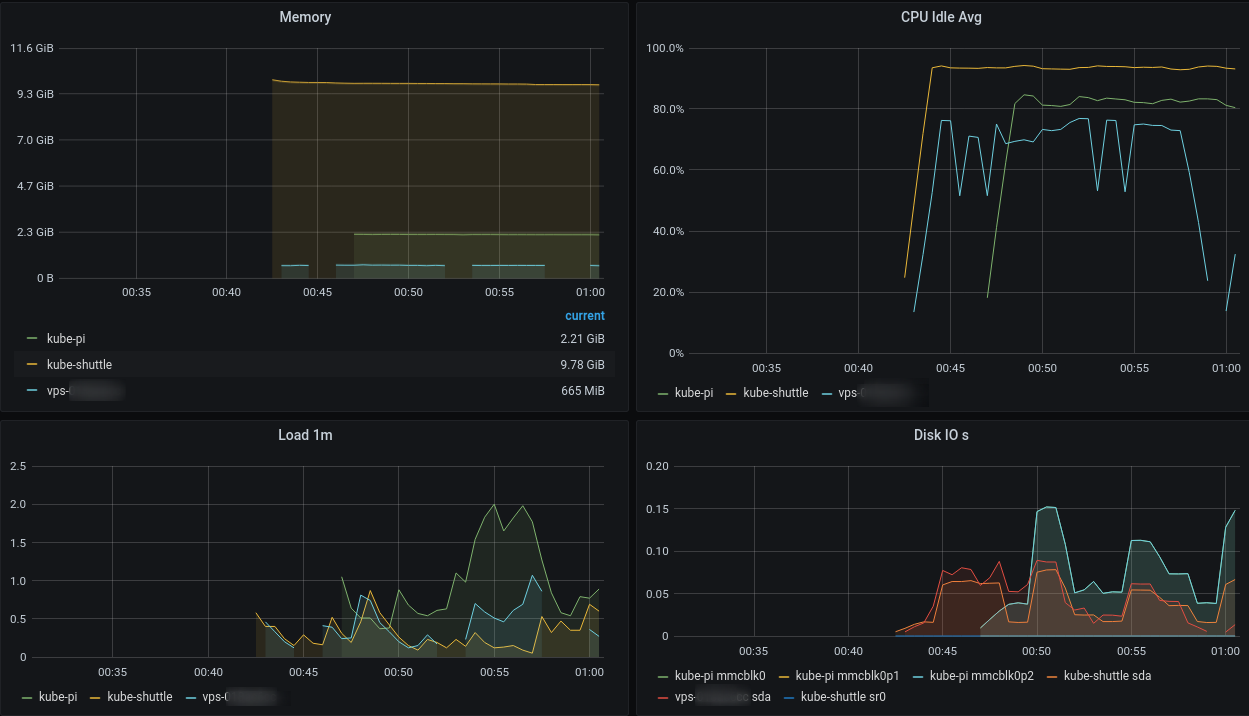
Hey @balchua
Great job! I followed your instructions and can confirm that the mixed amd64 and arm64 (raspi4) environment is working with your build.
H8to
on 5 Dec 2020
@H8to thank you very much for taking the time to test it out.
Let's wait to get this out in time with the 1.20 version.
I will close this issue as its resolved by the PR https://github.com/ubuntu/microk8s/pull/1781
balchua
on 5 Dec 2020
Related issues
 khteh
·
5Comments
khteh
·
5Comments
 singram
·
4Comments
singram
·
4Comments
 devbharat
·
3Comments
devbharat
·
3Comments
 tvansteenburgh
·
6Comments
tvansteenburgh
·
6Comments
 termie
·
5Comments
termie
·
5Comments