 AndreyTheHacker
All 3 comments
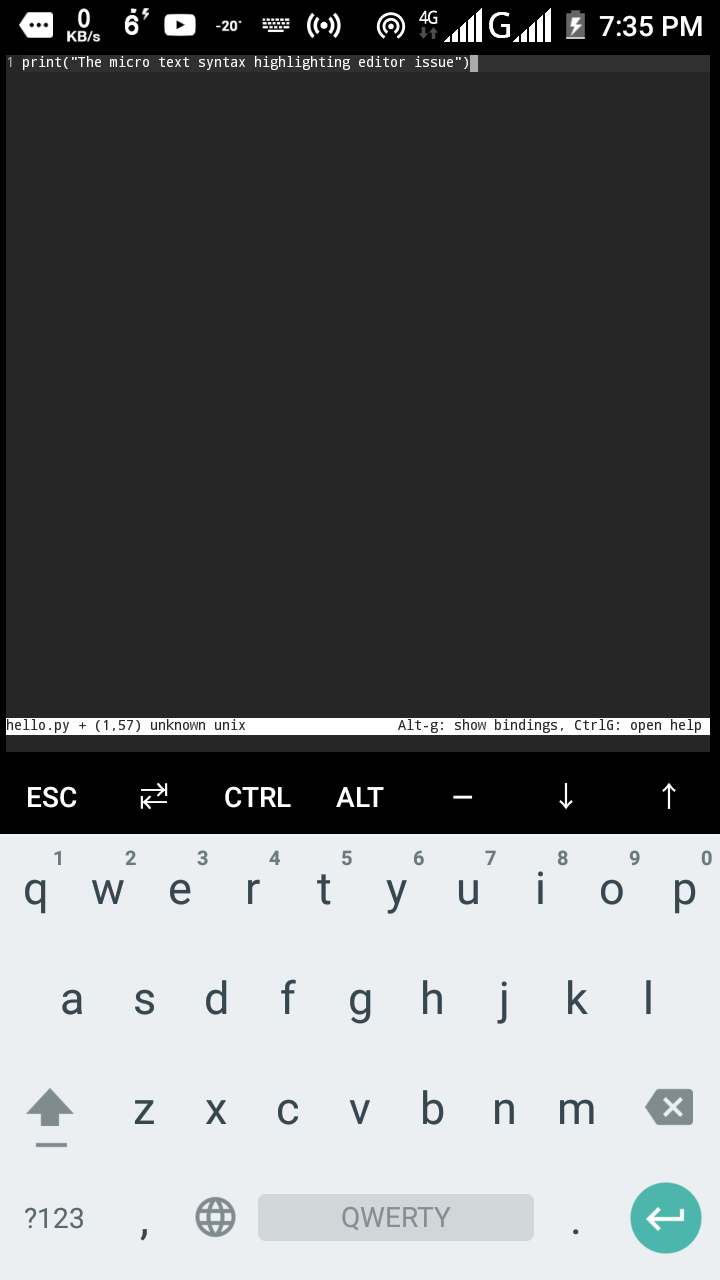
There is no syntax theme defined (see unknown in the status bar). It seems the detection didn't work, or you don't have syntax files installed for some reason.
Press Ctrl + E, type set filetype python then press Enter (or set filetype py, I forgot).
 Calinou
on 19 Jan 2020
Calinou
on 19 Jan 2020
👍1
What version are you using? If you previously installed micro 2.0, but then went back to using 1.4.1, you should remove the option filetype from ~/.config/micro/settings.json (delete the line with "filetype": "unknown").
 zyedidia
on 21 Jan 2020
zyedidia
on 21 Jan 2020
If you are ysing termux then first do set colorscheme default and restart micro then it should work. Termux here is the curprit as this has happened to me many times
 raprocks
on 25 Jan 2020
raprocks
on 25 Jan 2020
👍2
Was this page helpful?
0 / 5 - 0 ratings
Related issues
 Rbagman
·
4Comments
Rbagman
·
4Comments
 utkarsh2102
·
3Comments
utkarsh2102
·
3Comments
 Bigguy34
·
3Comments
Bigguy34
·
3Comments
 zanglebert
·
4Comments
zanglebert
·
4Comments
 johnmbaughman
·
3Comments
johnmbaughman
·
3Comments
Most helpful comment
If you are ysing termux then first do
set colorscheme defaultand restart micro then it should work. Termux here is the curprit as this has happened to me many times