Micro: Cant install plugins on termux android via the inbuilt command plugin install
Cannot install the plugins by the command plugin install
See screenshot more more information
Commit hash:1856891
OS: Android, linux chroot termux
Terminal:bash
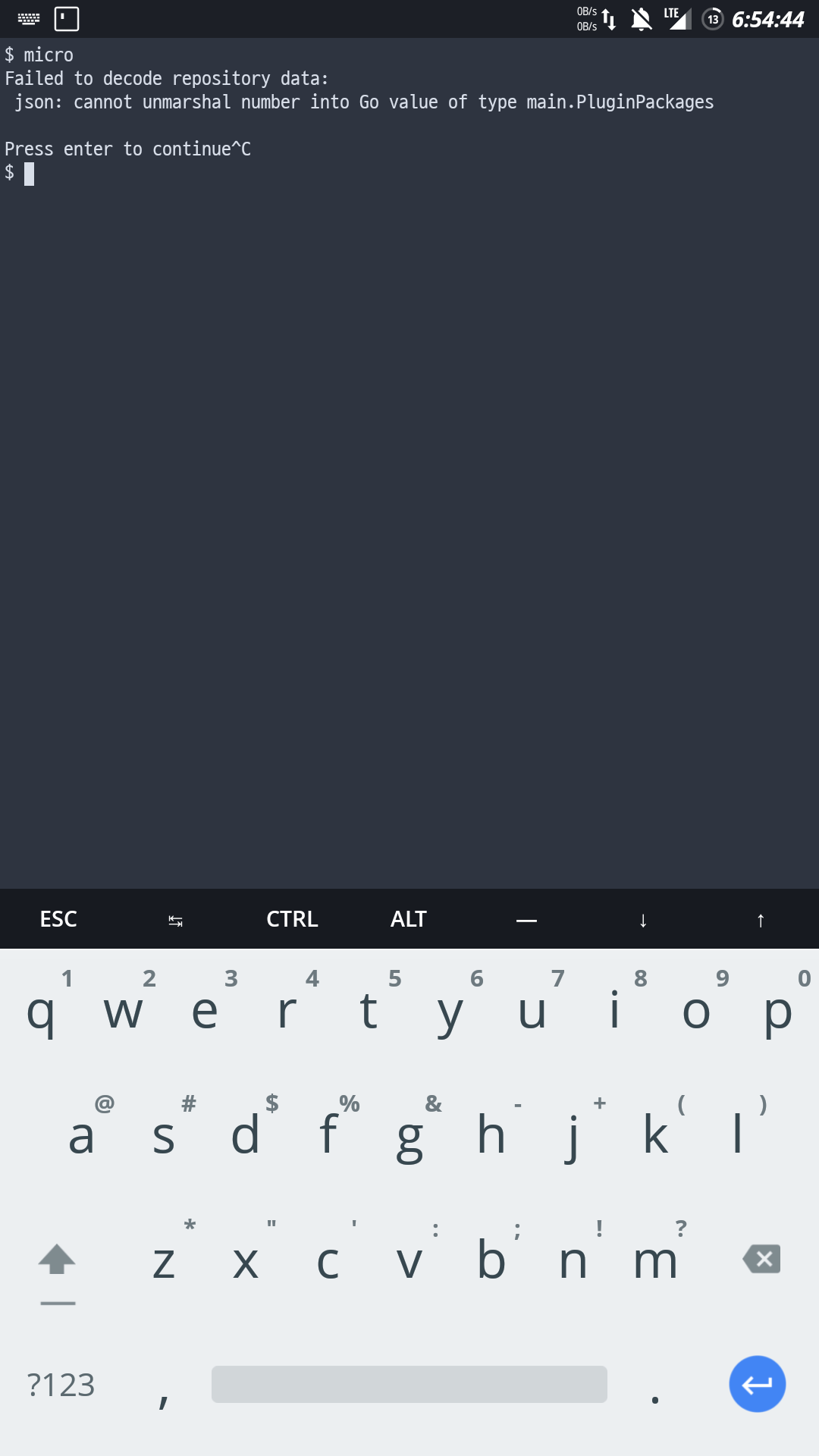
Btw happy new year 😀
 raprocks
All 6 comments
Actually now manages to get the plugin in plug folder manually but it is still not running and when using a plugin command give command not found error and any command starting with plugin gives the above error
raprocks
on 31 Dec 2019
Bash is not a terminal
On Tue, Dec 31, 2019 at 7:40 AM Rohit Patil notifications@github.com
wrote:
Actually now manages to get the plugin in plug folder manually but it is
still not running and when using a plugin command give command not found
error and any command starting with plugin gives the above error—
You are receiving this because you are subscribed to this thread.
Reply to this email directly, view it on GitHub
https://github.com/zyedidia/micro/issues/1446?email_source=notifications&email_token=ALL7CZ5IZTKUXMPSVWV7DC3Q3NKU7A5CNFSM4KBVQ26KYY3PNVWWK3TUL52HS4DFVREXG43VMVBW63LNMVXHJKTDN5WW2ZLOORPWSZGOEH4JHQQ#issuecomment-569938882,
or unsubscribe
https://github.com/notifications/unsubscribe-auth/ALL7CZ5VJ3BZYSKPWIZSSV3Q3NKU7ANCNFSM4KBVQ26A
.
 dullbananas
on 31 Dec 2019
dullbananas
on 31 Dec 2019
Then how do i find the terminals name im noob sorry
raprocks
on 31 Dec 2019
It's no problem. I don't think that information is relevant for this issue anyway.
 zyedidia
on 31 Dec 2019
zyedidia
on 31 Dec 2019
The name of the terminal app is what the terminal name would be. So maybe it's termux. Bash is the name of the shell. Happy New Year btw
dullbananas
on 1 Jan 2020
Hello guys, just found workaround and i am really happy to have found it. So how i got it working is as follows:
Open a empty buffer using just micro command
Ctrl-e to get the internal micro terminal
Put plugin available
Wait for the original error and wait for about 10 seconds as in background micro is getting the list
After the wait just pressing enter throws you back to micro with the list of modules
Now you can use every command starting with plugin :)
Noice
Micro is a beautiful editor and i am going to start full web dev now
raprocks
on 13 Jan 2020
Related issues
 rishabh96b
·
3Comments
rishabh96b
·
3Comments
 bitcoinmeetups
·
3Comments
bitcoinmeetups
·
3Comments
 handicraftsman
·
4Comments
handicraftsman
·
4Comments
 Bigguy34
·
3Comments
Bigguy34
·
3Comments
 luis-lavaire
·
3Comments
luis-lavaire
·
3Comments
Most helpful comment
Hello guys, just found workaround and i am really happy to have found it. So how i got it working is as follows:
Open a empty buffer using just micro command
Ctrl-e to get the internal micro terminal
Put plugin available
Wait for the original error and wait for about 10 seconds as in background micro is getting the list
After the wait just pressing enter throws you back to micro with the list of modules
Now you can use every command starting with plugin :)
Noice
Micro is a beautiful editor and i am going to start full web dev now