Meteor-files: MongoError: file with id xxx not opened for writing
Meteor-Files Version: 1.9.8
Meteor Version: 1.6.1
Issue appears on Desktop
Client or Server Issues: Server throws me a MongoError and on the client side throws me service unavailable. Server Error 503

Step to reproduce the problem:
// some test component.jsx

...
fetchImage = async _ => {

    const response = await methodCall ( 'files.findOne', 'file-idxxx' );

    this.setState. ( { src: Files.link ( response ) } );

}

render () {

    const { src } = this.state;

    return (
        <div>
                // click on this to simply get image link and view it, the response return just fine and i can successfully get the link, but after inject it into src, it throw me the MongoError
                <button onClick={ this.fetchImage }>fetch</button>
                <img src={ src } />
        </div>
    );

}
methods for the files.findOne
// methods.js

'files.findOne' ( _id ) {

    // tried Files.findOne ( { _id } ) and throws me a Unhandled Promised Rejection error and maximum call stack exceed
    return Files.collection.findOne ( { _id } );

}
methodCall.js
const methodCall = ( ...params ) => new Promise ( ( resolve, reject ) => {

    const method = params [ 0 ];

    store.dispatch ( methodRequest ( { method } ) );

    Meteor.call ( ...params, ( error, response ) => {

        if ( error ) {

            store.dispatch ( methodFailure ( { method, error: error.reason } ) );

            return reject ( error );

        }

        store.dispatch ( methodSuccess () );

        return resolve ( response );

    });

} );
 xxhenglyxx
All 24 comments
Hello @xxhenglyxx ,
Thank you for reporting about this. Please update this thread following our issue template:
- Post __full__ Client and/or Server logs with enabled
debugoption, you can enable "debug" mode in Constructor
 dr-dimitru
on 27 Feb 2018
dr-dimitru
on 27 Feb 2018
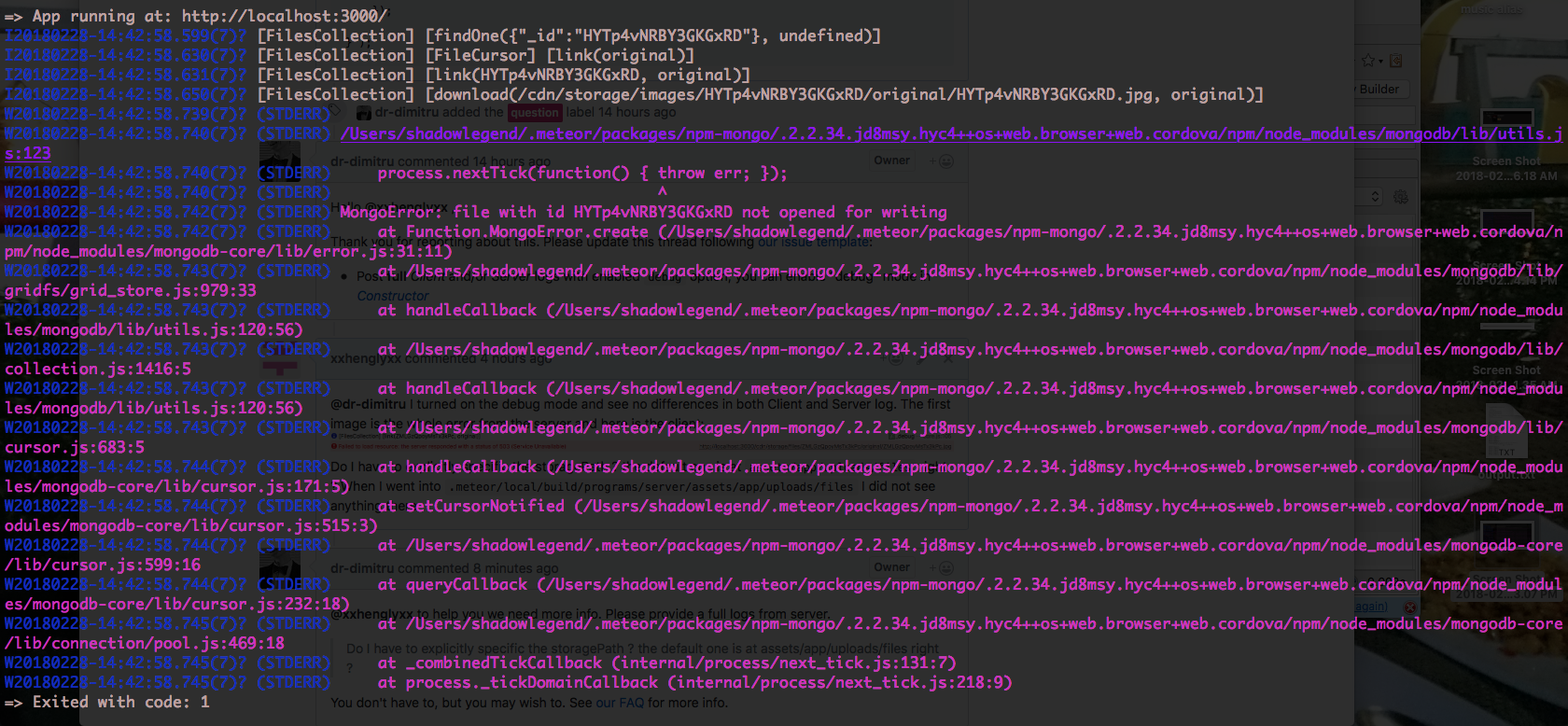
@dr-dimitru I turned on the debug mode and see no differences in both Client and Server log. The first image is the whole error from the server and here is the client:

Do I have to explicitly specific the storagePath ? the default one is at assets/app/uploads/files right ? When I went into .meteor/local/build/programs/server/assets/app/uploads/files I did not see anything there
xxhenglyxx
on 28 Feb 2018
@xxhenglyxx to help you we need more info. Please provide a full logs from server.
Do I have to explicitly specific the storagePath ? the default one is at assets/app/uploads/files right ?
You don't have to, but you may wish to. See our FAQ for more info.
dr-dimitru
on 28 Feb 2018
This is the server log:
xxhenglyxx
on 28 Feb 2018
@xxhenglyxx this isn't all logs.
There is should be:
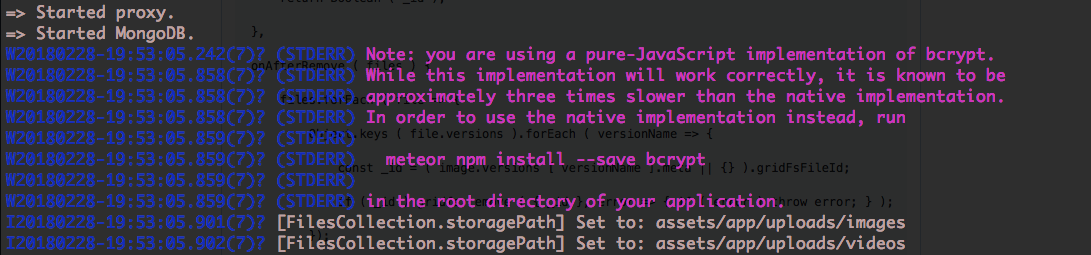
[FilesCollection.storagePath] Set to:with path of where files will be uploaded;- If path isn't writable you should see this error.
What storage do you use? FS? GridFS? AWS? Something else?
Looks like this error is related to Mongo (as it starts with MongoError).
Could you also please post contents of .meteor/packages file?
dr-dimitru
on 28 Feb 2018
I use GridFS. The [FilesCollection.storagePath] Set to: was on top of App running at: http://localhost:300/ I did not include it in the screenshot because the screen of where I screenshooting the server log did not cover it.
Here is all content of .meteor/packages
# Meteor packages used by this project, one per line.
# Check this file (and the other files in this directory) into your repository.
# 'meteor add' and 'meteor remove' will edit this file for you,
# but you can also edit it by hand.

[email protected]             # Packages every Meteor app needs to have
[email protected]       # Packages for a great mobile UX
[email protected]                   # The database Meteor supports right now
[email protected]            # Reactive variable for tracker
[email protected]                 # Meteor's client-side reactive programming library

[email protected]   # CSS minifier run for production mode
[email protected]    # JS minifier run for production mode
[email protected]                # ECMAScript 5 compatibility for older browsers
[email protected]              # Enable ECMAScript2015+ syntax in app code
[email protected]            # Server-side component of the `meteor shell` command

kadira:flow-router      # FlowRouter is a very simple router for Meteor

meteortesting:mocha               # A package for writing and running your meteor app and package tests with mocha
johanbrook:publication-collector  # Test a Meteor publication by collecting its output
fourseven:scss
ostrio:files
aldeed:[email protected]
static-html
alanning:roles
accounts-password
reywood:publish-composite
jss:flag-icon
package.json
"dependencies": {
    "@babel/runtime": "^7.0.0-beta.36",
    "fs-extra": "^5.0.0",
    "gridfs-stream": "^1.1.1",
    "i18next": "^10.5.0",
    "meteor-node-stubs": "^0.3.2",
    "react": "^16.2.0",
    "react-dom": "^16.2.0",
    "react-i18next": "^7.4.0",
    "react-komposer": "^2.0.0",
    "react-mounter": "^1.2.0",
    "react-redux": "^5.0.7",
    "redux": "^3.7.2",
    "simpl-schema": "^1.4.2"
 },
"devDependencies": {
    "chai": "^4.1.2",
    "redux-logger": "^3.0.6"
}
Images.js // previously Files.js, I just refactored it out to Images and collectionName to images, the rest stay the same
const Images = new FilesCollection ({

// debug: Meteor.isServer && process.env.NODE_ENV === 'development',
debug: true,
collectionName: 'images',
allowClientCode: false,

onBeforeUpload ( file ) {

    if ( file.size <= 10485760 && /png|jpg|jpeg/i.test ( file.extension ) ) {

        file.meta.public = false;
        file.meta.removed = false;

        return true;

    }

    return "Invalid image format";

},

onAfterUpload ( file ) {

    Object.keys ( file.versions ).forEach ( versionName => {

        const metadata = { versionName, file_id: file._id, stored_at: new Date () };
        const writeStream = gridfs.createWriteStream ( { filename: file.name, metadata } );

        fs.createReadStream ( file.versions [ versionName ].path ).pipe ( writeStream );

        writeStream.on ( 'close', Meteor.bindEnvironment ( uploadedFile => {

            const property = `versions.${ versionName }.meta.gridFsFileId`;

            this.collection.update ( file._id.toString (), { $set: { [ property ]: file._id.toString () } } );

            this.unlink ( this.collection.findOne ( file._id.toString () ), versionName );

        }));

    });

},

interceptDownload ( http, file, versionName ) {

    const _id = ( file.versions [ versionName ].meta || {} ).gridFsFileId;

    if ( _id ) {

        const readStream = gridfs.createReadStream ( { _id } );
        readStream.on ( 'error', error => { throw error; } );
        readStream.pipe ( http.response );

    }

    return Boolean ( _id );

},

onAfterRemove ( files ) {

    files.forEach ( file => {

        Object.keys ( file.versions ).forEach ( versionName => {

            const _id = ( image.versions [ versionName ].meta || {} ).gridFsFileId;

            if ( _id ) gridfs.remove ( { _id }, error => { if ( error ) throw error; } );

        });

    });

}

});
I console log inside the readStream.on error, it throws error there when piping the http.response;
interceptDownload ( http, file, versionName ) {

    const _id = ( file.versions [ versionName ].meta || {} ).gridFsFileId;

    if ( _id ) {

        const readStream = gridfs.createReadStream ( { _id } );
        readStream.on ( 'error', error => {

           // error occured when piping the http.response for serving file from GridFS
            console.log ( "***********" );
            console.log( error );
            throw error;

        } );
        readStream.pipe ( http.response );

    }

    return Boolean ( _id );

},
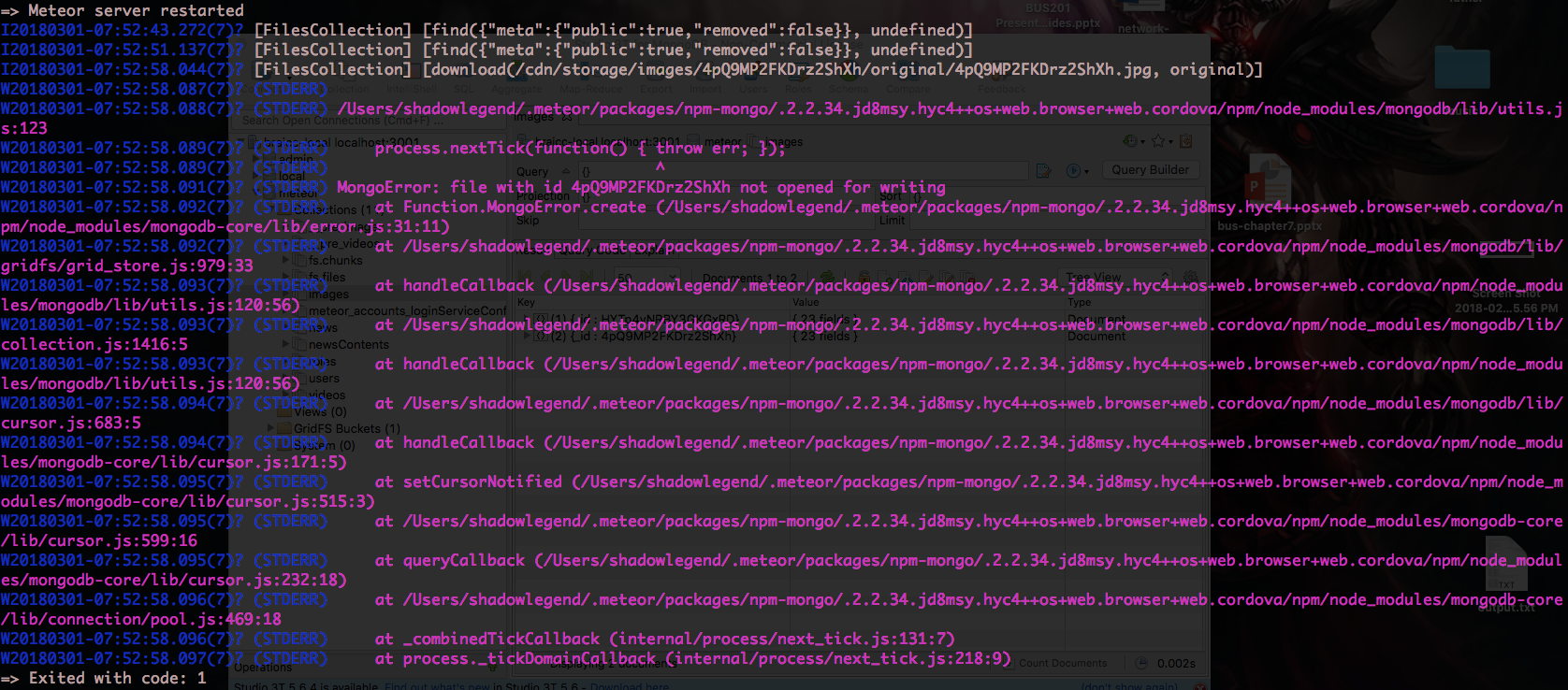
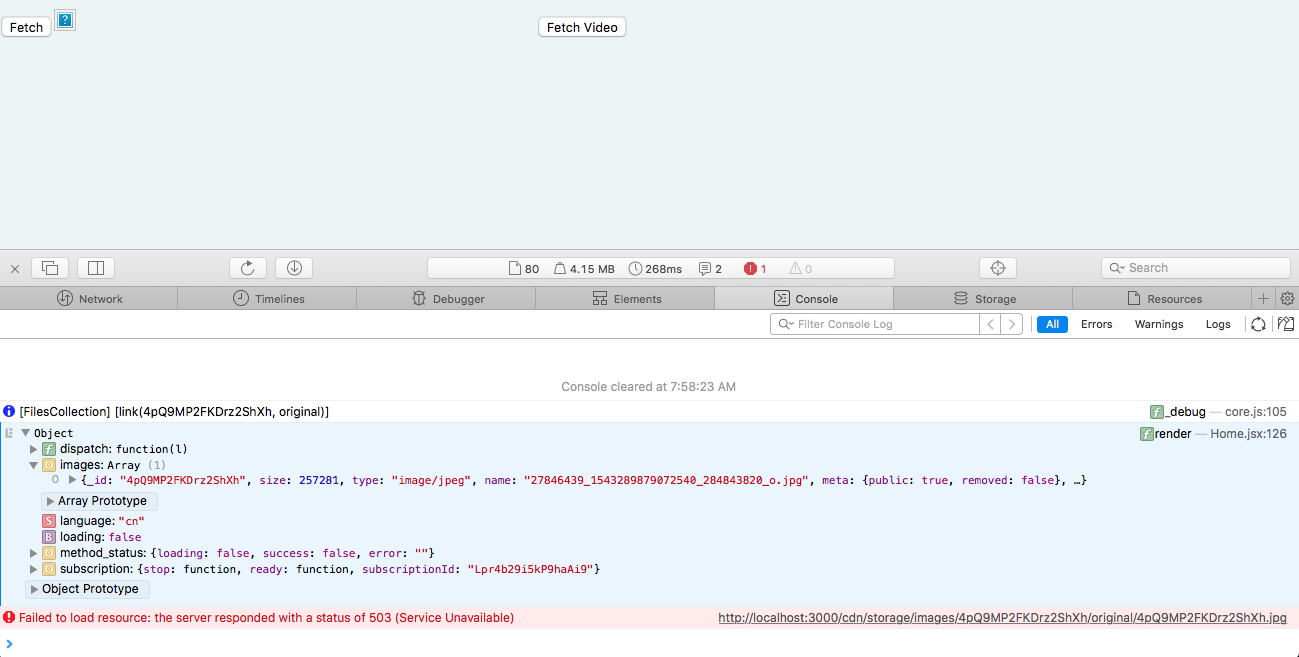
I tried subscribing to the collection and link the image to see if it makes any different, but it output the same error.
xxhenglyxx
on 1 Mar 2018
@xxhenglyxx
- Place
ostrio:filesabovekadira:flow-router(at.meteor/packages), as it may interfere on middleware; - This is GridFS issue, for more read:
- At screenshots I see you're requesting a file, but how it was placed into the collection, where is upload?
- This error very rare for GridFS, please make sure requested file exists, and not corrupted at MongoDB. For clean tests run
meteor reset, perhaps data is corrupted.
dr-dimitru
on 1 Mar 2018
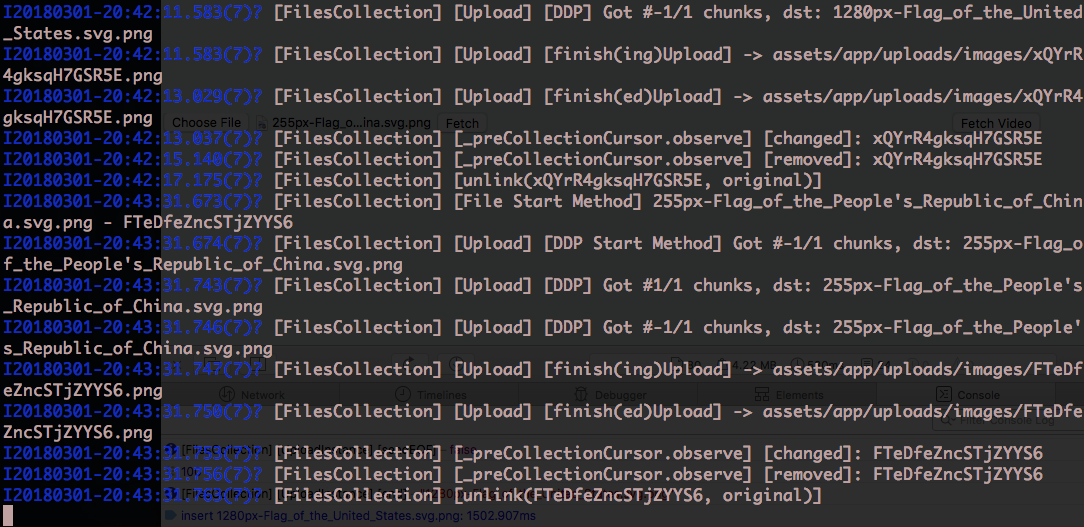
I have placed ostrio:files on top of kadira:flow-router now and did a meteor reset, re upload the image and link it but it still output the same error. After it is inserted, it will exist in assets/app/uploads/images isnt it ? I did not see it inside the folder but only in database record.
Does the output after the file inserted correct ? It should not removed after insert right ?
xxhenglyxx
on 1 Mar 2018
@xxhenglyxx
- Try to upload and view files without GridFS, doest it work?
After it is inserted, it will exist in
assets/app/uploads/imagesisnt it ?
It isn't. The file is removed after moving to GridFS, at this line:
this.unlink(this.collection.findOne(file._id.toString()), versionName);
Does the output after the file inserted correct ?
Looks good
It should not removed after insert right ?
Removed, after moved to GridFS.
dr-dimitru
on 1 Mar 2018
@dr-dimitru Yes, upload and view file without GridFS works fine.
xxhenglyxx
on 1 Mar 2018
@xxhenglyxx great.
Now please review your GridFS integration implementation. Make sure you're following our tutorial, for more info take a look at advanced integration with streaming support
dr-dimitru
on 1 Mar 2018
I reviewed it three times and first I noticed that the metadata of file instead of image_id I have changed it to imageId and also store_at to storeAt in the onAfterUpload method, where const meta = {..., imageId: file._id };, second time I just added the storagePath. Third time which I review again of the GridFS integration implementation and I did not see anything wrong there.
Could you please help me take a look at it ? Here is the codes: codes.txt
xxhenglyxx
on 1 Mar 2018
@xxhenglyxx
try to wrap interceptDownload into try..catch:
interceptDownload ( http, file, versionName ) {

    const _id = ( file.versions [ versionName ].meta || {} ).gridFsFileId;

    if ( _id ) {
        try {
           const readStream = gridfs.createReadStream ( { _id } );
           readStream.on ( 'error', error => { throw error; } );
           readStream.pipe ( http.response );
        } catch (_e) {
           return false;
        }

    }

    return Boolean ( _id );

},
Wrapping the interceptDownload around readStream inside the _id block still throws me the same error. Instead of wrapping try/catch, I return false inside the onError callback of readStream so it that stop it from throwing error, But that still did not solve the problem.
I can see the file is being downloaded and it linked to it but the image did not show.


xxhenglyxx
on 1 Mar 2018
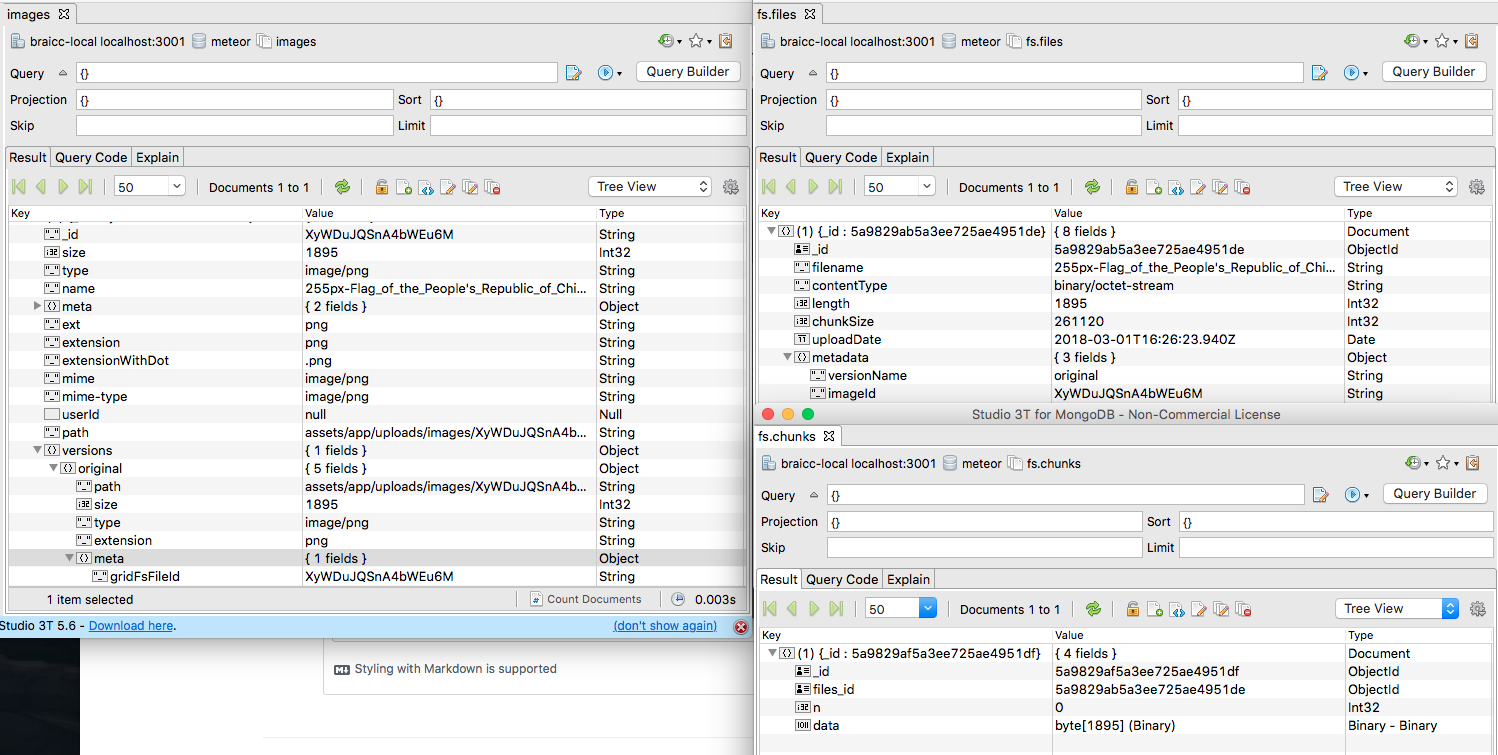
@xxhenglyxx previously you've said you see a record at MongoDB, do you see a File at GridFS related collections?
dr-dimitru
on 1 Mar 2018
Yes. Here is the screenshot of the record. It has only one record. The __pre_images is empty though.
xxhenglyxx
on 2 Mar 2018
@xxhenglyxx just tested GridFS at our GridFS test repository, feel free to download it and test on your end.
Please note a comment here. Try to wrap gridFsFileId into new Mongo.ObjectID():
interceptDownload ( http, file, versionName ) {

    const _id = new Mongo.ObjectID((file.versions [ versionName ].meta || {} ).gridFsFileId);

    if ( _id ) {
        try {
           const readStream = gridfs.createReadStream ( { _id } );
           readStream.on ( 'error', error => { throw error; } );
           readStream.pipe ( http.response );
        } catch (_e) {
           return false;
        }

    }

    return Boolean ( _id );

},
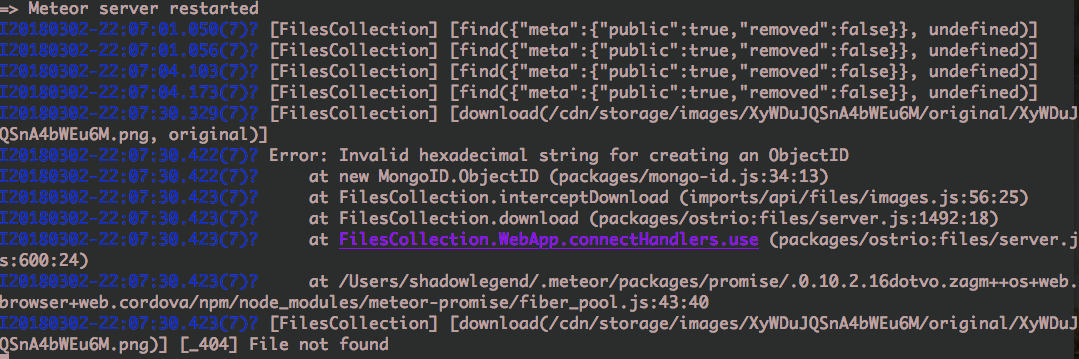
@dr-dimitru after wrapping it with new Mongo.ObjectID () it output this error:

Then I tried wrapping the whole thing with try catch:
interceptDownload ( http, file, versionName ) {

    try {

        const _id = new Mongo.ObjectID ( ( file.versions [ versionName ].meta || {} ).gridFsFileId );

        if ( _id ) {

            const readStream = gridFs.createReadStream ( { _id } );
            readStream.on ( 'error', error => { throw error; } );
            readStream.pipe ( http.response );

        }

        return Boolean ( _id );

    } catch ( error ) {

        console.log ( error );

    }

}
Then I get this kind of error:
This is how I fetch the image on the Client side:
// Test.jsx

class Test extends React.Component {

    ...

    fetch = () => {

        const { images } = this.props;

        if ( images.length ) {

            this.setState ( { src: Images.link ( images [ 0 ] } );

        }

    }

    render () {

        const { src } = this.state;

        return (
            <div>
                <button onClick={ this.fetch } >fetch</button>
                <img src={ src } />
            </div>
        );

    }

}

const composer = function ( props, onData ) {

    const subscription = Meteor.subscribe ( 'publicImages' );

    if ( subscription.ready () ) {

        const images = Images.find ().fetch ();

        onData ( null, { subscription, images, loading: false } );

    }

    onData ( null, { loading: true } );

}

export default compose ( trackerLoader ( composer ) ) ( connect ( mapStateToProp ) ( Home ) );

// publications.js

Meteor.publish ( 'publicImages', function () {

    return Images.find ( { meta: { public: true, removed: false } } ).cursor;

})
I setup my gridfs instance in /imports/api/files/gridfs_setup.js
// /imports/api/files/gridfs_setup.js

import Grid from 'gridfs-stream';
import { MongoInternals } from 'meteor/mongo';

let gridFs = {};

if ( Meteor.isServer ) {

    gridFs = Grid (

        MongoInternals.defaultRemoteCollectionDriver ().mongo.db,
        MongoInternals.NpmModule

    );

}
Honestly I think it should be easy but why I am getting this lol.
xxhenglyxx
on 2 Mar 2018
@xxhenglyxx something is wrong with your setup. It works smoothly for other folks.
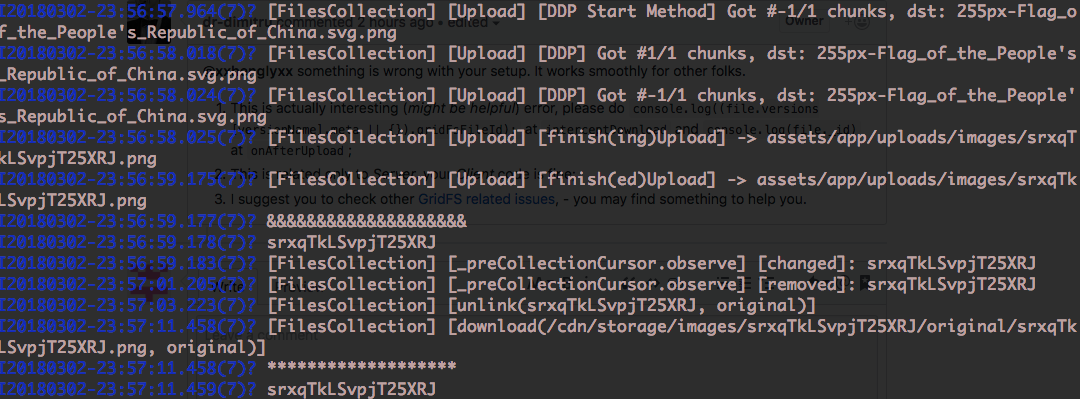
- This is actually interesting (might be helpful) error, please do
console.log((file.versions [versionName].meta || {}).gridFsFileId);atinterceptDownloadandconsole.log(file._id)atonAfterUpload; - This is related only to Server, your Client code is fine;
- I suggest you to check other GridFS related issues, - you may find something to help you.
dr-dimitru
on 2 Mar 2018
I did a meteor reset after adding console.log both id at interceptDownload and onAfterUpload, upload a file and link them, they bot had the same id and yes same error lol.
xxhenglyxx
on 2 Mar 2018
@dr-dimitru I finally found the problem. It was a very very very silly mistake that I have made and cost me days of thinking of this.
    writeStream.on ( 'close', Meteor.bindEnvironment ( uploadedFile => {

        const property = `versions.${ versionName }.meta.gridFsFileId`;

        // it should be uploadedFile._id.toString () but not file._id.toString ();
       --> change this line
        this.collection.update ( file._id.toString (), { $set: { [ property ]: file._id.toString () } } );

       --> to this line
       this.collection.update ( file._id.toString (), { $set: { [ property ]: uploadedFile._id.toString () } } );

        this.unlink ( this.collection.findOne ( file._id.toString () ), versionName );

    }));
After adding the new Mongo.ObjectID, it gives clearer error message that the id was not exist, and the GridFS related issues u pointed me to #341, that it exist in mongo record does not mean it exist in FS. So I went to compare again against the wiki at the afterUpload hook and then saw the mistake.
Thanks for your help and sorry for costing much of your time.
xxhenglyxx
on 2 Mar 2018
@xxhenglyxx Mistakes teach you.
I'm glad to be helpful :)
That's why I keep telling to compare your code to our working tutorials and demo repositories.
Please, support this project by:
- Star on GitHub
- Star on Atmosphere
- Check other packages we have made
- Share on Facebook and Twitter
- Donate via PayPal
dr-dimitru
on 2 Mar 2018
Related issues
 sylido
·
3Comments
sylido
·
3Comments
 mklueh
·
3Comments
mklueh
·
3Comments
 msgfxeg
·
3Comments
msgfxeg
·
3Comments
 tuarrep
·
4Comments
tuarrep
·
4Comments
 mking200
·
4Comments
mking200
·
4Comments