Meteor-files: Http upload transport problem
Hi @dr-dimitru ,
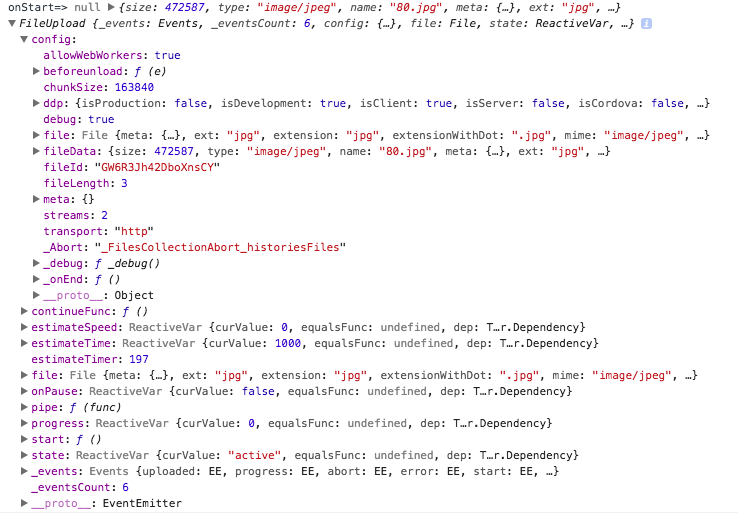
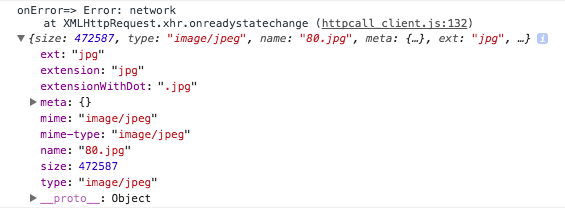
I'm trying to change the upload transport to http, but i always get the same problem: nothing happen with zero logs on client/server after 'onStart'. And after a long time, i get the error: 'Error: network'.
My upload works fine with DDP, i use macOS Sierra, chrome, Meteor 1.5.2.2, ostrio 1.8.3 and i tried:
Update ostrio to 1.9.0;
Update meteor-node-stubs to 0.3.2;
Change 'stream' and 'chunkSize' values to dynamic or streams: 1, chunkSize: 102400;
Change allowWebWorkers to true/false;
Change server debug to true/false;
Change continueUploadTTL to a larger time;
Change allowClientCode to true/false;
Upload diferent files, sizes and formats (upload is only for images);
Any ideas?
 livimonte
All 25 comments
Hello @livimonte ,
Please follow our issue template:
- Post Client and Server logs with enabled
debugoption, you can enable "debug" mode in Constructor
 dr-dimitru
on 21 Oct 2017
dr-dimitru
on 21 Oct 2017
And do you get the same error using HTTP upload at our demo app?
dr-dimitru
on 21 Oct 2017
Hi @dr-dimitru , follows the client and server logs.
Client
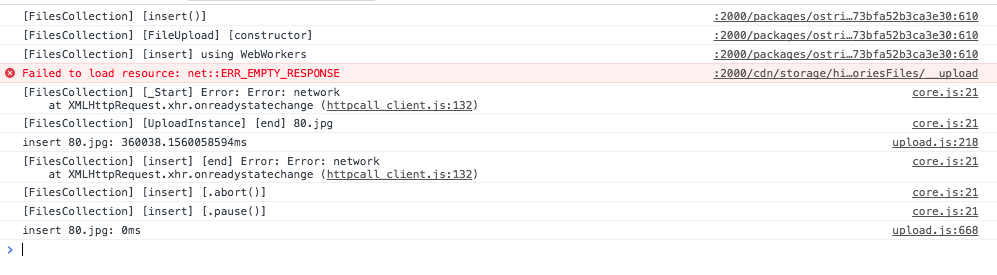
Server

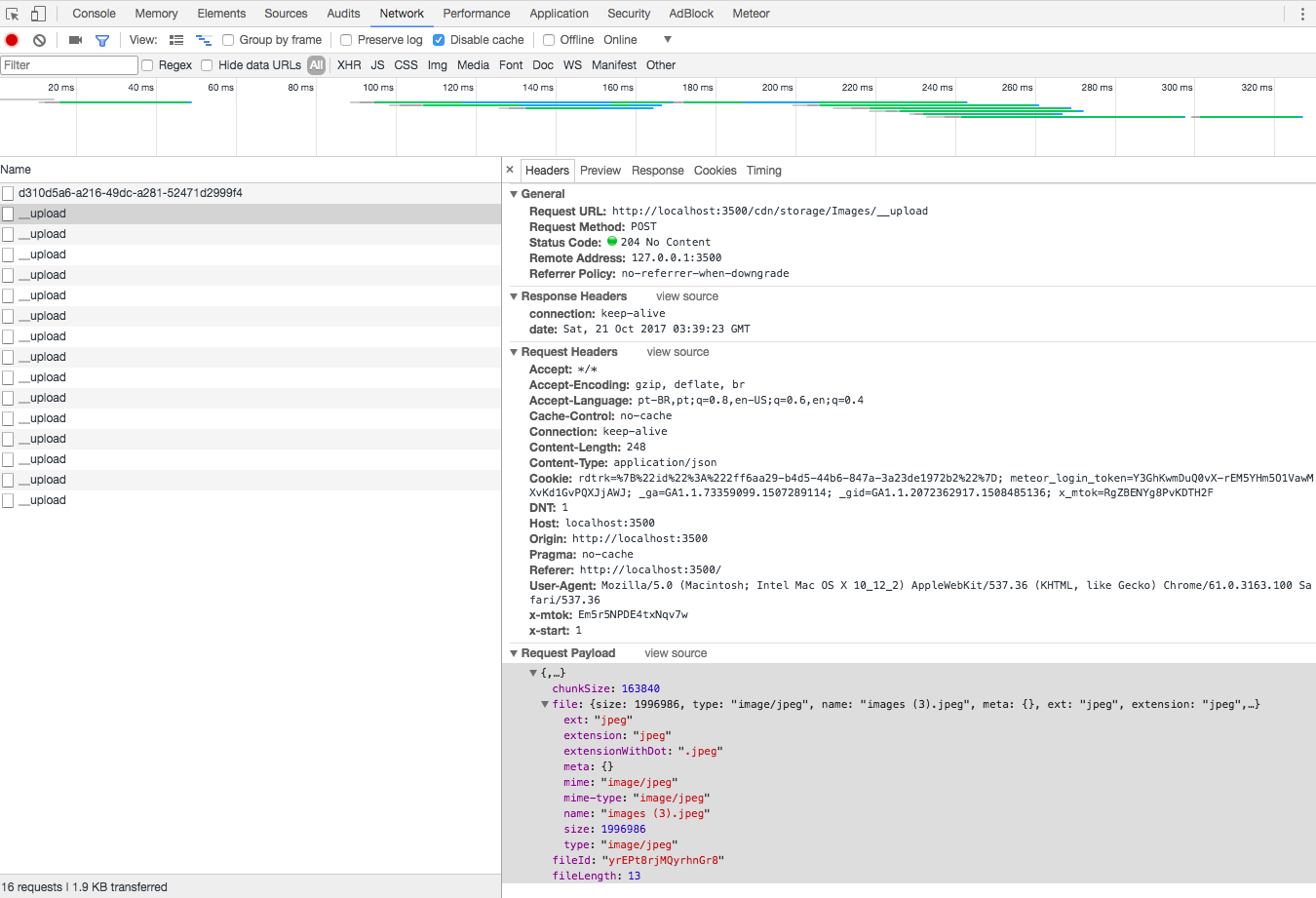
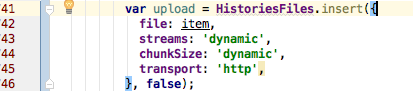
The demo app worked, with ddp and http. I've tried the following code: (client-server) and dependency versions, the only differences I found are the headers and the path to upload (/Users/myuser/ jobs/ clients/proj/site/ app/ uploads/ histories) i also checked the folder permissions (ok) and also, it works fine with ddp.
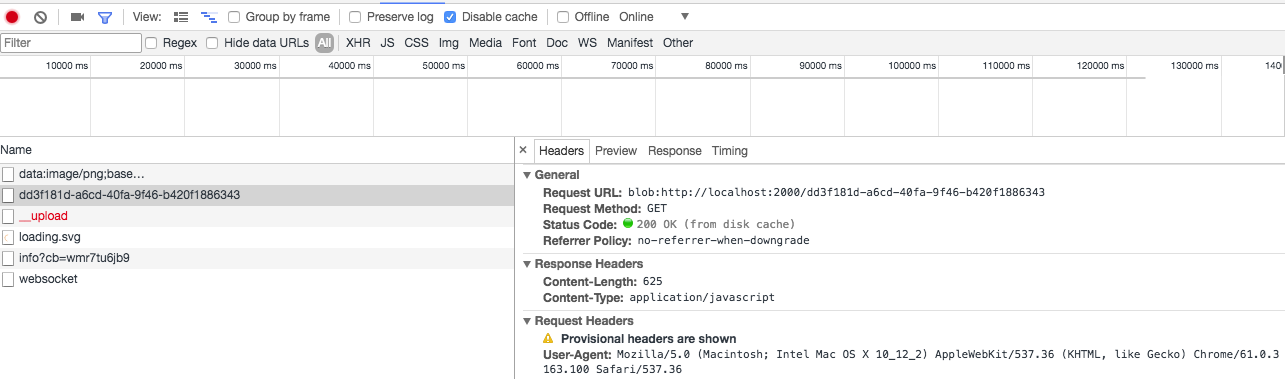
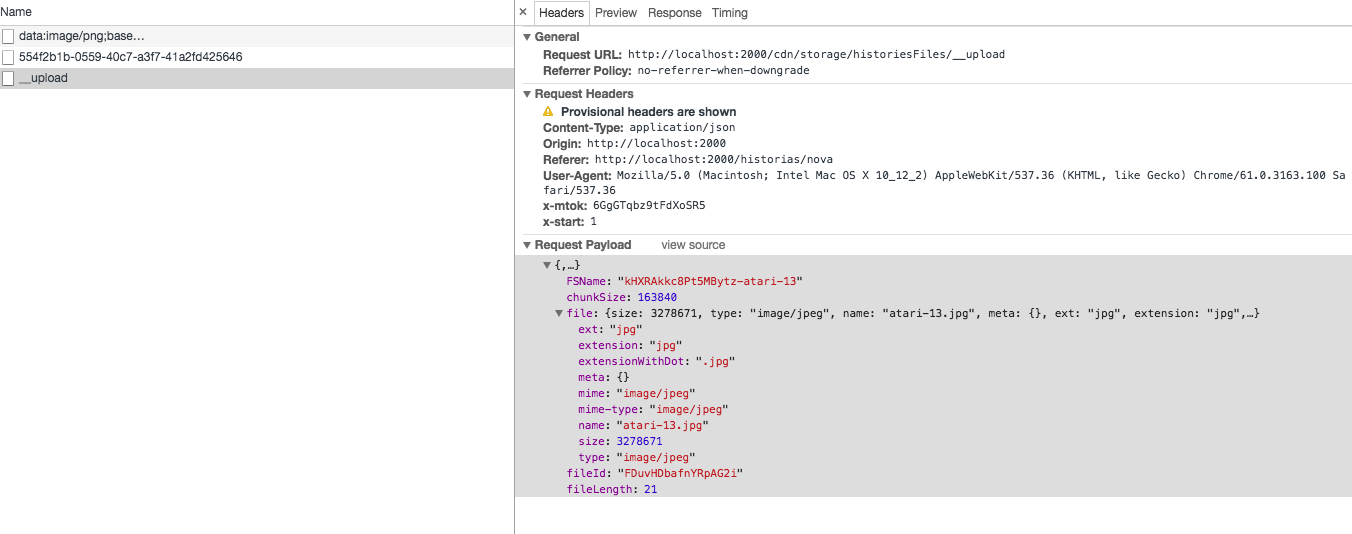
Follow the print of __upload headers:
My App
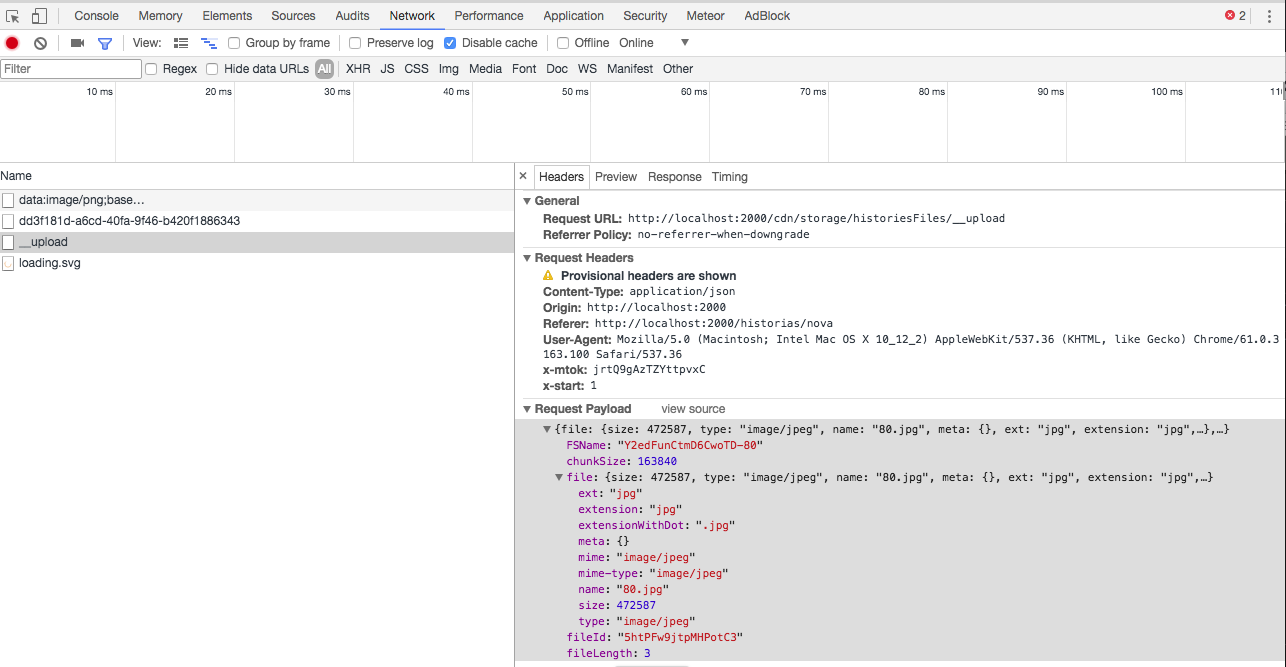
Demo
Client/Server Code

livimonte
on 21 Oct 2017
@livimonte thank you for update.
Could you post contents of ./meteor/packages file?
dr-dimitru
on 21 Oct 2017
Follow:
## Meteor
[email protected]
[email protected]
[email protected]
[email protected]
[email protected]
[email protected]
[email protected]
[email protected]
[email protected]
[email protected]
[email protected]
[email protected]

## Standard
[email protected]
lookback:emails
[email protected]
[email protected]
underscorestring:underscore.string
rzymek:moment-locale-pt-br
aldeed:moment-timezone
u2622:persistent-session
[email protected]
[email protected]
fourseven:scss
#juliancwirko:postcss
seba:minifiers-autoprefixer


## Data
aldeed:simple-schema
aldeed:collection2
dburles:collection-helpers
alanning:roles
mdg:validated-method
mdg:validation-error
meteorhacks:subs-manager
#meteorhacks:fast-render
reywood:publish-composite
meteorhacks:aggregate
jcbernack:reactive-aggregate


## Helpers
meteorhacks:ssr
meteorhacks:unblock
#kit:basic-auth
raix:handlebar-helpers
aldeed:template-extension
djedi:sanitize-html
pcel:serialize
ostrio:meteor-root
chrismbeckett:toastr

## Routing
kadira:[email protected]
kadira:blaze-layout
arillo:flow-router-helpers
zimme:active-route
meteorhacks:picker


## Accounts
[email protected]
useraccounts:unstyled
useraccounts:flow-routing
[email protected]
[email protected]
[email protected]
[email protected]


## SEO
meteorhacks:inject-initial
mdg:seo
kadira:dochead

## Production
[email protected]
[email protected]
mixmax:smart-disconnect

## Upload
ostrio:templatehelpers
ostrio:files

## Others
#bundle-visualizer
Move
## Upload
ostrio:templatehelpers
ostrio:files
Right above:
## Helpers
meteorhacks:ssr
meteorhacks:unblock
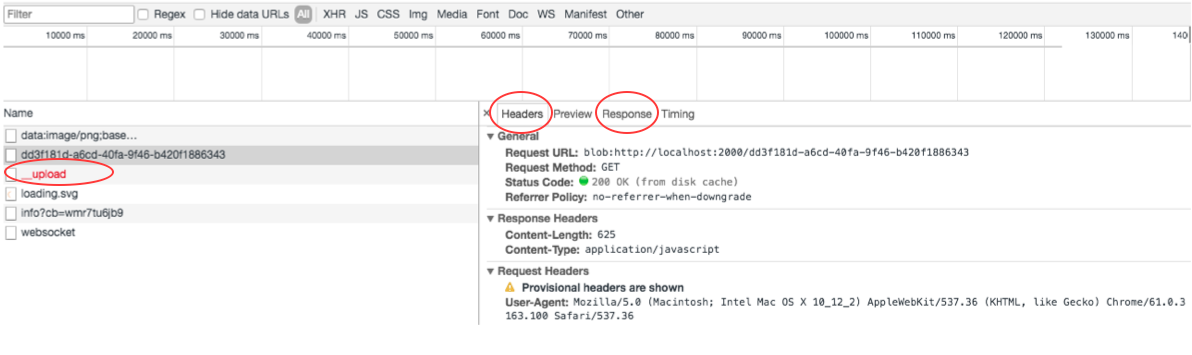
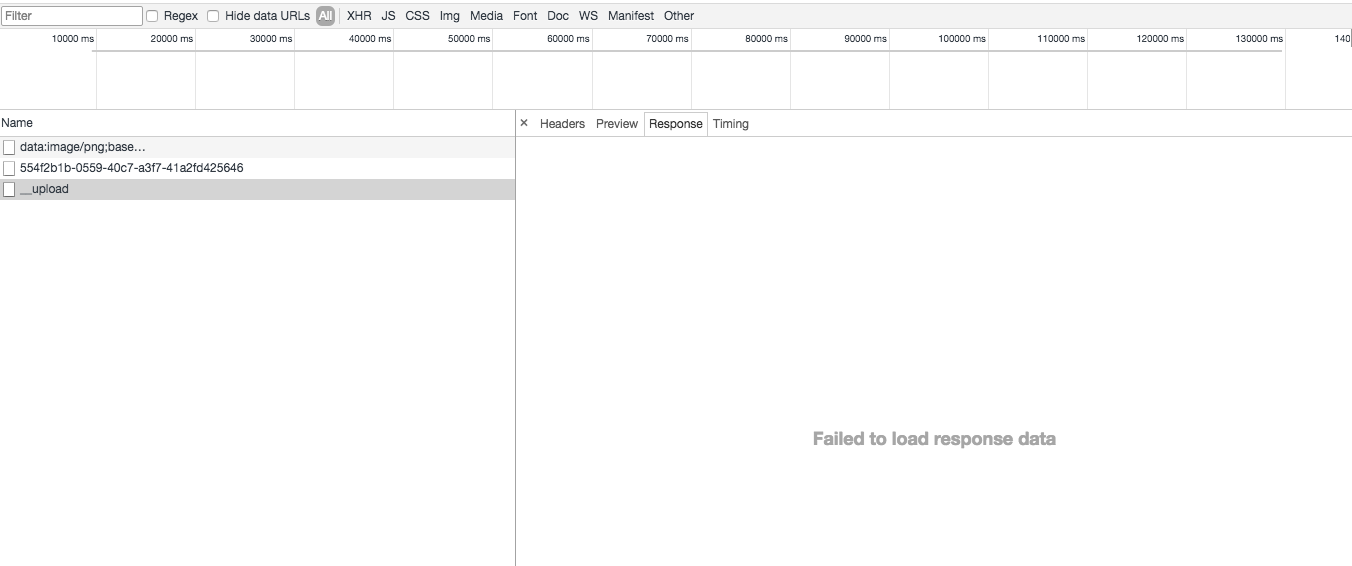
Also I would like to see headers and response of failed request:
dr-dimitru
on 21 Oct 2017
It works !!
Changing the order i found an error with the meteorhacks:picker. The problem is in the use of the midware bodyParser.json() with the Picker, if I comment this line the upload with http works:
Does not work:
const bodyParser = require ('body-parser');
Picker.middleware (bodyParser.json ());
Picker.middleware (bodyParser.urlencoded ({extended: false}));
Works:
const bodyParser = require ('body-parser');
//Picker.middleware (bodyParser.json ());
Picker.middleware (bodyParser.urlencoded ({extended: false}));
I thought it might be the limit, but that did not work:
const bodyParser = require ('body-parser');
Picker.middleware (bodyParser.json ({limit: 60000000}));
Picker.middleware (bodyParser.urlencoded ({extended: false, limit: 60000000}));
Do you know what it could be and if have a way to work using bodyParser?
Thanks and about the header response, it fails:
livimonte
on 21 Oct 2017
It works !! Changing the order
Awesome! :)
Order affects the order of middleware being registered.
And some packages like picker or SSR or routinf doesn't fully follows middleware convention and not passing request further to other middleware(s)
The problem is in the use of the midware bodyParser.json() with the Picker
Do you know what it could be and if have a way to work using bodyParser?
No idea, I've never faced the picker nor body-parser lib, you're better to nock into theirs issues.
dr-dimitru
on 21 Oct 2017
No problem, I'll take a look there ;)
Many thanks @dr-dimitru , congratulations for the great package and good work you do on your projects.
livimonte
on 21 Oct 2017
@livimonte thank you a lot for feedback, it means a lot :)
And I'm glad this issue is solved.
Please, support this project by:
- Star on GitHub
- Star on Atmosphere
- Check other packages we have made
dr-dimitru
on 21 Oct 2017
@dr-dimitru hello, I met almost the issue with the same phenomenon in my project, when I'm trying to enable the "HTTP" transport , with error below from browser console. Any ideas about how to fix that?
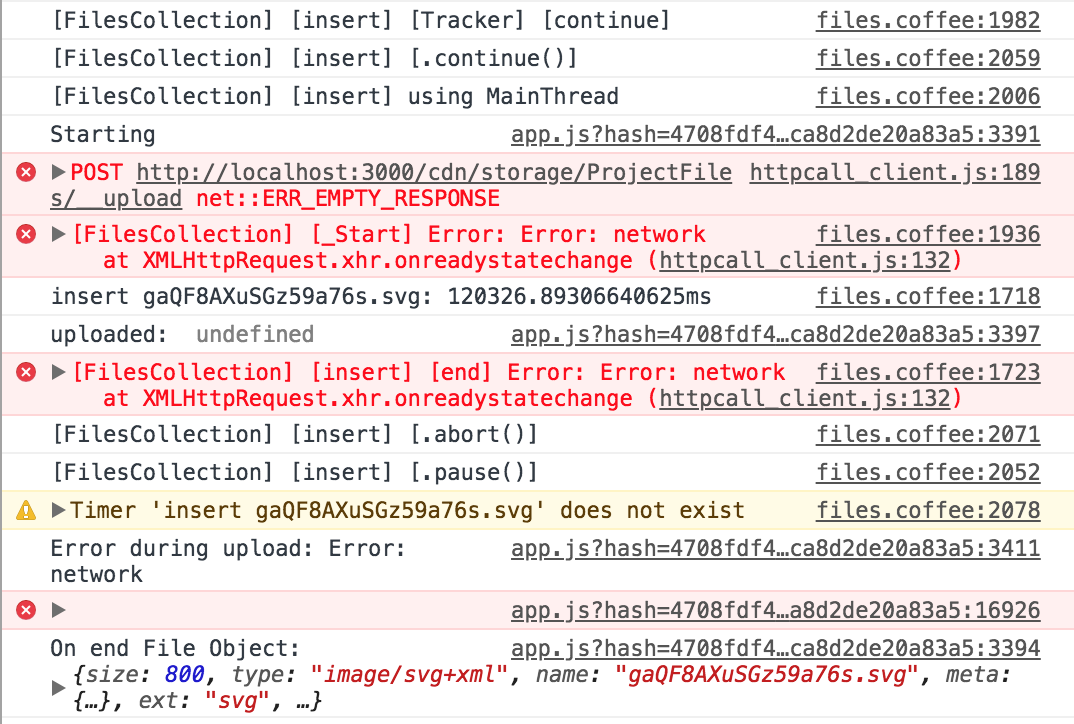
environment:
- meteor: Meteor 1.4.3.1
- Meteor Files: ostrio:[email protected]
- OS: Mac High Sierra, 10.13.1
- browser: Chrome Version 65.0.3325.181 (Official Build) (64-bit)
.meteor/packages
# meteor libraries
[email protected]
[email protected]
[email protected]
[email protected]
[email protected]
[email protected]

# standard libraries
[email protected]
[email protected]
[email protected]

# ui
[email protected]_1
react-meteor-data
simple:highlight.js

# network
[email protected]

# data
[email protected]
aldeed:simple-schema
aldeed:collection2
dburles:collection-helpers
reywood:publish-composite
mdg:validated-method
mdg:validation-error
meteorhacks:aggregate

# file system
ostrio:files

# i18n
universe:i18n

# accounts
[email protected]

# mobile
[email protected]
[email protected]
chriswessels:hammer

# production
juliancwirko:[email protected]
[email protected]
[email protected]
app-prod-security

# rest apis
simple:rest-accounts-password
simple:rest

# testing
factory
publication-collector
xolvio:cleaner
dispatch:mocha-phantomjs
practicalmeteor:[email protected]
hwillson:stub-collections

# debugging
msavin:mongol

# search
easy:search
 think-in-data
on 8 Apr 2018
think-in-data
on 8 Apr 2018
@dr-dimitru Now I tried to find workarounds. It seems the "upload with HTTP" only works after I remove both the simple:rest and simple:rest-accounts-password packages from the project.
But these two packages are necessary for my current feature. The reason is explained as below (I may be wrong).
Besides the issue when switching the transport mode to "HTTP" at client, I'm also working on exposing HTTP endpoint to support file upload with cURL for Meteor Files, and also enable rest APIs for other Meteor Collections in my project.
simple:rest seems to be a good solution for setting up rest APIs for publications, methods, and Collections, but I'm not sure it's the best way to enable file uploading with HTTP for Meteor-File backed project.
That's why I'm using the simple:rest package here to serve my above needs, which unfortunately seems to be conflicted with ostrio:files in HTTP transport mode.
If you guys have any recommended suggestions, you're very welcome. 😄
think-in-data
on 8 Apr 2018
Besides my own purpose to enable the HTTP endpoint for file upload and other APIs, I actually don't have strong intention to switch from "ddp" transport mode to "http" mode at client, unless the "http" mode has some apparent advantage as listed here: https://github.com/VeliovGroup/Meteor-Files/wiki/About-Upload-Transports
However, I did some speed testing for file upload with a 200M text file, and the uploading duration seems to be very close (http: 40s v.s. ddp: 42s). Do you have any other documents about the detailed comparison regarding speed or any other factors that we can refer to?
think-in-data
on 8 Apr 2018
@think-in-data One more pro for DDP - it magically works inside of mobile app (Cordova), while http always has some caveats.
dr-dimitru
on 8 Apr 2018
@think-in-data
Now I tried to find workarounds. It seems the "upload with HTTP" only works after I remove both the simple:rest and simple:rest-accounts-password packages from the project.
"Such packages" intercept all incoming requests. Ways to solve:
- Place
ostrio:filespackage higher then "such packages" in the.meteor/packagesfile - Register collections (run
new FilesCollection({/* ... */})) beforeMeteor.startup()callback - Register same route in a "such packages" as it used in
ostrio:filesfor http upload, and just pass request (usually callingnext()) to the next middleware handler.
dr-dimitru
on 8 Apr 2018
I also had some problems with http and i am using ddp now. I vote to keep ddp.
livimonte
on 8 Apr 2018
@dr-dimitru thanks for solutions. Do I need to do all the 3 steps, or either one should work?
In my .meteor/packages file, the ostrio:files is above simple:rest, but it doesn't work unless I remove the simple:rest packages.
think-in-data
on 8 Apr 2018
@livimonte @dr-dimitru good to know. thanks 👍 I think it's fine to keep DDP for insert method at client.
Regarding uploading file from non-meteor HTTP client, e.g. cURL, to a Meteor server with Meteor Files, do you know any best practice which works well for all sizes of files (e.g. 1KB ~ 1GB) ? I'm experimenting with simple:rest for such a feature.
I saw the resolved issue on https://github.com/VeliovGroup/Meteor-Files/issues/206, but does it really work well for large files like 1GB?
think-in-data
on 8 Apr 2018
@think-in-data
I saw the resolved issue on #206, but does it really work well for large files like 1GB?
Why? Our library supports upload of files of any sizes, through all upload protocols
dr-dimitru
on 8 Apr 2018
@dr-dimitru it looks like that example will consume significant memory when read/write file into Meteor-Files, and it bypass the chunk-level upload process implemented by Meteor Files.
The example from https://github.com/noris666/Meteor-Files-POST-Example/blob/master/avatars.example.js
_fs.readFile(req.file.path, function (_readError, _readData) {
            if (_readError) {
              console.log(_readError);
            } else {
              Avatars.write(_readData, _addFileMeta, function (_uploadError, _uploadData) {
                if (_uploadError) {
                  console.log(_uploadError);
                } else {
                  console.log('upload data=', _uploadData);
                  _fs.unlink(req.file.path); // remove temp upload
                }
              });
            }
          });
@think-in-data about the simple:rest problem, i never used it but the problem i had with picker (server-side routes) was that it run in all routes and it don't work well with uploads. When i filter the upload routes, it works. Here is the code i used with picker:
let postRoutes = Picker.filter(function(req, res) {
  return req.method == "POST" && req.url.indexOf('__upload') === -1;
});

//Apply middlewares after filter
postRoutes.middleware( bodyParser.json({limit:'500kb'}) );
postRoutes.middleware( bodyParser.urlencoded( { extended: false } ) );
@think-in-data for chunked upload you will need to write a client which can split a file into chunks and manage an upload.
For inspiration you may take a look on python-based solution. You can use this repository to upload files, instead of cURL from any Linux environment (but script requires little changes to work from CLI).
dr-dimitru
on 9 Apr 2018
@livimonte thanks a lot! That brings good insight for the issue I met I think. 😆
think-in-data
on 9 Apr 2018
@dr-dimitru thanks so much! I think that meteor-python-files solution should work well for file upload from any client machines. 😄 I'll have a try.
But my project requires a rest API that can be used from any cURL-like HTTP client. I may add some extra handling on server side similar to what the example did and pay attention to memory usage: https://github.com/noris666/Meteor-Files-POST-Example/blob/master/avatars.example.js
think-in-data
on 9 Apr 2018
Related issues
 msgfxeg
·
3Comments
msgfxeg
·
3Comments
 pdshah3690
·
3Comments
pdshah3690
·
3Comments
 nayayan
·
3Comments
nayayan
·
3Comments
 Avijobo
·
3Comments
Avijobo
·
3Comments
 tuarrep
·
4Comments
tuarrep
·
4Comments
Most helpful comment
It works !!
Changing the order i found an error with the meteorhacks:picker. The problem is in the use of the midware bodyParser.json() with the Picker, if I comment this line the upload with http works:
Does not work:
const bodyParser = require ('body-parser');
Picker.middleware (bodyParser.json ());
Picker.middleware (bodyParser.urlencoded ({extended: false}));
Works:
const bodyParser = require ('body-parser');
//Picker.middleware (bodyParser.json ());
Picker.middleware (bodyParser.urlencoded ({extended: false}));
I thought it might be the limit, but that did not work:
const bodyParser = require ('body-parser');
Picker.middleware (bodyParser.json ({limit: 60000000}));
Picker.middleware (bodyParser.urlencoded ({extended: false, limit: 60000000}));
Do you know what it could be and if have a way to work using bodyParser?
Thanks and about the header response, it fails: