I have no problem with IE, I have no problem with the Google browser, but IE error, all pages are not open, the error code is as follows:
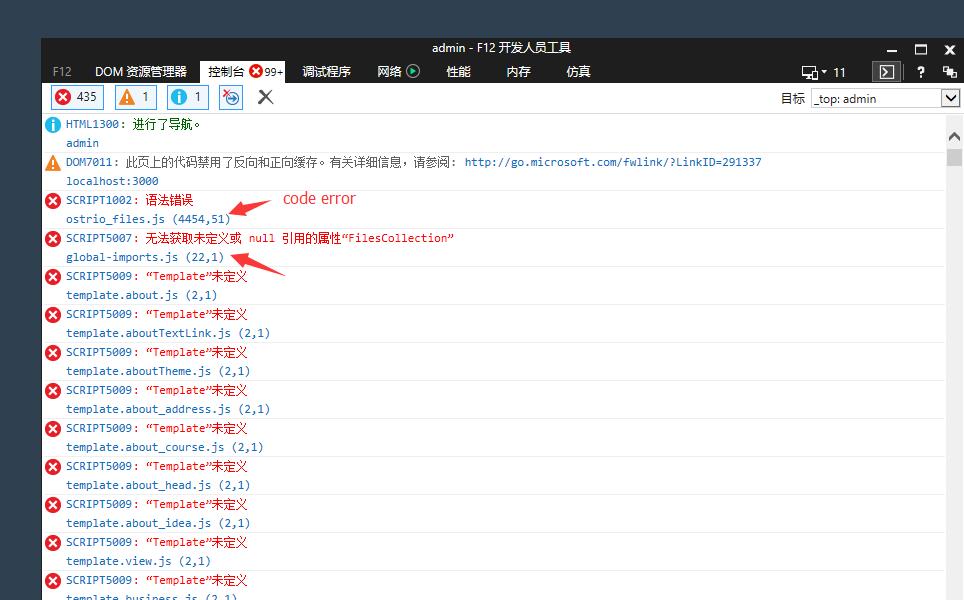
How to solve it
this is my website: http://sztopfar.mozibrand.com IE not open
 eugle
eugle
All 48 comments
Hello @mozibrand ,
- What the errors says?
- Could you make a same screen shot but with debug enabled? (See
debugflag in a Constructor) - Does server has any errors?
- What is IE and Windows version?
 dr-dimitru
on 10 Jun 2017
dr-dimitru
on 10 Jun 2017
1: error see screenshot
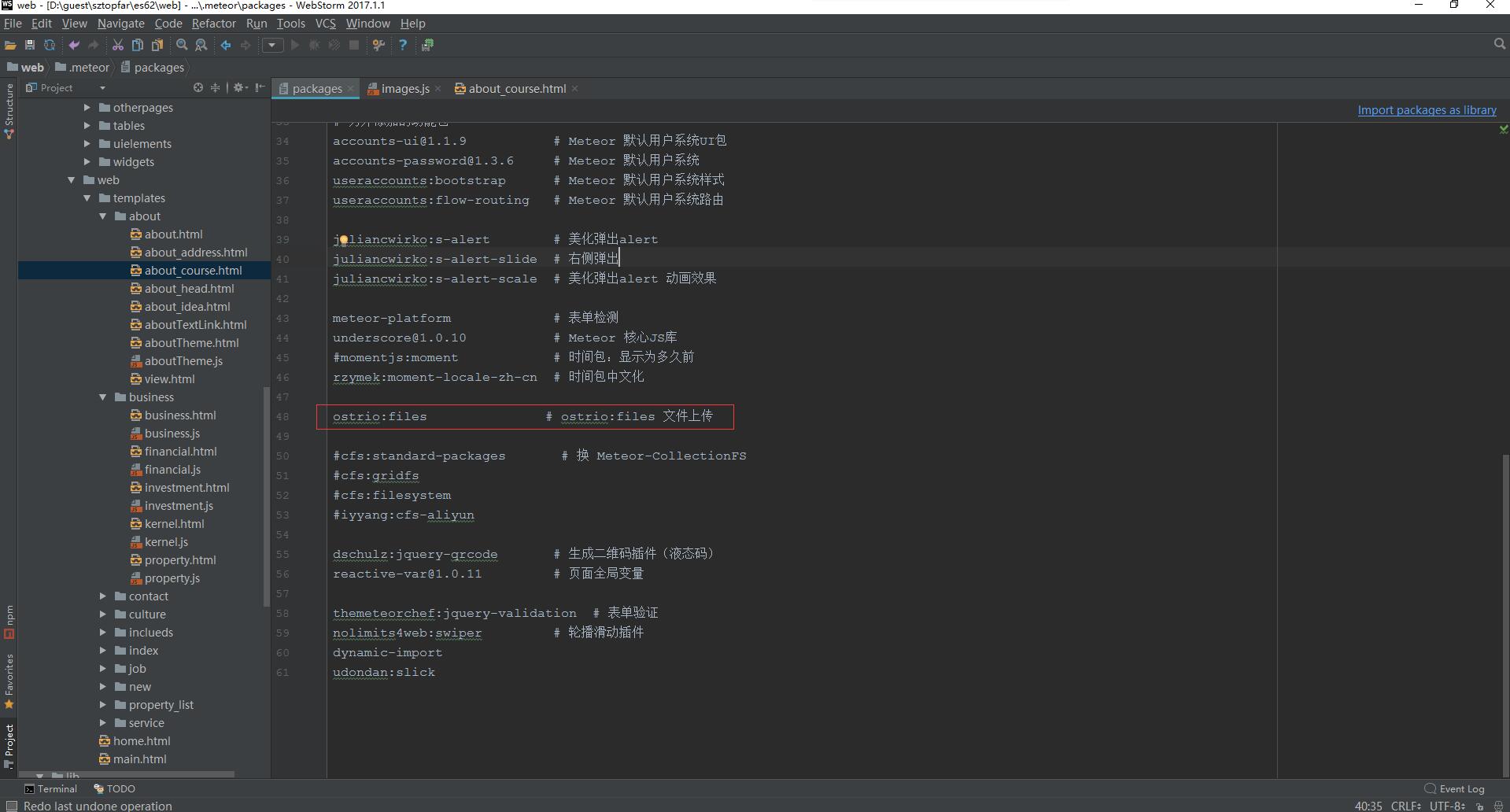
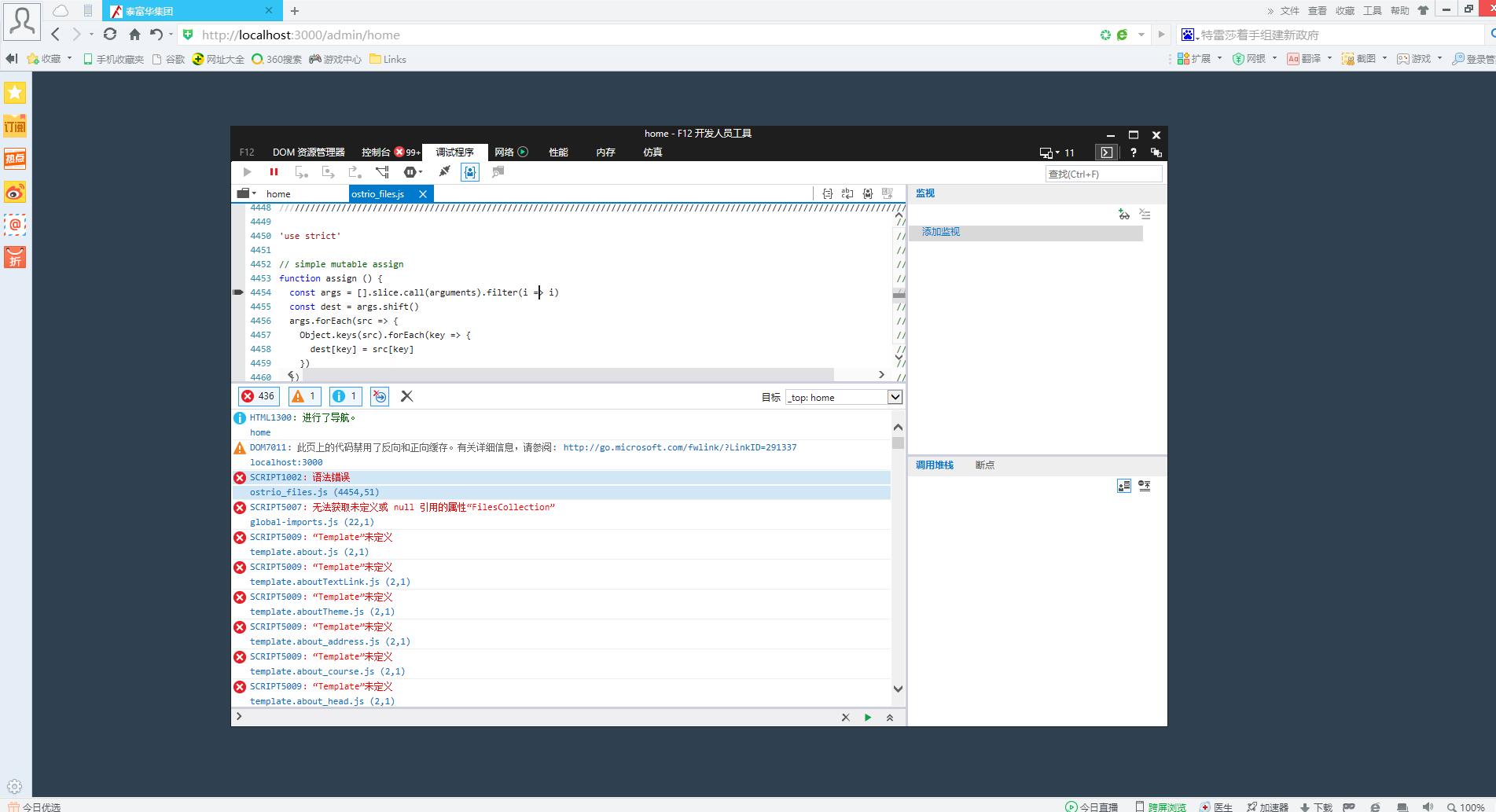
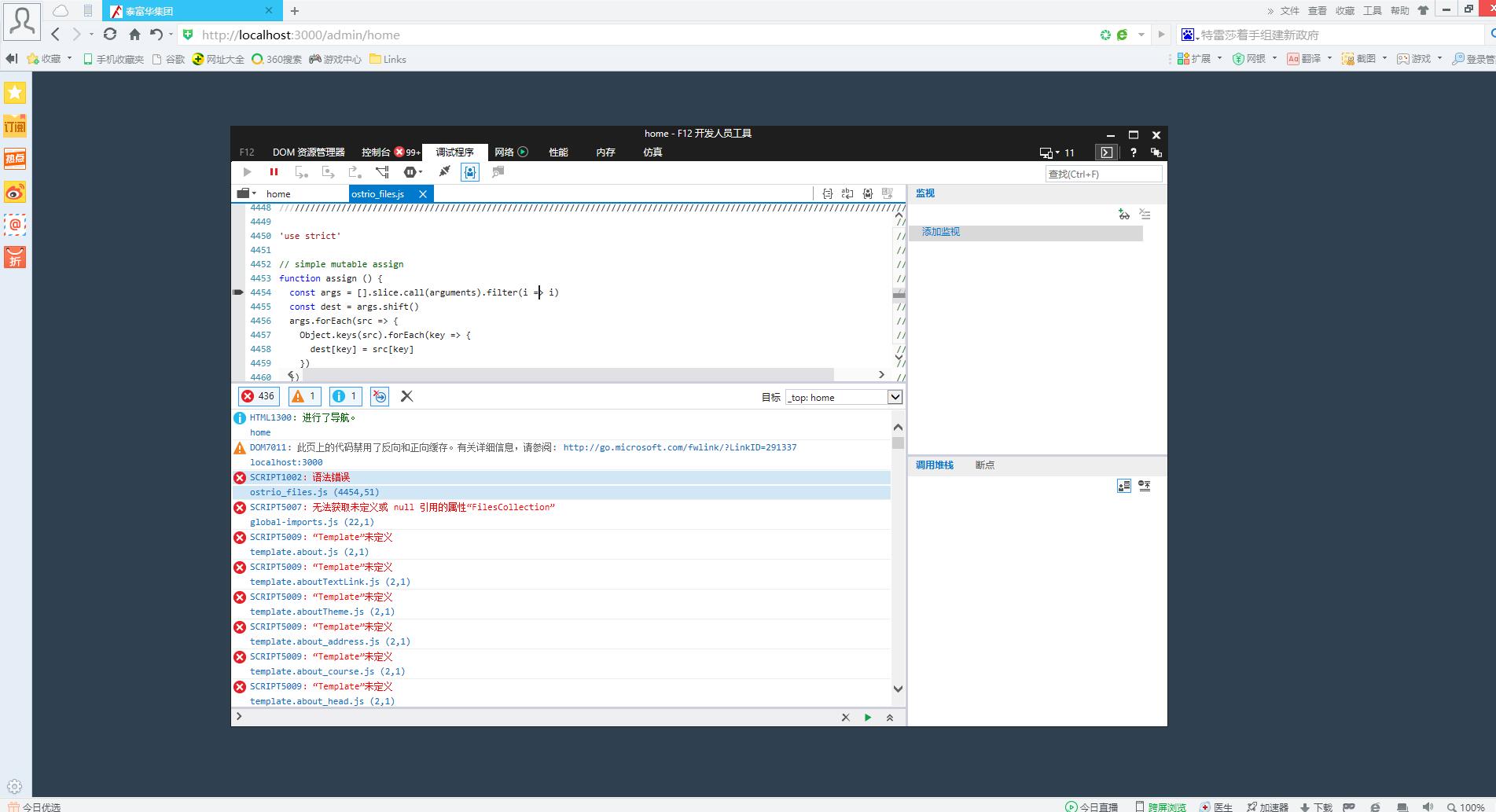
In IE, it's not open
3: In the Google browser, after uploading the image, it doesn't show up
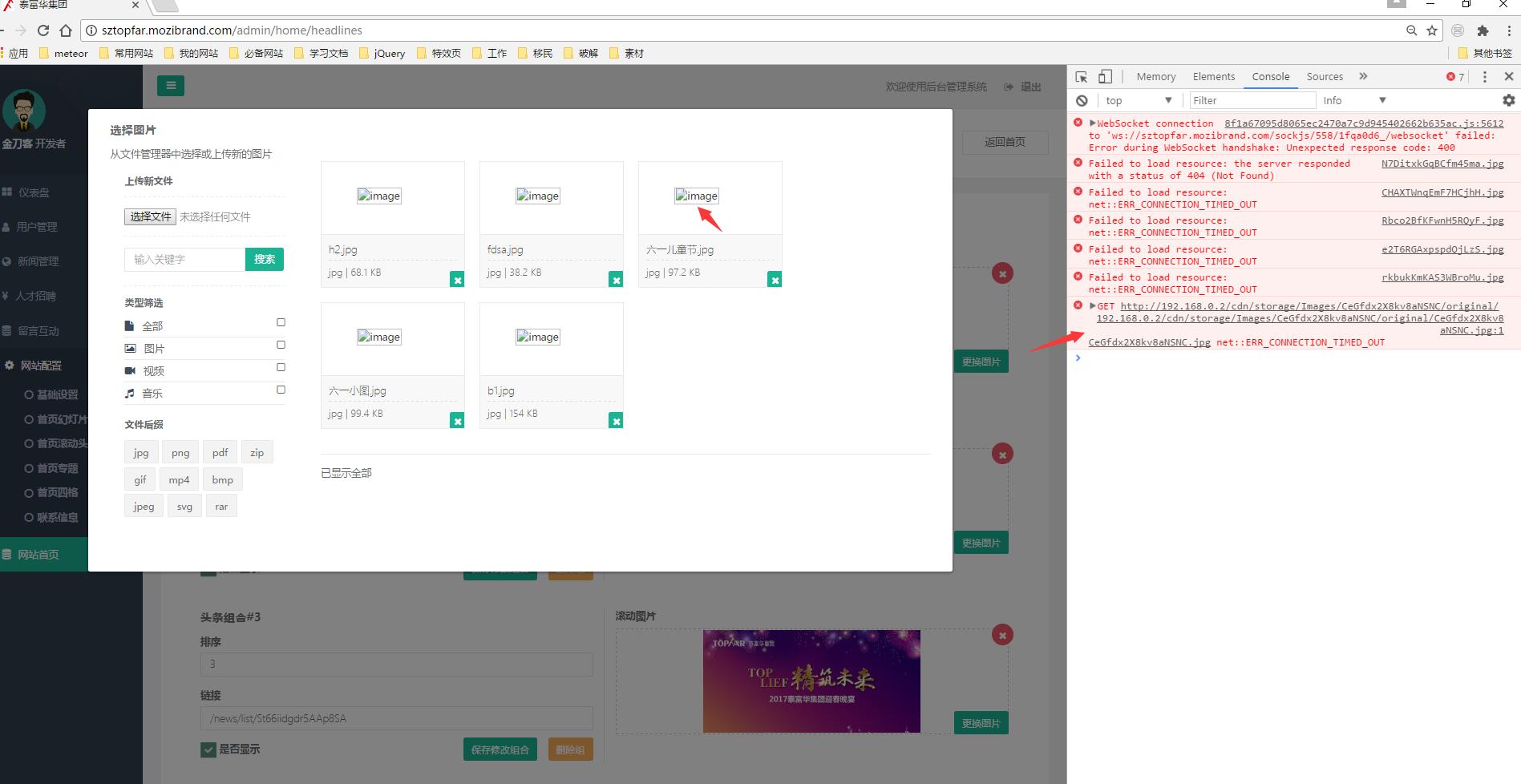
4: windows version is windows 10, IE version is IE 11
eugle
on 10 Jun 2017
I'm trying to set up a git project, do you have time to help me see what the problem is because I don't speak English well enough to speak clearly
eugle
on 10 Jun 2017
I'm trying to set up a git project, do you have time to help me see what the problem is because I don't speak English well enough to speak clearly
Okay, but first problem we have - I have no access to Windows. So, I'm not able to reproduce it.
dr-dimitru
on 10 Jun 2017
- Make sure
es5-shimandecmascriptpackages is installed - Make sure you're on the latest release of Meteor and Meteor-Files (
ostrio:files)
dr-dimitru
on 10 Jun 2017
Thank you for replying to me now, I guess you should be in the middle of the night in China
There's no relationship. You can use IE to try and see if the MAC can install 360 tests
eugle
on 10 Jun 2017
my meteor version is 1.5, npm is 4.6.1, ostrio:files version is latest release, packages list is:
这是 Inspinia admin 默认配置的包
[email protected] # less 样式包
fortawesome:fontawesome # 字体图标
[email protected] # jQuery
dbarrett:dropzonejs # DropzoneJS是一个开源库,可以通过图像预览提供拖放文件上传
twbs:[email protected] # Bootstrap
[email protected] # Meteor 基础包
[email protected] # Meteor 默认移动端体验
[email protected] # Meteor 默认 MongoDB包
[email protected] # Blaze 模板包
[email protected] # Session 包
[email protected] # Meteor's client-side reactive programming library
[email protected] # 日志管理
[email protected] #
[email protected] #
[email protected]
[email protected]
[email protected]
[email protected] # CSS minifier run for production mode
[email protected] # JS minifier run for production mode
[email protected] # Server-side component of the meteor shell command
[email protected]
kadira:blaze-layout # 渲染Blaze模板
kadira:flow-router # Flow-router
zimme:active-route #
另外添加的功能包
[email protected] # Meteor 默认用户系统UI包
[email protected] # Meteor 默认用户系统
useraccounts:bootstrap # Meteor 默认用户系统样式
useraccounts:flow-routing # Meteor 默认用户系统路由
juliancwirko:s-alert # 美化弹出alert
juliancwirko:s-alert-slide # 右侧弹出
juliancwirko:s-alert-scale # 美化弹出alert 动画效果
meteor-platform # 表单检测
[email protected] # Meteor 核心JS库
momentjs:moment # 时间包:显示为多久前
rzymek:moment-locale-zh-cn # 时间包中文化
ostrio:files # ostrio:files 文件上传
cfs:standard-packages # 换 Meteor-CollectionFS
cfs:gridfs
cfs:filesystem
iyyang:cfs-aliyun
dschulz:jquery-qrcode # 生成二维码插件(液态码)
[email protected] # 页面全局变量
themeteorchef:jquery-validation # 表单验证
nolimits4web:swiper # 轮播滑动插件
dynamic-import
udondan:slick
eugle
on 10 Jun 2017
Just a moment, please. I'll install it es5-shim and ecmascript
eugle
on 10 Jun 2017
@mozibrand is this one solved?
dr-dimitru
on 10 Jun 2017
no no no, I created a project, is new, you just installed the package, not run directly, an error, do nothing, only your package installed, in IE an error
eugle
on 11 Jun 2017
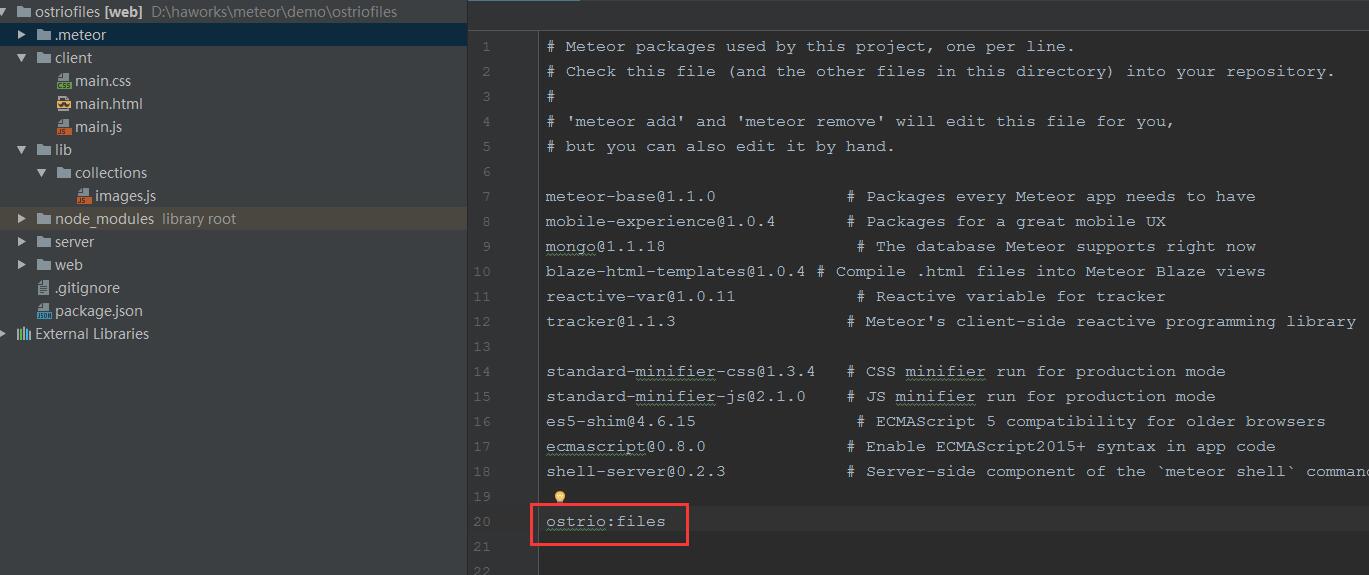
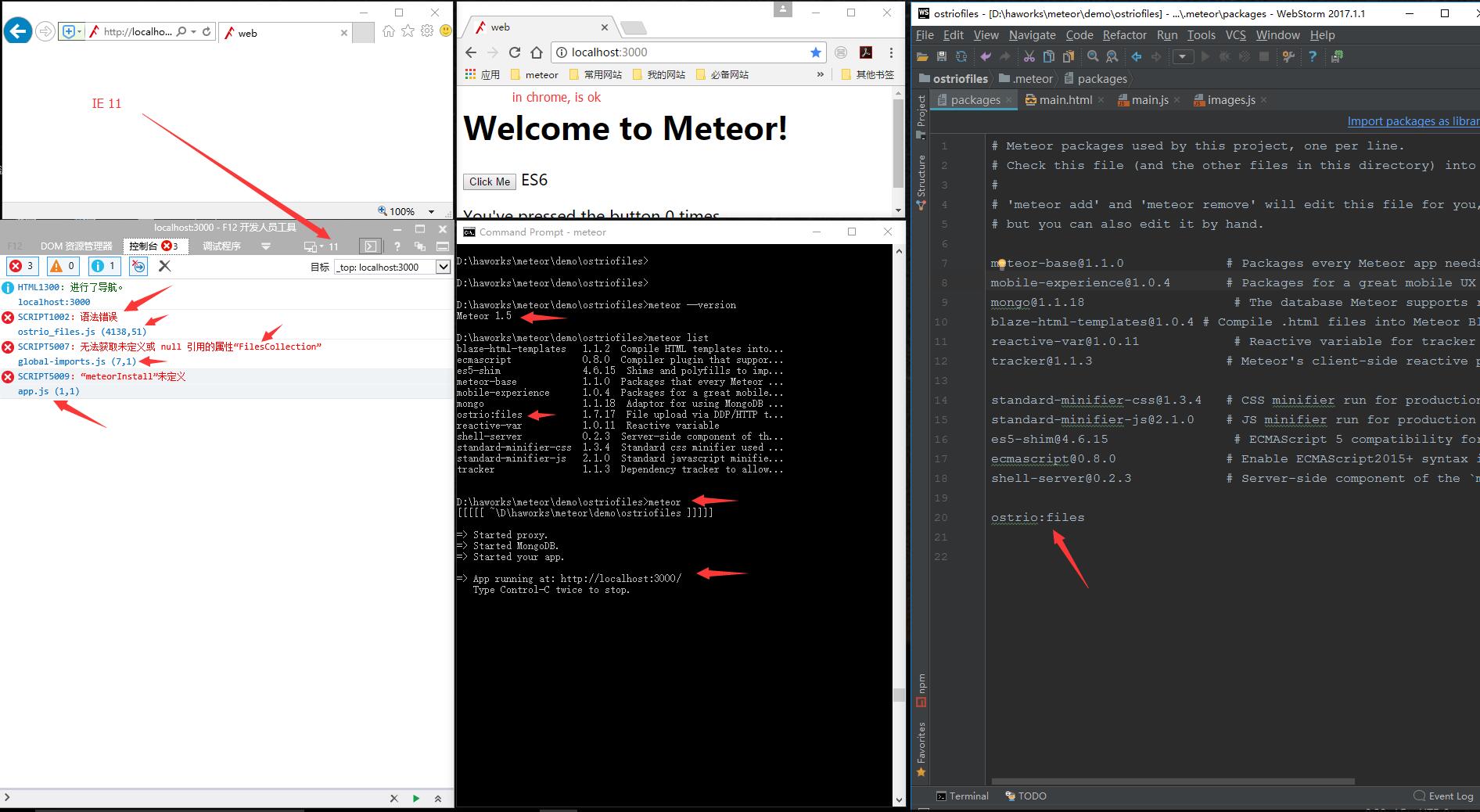 eugle
on 11 Jun 2017
eugle
on 11 Jun 2017
@dr-dimitru Just installed one package, a new meteor project, really doesn't support IE?
eugle
on 11 Jun 2017
- What the errors says?
- Could you make a same screen shots but with debug enabled? (See
debugflag in a Constructor)
dr-dimitru
on 11 Jun 2017
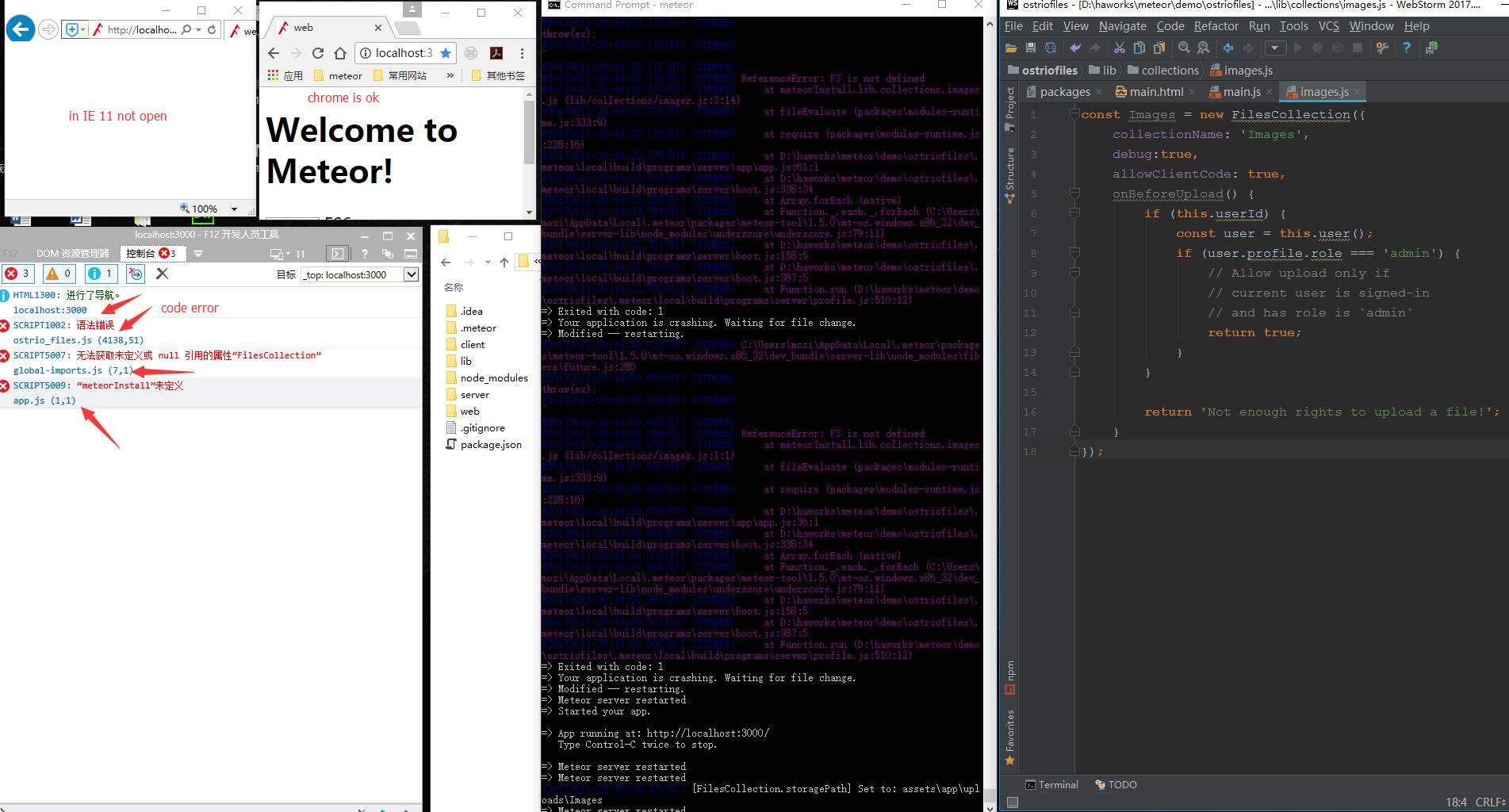
1: I tried Meteor - CollectionFS, in IE is ok, but bad to use, pictures showed not, i want to use ostrio: files, but ostrio: files for ie not open. create a new meteor project, only installed ostrio: files package, Also have the wrong
eugle
on 11 Jun 2017
How do you solve this problem,thank you very mach, In a hurry with
eugle
on 11 Jun 2017
I use the translation software, sometimes the tone is wrong or not friendly, please excuse me, because my English is very rubbish
eugle
on 11 Jun 2017
I'm in a hurry. You have a very good bag. I don't want to use it any more Meteor - CollectionFS,He had no one to maintain, it was a discarded bag
eugle
on 11 Jun 2017
@dr-dimitru #
eugle
on 11 Jun 2017
What the errors says? On the screenshot at the IE console, where is something meteorInstall and above it.
dr-dimitru
on 11 Jun 2017
SCRIPT1002: 语法错误
ostrio_files.js (4138,51)
SCRIPT5007: 无法获取未定义或 null 引用的属性 “FilesCollection”
global-imports.js (7,1)
SCRIPT5009: "meteorInstall" 未定义
app.js(1,1)
====================================
SCRIPT1002: grammatical errors
Ostrio_files.js (4138,51)
SCRIPT5007: unable to retrieve an attribute "FilesCollection" of undefined or null references
Global imports.js (7, 1)
SCRIPT5009: "meteorInstall" is undefined
App. Js (1, 1)
eugle
on 11 Jun 2017
Does that make sense? Can you solve it? This is the addition of the package. I didn't write a single line of code. In IE11, no, it's not possible to not support IE11
eugle
on 11 Jun 2017
meteor create demo
cd demo
meteor add ostrio:files
meteor update
meteor
in ie11, error
eugle
on 11 Jun 2017
:)
eugle
on 11 Jun 2017
Now it's more clear.
Looks like import statement is missing:
import { FilesCollection } from 'meteor/ostrio:files';
Or use globally defined (__note:__ will be deprecated in future):
Meteor.Files
I didn't write a single line of code.
Hmm.. this is weird. Try to check if error will gone with --production flag:
meteor --production
@mozibrand @dr-dimitru
@dr-dimitru He has explained his problem in Meteor China Community, and I have investigated it with him. I would say sorry representing him for his poor English and thank you for your warm help and hardwork on this package!
ostrio:files depends the npm module fs-extra, which is loaded on the client-side(is this an intended behavior?). That package is in ES6 and has no transpilation conducted by itself. While meteor doesn't transpile NPM modules, this problem happened due to the fact that IE11 doesn't support Arrow Functions. The first error in @mozibrand 's screenshot is just caused by https://github.com/jprichardson/node-fs-extra/blob/master/lib/util/assign.js#L7-L11 .
So, do you have any suggestions on how to solve this problem? Would you like me posting another issue respecting the real problem to track, or just say you don't want to support legacy browsers like IE11?
Thank you for your hardwork!
 laosb
on 12 Jun 2017
laosb
on 12 Jun 2017
@laosb Thank you very much!
eugle
on 12 Jun 2017
@dr-dimitru I look forward to your response, thanks
eugle
on 12 Jun 2017
Hello @mozibrand @laosb ,
npm module fs-extra, which is loaded on the client-side(is this an intended behavior?)
No, this shouldn't happen. fs-extra is meant to be used on Server only.
So, do you have any suggestions on how to solve this problem?
Now, only falling back to older release.
or just say you don't want to support legacy browsers like IE11?
I would support IE 11, and make sure backend NPM packages only loaded on Server.
The big update is coming. We're moving from CoffeeScript to ES6 and this should solve all current issues. But I can't tell you when it will be published.
I'll mark this as a bug. Thank you for report.
Let me know if downgrading to older release temporarily fixes this issue.
dr-dimitru
on 12 Jun 2017
Having same issue with Windows 10 IE 11. Edge is working fine.
 haojia321
on 17 Jun 2017
haojia321
on 17 Jun 2017
Hello @mozibrand @haojia321 @laosb
This should be fixed in v1.8.0 please update to the latest release and let me know if it solves this issue.
dr-dimitru
on 18 Jun 2017
@mozibrand is now trying it out - let's see if it works!
laosb
on 18 Jun 2017
Thank you very much, and now we've been able to support IE9, and congratulations on getting a lot of fans back from CFS back to the ostrio: files
eugle
on 18 Jun 2017
@laosb thank you for stepping in.
@mozibrand thank you for contribution. Do you have a chance to test other IEs? 8, 10, 11, Edge?
I'm doing this blindly as have limited access to Win 7 with IE 8 onboard, which wont even display something. It will be great to know where it work or not. Thank you
dr-dimitru
on 18 Jun 2017
Mentioned you in release, thanks a lot once again!
dr-dimitru
on 18 Jun 2017
@dr-dimitru Great, keep it up!
laosb
on 18 Jun 2017
@dr-dimitru Ie7,ie8 is not supported, ie9, ie11 is supported, , ie7 , ie8 is still like my screenshot
eugle
on 21 Jun 2017
edge is supported , very good
eugle
on 21 Jun 2017
The meteor itself does not support IE7.8, so it is unsolvable,It's great to be able to support IE9 now,Thanks again
eugle
on 21 Jun 2017
This week I've been working with bizarre browsers including Maxthon, UCBrowser and IE.
Made it work in IE>=9, latest Maxthon and some version of UCBrowser which is recognized as Chrome 37.
Do you have any experience with Meteor on Maxthon and/or UCBrowser? As far as I know Maxthon is widely used in China.
dr-dimitru
on 21 Jun 2017
Maxthon is no longer popular in China at this moment. Sounds like you have covered a big part of China specific browsers since you can simply see them as older versions of Chrome. Amazing!
laosb
on 21 Jun 2017
If you want to know the marketshare in China, you can refer to this analysis conducted by Baidu, with all data they get with their GoolgeAnalytics-liked producted.
laosb
on 21 Jun 2017
Maxthon is no longer popular in China at this moment
That's great, less browsers - less hassle :)
Thank you a lot for this info.
dr-dimitru
on 21 Jun 2017
Hi,
I've recently had this error in IE11, using ostrio:[email protected].
There are over 100 errors in the console that start with a purported syntax error in modules.js on Line 14584, Column 51. This is an arrow function, which I realize IE11 does not support. However, it is from the fs-extra package, which should never be loaded client side.
I understood from the comments above that this issue should have been fixed in version 1.8.0. Is this a regression?
 runlevelsix
on 16 Aug 2017
runlevelsix
on 16 Aug 2017
Ah! I've fixed the issue!
My code was using fs = require('fs-extra');.
When I updated it to be fs = Npm.require('fs-extra');, all of my IE11 problems went away. I've certainly learned a lesson ;-)
runlevelsix
on 17 Aug 2017
@runlevelsix you should not import fs and/or fs-extra on the Client
dr-dimitru
on 17 Aug 2017
I agree, my code is in a /lib folder, but is also in side a Meteor.isServer block.
The only solution which worked was using var fs = Npm.require('fs-extra'); rather than simply var fs = require('fs-extra');.
I think that because Meteor (Babel?) was doing all of the code splitting, it got confused by the require and put fs-extra into the client-side code bundle, regardless of my code only using it server side.
runlevelsix
on 17 Aug 2017
Yes, it's caused by Meteor's compilation process. If is sees require or import keywords it will preload mentioned libraries with no respect to Meteor.isServer block.
That's why we have been forced to implement exact code splitting.
dr-dimitru
on 17 Aug 2017
Related issues
 pdshah3690
·
3Comments
dr-dimitru
·
3Comments
pdshah3690
·
3Comments
dr-dimitru
·
3Comments
 rlhk
·
4Comments
rlhk
·
4Comments
 sabedinia
·
3Comments
sabedinia
·
3Comments
 msgfxeg
·
3Comments
msgfxeg
·
3Comments
Most helpful comment
Thank you very much, and now we've been able to support IE9, and congratulations on getting a lot of fans back from CFS back to the ostrio: files