Metasploit-framework: msf > db_status [*] postgresql selected, no connection
msf5 > db_status
[*] postgresql selected, no connection
This error shows after launching msfconsole
[-] *rtiNg the Metasploit Framework console...-
[-] * WARNING: No database support: could not connect to server: Connection refused
Is the server running on host "localhost" (::1) and accepting
TCP/IP connections on port 5432?
could not connect to server: Connection refused
Is the server running on host "localhost" (127.0.0.1) and accepting
TCP/IP connections on port 5432?
[-] *
.;lxO0KXXXK0Oxl:.
,o0WMMMMMMMMMMMMMMMMMMKd,
'xNMMMMMMMMMMMMMMMMMMMMMMMMMWx,
:KMMMMMMMMMMMMMMMMMMMMMMMMMMMMMMMK:
.KMMMMMMMMMMMMMMMWNNNWMMMMMMMMMMMMMMMX,
lWMMMMMMMMMMMXd:.. ..;dKMMMMMMMMMMMMo
xMMMMMMMMMMWd. .oNMMMMMMMMMMk
oMMMMMMMMMMx. dMMMMMMMMMMx
.WMMMMMMMMM: :MMMMMMMMMM,
xMMMMMMMMMo lMMMMMMMMMO
NMMMMMMMMW ,cccccoMMMMMMMMMWlccccc;
MMMMMMMMMX ;KMMMMMMMMMMMMMMMMMMX:
NMMMMMMMMW. ;KMMMMMMMMMMMMMMX:
xMMMMMMMMMd ,0MMMMMMMMMMK;
.WMMMMMMMMMc 'OMMMMMM0,
lMMMMMMMMMMk. .kMMO'
dMMMMMMMMMMWd' ..
cWMMMMMMMMMMMNxc'. ##########
.0MMMMMMMMMMMMMMMMWc #+# #+#
;0MMMMMMMMMMMMMMMo. +:+
.dNMMMMMMMMMMMMo +#++:++#+
'oOWMMMMMMMMo +:+
.,cdkO0K; :+: :+:
:::::::+:
Metasploit
=[ metasploit v5.0.58-dev ]
- -- --=[ 1936 exploits - 1082 auxiliary - 333 post ]
- -- --=[ 556 payloads - 45 encoders - 10 nops ]
- -- --=[ 7 evasion ]
msf5 > db_status
[*] postgresql selected, no connection
the port was already set into 5432 and i still dont know why i cant connect.
 aceboy2020
All 15 comments
Failed to start metasploit.service: Unit metasploit.service not found.
aceboy2020
on 4 Nov 2019
Is there an application already running on that port on your system? If not, is Postgresql set up and running?
 space-r7
on 4 Nov 2019
space-r7
on 4 Nov 2019
Is there an application already running on that port on your system? If not, is Postgresql set up and running?
postgresql is now working :) my problem now is
Failed to start metasploit.service: Unit metasploit.service not found.
aceboy2020
on 5 Nov 2019
metasploit-framework is already the newest version (5.0.59+20191104103312~1rapid7-1).
aceboy2020
on 5 Nov 2019
I think the problem is that I dont see any content or a folder name msf4 at /root/.msf4/.
aceboy2020
on 5 Nov 2019
How to have /root/.msf4 folder?
aceboy2020
on 5 Nov 2019
$ msfconsole init
$ msfdb delete
$ msfdb init
$ cp /usr/share/metasploit-framework/config/database.yml /root/.msf4/
$ service postgresql restart
$ msfconsole
db_status
 bbb62-del
on 3 Apr 2020
bbb62-del
on 3 Apr 2020
$ msfconsole init
$ msfdb delete
$ msfdb init
$ cp /usr/share/metasploit-framework/config/database.yml /root/.msf4/
$ service postgresql restart
$ msfconsoledb_status
Thanks but when I start Metasploit I got this Error:
[-] Error while running command db_connect: Failed to connect to the HTTP data service: Data Service does not appear to be responding

Call stack:
/opt/metasploit-framework/lib/msf/ui/console/command_dispatcher/db.rb:2067:in `rescue in db_connect_http'
/opt/metasploit-framework/lib/msf/ui/console/command_dispatcher/db.rb:2062:in `db_connect_http'
/opt/metasploit-framework/lib/msf/ui/console/command_dispatcher/db.rb:1832:in `cmd_db_connect'
/opt/metasploit-framework/lib/rex/ui/text/dispatcher_shell.rb:523:in `run_command'
/opt/metasploit-framework/lib/rex/ui/text/dispatcher_shell.rb:474:in `block in run_single'
/opt/metasploit-framework/lib/rex/ui/text/dispatcher_shell.rb:468:in `each'
/opt/metasploit-framework/lib/rex/ui/text/dispatcher_shell.rb:468:in `run_single'
/opt/metasploit-framework/lib/msf/ui/console/driver.rb:252:in `block in load_db_config'
/opt/metasploit-framework/lib/msf/ui/console/driver.rb:239:in `each_pair'
/opt/metasploit-framework/lib/msf/ui/console/driver.rb:239:in `load_db_config'
/opt/metasploit-framework/lib/msf/ui/console/driver.rb:133:in `initialize'
/opt/metasploit-framework/lib/metasploit/framework/command/console.rb:62:in `new'
/opt/metasploit-framework/lib/metasploit/framework/command/console.rb:62:in `driver'
/opt/metasploit-framework/lib/metasploit/framework/command/console.rb:48:in `start'
/opt/metasploit-framework/lib/metasploit/framework/command/base.rb:82:in `start'
/usr/local/bin/msfconsole:17:in `<main>'
how to can I fix this?
 Amir-ESH
on 19 Apr 2020
Amir-ESH
on 19 Apr 2020
i had the same problem and it was because i was running msfconsole on a root account. once i ran it without root on a normal user account it ran perfect.
 R1NGxZ3R0
on 28 Apr 2020
R1NGxZ3R0
on 28 Apr 2020
Hello,
are there other ways to fix this problem

 martinssssssss
on 3 Jun 2020
martinssssssss
on 3 Jun 2020
$ msfconsole init
$ msfdb delete
$ msfdb init
$ cp /usr/share/metasploit-framework/config/database.yml /root/.msf4/
$ service postgresql restart
$ msfconsole
db_status
في الأربعاء، ٣ يونيو، ٢٠٢٠ ١٨:٢٨ martinssssssss notifications@github.com
كتب:
Hello,
are there other ways to fix this problem
[image: 3333]
https://user-images.githubusercontent.com/66221656/83668423-efcf2500-a59d-11ea-84ab-8a0637cfcd87.png—
You are receiving this because you commented.
Reply to this email directly, view it on GitHub
https://github.com/rapid7/metasploit-framework/issues/12538#issuecomment-638341710,
or unsubscribe
https://github.com/notifications/unsubscribe-auth/APBORGQOUO4IQS22APYXX2LRU2B5HANCNFSM4JIWU2JA
.
bbb62-del
on 3 Jun 2020
Hi, I tried many methods to fix this problem, but it still appears
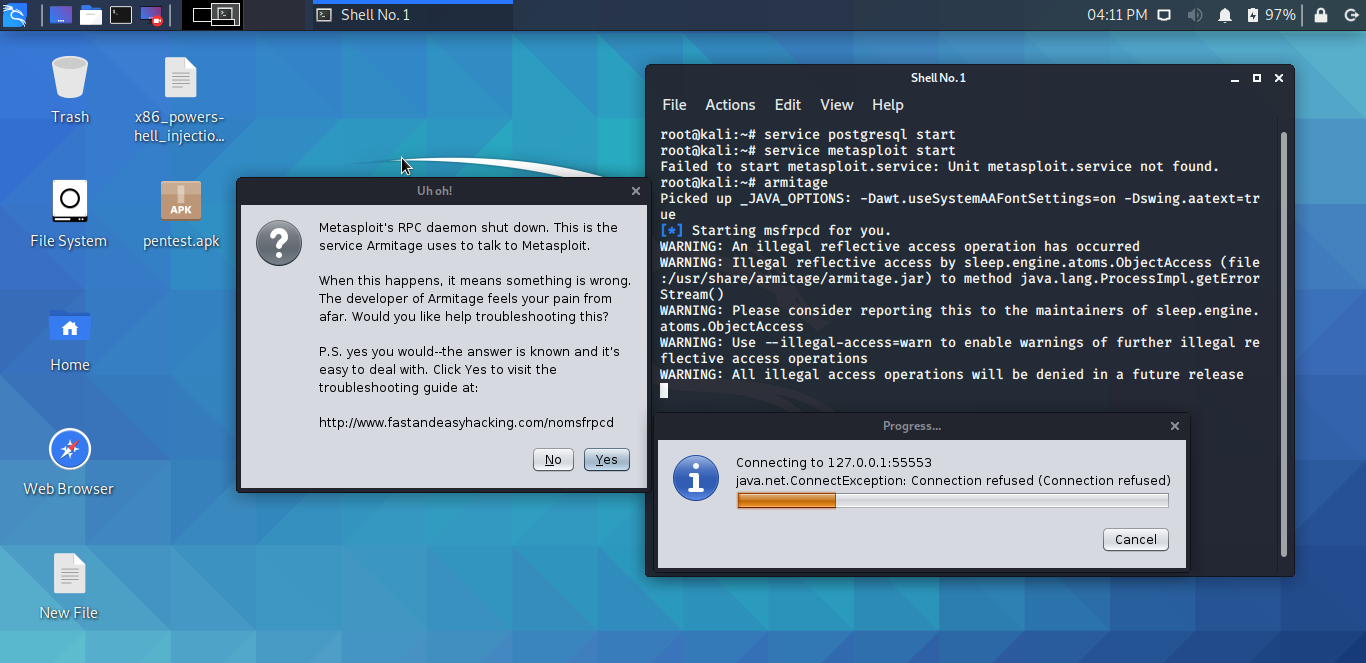
martinssssssss
on 3 Jun 2020
Hi!
This issue has been left open with no activity for a while now.
We get a lot of issues, so we currently close issues after 60 days of inactivity. It’s been at least 30 days since the last update here.
If we missed this issue or if you want to keep it open, please reply here. You can also add the label "not stale" to keep this issue open!
As a friendly reminder: the best way to see this issue, or any other, fixed is to open a Pull Request.
![github-actions[bot] picture](https://avatars2.githubusercontent.com/in/15368?v=4&s=40) github-actions[bot]
on 19 Oct 2020
github-actions[bot]
on 19 Oct 2020
kali's got 2 postgresqls but latest (13) is launching at boot with port 5433 and not 5432 as define in file '/usr/share/metasploit-framework/config/database.yml'.
Change port in this file
OR
Change port in /etc/postgresql/postgresql.conf
service restart postgresql
 bombhey
on 23 Oct 2020
bombhey
on 23 Oct 2020
Hi!
This issue has been left open with no activity for a while now.
We get a lot of issues, so we currently close issues after 60 days of inactivity. It’s been at least 30 days since the last update here.
If we missed this issue or if you want to keep it open, please reply here. You can also add the label "not stale" to keep this issue open!
As a friendly reminder: the best way to see this issue, or any other, fixed is to open a Pull Request.
github-actions[bot]
on 23 Nov 2020
Related issues
 0x27
·
3Comments
0x27
·
3Comments
 ejholmes
·
3Comments
ejholmes
·
3Comments
 notdodo
·
3Comments
notdodo
·
3Comments
 felipee07
·
3Comments
felipee07
·
3Comments
 idetest41
·
3Comments
idetest41
·
3Comments
Most helpful comment
$ msfconsole init
$ msfdb delete
$ msfdb init
$ cp /usr/share/metasploit-framework/config/database.yml /root/.msf4/
$ service postgresql restart
$ msfconsole