Metamask-extension: Metamask - Blank Screen (after recent migration?)
Hi,
After I click on the Fox, I have a blank screen. A couple of weeks ago I did not have this issue.
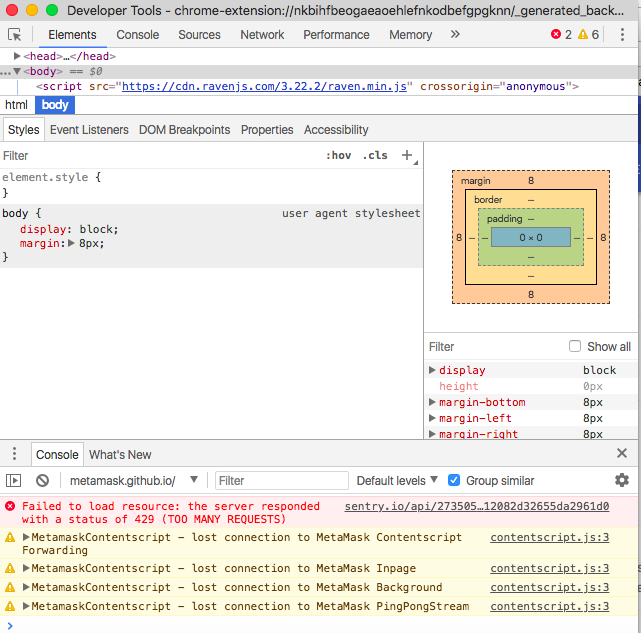
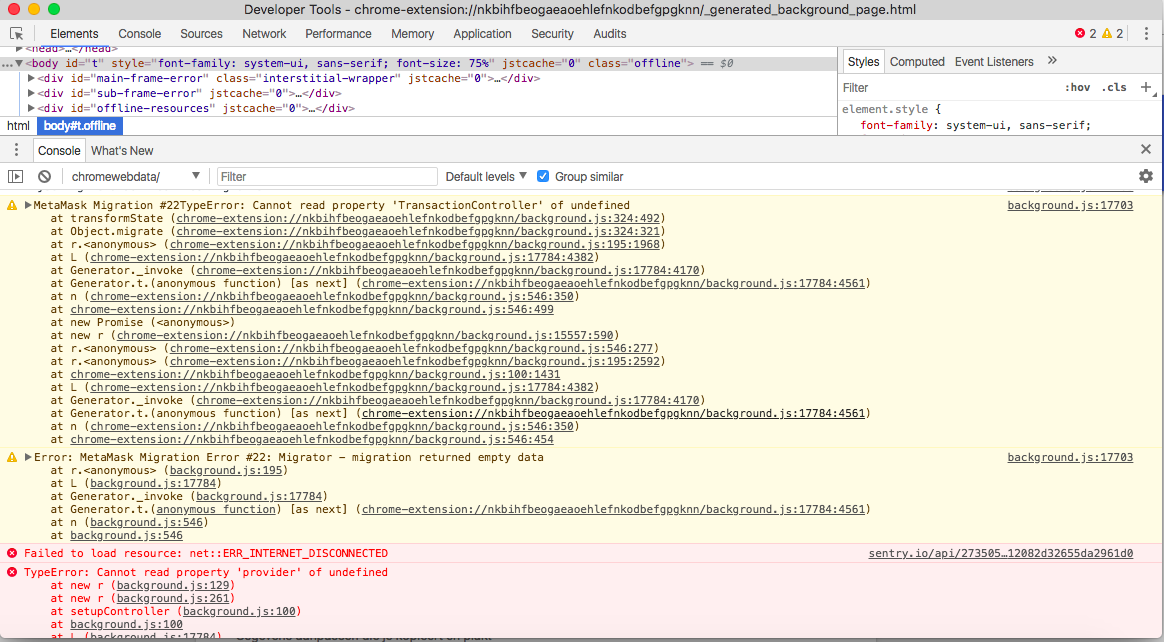
I attached some screenshots of the logs I found.
I am using version 4.5.5
Any help would be more than welcome, thank you.
Kurt

 12Solve
All 43 comments
Have you tried restarting your browser? If you have your seed phrase backed up, you can probably work around this by uninstalling, reinstalling, and restoring from your seed phrase.
If you'd like us to figure out exactly what has gone wrong for you, you should send us your logs to [email protected]
 danfinlay
on 14 Apr 2018
danfinlay
on 14 Apr 2018
Thank you.
I will first send you the logs, if we cant solve it that way, I will use seed phrase after uninstalling and reisntalling.
I will not loose my Envion tokens which were on my wallet?
Greetings,
Kurt
Verstuurd vanaf mijn iPhone
Op 14 apr. 2018 om 02:59 heeft Dan Finlay <[email protected]notifications@github.com> het volgende geschreven:
Have you tried restarting your browser? If you have your seed phrase backed up, you can probably work around this by uninstalling, reinstalling, and restoring from your seed phrase.
If you'd like us to figure out exactly what has gone wrong for you, you should send us your logshttps://metamask.helpscoutdocs.com/article/21-how-to-get-logs-and-help-metamask-support-and-diagnose-your-issue to [email protected]support@metamask.io
—
You are receiving this because you authored the thread.
Reply to this email directly, view it on GitHubhttps://github.com/MetaMask/metamask-extension/issues/3963#issuecomment-381279955, or mute the threadhttps://github.com/notifications/unsubscribe-auth/AkiFjM7821vUj-IDh9w5nD7I4YOb-fLiks5toS3QgaJpZM4TRHwj.
12Solve
on 14 Apr 2018
Bank Page, chrome on Mac also in Firefox ;(
 berlinczyk
on 15 Apr 2018
berlinczyk
on 15 Apr 2018
@berlinczyk if you get this, would you mind opening the background logs to see what error you're having? Is it the same "provider is undefined" error that we see above?
danfinlay
on 16 Apr 2018
I have the same issue and I tried it in multiple fresh OS installations in VirtualBox. Freshly installed Metamask shows the Terms of Use first, then after acceptance, it only shows a blank screen (Firefox 51 in Ubuntu 16.04), which disappears immediately (Firefox 60 in Ubuntu 18.04 LTS).
It shows this error message in the Add-ons list > MetaMask:
Reading manifest: Error processing background.persistent: Event pages are not currently supported. This will run as a persistent background page.
Reading manifest: Error processing externally_connectable: An unexpected property was found in the WebExtension manifest.
 rzelnik
on 17 May 2018
rzelnik
on 17 May 2018
@rzelnik what version of MetaMask is that listed as?
danfinlay
on 18 May 2018
Currently I have 3.13.8 - the version which is available on the https://addons.mozilla.org/ page, but before I had 4.5.something. The blank screen issue also appeared in the 4.5.X version.
rzelnik
on 18 May 2018
Sorry, Firefox has been very picky about releases they would publish (required deterministic builds). Our latest versions should be reaching the firefox store soon, in the meanwhile, Firefox should be considered behind the latest version.
danfinlay
on 18 May 2018
hey all, Firefox is now up to the latest version (4.7.4) and I'm unable to reproduce this issue. could you update to the recent release and let us know if you're still having trouble?
 bdresser
on 12 Jun 2018
bdresser
on 12 Jun 2018
I do have version 4.7.4 in my Firefox and the blank screen issue still appears. See this screen capture:
rzelnik
on 12 Jun 2018
@rzelnik That's very strange. If you were using Firefox Developer mode I'd ask you to look at the background console, but normal Firefox doesn't have this.
Do you have your seed phrase backed up? If so, remove & reinstall might work around your problem.
danfinlay
on 12 Jun 2018
Reinstalling of MetaMask doesn't solve the issue. I tried multiple new installations of several Linux distributions (Ubuntu, CentOS). It's still the same - in Chrome/Chromium it works well, but in Firefox there's just an empty window, which hides immediately. In new installations, the Terms of Use are shown first, and then, after accepting, the empty window appears.
Update: in PCLinuxOS and Fedora the MetaMask in Firefox works well.
rzelnik
on 13 Jun 2018
We haven't been able to reproduce this, @rzelnik, so I'm sorry to ask you to do so much work for us, but we would need to see the logs from the background process of MetaMask, to see what error is crashing it. I believe this will require installing "Firefox Developer Edition".
danfinlay
on 14 Jun 2018
Ok, I have Firefox Developer Edition with MetaMask installed. The first thing that I noticed is an error message in Debug Addons list:
MetaMask
Reading manifest: Error processing background.persistent: Event pages are not currently supported. This will run as a persistent background page.
Reading manifest: Error processing externally_connectable: An unexpected property was found in the WebExtension manifest.
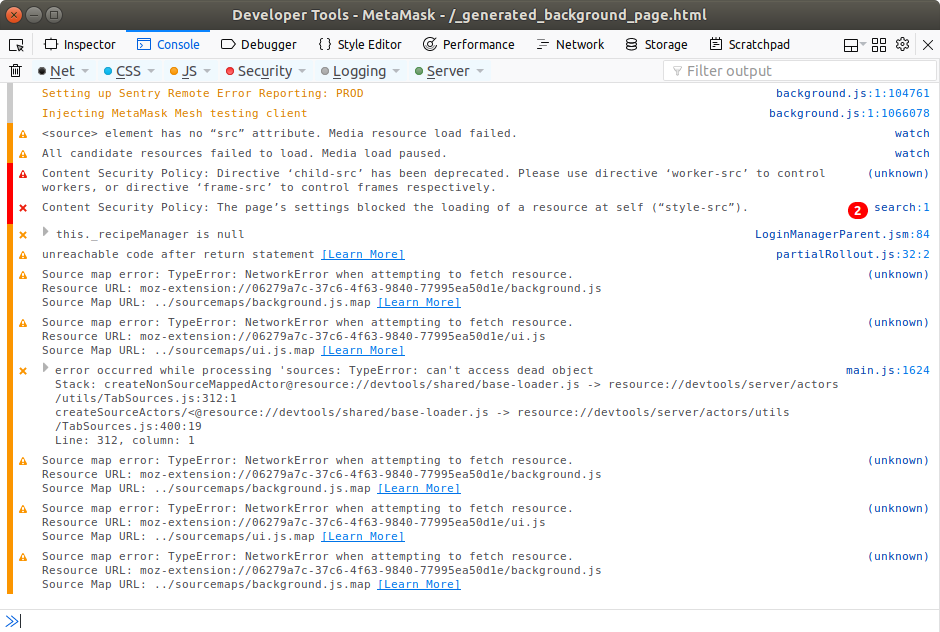
I tried to start the debugger, but the Firefox Developer Edition mixes English and Slovak languages in the error messages, so I put the Console output from the standard Firefox, which generates plain English error messages:
Now I am clicking on a MetaMask icon, it generates new error messages (starting with Download the React DevTools...):
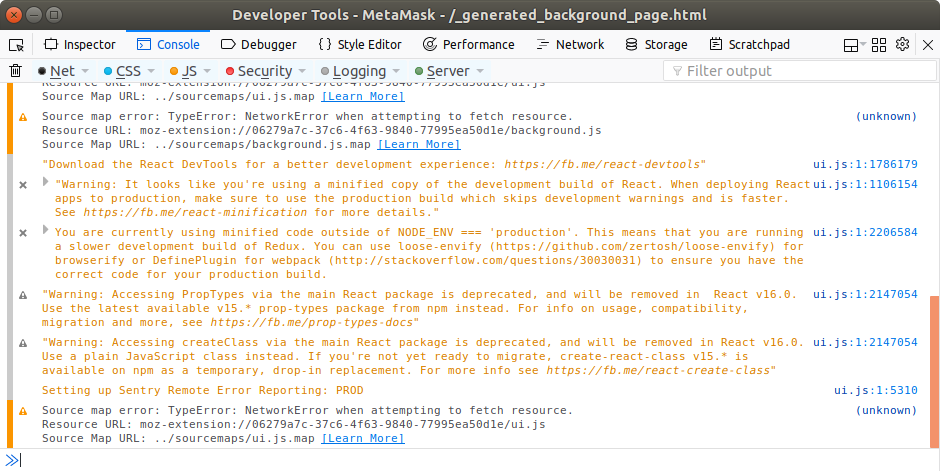
Is this helpful for you?
rzelnik
on 14 Jun 2018
Hello, i have the exact same problem with he metamask plugin turning blank when hitting the button in Firefox and in Chrome. I see the case was closed, but i can't seem to read the solution to this problem. Is there a solution ? Or is there another way of accessing the coins that are hosted by metamask ?
thanks
 nicejoe2121
on 24 Jun 2018
nicejoe2121
on 24 Jun 2018
This issue is not closed. The "closed" label belongs to the related Bug in mozzila after last update (14.06).
rzelnik
on 24 Jun 2018
Hi All, sorry this issue is happening. Our team is on a retreat this week, we very rarely actually see each other in person, and so it is probably unlikely we have time to fix this until next week.
If you need to access your MetaMask wallet until then, you can easily using your seed words. Either set up MetaMask on a different browser (we also support Chrome, Brave, and Opera), or use your seed words on a different wallet entirely (mycrypto, myetherwallet, trezor, all support our seed word format).
Again, sorry for the wait, we will dig into this closer soon.
danfinlay
on 24 Jun 2018
ok, thanks for now.
nicejoe2121
on 24 Jun 2018
I have the same issue on 18.04.
 Emiller88
on 28 Jun 2018
Emiller88
on 28 Jun 2018
I'm on 18.04 as well and I can log in using the Disable popup auto hide button in Firefox Developer Tools. While I'm logged in I have no problems at all with the app, it works fine, the problem comes when I log out and the extension goes to blank and it closes itself, that's why it cannot be open at first, the is no user logged in. So when I'm logged in there is no problem. Any thoughts on this? Maybe an UI specific issue?
 estebanmino
on 4 Jul 2018
estebanmino
on 4 Jul 2018
I detected that the components InitializeMenuScreen and AccountDetailScreen of both OldUI and UI are failing due to a strange reason, for example to open the extension and have the menu screen I deleted the password-word element and it worked (of course I cannot do login) I guess that something similar happens in the other component.
Deleting this from old-ui/app/ first-time/int-menu.js
// password
      h('input.large-input.letter-spacey', {
        type: 'password',
        id: 'password-box',
        placeholder: 'New Password (min 8 chars)',
        onInput: this.inputChanged.bind(this),
        style: {
          width: 260,
          marginTop: 12,
        },
      }),
I was able to render the MenuScreen, without the password input. Then deleting this
document.getElementById('password-box').focus()
in line 144 I was able to render the view but I couldn't type a password because the extension closes itself.
estebanmino
on 4 Jul 2018
I was able to run the app deleting all type password of inputs (type: 'password',), therefore working without hide the password in the inputs.
// password
      h('input.large-input.letter-spacey', {
        id: 'password-box',
        placeholder: 'New Password (min 8 chars)',
        onInput: this.inputChanged.bind(this),
        style: {
          width: 260,
          marginTop: 12,
        },
      }),
Maybe an issue related to react-hyperscript?
estebanmino
on 4 Jul 2018
@Emiller88 @nicejoe2121 @rzelnik could you check your version of Firefox? I had the version 60.2 on Ubuntu 18.04 and I had the same issue than you, now I've updated it to version 61 running sudo snap install firefox and the extension is working fine.
estebanmino
on 4 Jul 2018
@estebanmino I can confirm that Metamask with snap-based Firefox version 61 works well for me.
rzelnik
on 5 Jul 2018
Hello, i have firefox version 52.9.0. 32 bit.
I'm working on windows vista SP2 32 bit.
Firefox says he's up to date.
nicejoe2121
on 5 Jul 2018
Now the Firefox in Ubuntu (I mean classic APT repository) is also updated on version 61. So I updated my Firefox to 61 and reinstalled Metamask. And... it still does not work. So the issue is not related to a version of the Firefox. Probably there is some difference between the APT version and the snap version. Maybe there is some conflict.
rzelnik
on 6 Jul 2018
I have only appearing license screens, after accepting which it gets blank, but if during them I'll choose beta version, it works fine for one session, after restarting it stops working again.
 SpasiboKojima
on 8 Jul 2018
SpasiboKojima
on 8 Jul 2018
@KojimaGeniy which version of Firefox and OS are you using?
estebanmino
on 10 Jul 2018
@estebanmino Ubuntu 18.04, Firefox 61, Metamask 4.8.0 from official firefox hub.
And I had no luck inspecting metamask with browsers dev tools opening it as a separate tab, it goes into infinite loading.
SpasiboKojima
on 10 Jul 2018
@KojimaGeniy I am on the same environment as you,
and this helped:
https://github.com/MetaMask/metamask-extension/issues/3313#issuecomment-400013621
 adibas03
on 11 Jul 2018
adibas03
on 11 Jul 2018
@adibas03 Thank you, really works! I was trying it like this, but without popup.html had no luck, now it's good.
SpasiboKojima
on 11 Jul 2018
I reproduced this but the extension itself still doesn't work so I was able to interact with it through the browser as web page. The problem is still related to the type password on inputs.
estebanmino
on 13 Jul 2018
Have the same issue with other add-ons, workaround should be a solution for APT version of firefox
estebanmino
on 13 Jul 2018
User also affected on Firefox Developer edition.
We're going to add a feature to automatically transition ubuntu/firefox users into full-screen mode, since the popup is so buggy.
It does seem the good workaround for now is to open in full screen mode, using the popup.html URL.
danfinlay
on 16 Jul 2018
@KojimaGeniy @adibas03 I found an interesting fix for this related to the new Xorg Gnome version in Ubuntu 18.04. The default keyboard input method system is Ibus which has issues with password types (https://github.com/ibus/ibus/issues/2002#issuecomment-386537208), can you try changing keyboard input method system to XIM? I did it and the extension is working fine now.
estebanmino
on 18 Jul 2018
@estebanmino I confirm, works now even without separate tab, just like it was on 16.04, thank you.
SpasiboKojima
on 20 Jul 2018
Related to the blank screen issue on Firefox / Ubuntu 18.04, there is a way to fix it
https://consensys.zendesk.com/hc/en-us/articles/360007617432
estebanmino
on 20 Jul 2018
So if i understand correctly, the issue of the blank screen can be resolved on Ubuntu. But i run windows vista and still have the blank screen on Firefox and on Chrome. Any news on this ?
nicejoe2121
on 20 Jul 2018
@nicejoe2121 what version of Windows are you running?
bdresser
on 20 Jul 2018
I'm running Windows Vista Home Basic SP2 32 bit. thank you
nicejoe2121
on 21 Jul 2018
@nicejoe2121 see https://github.com/MetaMask/metamask-extension/issues/4817 for the issue on Windows
bdresser
on 23 Jul 2018
I am having this exact same issue on a MacBook Pro OS 10.14 - Brave 0.24.0 - Metamask version 4.11.1 - Did anyone get a solution to this? And steps to fix?
 dringdahl0320
on 1 Oct 2018
dringdahl0320
on 1 Oct 2018
@dringdahl0320 see the open bounty on #4894
bdresser
on 1 Oct 2018
Related issues
 kumavis
·
3Comments
kumavis
·
3Comments
 rossbulat
·
3Comments
rossbulat
·
3Comments
 aakilfernandes
·
3Comments
aakilfernandes
·
3Comments
 BMillman19
·
3Comments
BMillman19
·
3Comments
 glitch003
·
3Comments
glitch003
·
3Comments
Most helpful comment
@KojimaGeniy @adibas03 I found an interesting fix for this related to the new Xorg Gnome version in Ubuntu 18.04. The default keyboard input method system is Ibus which has issues with password types (https://github.com/ibus/ibus/issues/2002#issuecomment-386537208), can you try changing keyboard input method system to XIM? I did it and the extension is working fine now.