Metamask-extension: Errors on localStorage write crash MetaMask
- When I click MetaMask I expect to be prompted for a password.
- Right now when I click MetaMask its a blank window
- Chrome Latest Updates
- Windows 10 Latest Updates
 hanoncs
All 15 comments
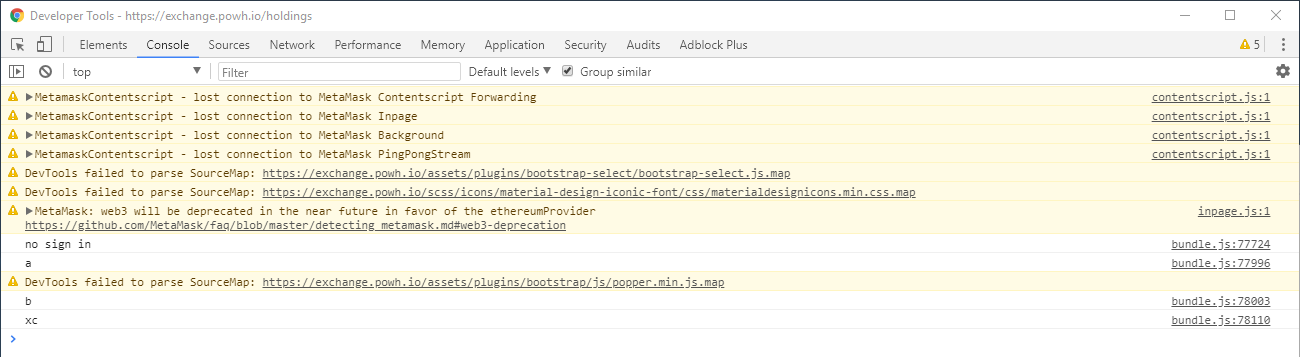
The error shows that the web page has lost connection to MetaMask, doesn't help to determine why the extension is not working. Please provide error messages from the extension and the background process. Here's a guide: https://metamask.helpscoutdocs.com/article/21-how-to-get-logs-and-help-metamask-support-and-diagnose-your-issue
 tmashuang
on 23 Mar 2018
tmashuang
on 23 Mar 2018
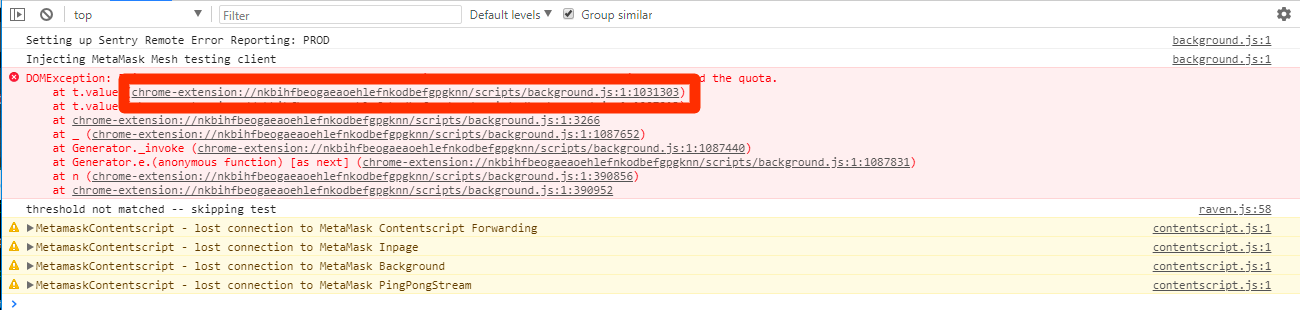
Ok. Background Page:

Popup Log:

hanoncs
on 23 Mar 2018
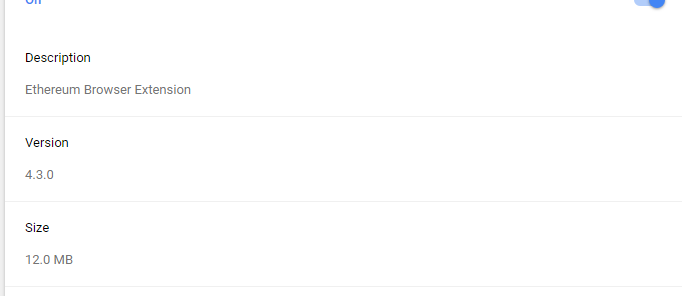
MetaMask version?
tmashuang
on 23 Mar 2018
I installed it for the first time just a few days ago. It worked last night when I went to bed.
hanoncs
on 23 Mar 2018
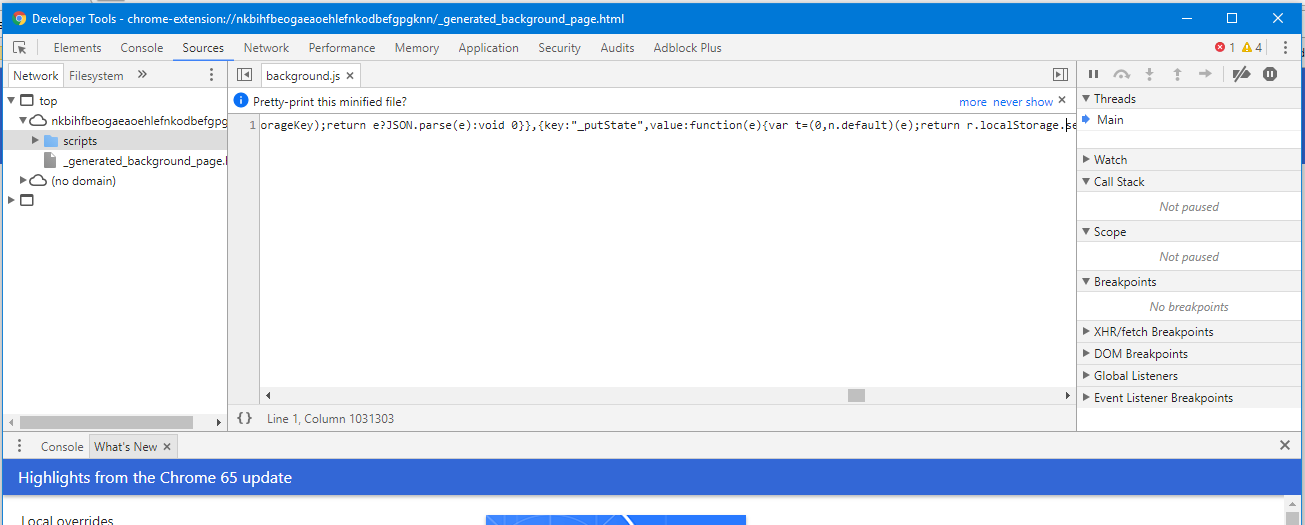
In that background log, could you click the top "url link", and then screen shot the code it shows?
I'm talking about this part:
 danfinlay
on 24 Mar 2018
danfinlay
on 24 Mar 2018
No problem.
hanoncs
on 24 Mar 2018
@hanoncs I've found the root of your bug. Before I explain that (so we can fix it), here is your workaround: If you have your seed phrase backed up, just uninstall & reinstall for now. If you don't have your seed phrase backed up, let us know and we'll explain how to get it before you uninstall.
Hanocs' bug is that while we've moved to the new storage.local API, we still initially write to localStorage on app boot, and we don't catch its errors, so when there is a storage overflow error, it crashes start-up.
We could fix this either by:
- Adding proper error handling around our localStorage usage.
- Removing our localStorage usage entirely, since the new method seems to be working for our users just fine.
danfinlay
on 24 Mar 2018
@danfinlay I removed and reinstalled. Back working now. That was scary. Thanks.
hanoncs
on 24 Mar 2018
same issue...do not have my private key handy...
 digitalassetjunkie
on 24 Mar 2018
digitalassetjunkie
on 24 Mar 2018
Hm, im kinda scared of uninstalling even though i have most of my private keys backed up.
How long do these fixes usually take?
 J4nJ
on 24 Mar 2018
J4nJ
on 24 Mar 2018
@danfinlay i have the same problem and i don't have my seed phrase backed up help me please!
 juanKba
on 25 Mar 2018
juanKba
on 25 Mar 2018
@lazaridiscom clearing cache doesn't WORK! please don't recommend it
 rstormsf
on 25 Mar 2018
rstormsf
on 25 Mar 2018
So, what should I do?
rstormsf
on 26 Mar 2018
We are currently writing a hot-fix. Sorry for not responding over the weekend.
If you have a MetaMask with this problem, you can just leave it alone for a day or two, and the hotfix should fix this.
If you need to rush, if you have your seed phrase, you can uninstall & reinstall.
If you need to rush and don't have your seed phrase, you need to figure out how to get your vault data out of the extension's storage.local storage area. We don't have a guide on this yet.
danfinlay
on 27 Mar 2018
When the browser reaches the maximum limit of local storage it will show those errors
Empty cache and hard reload it
Right clicking in refresh button when the browser is in inspect mode And Empty cache and hard reload it
this solves the problem for me
 godwin-l
on 18 Dec 2018
godwin-l
on 18 Dec 2018
Related issues
 DISC30
·
3Comments
DISC30
·
3Comments
 dpazdan
·
3Comments
dpazdan
·
3Comments
 bdresser
·
3Comments
bdresser
·
3Comments
 aecc
·
3Comments
aecc
·
3Comments
 beether
·
4Comments
beether
·
4Comments
Most helpful comment
@hanoncs I've found the root of your bug. Before I explain that (so we can fix it), here is your workaround: If you have your seed phrase backed up, just uninstall & reinstall for now. If you don't have your seed phrase backed up, let us know and we'll explain how to get it before you uninstall.
Hanocs' bug is that while we've moved to the new
storage.localAPI, we still initially write tolocalStorageon app boot, and we don't catch its errors, so when there is a storage overflow error, it crashes start-up.We could fix this either by: