Metamask-extension: Clarify that network spinner is interactive UI element
Trying to login all it says is searching for network?
 mrgdizzle
All 10 comments
Same here
 bilthon
on 3 Jul 2017
bilthon
on 3 Jul 2017
Also here
 assafmo
on 3 Jul 2017
assafmo
on 3 Jul 2017
When you click the spinner in the top left, what network is it trying to connect to?
Are you able to select a different network? What about a different network, and then the Main Network again?
 danfinlay
on 3 Jul 2017
danfinlay
on 3 Jul 2017
Fair enough, this just solved the problem, I was trying to connect to a http://rpc.makerdao.com:7777. Sorry it was a dumb user-side problem, at least in my case. It was solved after selecting the "Ethereum main net" option.
The spinner icon doesn't exactly convey the message that it is an interactive UI element though, so you might want to change that.
bilthon
on 3 Jul 2017
@flyswatter localhost:8545. Thank you, my bad.
I didn't know I can click the spinner, the window was confusing, looked like this
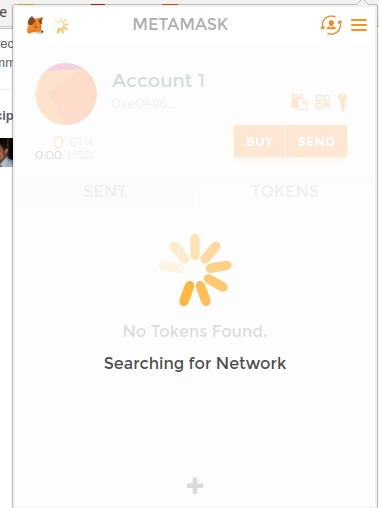
Anyway now it works. Thank you.
assafmo
on 3 Jul 2017
We'll make that menu item more clear for this issue.
danfinlay
on 3 Jul 2017
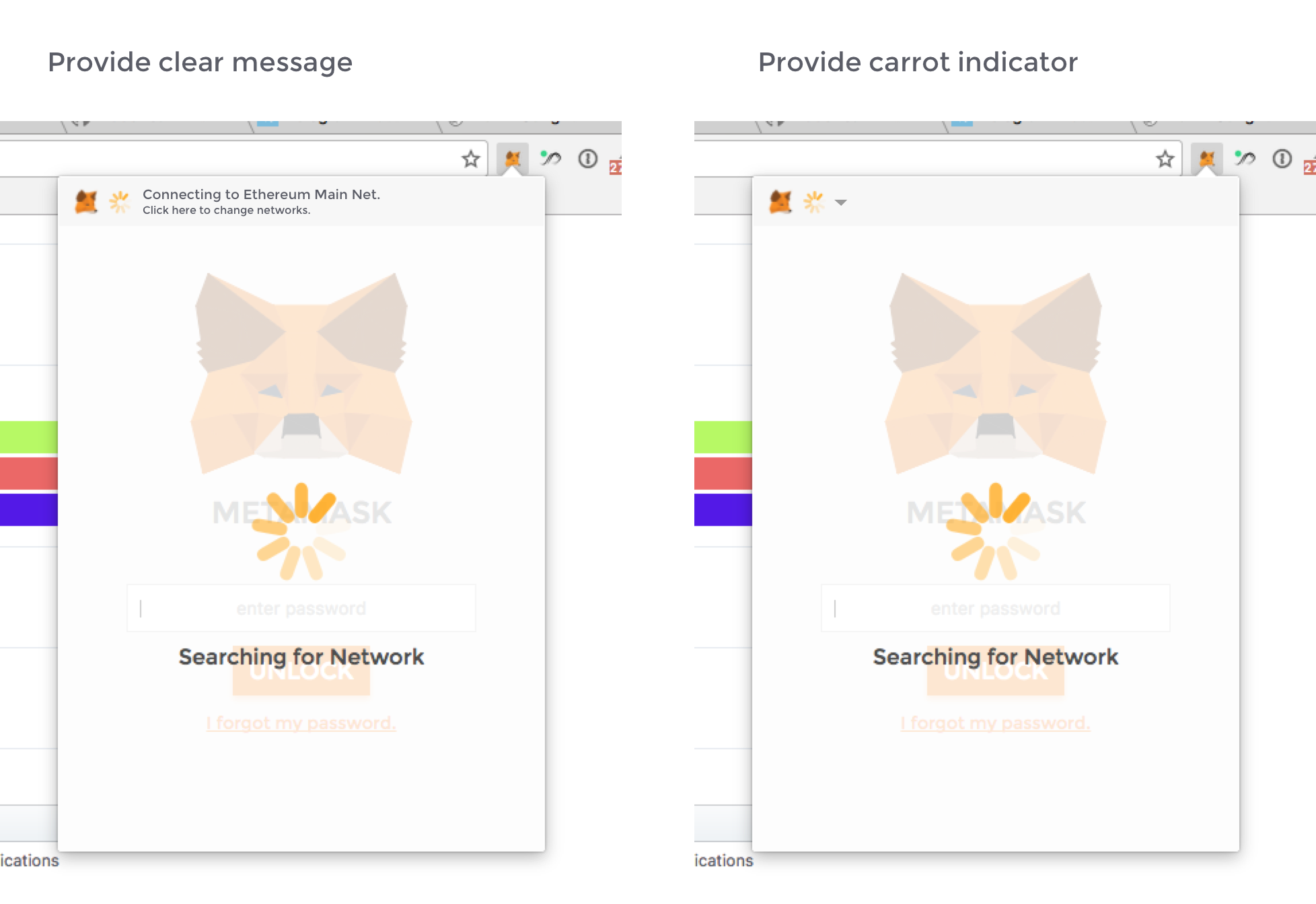
Some sketches by our designer Christian.
danfinlay
on 3 Jul 2017
Cool! In my opinion the carrot indicator is enough.
bilthon
on 3 Jul 2017
I too think that the carrot is enough.
But maybe replace the searching network with connecting to the main/test net that the clear message shows. I think it's clearer that way.
assafmo
on 3 Jul 2017
Great ideas. Combining them.
danfinlay
on 4 Jul 2017
Related issues
 dpazdan
·
3Comments
dpazdan
·
3Comments
 estebanmino
·
3Comments
estebanmino
·
3Comments
 bdresser
·
3Comments
bdresser
·
3Comments
 hellobart
·
3Comments
hellobart
·
3Comments
 MarkOSullivan94
·
3Comments
MarkOSullivan94
·
3Comments
Most helpful comment
Cool! In my opinion the carrot indicator is enough.