Metals: Don't compile projects until VS Code is focused
It is a common scenario to run git operations in the terminal while having VS Code open in another window. For example, myself I usually check out many different branches, rebase and cherry-pick commits before coming back to the editor and making changes to the sources.
Currently, Metals compiles in the background whenever there is a change in a source file. This is problematic because most of the checkouts/rebases I do are not meant to be compiled and triggering a compilation takes time and CPU resources.
I'd like Metals to hold off compilations until I focus again on VS Code's window. Such behavior would be the same as the one VS Code has whenever sources that are open in buffers change in the file system (only when the user focuses in VS Code they are updated).
 jvican
All 15 comments
This is a good idea! I believe IntelliJ also buffers up CPU intensive tasks and releases them only once the IntelliJ application window is back in focus. It seems Visual Studio Code exposes an event for when the window state changes
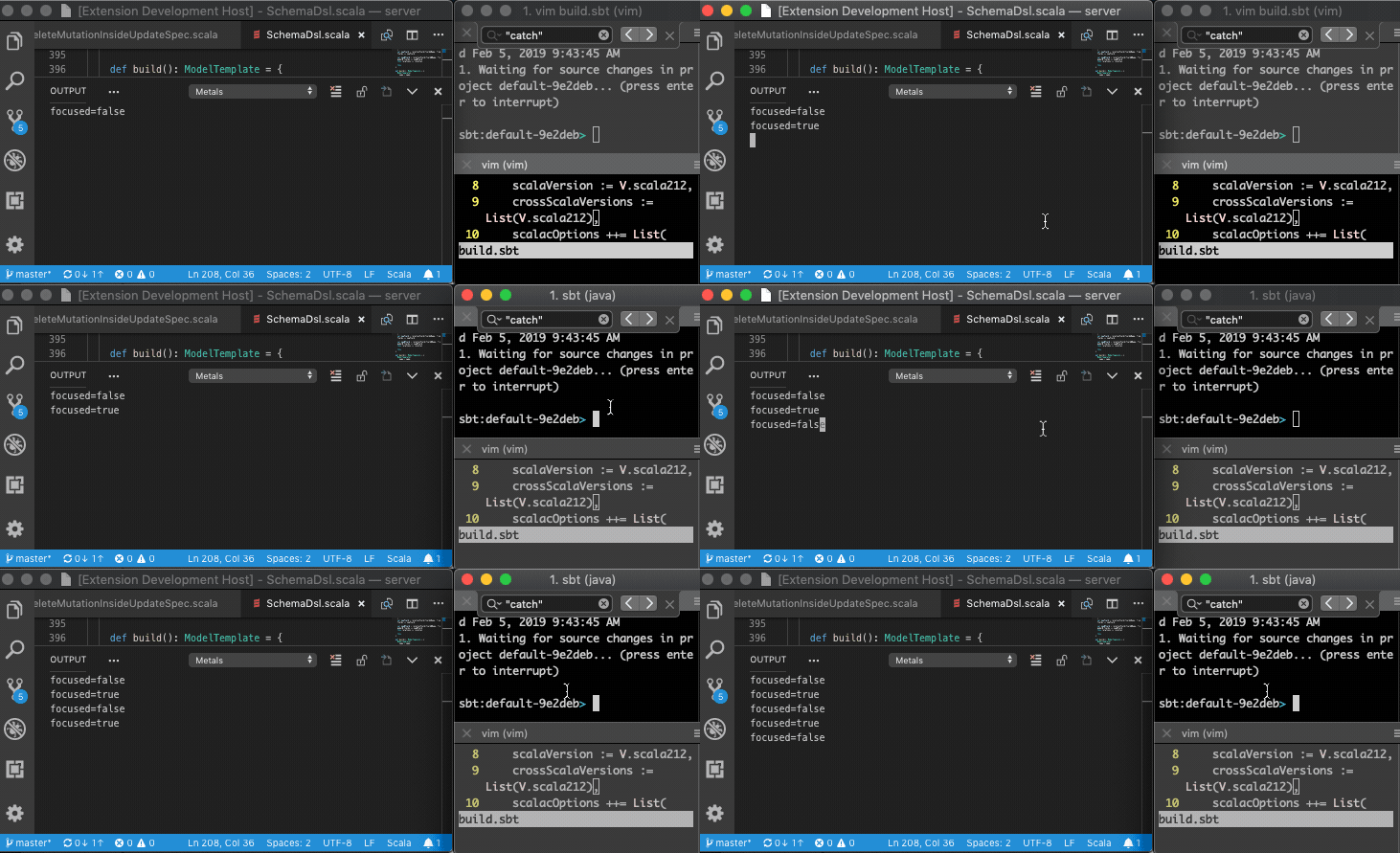
I propose we introduce a new Metals JSON-RPC notification metals/windowStateDidChange with the following parameter
interface WindowStateDidChangeParams {
  focused: boolean;
}
By default, we assume the window is in focus so the behavior remains unchanged for editors that don't support this notification. For editors that send this notification, Metals will buffer up file watching events while the editor window is unfocused and only release those events when the editor window regains focus.
 olafurpg
on 5 Feb 2019
olafurpg
on 5 Feb 2019
Following up from an offline discussion with @agajek, who is going to look into this issue.
olafurpg
on 17 Apr 2019
Do we have VS Code part implemented? As I've read the event responsible for that functionality
is onDidChangeWindowState: Event<WindowState> and I don't see it in extentions.ts.
 agajek
on 27 Apr 2019
agajek
on 27 Apr 2019
The VS Code part is not implemented. That window state event sounds like what we’re looking for 👍
olafurpg
on 27 Apr 2019
I'm not sure #709 fixes this issue. Doing any git operation such as a rebase, a checkout or a stash inside the VS Code terminal still triggers a compilation by Metals. Maybe it works if you use an external terminal such as iTerm.
jvican
on 4 Jun 2019
@jvican this feature is still blocked by changes in the vscode extension https://github.com/scalameta/metals-vscode/pull/104
olafurpg
on 4 Jun 2019
Once fully implemented, I don't expect compilations will pause if you do git checkout through the VS Code built-in terminal. Metals will only pause compilations when you focus on another application window like iTerm.
olafurpg
on 4 Jun 2019
Once fully implemented, I don't expect compilations will pause if you do git checkout through the VS Code built-in terminal. Metals will only pause compilations when you focus on another application window like iTerm.
Is there an API Metals can use to know if the user is focused on the terminal?
It's quite common to use the VS Code terminal to run this kind of operations (at least, I use it all the time in my macOS machines). It would be good to have a fix for it, I would expect many people use it too.
jvican
on 4 Jun 2019
@agajek are you aware of VS Code APIs to know when the built-in terminal is focused?
olafurpg
on 4 Jun 2019
I wouldn't be surprised if many people use the built-in git support in VS Code as well..
olafurpg
on 4 Jun 2019
@olafurpg, unfortunately, I've found only this general event for the whole vscode. I didn't see any distinction for the focus on editor area and others.
agajek
on 4 Jun 2019
It might be possible with onDidChangeActiveTextEditor
    window.onDidChangeActiveTextEditor(e => {
      if (e) outputChannel.appendLine("focus: " + e.document.uri.toString());
      else outputChannel.appendLine("focus: undefined");
    });
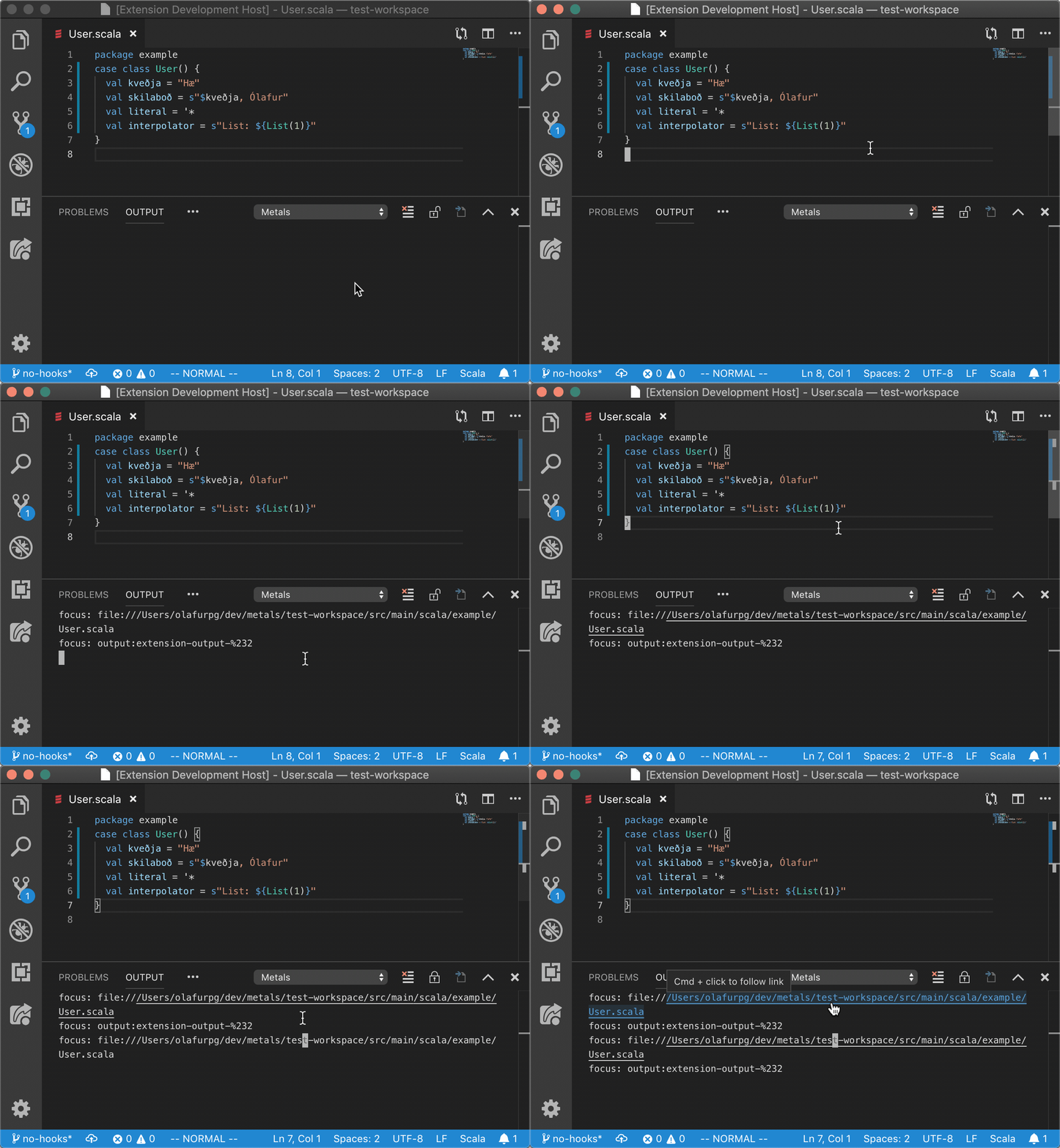
I struggled to validate what happens when the focus is moved to the terminal since I can't have the output panel open while the terminal is focused.
olafurpg
on 5 Jun 2019
That looks promising!
jvican
on 6 Jun 2019
Nice, so I'll replace the previous event with that one. Thanks.
agajek
on 6 Jun 2019
Unfortunately it looks like it treats Terminal as a TextEditor. When I changed to the Terminal and switched back to the Output panel a new line was appended indicating that Editor was changed and it prints path for currently opened file/
agajek
on 6 Jun 2019
Related issues
 iokacha
·
4Comments
iokacha
·
4Comments
 vadeg
·
3Comments
vadeg
·
3Comments
 romanowski
·
4Comments
romanowski
·
4Comments
 laughedelic
·
4Comments
olafurpg
·
4Comments
laughedelic
·
4Comments
olafurpg
·
4Comments