Messagekit: Layout out of safe area when keyboard appears
MessageKit-version: 3.0.0 (pod)
iOS-version: 13.0
Swift-version: 5
Testing-devices - iPhone 7 - iPhone X Pro Max (hard & soft)
MessageKit implemented in subview container view - when showing keyboard everything moves up out of safe area into status bar.
What I have already tried:
- siting size manually when keyboard appears - seems to have no effect
- using different layout & constraints
- using different version of MessageKit & different devices - everything seems to be same
Screen shots:
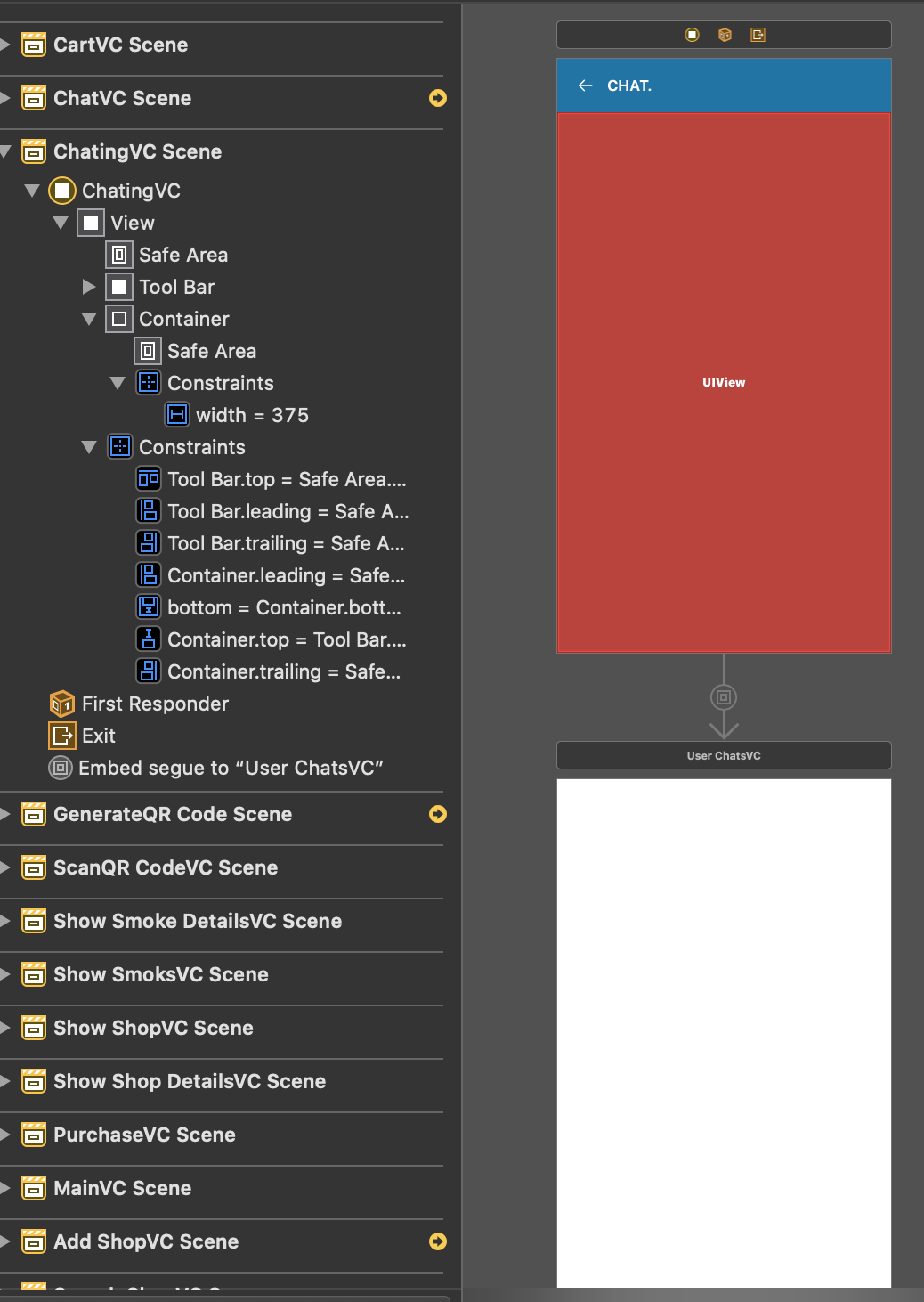
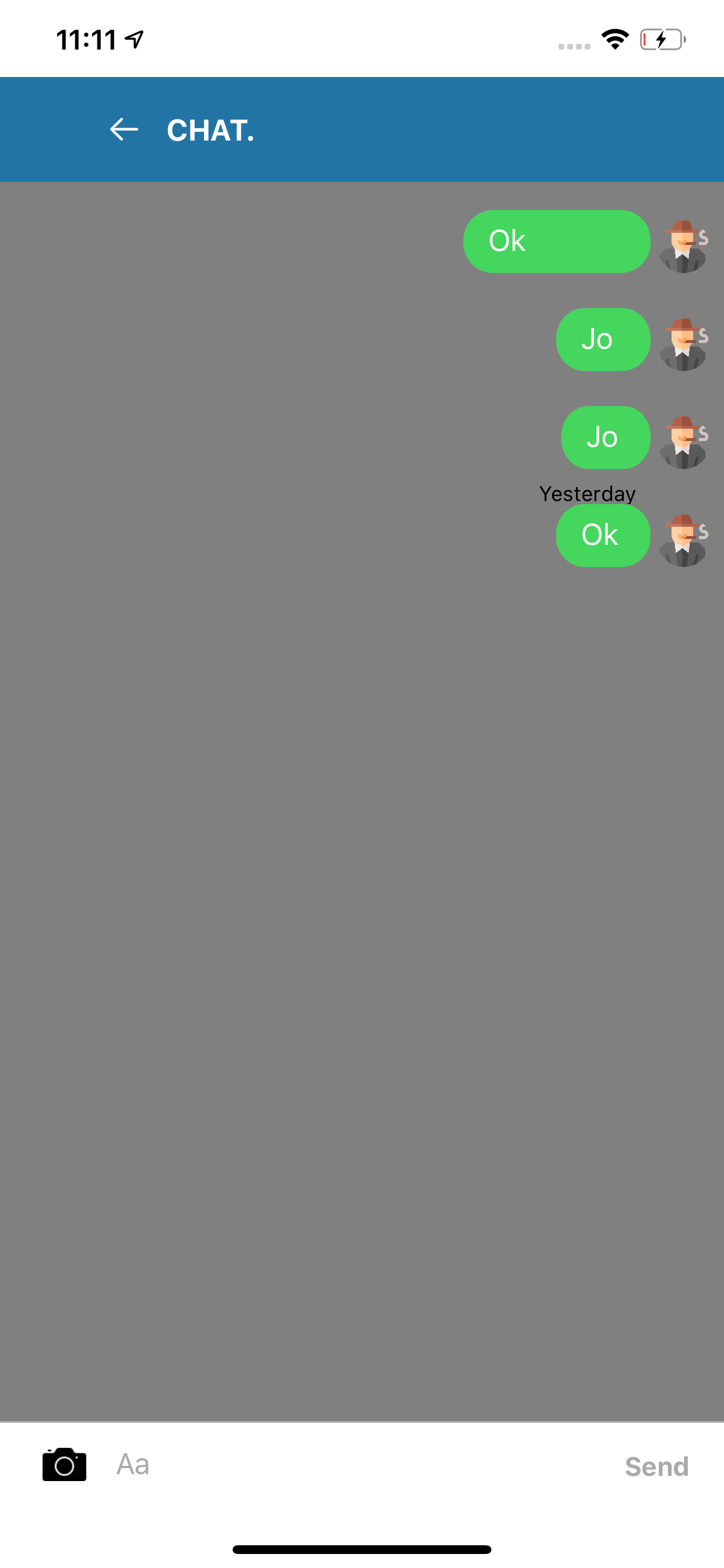

 fly-qp
All 8 comments
So, you are using a toolbar instead of a UINavigationController / UINavigationBar?
Does the toolbar have a static height?
Have you checked your toolbar's compression resistance is greater than the container's?
Have you checked the messagesCollectionView.contentInset.top?
 austinwright
on 16 Mar 2020
austinwright
on 16 Mar 2020
This issue has been marked as stale because it has not had recent activity. It will be closed if no further activity occurs.
![stale[bot] picture](https://avatars.githubusercontent.com/in/1724?v=4&s=40) stale[bot]
on 30 Mar 2020
stale[bot]
on 30 Mar 2020
This issue has been auto-closed because there hasn't been any activity for at least 21 days. However, we really appreciate your contribution, so thank you for that! 🙏 Also, feel free to open a new issue if you still experience this problem 👍.
stale[bot]
on 7 Apr 2020
I have the same issue. How to fix it? @austinwright
 devcat1010
on 5 Jun 2020
devcat1010
on 5 Jun 2020
@devcat1010 if you're facing the same issue, could you please make a PR with changes to our Example project so this issue is reproducible there? It'd really help us to track down what's wrong here
 martinpucik
on 5 Jun 2020
martinpucik
on 5 Jun 2020
Thank you for your reply.
Here is a video that I am looking.
devcat1010
on 5 Jun 2020
@martinpucik Did you check my video?
devcat1010
on 5 Jun 2020
@fly-qp @devcat1010
and anyone looking for a fix
Are you using IQKeyboardManager?
If so then you can fix the issue simply by adding this in AppDelegate didFinishLaunchingWithOptions:
IQKeyboardManager.shared.disabledDistanceHandlingClasses.append(YourChatViewController.self)
😉
 alielsokary
on 4 Feb 2021
alielsokary
on 4 Feb 2021
Related issues
 TheDarkCode
·
3Comments
TheDarkCode
·
3Comments
 emmanuelay
·
3Comments
emmanuelay
·
3Comments
 nitrag
·
3Comments
nitrag
·
3Comments
 Abacaxi-Nelson
·
4Comments
Abacaxi-Nelson
·
4Comments
 Leon12345679
·
3Comments
Leon12345679
·
3Comments
Most helpful comment
@fly-qp @devcat1010
and anyone looking for a fix
Are you using IQKeyboardManager?
If so then you can fix the issue simply by adding this in
AppDelegatedidFinishLaunchingWithOptions:IQKeyboardManager.shared.disabledDistanceHandlingClasses.append(YourChatViewController.self)😉