Messagekit: Create left button to send images/videos/location
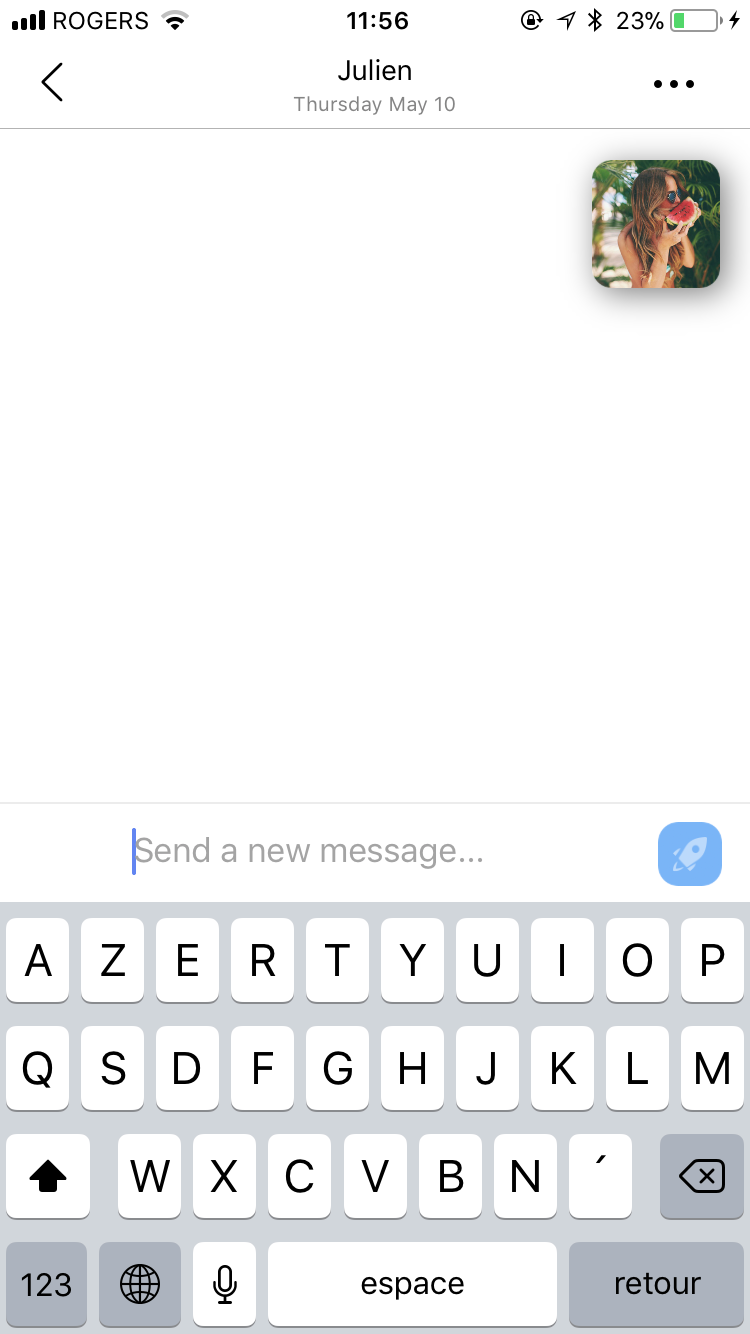
Hi ! How its possible to add a left button in the textview to send images/videos/locations ?
Its not easy to override this project...
Thanks
 JulienLevallois
All 15 comments
Yes it is possible. I have done that in the iMessage keyboard layout, only difference being its on the right side of the InputTextView. You can follow the same sort of logic just to the left side. Let me know if you need help.
We have tried to make this as customizable as possible. It is relatively complex to make a messaging UI so you cannot expect a simple plugin to get messaging working as we wanted it to be flexible enough with many projects.
 nathantannar4
on 12 May 2018
nathantannar4
on 12 May 2018
But i can create one button on the left side ? and keep the send button on the right side like in imessage style. I checked the demo but im not able to have 2 buttons, one on the left and one one the right
JulienLevallois
on 12 May 2018
JulienLevallois
on 12 May 2018
I juste want to create a left button, to take picture. Need help
JulienLevallois
on 12 May 2018
JulienLevallois
on 12 May 2018
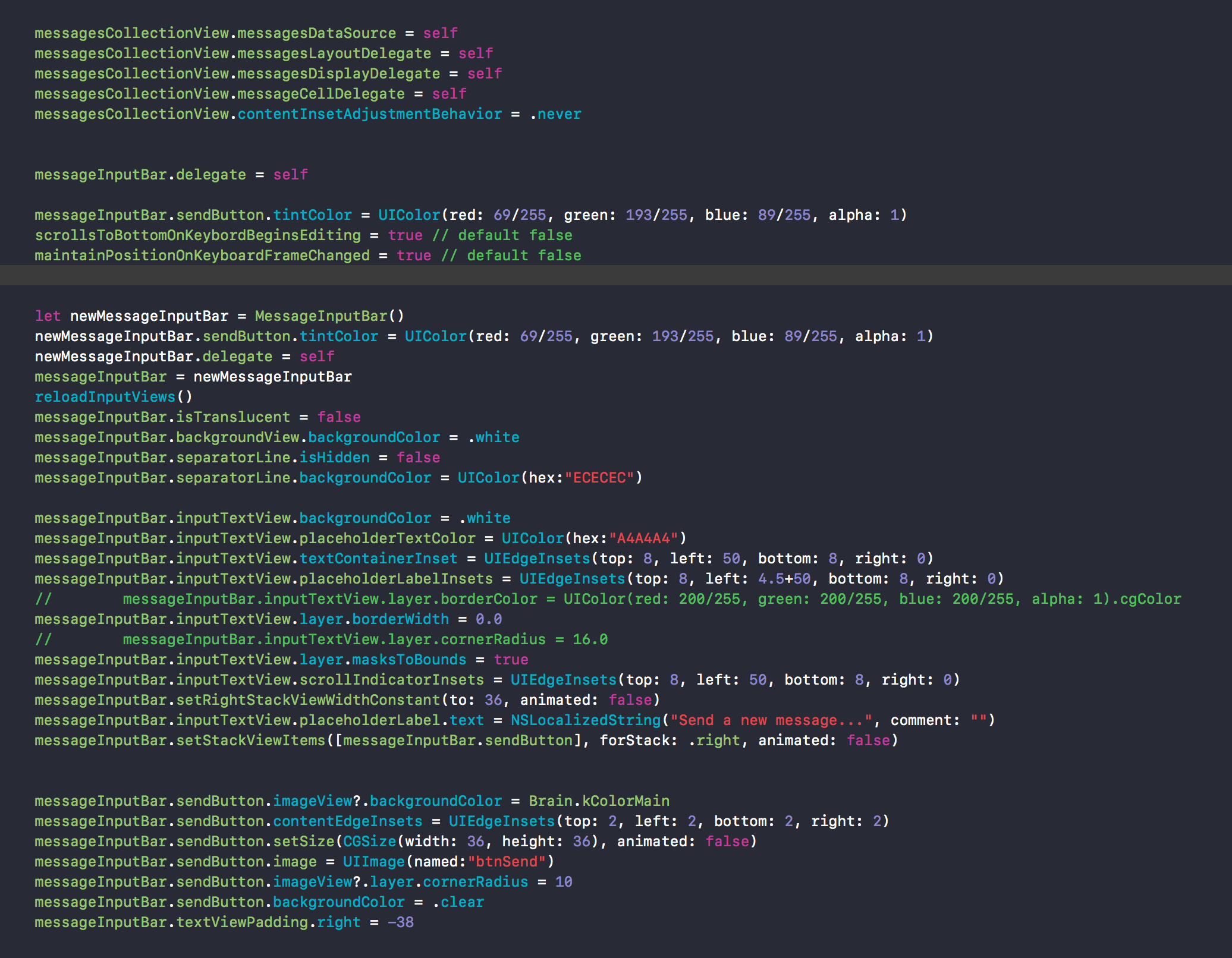
- Yes you can have any number on the left or right. You set them via an array of InputBarButtenItems
Sent with GitHawk
nathantannar4
on 13 May 2018
Look at the Slack keyboard example
Sent with GitHawk
nathantannar4
on 13 May 2018
In your code I'm not sure why you are recreating the MessageInputBar, but also you never set the left stack view items
Sent with GitHawk
nathantannar4
on 13 May 2018
I just followed the pattern given in the example app @JulienLevallois, and my code looks like this:
let newMessageInputBar = MessageInputBar()
newMessageInputBar.delegate = self
messageInputBar = newMessageInputBar
messageInputBar.separatorLine.isHidden = true
messageInputBar.inputTextView.layer.borderWidth = 0.0
let items = [
     makeButton(named: "ic_clip").onTextViewDidChange { button, textView in
             button.isEnabled = textView.text.isEmpty
     },
    messageInputBar.sendButton
         .configure {
               $0.image = #imageLiteral(resourceName: "send-button")
         }
]
messageInputBar.setRightStackViewWidthConstant(to: 100, animated: true)
messageInputBar.setStackViewItems(items, forStack: .right, animated: true)
reloadInputViews()
Hope that helps!
 adri4silva
on 14 May 2018
adri4silva
on 14 May 2018
Thanks @adri4silva ! But with your code the send button will on the right side and the new button on the left side ?
JulienLevallois
on 14 May 2018
Yes! The buttons will be displayed in the same order as you define them in items array.
adri4silva
on 14 May 2018
Yes but both will be in the right side of the screen. Me i want the send button in the right side of the screen and the the second one on the left side on the screen
JulienLevallois
on 15 May 2018
Ok, for that use case, you can use the left stack view.
More info in the documentation post: MessageInputBar
adri4silva
on 15 May 2018
@JulienLevallois yes as I said in my last reply. You only set the right stack view
Sent with GitHawk
nathantannar4
on 15 May 2018
I just followed the pattern given in the example app @JulienLevallois, and my code looks like this:
let newMessageInputBar = MessageInputBar()
newMessageInputBar.delegate = self
messageInputBar = newMessageInputBar
messageInputBar.separatorLine.isHidden = true
messageInputBar.inputTextView.layer.borderWidth = 0.0
let items = [
     makeButton(named: "ic_clip").onTextViewDidChange { button, textView in
             button.isEnabled = textView.text.isEmpty
     },
    messageInputBar.sendButton
         .configure {
               $0.image = #imageLiteral(resourceName: "send-button")
         }
]
messageInputBar.setRightStackViewWidthConstant(to: 100, animated: true)
messageInputBar.setStackViewItems(items, forStack: .right, animated: true)
reloadInputViews()
Hope that helps!
func makeButton(image: UIImage) -> InputBarButtonItem {
      return InputBarButtonItem()
      .configure {
         $0.spacing = .fixed(10)
         $0.image = image.withRenderingMode(.alwaysTemplate)
         $0.setSize(CGSize(width: 30, height: 30), animated: false)
      }.onSelected {
         $0.tintColor = .systemBlue
      }.onDeselected {
         $0.tintColor = UIColor.lightGray
      }
}
 sk-chanch
on 27 Oct 2020
sk-chanch
on 27 Oct 2020
Related issues
 anandatswayam
·
4Comments
anandatswayam
·
4Comments
 asn111
·
3Comments
asn111
·
3Comments
 pawankmrai
·
3Comments
pawankmrai
·
3Comments
 ChandraPrakashJangid
·
3Comments
ChandraPrakashJangid
·
3Comments
 NiklasWilson
·
4Comments
NiklasWilson
·
4Comments
Most helpful comment
I just followed the pattern given in the example app @JulienLevallois, and my code looks like this:
Hope that helps!