Messagekit: How to hide the AvatarView with v1.0.0
I'm trying to hide the AvatarView with the new changes of 1.0.0-beta.1.
Right now I use avatarView.isHidden = true in MessagesDisplayDelegate.configureAvatarView which only hides the view but will not remove the space of the AvatarView due to the size from outgoingAvatarSize or incomingAvatarSize of MessageSizeCalculator.
Is it possible to change the value of outgoingAvatarSize or incomingAvatarSize?
I couldn't find any delegate callback or entry point for a subclass.
 janweinkauff
All 37 comments
After a short chat in the slack channel I found a solution based on the suggestion from @creyD.
outgoingAvatarSize or incomingAvatarSize are just properties of the MessagesCollectionViewFlowLayout.
if let layout = messagesCollectionView.collectionViewLayout as? MessagesCollectionViewFlowLayout {
layout.textMessageSizeCalculator.outgoingAvatarSize = .zero
...
}
if let layout = messagesCollectionView.collectionViewLayout as? MessagesCollectionViewFlowLayout {
layout.textMessageSizeCalculator.outgoingAvatarSize = .zero
layout.textMessageSizeCalculator.incomingAvatarSize = .zero
}
doing this in viewdidload ^^ still gave me an avatar on outgoing messages
 Faisal0sal
on 5 May 2018
Faisal0sal
on 5 May 2018
I also did this change in the viewDidLoad method. It works on my side.
- Did you check if the cast
messagesCollectionView.collectionViewLayout as? MessagesCollectionViewFlowLayoutsucceeds? - Maybe set a breakpoint to
MessageSizeCalculator.avatarSize(for message:)to understand from what change theincomingAvatarSizeis set?
janweinkauff
on 5 May 2018
it works now, just moving it to the bottom of my viewDidLoad did it. not sure how this affect it.
Faisal0sal
on 5 May 2018
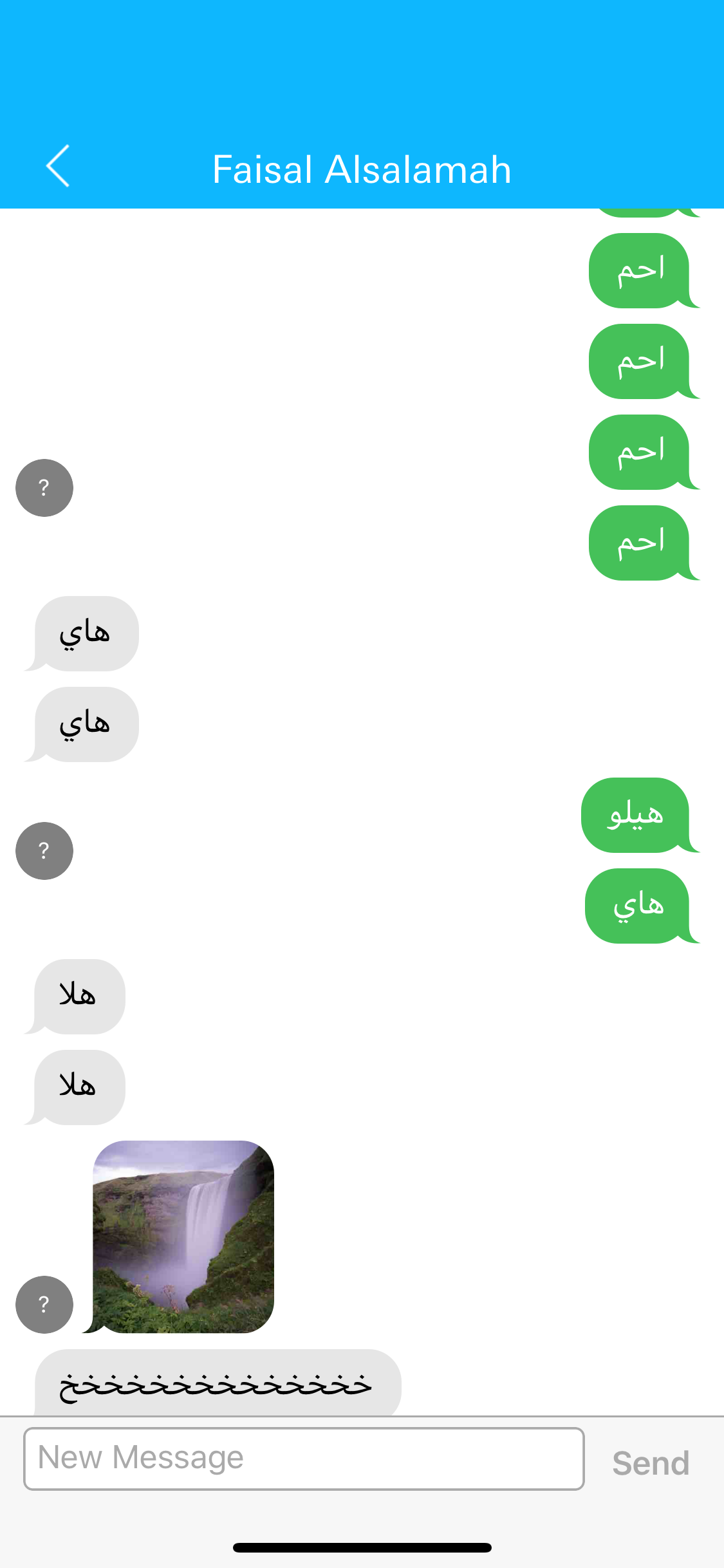
Actually although this does work on text messages, once you start loading more messages it starts to flounder between having it and removing it. It also appears on media messages.
Faisal0sal
on 5 May 2018
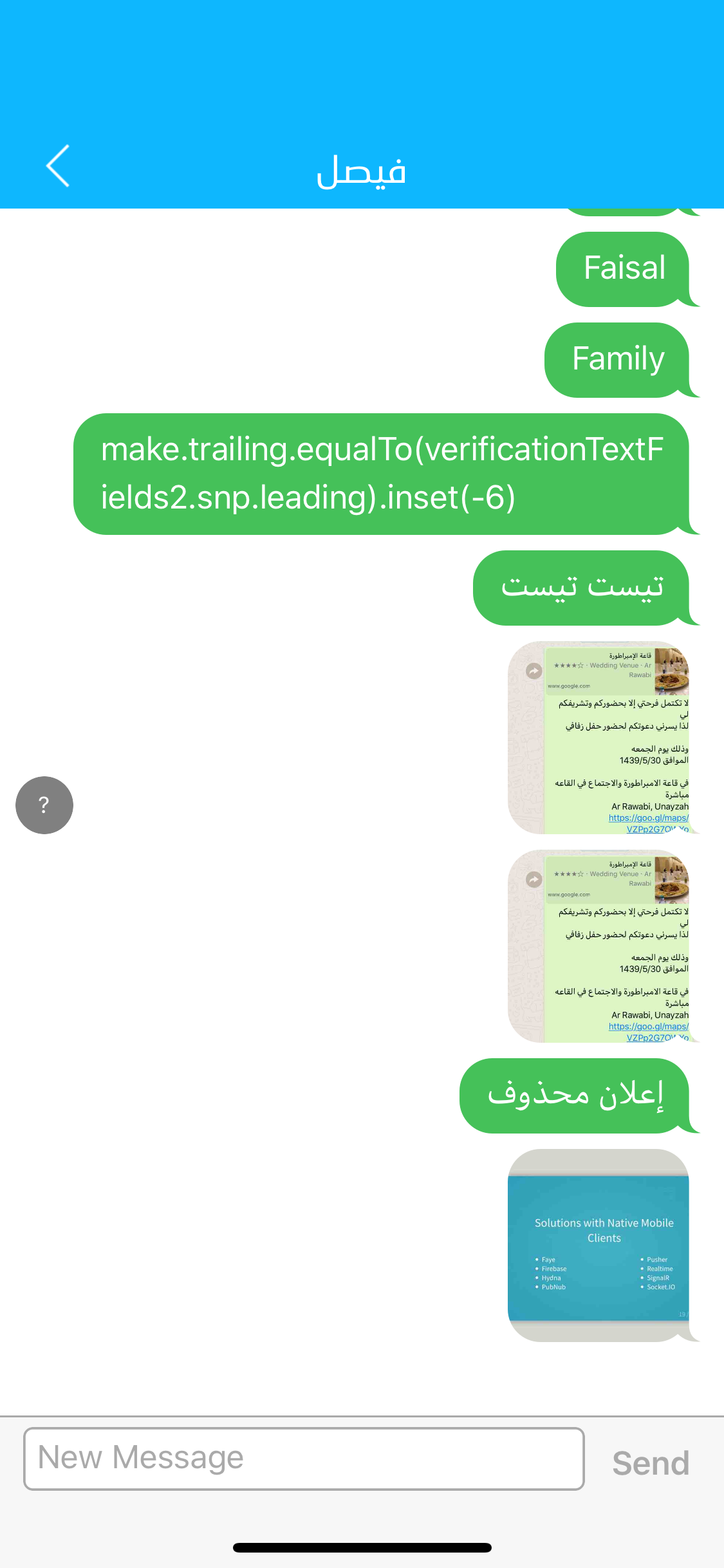
You can also set the avatar size for all other kind of messages. Please have a look into MessagesCollectionViewFlowLayout.
To change the avatar size you do same as desribed but with a different MessageSizeCalculator:
attributedTextMessageSizeCalculator.outgoingAvatarSize = .zero
emojiMessageSizeCalculator.outgoingAvatarSize = .zero
photoMessageSizeCalculator.outgoingAvatarSize = .zero
videoMessageSizeCalculator.outgoingAvatarSize = .zero
locationMessageSizeCalculator.outgoingAvatarSize = .zero
It still flounders
Faisal0sal
on 5 May 2018
@Faisal0sal keep in mind cells are reused
Sent with GitHawk
 SD10
on 5 May 2018
SD10
on 5 May 2018
Do you know why i get this error ?

 JulienLevallois
on 7 May 2018
JulienLevallois
on 7 May 2018
@JulienLevallois I'm not sure exactly. What is your MessageKit version? Have you tried clearing derived data folder?
SD10
on 7 May 2018
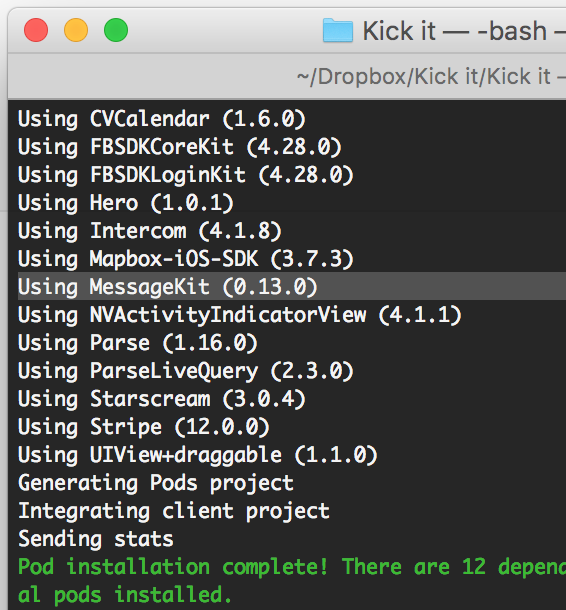
My version is 0.13.0 and yes i deleted this folder
JulienLevallois
on 7 May 2018
I need to update to 0.13.5 or 1.0.0-beta.1 ?
Because with pod 'MessageKit' and pod install i got this version 0.13.0
@SD10
JulienLevallois
on 7 May 2018
You need 1.0.0-beta.1
Run pod repo update, then pod install
SD10
on 7 May 2018
I got this error :/
[!] Failed to connect to GitHub to update the CocoaPods/Specs specs repo - Please check if you are offline, or that GitHub is down
JulienLevallois
on 7 May 2018
pod 'MessageKit', '~> 1.0.0-beta.1'
This is what worked for me.
Faisal0sal
on 7 May 2018
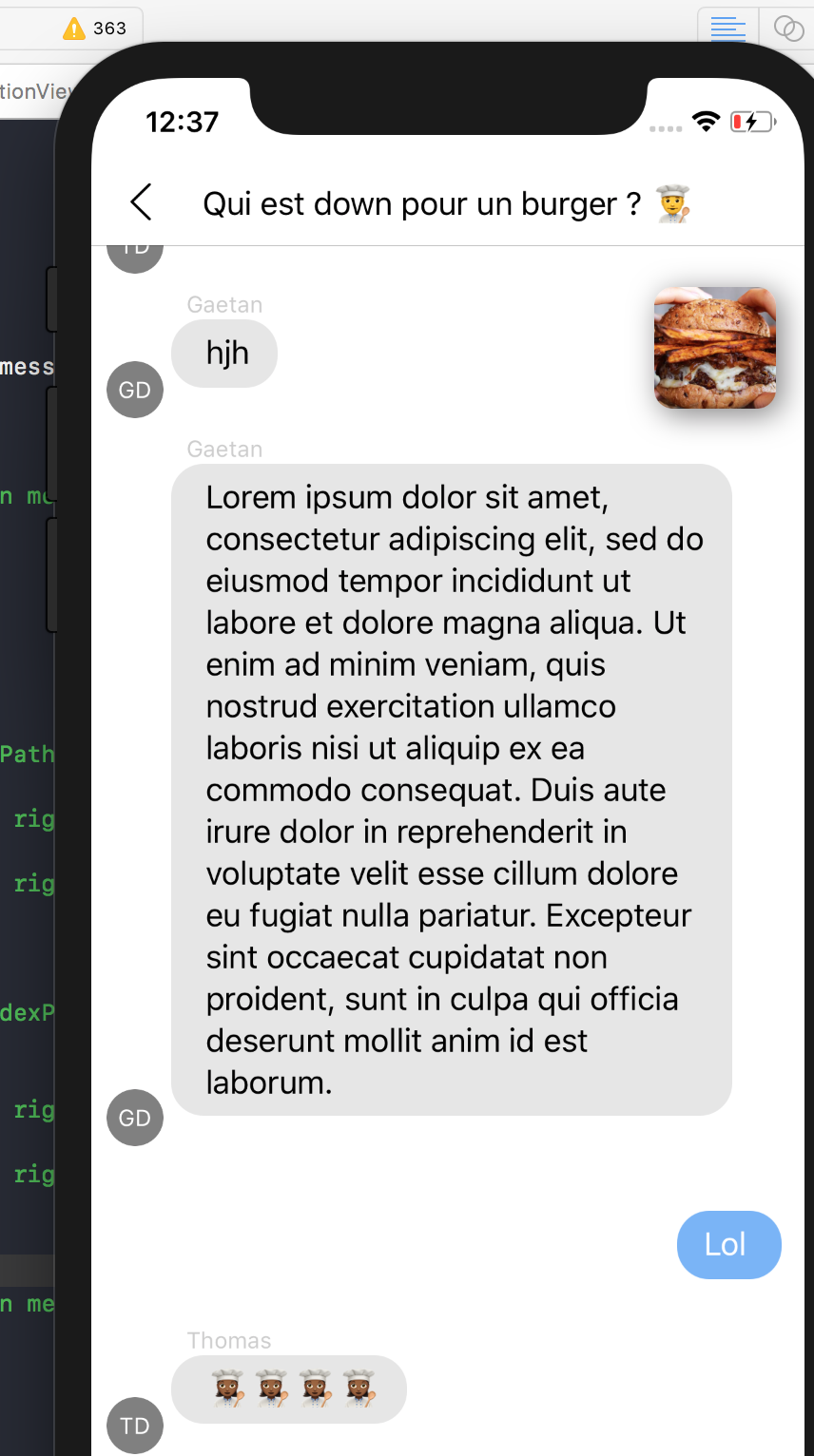
How can i verticaly align the avatar bottom with the cell in this new version ? 1.0.0-Beta.1
JulienLevallois
on 7 May 2018
@JulienLevallois Please create a separate issue for your question. Thanks!
 cwalo
on 7 May 2018
cwalo
on 7 May 2018
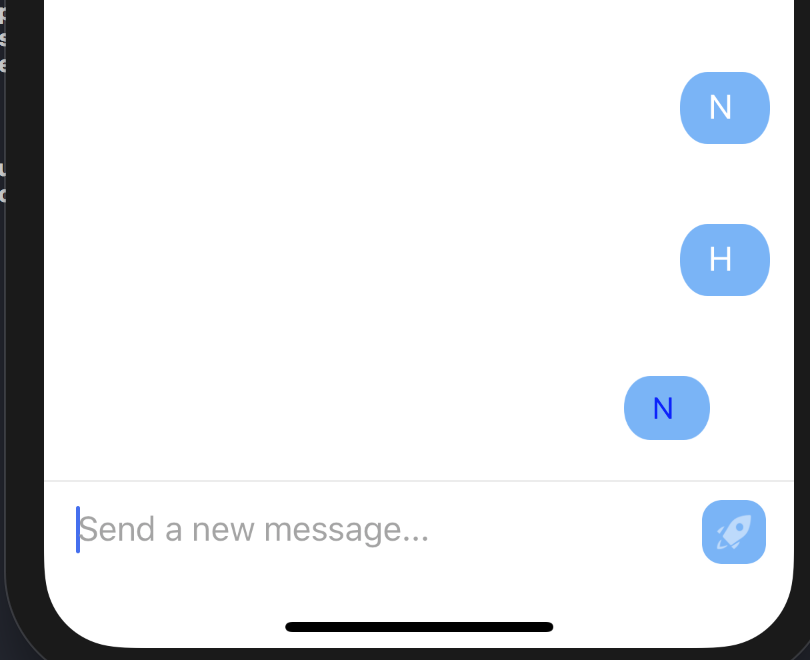
When i send a new message the outgoingAvatarSize = .zero didn't works
JulienLevallois
on 7 May 2018
Tried setting the avatar size using the following but I'm still getting blank spaces in the avatar area.
override func viewDidLoad() {
super.viewDidLoad()
// some code here
if let layout = messagesCollectionView.collectionViewLayout as? MessagesCollectionViewFlowLayout {
layout.textMessageSizeCalculator.outgoingAvatarSize = .zero
layout.textMessageSizeCalculator.incomingAvatarSize = .zero
}
}
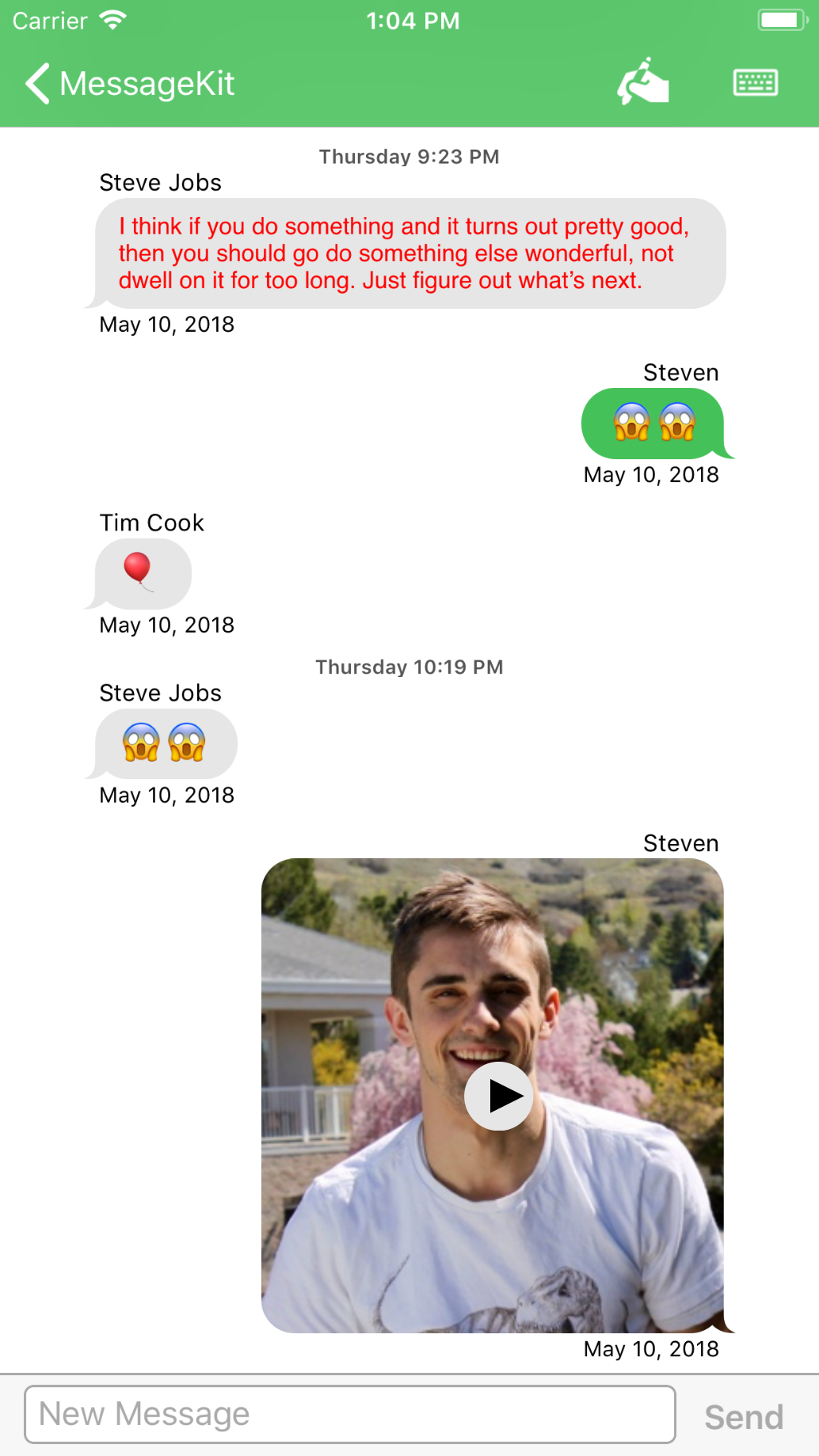
What am I missing?
 jaunesarmiento
on 9 May 2018
jaunesarmiento
on 9 May 2018
@jaunesarmiento because each case of MessageKind enum has its own CellSizeCalculator object as a property of MessagesCollectionViewFlowLayout. Look at the other properties in the class and set those to zero as well if you'd like
SD10
on 9 May 2018
Ah! @SD10 silly me. Thanks for pointing it out.
jaunesarmiento
on 9 May 2018
@SD10 it would be nice to somehow be able to set avatar sizes for all calculators at once rather than having to set size on each calculator individually, for convenience's sake. Do you think there's a place for that in the 1.0 API?
 ndonald2
on 9 May 2018
ndonald2
on 9 May 2018
@ndonald2 Maybe 🤔 The maintenance burden for that would be lightweight but I dislike expanding the API surface area with something a user could do themselves. We would have to also look at a convenience method for the other calculator properties as well.
SD10
on 10 May 2018
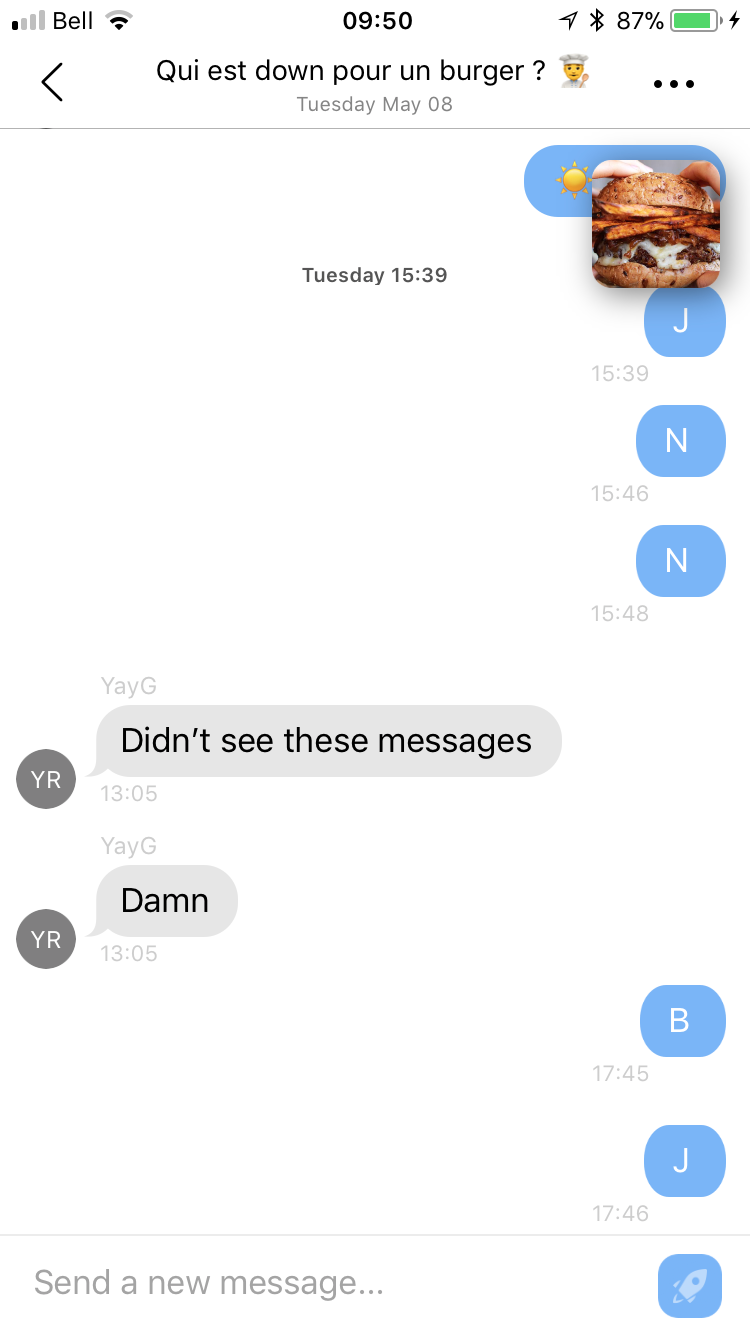
I removed Avater view but how can i align my bottom date to the right ? without avatar.
Thanks
JulienLevallois
on 10 May 2018
@SD10
I dislike expanding the API surface area with something a user could do themselves
I totally agree, but as you mentioned the maintenance cost for this would be quite low. In my opinion it seems like a very common use case to just want to change MK's default avatar size, which for both outgoing and incoming messages across all message types is currently _extremely_ verbose:
layout.textMessageSizeCalculator.incomingAvatarSize = avatarSize
layout.textMessageSizeCalculator.outgoingAvatarSize = avatarSize
layout.attributedTextMessageSizeCalculator.incomingAvatarSize = avatarSize
layout.attributedTextMessageSizeCalculator.outgoingAvatarSize = avatarSize
layout.videoMessageSizeCalculator.incomingAvatarSize = avatarSize
layout.videoMessageSizeCalculator.outgoingAvatarSize = avatarSize
layout.photoMessageSizeCalculator.incomingAvatarSize = avatarSize
layout.photoMessageSizeCalculator.outgoingAvatarSize = avatarSize
// ... etc for all message types
That's not to say that users couldn't just create an extension to do this, but if the maintenance cost is indeed low, why not just add to the API for a better dev experience?
ndonald2
on 10 May 2018
@ndonald2 do you how can i am align the bottom date to the right ? Without avatars
JulienLevallois
on 10 May 2018
@JulienLevallois please keep all discussions on topic
Sent with GitHawk
SD10
on 10 May 2018
Its on the topic.. its about the avatar view
JulienLevallois
on 10 May 2018
@JulienLevallois Take a look at func cellBottomLabelAlignment(for message: MessageType, at indexPath: IndexPath, in messagesCollectionView: MessagesCollectionView) -> LabelAlignment. This is shown in the example project, please take a good look at it as I think it would help for a lot of your questions.
 nathantannar4
on 12 May 2018
nathantannar4
on 12 May 2018
@JulienLevallois @SD10 , I've faced the same issues exposed by Julien and I've pushed a PR to fix this: https://github.com/MessageKit/MessageKit/pull/699
 Artheyn
on 24 May 2018
Artheyn
on 24 May 2018
This issue has been marked as stale because it has not had recent activity. It will be closed if no further activity occurs.
![stale[bot] picture](https://avatars.githubusercontent.com/in/1724?v=4&s=40) stale[bot]
on 14 Jun 2018
stale[bot]
on 14 Jun 2018
This issue has been auto-closed because there hasn't been any activity for at least 21 days. However, we really appreciate your contribution, so thank you for that! 🙏 Also, feel free to open a new issue if you still experience this problem 👍.
stale[bot]
on 21 Jun 2018
Now your can use
func avatarSize(for message: MessageType, at indexPath: IndexPath, in messagesCollectionView: MessagesCollectionView) -> CGSize {
    return .zero
  }
to hide avatar.
 commando24
on 28 Jun 2018
commando24
on 28 Jun 2018
Thanks for your reply @commando24 . In fact, this method has been deprecated since MessageKit 1.0:
    func avatarSize(for message: MessageType, at indexPath: IndexPath, in messagesCollectionView: MessagesCollectionView) -> CGSize {
        fatalError("avatarSize(for:at:in) has been removed in MessageKit 1.0.")
    }
But if you use the latest beta 1.0.0-beta.2 the issue is fixed (by https://github.com/MessageKit/MessageKit/pull/716).
You can now directly use :
private func setupCollectionView() {
    guard let flowLayout = messagesCollectionView.collectionViewLayout as? MessagesCollectionViewFlowLayout else { return }

    flowLayout.attributedTextMessageSizeCalculator.outgoingAvatarSize = .zero
    flowLayout.attributedTextMessageSizeCalculator.incomingAvatarSize = .zero
}
I should probably have checked this thread first. I was implementing the old delegate methods, and noticed they never get called. Duh. Ok. Then eventually found what @Artheyn said above.
guard let flowLayout = messagesCollectionView.collectionViewLayout as? MessagesCollectionViewFlowLayout else { return }

flowLayout.attributedTextMessageSizeCalculator.outgoingAvatarSize = .zero
flowLayout.attributedTextMessageSizeCalculator.incomingAvatarSize = .zero
 n13
on 9 Jun 2019
n13
on 9 Jun 2019
Hey! nice pod)
I've got a problem, when I hide avatars in configureAvatarView:
when I type there
if let layout = messagesCollectionView.collectionViewLayout as? MessagesCollectionViewFlowLayout {
        layout.textMessageSizeCalculator.outgoingAvatarSize = .zero
        layout.textMessageSizeCalculator.incomingAvatarSize = .zero
        }
and if in func messageReceived I typed messagesCollectionView.scrollToBottom(animated: true) then.. in the moment when I entered in any chat, which have more messages than screen able to show scrollToBottom performs, but after it scrolls back to top.
How can I stop this scrolling(to top)
 matsota
on 10 Aug 2020
matsota
on 10 Aug 2020
messagesCollectionView.messagesCollectionViewFlowLayout.setMessageOutgoingAvatarSize(.zero)
it works.
messageKit 3.4.1
 le-hu-dev
on 3 Mar 2021
le-hu-dev
on 3 Mar 2021
Related issues
 NiklasWilson
·
4Comments
NiklasWilson
·
4Comments
 nitrag
·
3Comments
nitrag
·
3Comments
 emmanuelay
·
3Comments
emmanuelay
·
3Comments
 pawankmrai
·
3Comments
pawankmrai
·
3Comments
 Abacaxi-Nelson
·
4Comments
Abacaxi-Nelson
·
4Comments
Most helpful comment
doing this in viewdidload ^^ still gave me an avatar on outgoing messages