Messagekit: MessageInputBar not resize after message sent
General Information
MessageKit Version: 0.12.1
iOS Version(s): 11
Swift Version: 4
Devices/Simulators: Tested in Simulator
Reproducible in ChatExample? (Yes/No): No, i cant reproduce in ChatExample
What happened?
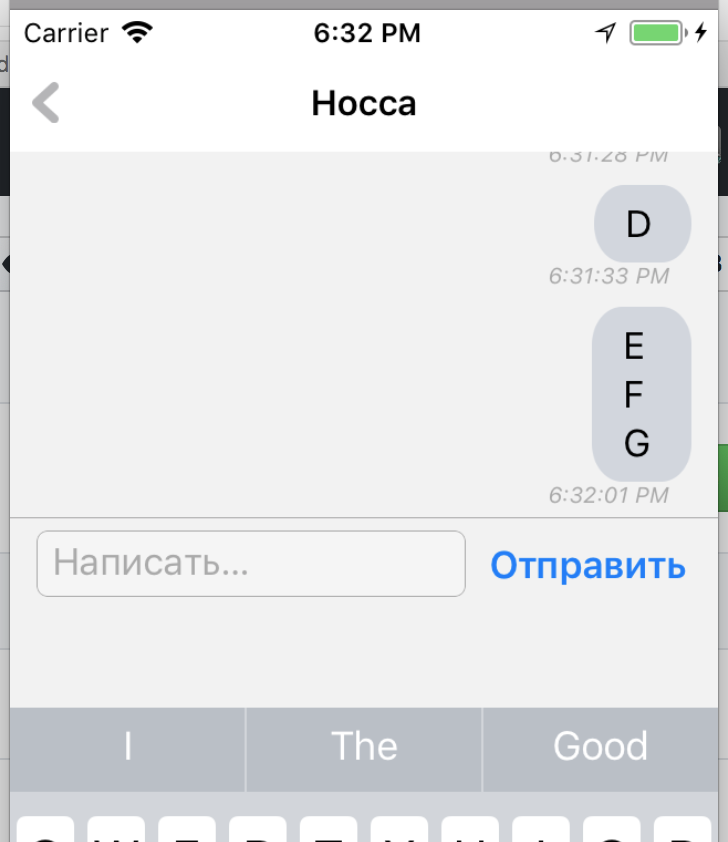
What did you expect to happen?
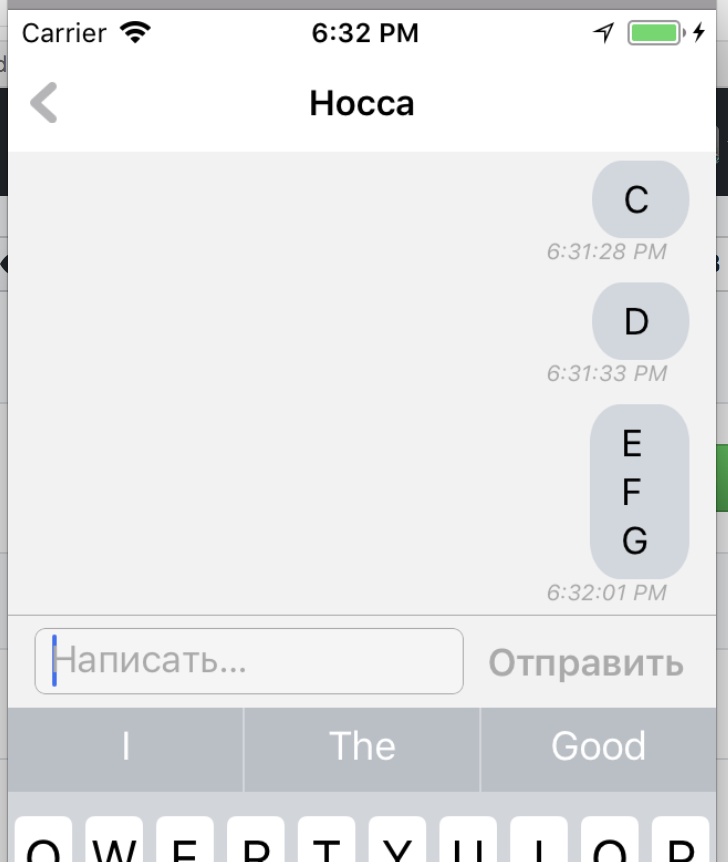
When
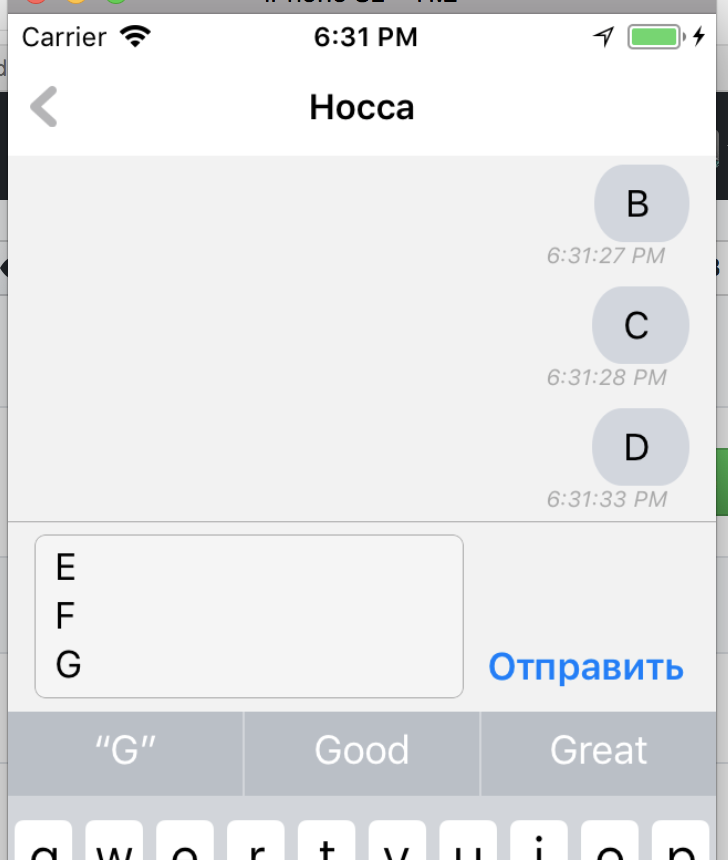
When sent message lines count bigger than 1 textView not resize its height.
let chatMessage = ChatMessage(
    text: text,
    sender: self.currentSender(),
    messageId: UUID().uuidString,
    date: Date()
)
vmodel.append(message: chatMessage)
inputBar.inputTextView.text = String()
messagesCollectionView.reloadData()
messagesCollectionView.scrollToBottom()
 Elshad
All 10 comments
I found the solution, but i dont know its good solution or not.
If it is OK, please close this issue
let chatMessage = ChatMessage(
    text: text,
    sender: self.currentSender(),
    messageId: UUID().uuidString,
    date: Date()
)
vmodel.append(message: chatMessage)
inputBar.inputTextView.text = String()
inputBar.invalidateIntrinsicContentSize() // Added to force inputBar to resize its layout
messagesCollectionView.reloadData()
messagesCollectionView.scrollToBottom()
cc @nathantannar4
Sent with GitHawk
 SD10
on 9 Jan 2018
SD10
on 9 Jan 2018
You said you can't reproduce it in the ChatExample. Can you please tell me how you are setting up your MessageInputBar? And what are you doing when the user taps send
Sent with GitHawk
 nathantannar4
on 11 Jan 2018
nathantannar4
on 11 Jan 2018
Now i tested, it seems that everything are ok. I can't reproduce it in my app too. Maybe it was Simulator related bug. I think we can close this issue.
Thank you for you answers and sorry that wasted your time
Elshad
on 12 Jan 2018
No worries @Elshad, thanks for following up! Feel free to reopen if you stumble upon it in the future.
 BasThomas
on 12 Jan 2018
BasThomas
on 12 Jan 2018
It happens in ChatExample. (latest 0.13.0)
Just modify the lines in MessageInputBarDelegate.messageInputBar(_ inputBar: MessageInputBar, didPressSendButtonWith text: String) to be in a DispatchQueue such as:
DispatchQueue.main.async {
inputBar.inputTextView.text = String()
self.messagesCollectionView.scrollToBottom()
}
Then this problem happens.
It is common to clear inputBar.inputTextView.text after you successfully send the message to server. So it would be async and will not clean inputTextView when the callback is called.
 tflin
on 17 Jan 2018
tflin
on 17 Jan 2018
If you are doing this async then you need to call invalidateIntrinsicContentSize. We normally do it after calling the delegate function but if you don’t clear the InputTextView right away then it’s not resized upon clearing the text
Sent with GitHawk
nathantannar4
on 17 Jan 2018
@tflin It would be better to store the message locally, clear the text field immediately, then attempt to send it to server.
In messaging applications this is how it is usually done. With the addition of a failure message if the message didn’t make to the server, allowing the user to resend.
Sent with GitHawk
SD10
on 17 Jan 2018
^ yup that's how I do it
Sent with GitHawk
nathantannar4
on 17 Jan 2018
Closing this one. Thank you for the feedback everyone 👍
SD10
on 18 Jan 2018
Related issues
 Leon12345679
·
3Comments
Leon12345679
·
3Comments
 mlequeux
·
3Comments
mlequeux
·
3Comments
 yspreen
·
3Comments
yspreen
·
3Comments
 asn111
·
3Comments
asn111
·
3Comments
 JulienLevallois
·
4Comments
JulienLevallois
·
4Comments